1
bdiNDI
BDM interface for Nucleus™ Debugger, BDI2000 (ColdFire)
User Manual
2
1 Introduction ................................................................................................................................. 3
1.1 BDI2000................................................................................................................................. 3
2 Installation ................................................................................................................................... 4
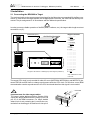
2.1 Connecting the BDI2000 to Target......................................................................................... 4
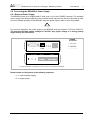
2.1.1 Changing Target Processor Type ................................................................................. 6
2.2 Connecting the BDI2000 to Power Supply............................................................................. 7
2.2.1 External Power Supply ................................................................................................. 7
2.2.2 Power Supply from Target System ............................................................................... 8
2.3 Status LED «MODE»............................................................................................................. 9
2.4 Connecting the BDI2000 to the Host ................................................................................... 10
2.4.1 Serial line communication .......................................................................................... 10
2.4.2 Ethernet communication ............................................................................................ 11
2.5 Installation of the Configuration Software ............................................................................ 12
2.6 Configuration ....................................................................................................................... 13
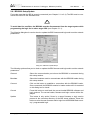
2.6.1 BDI2000 Setup/Update .............................................................................................. 14
3 Init List........................................................................................................................................ 16
4 BDI working modes................................................................................................................... 17
4.1 Startup Mode ....................................................................................................................... 18
4.1.1 Startup mode RESET ................................................................................................ 18
4.1.2 Startup Mode STOP................................................................................................... 18
4.1.3 Startup mode RUN..................................................................................................... 19
4.2 Breakpoint Mode ................................................................................................................. 19
4.2.1 Breakpoint Mode FREEZED ...................................................................................... 19
4.2.2 Breakpoint Mode LOOP ............................................................................................. 19
4.3 Workspace ........................................................................................................................... 21
5 Working with Nucleus ............................................................................................................... 22
5.1 Direct Commands ................................................................................................................ 22
5.1.1 Flash.Setup ................................................................................................................ 22
5.1.2 Flash.Erase ................................................................................................................ 23
5.1.3 Flash.Load ................................................................................................................. 24
5.1.4 Flash.Idle.................................................................................................................... 24
5.2 Download to Flash Memory................................................................................................. 25
6 Telnet Interface .......................................................................................................................... 28
7 Specifications ............................................................................................................................ 29
8 Warranty ..................................................................................................................................... 30
Appendices
A Troubleshooting ........................................................................................................................ 31
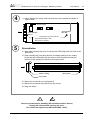
B Maintenance .............................................................................................................................. 32
C Trademarks ................................................................................................................................ 34
© Copyright 1992-2005 by ABATRON AG
V 1.00