1
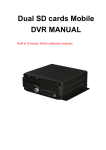
HDD Mobile DVR User Manual
User Manual
for
GPS/3G,4/8ch,D1,Hard Disk
Mobile Digital Video Recorder(MDVR)
Model : AL HDD 4&8
Catalogue
1
HDD Mobile DVR User Manual
1
Product Specification .............................................................................. 错误!未定义书签。
2
Product Applications................................................................................................................. 5
3
Appearance of Product.............................................................................................................. 7
4
Remote Control Function Instruction ................................................................................... 176
5
Device Functions and Operation Guide .................................................................................. 18
5.1
User Login ...................................................................................................................... 20
5.2
General Setting................................................................................................................ 21
5.2.1 Basic Setting ............................................................................................................... 21
5.2.2 Vehicle Setting ............................................................................................................ 22
5.2.3 Encode - Channel Setting............................................................................................ 23
5.2.4 Record Setting............................................................................................................. 24
5.2.5 Network Setting .......................................................................................................... 25
5.2.5.1 Local network ..................................................................... 错误!未定义书签。
5.2.5.2 3G Setting ........................................................................................................... 26
5.2.5.3 Center Setting...................................................................................................... 27
5.2.6 Alarm Setting .............................................................................................................. 27
5.2.6.1 IO setting ............................................................................................................. 28
5.2.6.2 Speed Setting ...................................................................................................... 29
5.2.6.3 Accelerate Setting ............................................................................................... 30
5.2.6.4 Termperature Setting ........................................................................................... 30
5.3
Record Search ................................................................................................................. 31
5.4
Manage tool .................................................................................................................... 32
5.4.1 User Account............................................................................................................... 33
5.4.2 Disk Manage ............................................................................................................... 34
5.4.3 System upgrade ........................................................................................................... 34
5.4.4 Config Manage............................................................................................................ 35
5.5
Peripheral ........................................................................................................................ 36
5.5.1 PTZ ............................................................................................................................. 37
5.6
System Information ......................................................................................................... 38
2
HDD Mobile DVR User Manual
. Product Specification
1.1 Product Overview
Hard Disk Mobile DVR (Automotive) is a cost-effective, multi-functional device designed for video
surveillance and remote monitoring of your mobile assets. It uses a high-speed processor, an embedded
Linux platform, and the most advanced technology in the IT field, such as H.264 Video
Compression/Decompression, 3G network transmission technology and GPS positioning technologies.
MDVR can realize four/eight channel video recording. Each channel supports CIF, HD1 and D1 image
solution. Drivers' driving information, GPS data and alarm data are recorded in hard disk which is used as
the storage medium. The MDVR may look simple in its exterior design, provides powerful auto black box
features, installation flexibility and high reliability.
1.2 Key Features:
4/8 channel video & audio synchronous real-time recording and playback
4ch D1@25fps , 8ch CIF@25fps , 8ch HD1@25fps , 8ch D1@12fps options.
Built-in 2.5 inch HDD, supports max 1TB, Professional hard disk damping technology.
3G network , such as HSUPA/HSDPA/WCDMA/EVDO is selectable.
Built-in GPS module.
Built-in G-sensor
External WIFI special interface.
Built-in 1 SD card for backup recording when HDD errors.
2 high speed USB2.0 interfaces, the front is used to export record file. The back is use to mirror recording
for waterproof and fireproof.
8 digital alarm inputs, 2 digital level output.
Three RS485 interfaces, one RS232 interface.
Built-in hard disk heating technology. It can be worked in -40℃ - +85℃。
Power supply: 8V-36V
1.3 MDVR detail specifications to see Table 1
Table 1 : MDVR Specifications
Items
System
Parameters
Specifications
Language
English
Operation Menu
Graphical User interface(OSD menu)
Password
Users Password/ Administrator Password
Video input
4-CH video input 1.0Vp-p,75Ω
Video output
1-CH composite video output 1.0Vp-p,75Ω
1 VGA output
3
HDD Mobile DVR User Manual
Video
Audio
Image
Processing
&
Storage
Video Display
1 channel or synchronous 4 channels
Video Singal
PAL、NTSC
Video
Compression
H.264 Main profile
PAL:100fps at D1, NTSC: 120fps at D1
Audio input
4-ch Audio input
Audio output
1-ch Audio output
Recording mode
Audio & Video sync Recording
Image
Resolution
4 D1 , 4 HD1, 4 CIF options
Video
Compression
H.264 Main profile
Video bit rate
CIF: 1536Kbps ~ 128Kbps,4 levels optional.
Highest: 0 level Lowest: 3 level
HD1: 2048Kbps ~ 512Kbps,4 levels optional.
Highest: 0 level Lowest: 3 level
D1: 4Mbps ~ 1Mbps, 4 levels optional.
Highest: 0 level Lowest: 3 level
Audio
Compression
ADPCM, G.726, G.711 Options
Audio Bit rate
8KB/s
Storage
Support One HDD Max 1TB
Support One SD Card Backup when HDD is error.
Support Mirror Recording with a expand HDD
Alarm input
8 digital level inputs,below 4V is low level alarm,above
4V are high level alarm
Alarm output
2 digital level outputs,output voltage level:12V
RS485 Interface
Support 2-RS485 interface
RS232 Interface
Support 1-RS232 interface
WIFI Interface
Support 802.11b/g/n
Alarm
Communication
Interface
Extended
interface
Support connecting LCD control panel via extended interface
Audio amplifier
interface
Support Stereo Audio output, it can contact 20W speaker directly
3G
HSUPA/HSDPA/WCDMA/EVDO Optional
GPS
Built-in GPS module, Geographic coordinates 、 speed can be recorded in
hard disk and also can be transmitted to CMS.
4
HDD Mobile DVR User Manual
Acceleration
Sensor
Embedded acceleration sensor
Playback
Playback Software is used to playback video file, GPS
track, G-sensor, and alarm information.
CMS
Center vehicle management software platform, it can
manage 20000 devices at same time, if need to manager
more units, add more servers to realize it.
Software
Software
Upgrade
Support Flash disk to upgrade the firmware
1.4 MDVR electric Specifications to see Table 2
Table 2: MDVR Electric Specifications
Items
Parameters
Specifications
Power input
+8-+36V
+8V~+36V, When long-term under 8V, or long-term over
36V, Auto power off, enter protected mode.
Power output
12V
12V(+/-0.2V)
,Max:3A.
≤4V
Power OFF。
≥5V
Power ON。
Video
input
Impedance
75Ω
75Ω for each video input impedance
Video
Volt
2Vp-p
Output 2Vp-p CVBS analog signal, displayer device input
need 75Ω impedance to fit it。
0—4V
Low level alarm
4V 以上
High level alarm
-40℃-75℃
Under well-ventilated enviroment.
ACC Detection
output
I/O interface
Operating Temp
, Product Applications
The MDVR products application connection diagram:
Please refer to figure 1-1This product can be used for video surveillance or remote monitoring which applies
in common or special vehicles such as buses, logistic vehicles, trucks, long-distance coaches, taxis, tankers,
cars, school buses, police cars, patrol cars. In front-end it mainly collects video signal by dedicated automotive
camera , then transmits to the MDVR host via a special video cable to do the video compression and image
processing, which is locally storage in SD card. It can also be remote monitored or remote video recorded and
downloaded by the remote client if with 3G models. It can real-time locate the vehicle position; Figure 1-1
schematic diagram is a common mode of application, each function during actual use will vary with the presence
of module.
5
HDD Mobile DVR User Manual
Figure 1-1
MDVR Schematic diagram
Appearance of Product
3.1
Device Appearance
6
HDD Mobile DVR User Manual
3.2 Device drawing Dimension & Install Holes
3.3 Front & Back Panel led & Plug-in module.
7
HDD Mobile DVR User Manual
4ch and 8ch MDVR Front
4ch and 8ch MDVR Front
Table 3 : Front Panel definition
Interface
Vedio out
Items
Description
AV-OUT
Video Audio and 12V out analog output
REC
Recording LED , light on when recording
ALM
Alarm LED, light on when device work
abnormally
HEAT
Light on when heated
3G
Light on when 3G module exist
PWR
Power LED ,light on when power work
normally
SD
Light on if SD card exist
HDD
light on if HDD exist,flash when recording
GPS
GPS singal LED , light on when GPS module
exist ,flash if singal exsitGPS
IR receiver
IR
Receive remote control singal
Electronic
LOCK
When
LED
8
device
is
working
unlock
the
HDD Mobile DVR User Manual
E-key,system will power off ,lock the
E-key .system will work normally
key
USB Port
USB 2.0
Upgrade and Export video data
Back Panel interface definition
4ch MDVR Back
9
HDD Mobile DVR User Manual
8CH MDVR BACK
4CH Back signal definition diagram
Table 4: Back panel inteface Definition Table
Interface
Items
Description
3G Antenna Interface
3G
3G Antenna Interface
GPS Antenna Interface
GPS
GPS Antenna Interface
Power Input Interface
POWER
Power input interface
I/O Serial AV-out
interface and
speaker
I/O&RS485&RS23
2 AV-OUT
10
Swich input interface,high level(>4V
Input Vehicle speed pulse singal ,
differential input Voice docking function
HDD Mobile DVR User Manual
Insert network cable ,the LED will light
on when network is connected
successfully
Network Interface
RJ45
USB Interface
USB
Mirror image recording storage media
Serial Interface
RS485
2 RS485 interface
Printer Interface
MCU/ICP
System debugging information interface
AV-IN
CAM1.2.3.4
Video Audio input and 12V out
3.5 Power Cable
Power cable as picture 9,one end is 6pin white plug , it connect with the 6pin white plug of device back
panel.The red and black cables are directly connect to the vehicle's battery. Red cable to positive , black cable
to negtive. Yellow cable is FIREWIRE. The device will automatically start when turn on the vehicle key ,and
close when turn off the vehicle key . Yellow cable is connected to the gear that vehicle key open all the
dashboard light(the gear of starting vehicle motor ).
Notes:
1)Before connecting, confirm the voltage is between 8V—36V or else ,if over this range ,the device will be fired
2)After connecting the cables, Ensure that power cables are insulated to prevent short circuiting and burning out
the battery.
3)The Yellow cable must be connected to the vehicle ignition cable, otherwise the device will not be able to
execute the delayed shutdown and the final moment of the video will be lost;
4)Note: Connection to the vehicle's engine must be connected directly to the positive anode of the battery. Do
Not Use bond strap for grounding as it will produce negative pulses that would interfere the device's normal
operation. The negative pole of the power code must be Φ1.5mm and above.
3.6 GPS Antenna and 3G Antenna
11
HDD Mobile DVR User Manual
3.7 Alarm input and output
The device has 8 alarm input and 2 alarm output interfaces. Alarm input detection is level detection.Various state
of alarm level can be detected while the vehicle is in motion, such as braking, steering horn etc. Below is a
diagram that shows when the braking vane Is depressed, the MDVR would be able to detect the high level,
otherwise, just detect the low level.
Alarm outputs are level output drive capability for the 200MA, if you want to drive relatively large power device,
must connect external relay. Shown below is the Alarm output photoelectric alarm wiring diagram.
MDVR alarm output
24V
3.8 Device Installation Guide
A Inspecting the Accessories
After unpacking, please check the device for damage or deformation. If there are, please do not install the device
and get in touch with the supplier. In the product box there is a packing list. Please cross check this list with the
device and its accompanying accessories.
12
HDD Mobile DVR User Manual
Table 5: Packing List
Hard Disk Mobile DVR - F608HDD Packing List
Item
Specifications
Unit
QTY
Host Machine
pcs
1
Accessories Box
pcs
1
Power Line-6PIN
6PIN Big557 L=200mm
pcs
1
Alarm Line-24PIN
AMP24PIN , L=200mm
pcs
1
Remote Control
pcs
1
HDD Case
pcs
1
pcs
4(According to
demand)
Electronic Key
pcs
2
Desiccant
pcs
1
Pearl Cotton
pcs
2
4PIN Air connector, convertRCA 、
BNC、DC L=200mm
Connecting Line
GPS Antenna
G503 L=5m
pcs
1
3G Antenna
3G Antenna
pcs
1
pcs
1
Protective cover
Screw M3
KM3*5mm
pcs
4
US-made screws # 8
AC #8*9MM
pcs
1
Allen wrench
3#
pcs
1
4Pin Port Convert BNC Composite video Cable
13
HDD Mobile DVR User Manual
8CH wiring, A is the first CAM,B is the second
B HDD、SIM card、SD card installation
Unlock by the key, insert the HDD into the HDD slot in front of the mainframe. Notice: if draw out THE
HDD,the front part of HDD should has a space of over 10cm(the length of HDD)
14
HDD Mobile DVR User Manual
PLUG THE HDD-BOX
Plug the HDD box, shrapnel and the handle pressed
15
HDD Mobile DVR User Manual
Note when the HDD is installed
SIM card is located on the communication board,move the small baffle at the bottom of the mainframe,you can
see the interface of SIM card .
If system support wireless network communication, need install SIM card; SIM card and SIM are in the same
location,you can see them ,just when you move the baffle at the bottom of the mainframe .
16
HDD Mobile DVR User Manual
Remote Control Function Instruction
There is no control button on MDVR panel, need remote control to fit operating
Key-press & function as below:
Digit keys zone:
【0-9】key:Under setting,use for select digit. During playback and preview,1、2、3、4 is for the switch of
the channels
【+】
、
【-】key:adjust digit when plus or deduct
【ENTER】key:under setting,means select and save
On playback condition, press ENTER can reveal parameters in OSD OVERLAY menu when it’s ON on screen.
Table 6 : Function keys on remote control
17
Startup/power off
HDD Mobile DVR User Manual
Through screen, press this button twice for reboot(soft start key)
(note:can’t be use now)
LOGIN
When setting password,press LOGIN input password。
Do please remember password due to device have no reset
function.
INFO
Check info
Digit keys1,2,3,4
Switch between 1-channel and 4-channel version. Press it, show
4-channel. Press digit key 1,2,3,4, can separately switch to
CH1,CH2,CH3,CH4
RETURN
Return to up grade, exit setup menu and return to screen.
PAUSE / STEP
When playback recording, press STEP, a time play a step, press
PAUSE, it stop. Press play key, then normally play.
GOTO
When play back, press it can jump to designated time and play.
FRAME
Press FRAME key, then FRAME play.
(PLAY)
PLAY key, (when PAUSE, it will show still image)
FWD
FWD for playback recording, 4 grades: 2X,4X,8X,16X
REW
REW for playback recording, 4 grades: 2X,4X,8X,16X
■
Stop manual recording key
●
Start manual recording key
NEXT
Turn to next page/ next file when playing.
PREV
Turn to previous page/ previous file when playing
AUTO、PRESET、
ZOOM+/、
FOCUS+/、 PTZ function keys
IRIS+/- 、 PTZ 、
PRESET
、
RECALL、BRUSH
F1、F2、F3
F1 is shortcut key,F2,F3 are Spare keys. (Reserved for future)
18
HDD Mobile DVR User Manual
19
HDD Mobile DVR User Manual
20
HDD Mobile DVR User Manual
21
HDD Mobile DVR User Manual
22
HDD Mobile DVR User Manual
4.3:General settings
Figure 4-6
Figure 4-7
General settings is the first menu in system menu, the generic setting interface contains four function
options: date and time, vehicle information, user management and network, as shown in Figure 4-7
4.3-1:Date & Time
Set the system time and some other basic properties of the device, as shown in Figure 4-8
1.Date Format: Press "ENTER" drop-down menu to use the arrow keys to select the output format of date
(year-month-day, day-month-year, and month-day-year).
23
HDD Mobile DVR User Manual
2.The date and time settings: two ways for time
proofreading ---GPS time proofreading and
manual time proofreading, when select GPS time
proofreading, the modified time will change
because of reaching the GPS time proofreading
point, so if you want to modify the time, it is
suggested to choose manual time proofreading
mode, which can be in normal after modifying
time. Way of modifying the time and date: move
the cursor to the number which needs modification
and directly press the corresponding number keys
on the remote control, press the save button after
set.
3.Operating timeout: three options--1 minute, 5 minutes, 15 minutes for choosing to set how many minutes later
will automatically exit the menu after entering the menu. General settings menu interface
4:When the GPS time proofreading opens, in the default time zone, such as the default GM +08:00 time zone,
system will automatically proofread time by GPS when it reaches time proofreading point.
5:Switching machine: the ignition mode / timer mode, the ignition mode is that MDVR began to start up after
vehicle starts its key, this operation is recommended as the preferred default starting-up. timer mode is the
operating mode of startup and shutdown at the point of time set by the user.
6:Off delay: Either the ignition mode or timer mode, as long as the wiring is correct, you can set the delay off of
host, delay off time range is from 5 minutes to 180 minutes, MDVR will continue to do the video recording by
the delay off set time before shutting down when the vehicle is turned off.
Vehicle settings
1:Device No.: user sets a unique device number to
each device, which will automatically display on
the right of the number input box. The device
number is 5 digits & characters, digits are effective.
If it is 3G device, it is strongly suggested to set a
unique device number, because a server requires
only one device number.
2:Vehicle identification number: this number is
recommended to be set during installation, because
the vehicle identification number will be
superimposed onto the video during video
encoding to be strong video evidence. If you do
not enter the vehicle identification number, then it
will show 00000 in default. For detailed
input method, please refer to Chapter 3.2
3:Line number, company name, the name of the driver can fill out as demand
5.2.2 User management settings
24
HDD Mobile DVR User Manual
1.Password effective settings to select on or off
2.Only administrators have permission to modify
the passwords of users and administrators.
Ordinary user’s password is initially set as 000000,
and the initial password for administrator is 111111.
When password change finishes and exit menu, it
will need to use new password to log in again,
the login screen shown in Figure 4-3.
Network Settings
Network setup interface is shown in Figure 4-11
1.IP address Mask Gateway etc are LAN network setting after plugging in the network cable, there is no need to
input if you do not use them.
2.Server’s IP address is the one MDVR host using
3G to report to gServer platform central server,
which generally is the public fixed IP, the IP
address must be set up, or else 3G host cannot
report to platform; this requires our host can
support 3G; this menu will no need of setting if the
host is without 3G module.
3.Control port: set to be the port number of the
gateway server, generally the default is set to
"6608"port
25
HDD Mobile DVR User Manual
5.2.4 Record Setting
Display settings:
Description:
1 Select video input system according to the
camera format, PAL system is corresponding to the
NTSC system.
2 Video output format is selectable between PAL
and NTSC .
3 Four-channel video preview can be separately on
or off under the straight-through screen,.
4 Date, time, speed, hard disk temperature,
car-number, IO-state, GPS location information
can be set whether encoded into the video file or
not, and can be set whether displayed under the
straight-through screen.
Format
Format HDD SD Card
It can be chosen to format the hard disk, mirror
disk, SD card and USB.
Note: the hard disk must be formatted when inserts
to the device by the first time.
26
HDD Mobile DVR User Manual
Parameter configuration
1 When the device parameters are in confusion,
equipment can restore the default configuration to
go back to factory settings;
2 Inserting USB storage device to the front USB
port, the USB configuration files can be imported
into this device;
3 Inserting the USB storage device to the front
USB port, the current configuration parameters of
this device can be imported into the USB storage
device to become a parameter which can be
imported to use;
4. The users can modify boot logo and upgrading
logo according to their own needs. Logo size: 720
* 576, name and format: loading.jpg (boot logo), upgrading.jpg (Upgrading logo), copy the logo image
which is complied with the above requirements to a USB storage device, then insert it into the front
USB port to choose the upgrading logo function.
Log Search
Calendar with green background means it has log,
log query starts by selecting the date, start time,
end time, log type: system log, alarm log. Such as
on & off, video loss, parameter setting.
Record Search
Calendar with green background means it has video
file, video search starts by selecting the date, start
time, end time, record path: hard drive, mirror, SD
card, record type: conventional recording, alarm
recording, all recording, channels: all channels, 1-4,
1-8; After searching, select it and click remote play
button for record playback,; pressing the number
keys 1-8 on the remote control can switch to the
single-channel full-screen playback, supporting
2X/4X/8X /16X speed fast forward and rewind.
27
HDD Mobile DVR User Manual
Peripheral Settings
PTZ Settings
1. Channel selection 1-4 or 1-8
2. Protocol: divided into PELCO-D and PELCO-P protocol
3. Baud rate: 1200/2400/4800/9600 four options, the user can modify baud rates according to different PTZ
setting.
4. Data bit: Generally it is 8, where you can select from 1 to 8, but it is 8 by default.
5. Stop bit: Stop bit is generally 1, you do not need to modify default.
6 Check: check bit is to select the check way. Generally it is chosen to be None.
7 Address: the address code is input directly by the address corresponding to PTZ setting, they must be setting
corresponding to, the default address code of most PTZ is 1; PTZ has adjustable address code DIP, and it is
needed to set different address codes to identify when there are numbers of PTZ.
8. Wiring method: PTZ cathode connected to RS485-A, negative connected to RS485-B.
When PTZ relevant parameters are set ready, the remote control can only be used to control PTZ after the
channel connected to PTZ is selected, for example, PTZ is connected to Channel 2, then you can only control it
by switching to 2-channel to maximize it on the monitor interface.
3G settings
Description: When the MDVR wants to use 3G
network
reporting
platform,
it
needs
network-related settings in this menu.
1 According to the communication configuration
of the machine, insert the SIM card, supporting
three: WCDMA (China Unicom) and EVDO
(China Telecom) TD-SCDMA (China Mobile).
SIM card slot is on the front panel, open the lock
to open the protective cover, you can see the
SIM interface, follow the instructions to insert
the SIM card correctly.
2 Plug in the 3G antenna after SIM card
inserting, ensuring that the system is able to
receive good 3G signal.
3 Edit the following information under the 3G Settings menu interface:
A: Wireless set to open.
28
HDD Mobile DVR User Manual
B: Select the type of communication, press "ENTER" button to select the corresponding module (WCDMA /
EVDO / TD-SCDMA is determined by the type of model, one model only support one mode.)
C: The access point and the centre number is generally by default, which do not need to change; user name and
password in some provinces are not by default, some can be empty which do not need to input anything, while
most of them can just keep the default settings. If it is a foreign 3G, it would need the operators to provide access
points and centre number to set, in some abroad places it is a must to enter username and password for a normal
dial-up; when your host can not be reported, please make sure your 3G settings are correct (most of the foreign
districts are with WCDMA equipment)
D: Save it after completing all the settings.
4 After exiting all menus, press the INFO button on the remote control, it is able to see 3G communication, if
signal is good, it will show dial-up is successful, the device can be reported to CMSServer platform with three
points of the server IP address settings, port settings and device number settings.
WIFI Settings
Description: The equipment currently uses an
external WiFi.
1.Select WIFI module to be external;
2 Select enable to be on;
3. Input the IP address of AP-WiFi, note: the
device to determine whether the RJ45 interface
and external module is connected by IP;
4. Input AP-WIFI's SSID, note: the server to
determine whether to use the WIFI connection by
this SSID.
View the device status from system information:
At the scene to monitor the status of the four screens,
pressing the "INFO" button on the remote control
can directly display system information, device
status information includes the hardware and
software version number, and the MCU version
information, meanwhile display GPS module, WIFI
module, 3G wireless module and SIM card
information, the device status information is often
used when checking the system status and fault
judgment. When it needs 3G to report CMSServer
server platform, the 3G card signal and dial-up state
are visually displayed here, and the success/failure
status of connecting to the server center can be also
displayed.
29
HDD Mobile DVR User Manual
System Info
The next page of System Information can view
the hard disk, the mirror disk, SD card: total
capacity, used space, free space, state.
Alarm settings
Sensor Settings
1. Users name the custom sensor according to the IO interface when install MDVR; for example, to change
the name "IO1" to be Chinese 'front door, brake' etc, you can press the 'ENTER' key and then input under the
soft keyboard state;
2. Enable on means this sensor turns on, the device supports up to 8 sensor inputs, these alarm input is
generally connected to the circuit of car, such as door open/close button, brake lights, turn signals, etc., they
are in effective when sensor input is high level , users generally use higher than 4V high level to trigger
alarm. Note: less than 4V is low level, but IO-5 and IO-6 require negative level to trigger alarm;
3. When selecting type to be event, the record file is a normal record; when selecting the type of alarm, the
record file type is alarm;
4. When an alarm is generated, it also can be sent to center CMSServer platform to record alarm information.
30
HDD Mobile DVR User Manual
Speed Settings
1. There are two options of Speed Source:
"GPS" and "vehicle", if selecting the “GPS”,
the speed of the vehicle can only be sent to the
device when the device has the GPS module
and GPS signal, the vehicle can get the vehicle
speed information by GPS.
2 If selecting the "vehicle" to get the speed,
you need to connect to the pulse sensor to
calculate the speed ratio (coefficient = pulse /
speed), the pulse sensor connects to the device
port SPEED-A and SPEED-B two lines, and
the speed ratio is measured according to the
set speed and pulse getting during vehicle
traveling,.
3 Speed unit KM / MPH can be switched, high-speed limit threshold means the maximum speed of the speed
limit, if you turn on the alarm, the alarm will be generated when the speed exceeds the threshold, alarm
information can also be transmitted to center CMSServer platform for recording ;
4. When selecting type to be event, the record file is a normal record; when selecting the type of alarm, the record
file type is alarm.
G-Sensor Settings
1. Enable on means this sensor turns on;
2. Calibration is required before G-Sensor setting;
calibration is to clear X / Y / Z parameters.
G-Sensor
can
be
understood
as
a
three-dimensional X / Y / Z axis, which
respectively stands for three groups of states:
upper and lower, left and right, front and rear,
uniform has no effect, and the G-Sensor setting is
mainly to set a threshold value, which needs to be
determined. Generally speaking vehicle’s instant
acceleration is relatively large in case of slam the
brakes on, crash, acceleration and sharp turns,
whose intuitive reflection is threshold beating,
and PC displays X \ Y \ Z three states by waveform when playing back. When an alarm is generated, it also
can be sent to center CMSServer platform to record alarm information.
3 When selecting type to be event, the record file is a normal record; when selecting the type of alarm, the
record file type is alarm.
31
HDD Mobile DVR User Manual
Temperature alarm
1.Two temperature degree units: Celsius ° C and
Fahrenheit ℉;
2. Enable on means this sensor turns on;
3.Temperature is sent back to the device by a
temperature sensor. As long as you set high or low
temperature alarm threshold and turn on enable,
when the temperature is above or below the
threshold, the device generates an alarm, which
can also be transmitted to center CMSServer
platform to record alarm information.
4. When selecting type to be event, the record file
is a normal record; when selecting the type of
alarm, the record file type is alarm.
Motion Detection
1.
Enable on means this sensor turns on;
2.
The sensitivity can be set L (low), M
(medium), H (high), the higher the easier to detect
environmental change;
3.
Detection area: using two points of the
diagonal to determine the detection area, select the
first point, press ENTER on remote, and then use the
up, down, left and right arrow keys on remote to
select another point of the diagonal, press enter key
again within selected area can cancel this area
selecting.
Note: Motion detection can generate an alarm based
on any change of the environment (including
brightness, color, etc.). It is not recommended to use
this alarm function in ordinary circumstances.
Linkage Settings
1. Select the output (output selectable output,
output 1, output 2) in the corresponding column;
after selecting the output, when an alarm is
generated, the corresponding alarm output line will
generate 12V high level to drive the work of other
equipment.
2. It can also be chosen whether to record the
Wlog, Wdata; on means recording, off means not
recording.
Record
32
settings
HDD Mobile DVR User Manual
Basic Settings
1. Selectable record type: common record or record I frame;
2. Selectable record mode: boot record / alarm record / timer record;
3. Selectable packet time: 15/30/45/60 minutes, which stands for the time period how long the video file will
become a packaged file.
4. Automatically overwritten can be selected to on / off, when on, the previous video files will be automatically
overwritten if the hard disk space is less than 2G as well as the mirror video disk & SD card space is less than
300M,;
5 Alarm pre-record time: when alarm occurs, the recording before the alarm occurs will be packed to be included
into alarm record (range 0-30min);
6 Alarm recording delay: when alarm stops, the recording after the alarm stops will be packed to be included into
alarm record (range 0-30min) to form an alarm recording file;
7. Alarm out sec: when alarm occurs, the continuous output time of an alarm after connected to an external alarm
device, the output time (5S - 255S);
8 Alarm file lock time is the storage time for alarm video to be saved on the hard disk, the mirror disk, SD card;
in protected storage time, the alarm recording will not be overwritten even if the SD card is full; there are
optional 1/3/5/7/10/15/30/45 days under the drop-down menu, please set the appropriate number of days
according to the hard disk capacity.
Main Code
1. Enable: On means open the recording
function of this channel, off means not recording.
When some channels do not need record or video
recording, you can switch off the channel in order
to save the storage capacity of the storage device;
2. Resolution: optional D1/HD1/CIF;
3. Frame rate: PAL is with adjustable 1-25 frame,
full frame rate is 25; NTSC is with adjustable 1-30
frame, full frame rate is 30;
4. Quality: optional level 1-8, level 1 is with the
highest quality 1, while level 8 with the lowest
quality; the quality setting (good or bad) has a
33
HDD Mobile DVR User Manual
direct impact on the effect of record playback. Under the same resolution, the higher the quality, the clearer
the record. The record file will obviously take up a relatively large space;
5. Audio: audio channel can be set on or off, if on, there is sound from the corresponding channel during record
playback, maximum two-channel audio can be opened.
Note: The main code plus mirroring video can support 6 full frame D1 record.
Sub-stream
Description: sub-stream is important parameters
when video and data are uploaded to the network
through 3G, and its settings are related to the clear
and smooth watching effect of video on CMS
platform, of course, network transmission mostly
depends on the uplink and downlink rate of local
network.
1. Video resolution can be set to be CIF or QCIF;
2. Selectable frame rate :1-25;
3. The bit rate can be set to dynamic bit rate (VBR)
or constant bit rate (CBR), optional 16-384bit / s
4. Default setting is bit rate 96, frame rate 10. But
this can be set according to your own network. If
the network bandwidth is good enough, then the frame rate and bit rate can be set higher.
Recording schedule (24 hour)
1. If the timer recording mode is selected in basic
setting, it is needed to set a regular time period.
Two time periods can be chosen. Move the cursor
to the desired time period, then input by pressing
the number keys on the remote control. Timer
recording mode is not commonly used; customers
can use it according to actual situation. Most
customers chose to boot recording and alarm
recording.
Mirror Record
34
HDD Mobile DVR User Manual
Description: Mirror record is used as a record
backup to prevent record missing issue caused by
hard disk error, the parameter setting can refer to
the main code parameter settings.
SD Record
Description: when the hard disk does not exist
due to vibration or other reasons, the record files
will be stored onto SD card if you turn on the
SD record function.
Alarm Record
Description: Under normal circumstances, for
example: you can set the resolution of the main
code to be HD1 or CIF, frame rate set to be 10, the
quality set to be 4, when alarm triggers recording,
alarm recording can start in accordance with the
set high-quality video parameters.
1. Corresponding record “On” means the
corresponding alarm recording function is on;
2. Optional resolution D1/HD1/CIF;
3. Frame rate: PAL with frame 1-25, NTSC with
frame 1-30;
4. Adjustable video quality:1-8;
35
HDD Mobile DVR User Manual
5. Audio: this can be set whether to open the audio of the record, if on, then the audio will be recorded into the
record file.
Speed Record
1. Set the speed threshold of recording;
2. Set the four-channel record enabled, on means
open the record while off means close the record;
3. When the speed exceeds the speed threshold,
the channel will not record with enable off, only
channel with enable on will record.
Appendix 1: gServer platform interface
Appendix 2: Common problems and treatment
Q: What can I do when I found a problem with the product, but I can not solve it by myself?
36
HDD Mobile DVR User Manual
A: Take note of the model and software version number, then submit a detailed description of the problem to the
technical
supporting engineers to analyze; the more detailed you have submitted, the more convenient for us to analysize.
Q: How about when there is no video output from the vehicle host device?
A: 1.Check the host’s turn-on status, if only a blue light on, it means the host is in standby status and has not been
started up yet, meanwhile check whether the host’s power cords red & yellow cords are in power supply status or
not, if only one cord is supplying power, the device is unable to start up.
2.Check the power supply status of display screen, as well as check whether the display video has been switched
to AV status.
3 Check the connecting status between the host’s video output cable and display screen.
4 check whether the lock status of the host’s LOCK, it must be locked before normal starting up.
Q: How to do when the car host video input interface is different from the camera output interface?
A: The car uses 4PIN type while camera uses BNC or aviation head type, if not in correspondence, please use
conversion head for connection or wiring based on standard corresponding according to the cable sequence
defined by the car host.
Q: How to do when the device does not conduct video recording after it is turned on and SD card has already
been installed?
A: 1.Check whether the SD card has been formatted or not after installation, because unformatted SD card cannot
be used. Enter System Menu - System Tools - Device Format to format the newly installed SD card;
2. Check to see whether video channel is closed or not, whether set a timer recording or not, it will not take video
when it is not within the video recording time period.
3.Check the SD card inserting status and whether the SD light on front panel is on or not.
Q: The video file is missing or there is no video file within a certain period of time, how to do?
A: 1. Determine the time period by analyzing the final video file before missing and the first video file after
recovery.
2. Confirm whether the host is not on during that period of time, such as when the driver halfway parking,
loading and unloading goods while the host is not set by video delay.
Q: When car PTZ cannot be controlled, it cannot rotate up and down, how to do?
A: Check whether PTZ protocols and baud rate are set correct, address codes are corresponding or not, whether
have selected to maximize the video of the channel when control the PTZ, for example, when control the second
channel, it must maximize the screen of the second channel image to control it.
GPS-related issues
Q: GPS module exists but no coordinate information?
A: 1.Check whether GPS module exists, if it does not exist, check whether the hardware is installed or in a good
contact.
2.Make sure that the GPS antenna contacts are good, whether the antenna is broken, it is recommended to be
located in places with strong signal, note that some car glass shielding film will block GPS signals;
3 If the test is in the room, the signal of GPS antenna in the room will be obscured, it is recommended that the
GPS antenna is placed outdoor.
Q: Deviation of GPS location on map?
A: It means the signal is valid if the GPS module already positioned, there may many reasons for the deviation,
such as government restrictions, permissible error, GPS signal interruption, etc; the actual satellite map may have
deviation for security reasons, general map can solve the problem by using GPS correction.
3G wireless module
Q: If use the 3G wireless module for dial-up, what do I need to pay attention to?
37
HDD Mobile DVR User Manual
A: 1. Choose the built-in wireless module WCDMA or EVDO, corresponding module settings are not the same,
the modules supported by different machines models are not the same, so please make sure whether your module
and SIM is in correspondence. Do not use telecom SIM card on WCDMA machine;
2.Check whether the settings of Server IP and port are correct, whether 3G signal is strong enough for dialing,
and then check whether the 3G dial-up is successful or not.
3. When dialing is unsuccessful, please check 3G antenna is in good contact or not, the dial up may fail because
of weak signal, moreover, please check whether the SIM card has enough traffic, if no traffic, dial-up will be
unsuccessful.
Q: When 3G has neither report nor video , what should be done first?
A: Press INFO key to enter the system information page, check whether the SIM card exists and view the signal
strength as well as dial-up status, whether the antenna is in good contact, and then check the SIM to see whether
it is out of traffic, the most basic judgment is to replace the SIM card. If the dial up failed with signal, then check
whether the settings of center number and the port are correct. Moreover check whether the device number of the
product is already occupied.
Q: 3G signal is intermittent, video is jammed?
A: At present the signal coverage of WCDMA and EVDO is rather wide, however, there are some mountainous
districts without signal coverage, and some suburban areas have weak signal due to the local network constraints,
then it will be jammed during watching of video, or video cannot be watched at all, the greatest impact of this
situation is from the local network; Moreover check whether the frame rate setting of sub-stream is too high,
because the video may also occur such situation when the network is poor and frame rate setting is high.
Q: Why the vehicle and video cannot be seen in gServer client when the device has been started?
A: At first make sure the central registration server is switched on and on the net, then check whether the host
device number has been occupied to cause conflict, secondly check whether the settings of server-centric IP and
port are correct; devices report to the center via the built-in 3G module or via WIFI. If via built-in 3G, please
check whether selected the correct type of built-in 3G module, for example, WCDMA and EVDO module needs
the support from corresponding SIM card, check whether the antenna is in good contact; If it still can not report
when above all are checked, enter into the system information page to view dial-up. If dial-up is not successful,
look up whether the setting of data access point and center number is correct. If all ultimately fail, please collect
as much information as possible to submit to the technical supporting staff for analysis, the more data provided,
the more convenient for technicians to solve the problem.
Q: The device is online, but why can I not see the video image?
A: Please set lower sub-stream to transmit image, the blocked or slow transmission speed situation may occur
when the sub-stream frame rate is set very high and be affected by network uploading limit; poor network signal
or intermittent will seriously affect the video transmission.
Q: The device is properly reported on gServer, but the videos cannot be seen after using for some time?
A: Firstly check whether the host side displays dialing, if it keeps the dialing status, it may be because the flow of
the SIM card has run out, replace the SIM card to test; Secondly query whether the host device number has
been modified by the driver, the host with modified device number needs to be resubmitted to add vehicle
information; thirdly, if it still does not work by changing the card, it will need to check whether the host's
3G module fails.
38
HDD Mobile DVR User Manual
MDVR Before loading the tool to check
Equipment installation before the installation is required to prepare the necessary
installation tools, common tool types in the table below:
NO。
NAME
Specification
Explanation
1
Multimeter
On request
To test the circuits
3
Drill
On request
For punch
4
Remote
control
Special
5
Test pencil
On request
For detecting circuit
6
Display
Special
For debugging host
7
Wire strip
On request
For stripping
8
Screwdriver
On request
For equipment fixed
9
Hex wrench
On request
For equipment fixed
11
Tape measure
On request
For measuring
12
Openings
On request
For openings
13
Pliers
On request
For the cut line
14
Power granted
On request
For equipment fixed
For debugging host
39
HDD Mobile DVR User Manual
MDVR Before loading the installation of auxiliary examination
Equipment installation before the installation to be complete some of the necessary installation accessories,
accessories category in the table below:
NO.
NAME
1
3
NO.
NAME
POWER
LINE
2
ACC
LINE
Selftapping
screws
4
Line
deduction
6
Flame
retardant
corrugate
d pipe
5
Ties
7
Insulating
electrical
tape
ICON
40
ICON