1
Appendix B: VAG-COM FAQ cont.
37) Q: Can I use VAG-COM while I am driving?
A: We strongly recommend against reading data while driving -- that would be an accident waiting to
happen. Almost everything that changes while you drive can be LOGGED to a .CSV file, which you
can analyze to your heart's content using VAG-Scope or Excel (or a number of other programs)
preferably while the vehicle is not in motion..:-)
If you find it necessary to read data while the vehicle is in motion, we strongly urge you to use a
second person -- one to drive, one to look at the PC. This second person should sit in the back seat,
because a laptop used in the front passenger's seat becomes potentially lethal if an airbag drives it
back into the passenger's head or torso in case of an accident.
38) What is "The Aftermarket Radio Problem"?
A: Please read The Aftermarket Radio Page on the Ross-Tech website:
www.ross-tech.com/vag-com/aftermarket-radio.html
39) Q: How do I upgrade my existing VAG-COM software to the newest version?
A: You should be able to simply Download and install the latest release of VAG-COM to the same
folder where VAG-COM is currently located on your PC. The new version of VAG-COM should see
and use your existing registration/activation. Very rarely, the software will revert to shareware when
an upgrade is done. We're not sure what causes this (if indeed it happens). It's possible that people
who rarely use VAG-COM didn't notice that something else previously killed their activation and only
notice it when they go to test a new version. Please check that your old version is still activated
before you install an upgrade. If you perform an upgrade and feel it killed your registration, simply
complete the short form to request a new activation code.
Note: If you're an existing registered user with a "dumb" interface, Beta 310.0 or newer will remain
shareware until you request a new activation code. Legitimate activations for previous versions won't
be affected. Existing registered users with dumb interfaces must complete the short form to request a
new activation code for Beta 310.0 or newer. Requests submitted via e-mail or forms with incomplete
information will be rejected and will delay your activation. Our Current Interfaces (with Activation builtin) are not affected by this.
If you purchase a genuine Ross-Tech Interface directly from us, or from one of our Distributors, you
will receive free software updates for at least one year from date of purchase. Compatibility of present
or future versions of VAG-COM with 3rd party interfaces is not guaranteed.
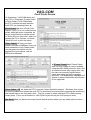
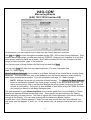
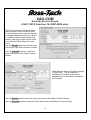
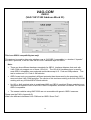
40) Q: What is the purpose of the "OBD-II" button? Why would I want to press it?
A: See the OBD-II section of this manual for more information. You can use this test to determine
whether a car is ISO/OBD-II compatible, i.e. whether it "speaks" the OBD-II protocols, if the car uses
the ISO-9141 hardware layer for OBD-II. This has nothing to do with the VAG protocol that VW uses,
and the results of this test have nothing to do with VAG-COM working with any VW/Audi/SEAT/Skoda
vehicle. No VW or Audi products prior to model year 1996 are OBD-II compliant! Please note that
most vehicles sold outside of the US are NOT OBD-II compatible, and even US-market TDI's are not
OBD-II compatible. Additionally, the newest vehicles using KWP-2000 are not scannable with generic
OBD-II scanners.
50