1
TANK-600 Em b e d de d S ys te m
5.1 In tro d u c tio n
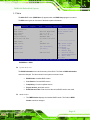
The BIOS is programmed onto the BIOS chip. The BIOS setup program allows changes to
certain system settings. This chapter outlines the options that can be changed.
5.1.1 Sta rtin g S e tu p
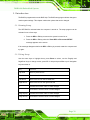
The UEFI BIOS is activated when the computer is turned on. The setup program can be
activated in one of two ways.
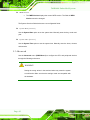
1. Press the DEL or F2 key as soon as the system is turned on or
2. Press the DEL or F2 key when the “Press DEL or F2 to enter SETUP”
message appears on the screen.
If the message disappears before the DEL or F2 key is pressed, restart the computer and
try again.
5.1.2 Us in g S e tu p
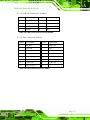
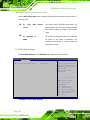
Use the arrow keys to highlight items, press ENTER to select, use the PageUp and
PageDown keys to change entries, press F1 for help and press ESC to quit. Navigation
keys are shown in.
Ke y
Fu n c tio n
Up arrow
Move to previous item
Down arrow
Move to next item
Left arrow
Move to the item on the left hand side
Right arrow
Move to the item on the right hand side
+
Increase the numeric value or make changes
-
Decrease the numeric value or make changes
Page Up key
Increase the numeric value or make changes
Page Dn key
Decrease the numeric value or make changes
P a g e 39