1
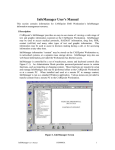
5.3.1 Information Category Keys: Located on the left side of the screen, the information
category keys (Drug List, Protocol, PDR, HAZMAT, Library, Contacts Other) selects from
among the major information groupings.
5.3.2 InfoManager Control Keys: Located below the viewing screen, the control keys
(BACK, FORWARD, FAVORITES, SEARCH, PAGE UP, PAGE DOWN) control the
operation of InfoManager.
• BACK: Return to last screen.
• FWD: Returns to next screen (applicable only after use of BACK function).
• SEARCH: Invokes a dialog box to operate a topic search.
• PAGE UP: The first actuation directs curser to top of list. The second actuation brings
up preceding page (if there is one).
• PAGE DN: The first actuation directs curser to bottom of list. The second actuation
brings up following page (if there is one).
Exiting InfoManager.
• To switch between InfoManager and CAREpoint (or other application), press the desired
button on the task bar.
• To exit and close InfoManager, select File > Exit or click the “X” in the upper right corner.
5.4 E-Mail & Fax
CAREpoint comes equipped with its own email and fax software. EmailFax can be used to
send and receive ECG data through a configurable email account and/or to a fax machine.
Some other examples of use would be receiving camera-phone pictures from an accident
scene or faxing miscellaneous reports.
Refer to the EmailFax User’s Manual for operating instructions and further information.
5.4.1 Accessing Email/Fax at the CAREpoint Workstation
The Email/Fax Software can be accessed by clicking
in the taskbar.
If this button is not there, go to Start and click “Email/Fax”
The following is an introduction to familiarize
Software control means and how to perform basic operations.
CAREpoint User’s Manual
the
user
with
Email/Fax
F-19