1
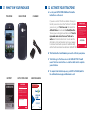
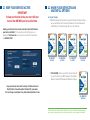
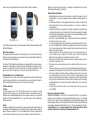
1.1 What’s in your package
tracfone
back cover
1.2 ACTIVATE your TraCFone
. Locate your ACTIVATION CARD and follow the
A
instructions on the card.
Charger
If you are a current TracFone customer it’s easy to
transfer your service to another TracFone. To transfer
your service, go to TracFone.com, then select the
Activate Phone tab and select Activate/Reactive.
To keep your existing phone number, select Transfer
my number and service from one TracFone to
another and follow the instructions. You will need the
information on the red Activation Card in your package
to continue the Activation process. For additional help,
call the TracFone Customer Care Center at 1-800-867-7183.
¡EMPIECE AQUI!
¿Preguntas? VisiteTracFone.com o llame al 1-800-867-7183.
®
ACARD-TFS738C
D.To complete the Activation process, you MUST call *22890, wait for
the confirmation message, and then make a call.
START HERE!
SERVICES GUIDE
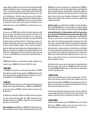
PREPARE YOUR PHONE FOR ACTIVATION
LOCATE THE ACTIVATION CARD
FIRST
ACTIVATE YOUR PHONE FIRST
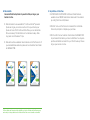
1. Remove protectors from your phone.
2. Insert the battery, put the back cover on and begin charging
your phone.
3. Turn your phone ON by pressing and holding the PWR/LOCK
key until the screen lights up.
4. Once Steps 1 – 3 have been completed, you will be ready to Activate.
Go to TracFone.com or call 1-800-867-7183 from another phone. You
will need a TracFone Airtime Service Plan or a credit or debit card to
complete your activation. Find more details inside this card.
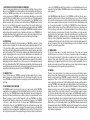
1. REMOVE PROTECTORS FROM YOUR PHONE
INSIDE YOUR PACKAGE
Remove all protectors from the screen and other locations
on the phone by peeling them off. You will not be able to
see your phone screen until you remove the screen protector.
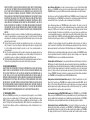
START HERE!
ACTIVATE YOUR PHONE FIRST
®
1. Retire el protector de la pantalla de su teléfono.
2. Instale la batería, coloque la cubierta posterior y empiece a cargar
su teléfono.
3. Encienda su teléfono presionando la tecla PWR/END hasta que
la pantalla se ilumine. Si necesita ayuda, consulte el interior de
esta tarjeta.
4. Una vez completados los pasos del 1 al 3, usted estará listo para
Activar su teléfono. Visite TracFone.com o llame al 1-800-867-7183
desde otro teléfono.
3. TURN YOUR PHONE ON
Questions? Visit TracFone.com or call 1-800-867-7183.
THE FOLLOWING IS YOUR SERIAL NUMBER:
®
2. INSTALL THE BATTERY AND BACK COVER.
BEGIN CHARGING YOUR PHONE.
A. Insert the battery so that the metal bars on the battery are
touching the metal pins on the phone. Put the back cover on.
®
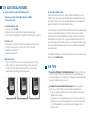
To turn your phone ON, press and
hold the PWR/LOCK key, located on
the right-hand edge of your phone,
until the screen lights up.
SERVICES
GUIDE
To complete the Activation process, you MUST dial *22890 and listen
to the confirmation message.
Questions? Visit TracFone.com or call 1-800-867-7183.
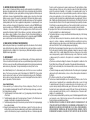
4. ACTIVATE YOUR PHONE
To begin your Activation, go to TracFone.com or call 1-800-867-7183
another phone. You will need the Serial Number located on
Samsung from
the front of this card and a TracFone Airtime Plan or a credit or
debit card to ™
complete your Activation.
GALAXY CENTURA
B. Locate the Charger/USB dock on the bottom edge of the phone.
Insert the charger’s adapter end into the Charger/USB dock
then plug the charger into an electrical outlet.
THE FOLLOWING IS YOUR SERIAL NUMBER:
To complete the Activation process, you MUST call *22890, wait for
the confirmation message, and then make a call. If you do not
For more information
and athe
receive
successful confirmation message, wait a few minutes
and call *22890 again.
latest Terms and Conditions
of Service, visit TracFone.com
®
ACARD-TFS738C
®
TIP: You can Activate your phone while charging. To get the most out of
RECYCLE
your battery life, charge your phonePLEASE
for 5 hours
during initial setup.
QUAG-TFS738C
B. Localice el pu
Inserte un ext
teléfono y con
PARA ACTIVAR SU TRACFONE
NECESITARÁ LOS NÚMEROS QUE APARECEN
AL REVERSO DE ESTA TARJETA.
C. To Activate go to TracFone.com or call 1-800-867-7183. You will
need a TracFone Service Plan or a credit or debit card to complete
your activation.
activation card
1. RETIRE LOS PRO
Retire el protect
Usted no podrá v
el protector que
2. INSTALE LA BAT
COMIENCE A CA
A. Inserte la bat
coincidan con
Para completar el proceso de Activación es NECESARIO que llame
al *22890 y escuche el mensaje de confirmación.
B. This Card has the Serial Number you need to Activate your phone.
battery
PREPARE SU
ACTIVE SU TELÉFONO PRIMERO
1. Retire los protectores de su teléfono.
2. Inserte la batería, coloque la cubierta posterior, y comience
a cargar su teléfono.
3. ENCIENDA su teléfono presionando la tecla PWR/LOCK hasta
que la pantalla se ilumine.
4. Una vez terminados los pasos del 1 al 3, su teléfono estará listo
para la Activación. Visite TracFone.com o llame al 1-800-867-7183
desde otro teléfono. Para completar la Activación, usted necesitará
un Plan de Servicio TracFone o una tarjeta de crédito o débito.
Encuentre más detalles en esta tarjeta.
®
CONSEJO: Usted pue
la vida de la batería, c