1
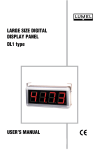
LARGE SIZE DIGITAL DISPLAYS DL11, DL12 and DL13 types USER’S MANUAL LARGE SIZE DIGITAL DISPLAYS DL11, DL12 and DL13 types CONTENTS: 1.APPLICATION..............................................................................................................................2 2.DISPLAY SET...............................................................................................................................2 3.BASIC REQUIREMENTS, OPERATIONAL SAFETY..................................................................2 4.DESIGN DESCRIPTION AND INSTALLATION . .........................................................................2 5.ELECTRICAL CONNECTIONS ...................................................................................................4 6.CONFIGURATION OF THE DL DISPLAY ...................................................................................5 6.1 Configuration of the connection..............................................................................................6 6.2 Changing transmission parameters........................................................................................6 6.3 Display configuration..............................................................................................................6 6.4 Setting time/date.....................................................................................................................7 6.5 Setting the luminosity brightness............................................................................................8 6.6 Display status.........................................................................................................................8 6.7 configuration of the display for data read-out from additional devices...................................8 7.INTERFACE..................................................................................................................................9 7.1 Registers: 4000...4031...........................................................................................................9 7.2 Registers: 4300...4349.........................................................................................................10 7.3 Registers: 7500...7653.........................................................................................................14 8.TECHNICAL DATA.....................................................................................................................16 9.ORDER CODES..........................................................................................................................17 10.BEFORE A DAMAGE WILL BE DECLARED.............................................................................18 11.MAINTENANCE AND SERVICE.................................................................................................19 January 2007 1. APPLICATION Large-size digital displays of DL type are destined to display measured values o set values through the communication interface. Taking in consideration the application of 7-segment LED displays they are destined to be installed inside buildings. The 100 mm digit height ensures a good readout from the distance of 40 m. They find application in office accommodations , production workshops, in production management rooms as information about production parameters, state of machines or devices. The displayed value is transmitted from external devices working in MODBUS standard. The display is working as the network „master”. The basic display version includes three digits and the unit, in two rows or three rows. It is possible to make the display in the configuration required by the customer. 2. DISPLAY SET The display set is composed of: - DL11, DL12 or DL13 display 1 pc - Suspension holder 2 pcs - Diskette with software 1 pc - User’s manual 1 pc - Guarantee card 1 pc When unpacking the display, please check whether the type and execution code on the data plate correspond to the order. 3. BASIC REQUIREMENTS, OPERATIONAL SAFETY Symbols located in this service manual mean: WARNING! Warning of potential, hazardous situations. Especially important. One must acquaint with this before connecting the digital display. The non-observance of notices marked by these symbols can occasion severe injuries of the personnel and the damage of the device. CAUTION! Designates a general useful note. If you observe it, handling of the device is made easier. One must take note of this, when the device is working inconsistently to the expectations. Possible consequences if disregarded! In the security scope the digital display meets the requirements of the EEC Low-Voltage Directive (EN 61010 -1 issued by CENELEC ). Remarks concerning the operator safety: 1. General n n n n The DL large displays are destined to be mounted in accordance with customer’s requirements. Non-authorized removal of the required housing, inappropriate use, incorrect installation or operation creates the risk of injury to personnel or damage to equipment. For more detailed information please study the User’s Manual. All operations concerning transport, installation, and commissioning as well as maintenance must be carried out by qualified, skilled personnel and national regulations for the prevention of accidents must be observed. According to this basic safety information, qualified, skilled personnel are persons who are familiar with the installation, assembly, commissioning, and operation of the product and who have qualifications necessary for their occupation. 2. Transport, storage n Please observe the notes on transport, storage and appropriate handling. n Observe the climatic conditions given in Technical Data. 3. Installation n The DL digital display must be installed according to the regulation and instructions given in this User’s Manual. n Ensure proper handling and avoid mechanical stress. n Do not bend any components and do not change any insulation distances. n Do not touch any electronic components and contacts. n Devices may contain electrostatically sensitive components, which can easily be damaged by inappropriate handling. Do not damage or destroy any electrical components since this might endanger your health! 4. Electrical connection n Before switching the device on, one must check the correctness of connection to the network. n In case of the protection terminal connection with a separate lead one must remember to connect it before the connection of the device to the mains. n When working on live devices, the applicable national regulations for the prevention of accidents must be observed. n The electrical installation must be carried out according to the appropriate regulations (cable cross-sections, fuses, PE connection). Additional information can be obtained from the user’s guide. n The documentation contains information about installation in compliance with EMC (shielding, grounding, filters and cables). These notes must be observed for all CE-marked products. n The manufacturer of the digital display or installed devices is responsible for the compliance with the required limit values demanded by the EMC legislation. n Do not connect the digital display to the mains through an autotransformer. n The RS-485 socket serves only to connect devices working with the MODBUS protocol. 5. Operation n Measuring systems including DL digital displays, must be equipped with protection devices according to the corresponding standard and regulations for prevention of accidents. n After the display has been disconnected from the supply voltage, live components and power connections must not be touched immediately because capacitors can be charged. n The housing must be closed during operation. n The protection degree ensured by the housing is defined as IP40 and IP10 from the connection side. 6. Maintenance and servicing n Please observe the manufacturer’s documentation. n Read all product-specific safety and application notes in this User’s Manual. n Before taking the device housing out, one must turn the supply off. n The removal of the device housing during the guarantee contract period may cause its cancellation. 4. DESIGN DESCRIPTION AND INSTALLATION The display housing is made of profiles and aluminium sheets, painted in black colour. The frontal surface is made of polycarbonate as an anti-reflexive glass. The protection degree ensured by the housing is defined as IP40. The view and overall dimensions of DL11, DL12 and DL13 displays are presented on fig. 1, 2 and 3. The design enables to fix the display on a wall. Fig.1 overall dimensions of the DL11 display. Fig.2 overall dimensions of the DL12 display. Fig.3 overall dimensions of the DL13 display 5. ELECTRICAL CONNECTIONS Caution: the installation and display connections should be carried out by a qualified personnel. The connection of supplying wires and interface should be carried out only in accordance with the user’s manual. In case of inconsistent connections with the assigned connectors the display can be damaged. For the connection of control signals one must apply a wire coil in a shield. In case of an environment with a low level of noise it is admissible to apply a wire coil non-shielded. Caution: in case of a sudden change of the ambient temperature, dew may occur and it is forbidden to connect the display to the supply. It is recommended before mounting the display which changes suddenly its temperature, to wait at least 60 minutes before the first start. Fig.4. Markings of connectors for DL11, DL12, DL13: 6. CONFIGURATION OF THE DL DISPLAY The DL11 display is default configured to the display of values being in the register 7500. The change of display parameters is carried out through the suitable modification of values in configuring registers. To change parameters, one can use any program destined to read-out and write registers in MODBUS RTU networks. Together with the display, a program for the display configuration is delivered, allowing the modification of all accessible parameters. Before carrying out changes of the given parameter, it s recommended to carry out the read-out of the current configuration and modify the chosen parameter. Transmission default parameters of the DL1 display: - address in the network: 1 - transmission mode: RTU8n2 - baud rate: 9600 bit/sec. Transmission parameters can be freely changed by the user. It is recommended to write new and previous transmission parameters. The view of the main window of the DL1 program is presented on the window design. 6.1. Connection configuration In order to configure connections, one must choose the option „Connection configuration” from the main program window. Then, the dialog window presented on the design will start. After choosing connection parameters, one can check the transmission correctness, choosing the option „Check” or close the window in order to a further work with the program. Moreover, the user can also choose the option „Change parameters” serving to change parameters - see section 6.2. „Change of transmission parameters.. 6.2. Changing transmission parameters” In order to change connection parameters, one must choose „Connection configuration” and next, choose the option Change Parameters in the dialog window Connection Configuration. Caution: The change of transmission parameters can be only made when the connection is correctly configured.. In the dialog window Connection Change, the user must give required connection parameters and choose Change in order to change connection parameters or Cancel, to resign of introducing changes. 10 6.3. Display configuration The dialog window Display Configuration serves to the display configuration. The display field can be freely configured. It is admitted that one display row is destined to display one quantity. The DL1 program services displays composed maximally of four rows. In order to change display configuration it is recommended to read out the current configuration, and next to modify it suitably. The marking of fields in the dialog window is as follows: · Number of digits - means the number of digits in the row. The zero value, means the lack of row. The first row must include one digit at least. · Display format - the number of digits after the decimal point, defines the number of places after the decimal point that will be displayed. · Displayed register - defines the register index, the value of which will be displayed on the display. · Turn the alarm on - causes the flickering switching of the display after exceeding given values, signalling in this way the alarm state. Threshold values for the alarm are given in the textual fields situated under the switch Turn the alarm on. After carrying out the modification, the configuration write is made by the push-button Write the configuration. 6.4. Setting time /date The setting of the current time and date of the internal real time clock is carried out through the choice of the Time/Date option in the main program window. The user can select two options of time setting: 11 The write of time parameters and their write in the display or the selection of the Synchronize option, what will cause the time and date sampling from the computer and the write of these quantities to the display. The selection of the Synchronize option performs the synchronization of the internal display clock with the computer clock with a one-second precision, however the time write, by giving the date and time value, is carried out with a one-minute precision (seconds introduced by the user are omitted). 6.5. Setting the luminosity brightness DL displays have the possibility to program the luminosity brightness definition. The luminosity brightness can be defined in two time periods, named in the program as brightness for the day and brightness for the night. It is possible to set the brightness in such a way that the display will be switched on (increasing the brightness) in the defined hour and switched off automatically (decreasing the brightness) in the foreseen hour. The brightness configuration consists of defining the starting hour for the day and for the night and defining the brightness for these periods. 6.6. Display status The selection of the option Show the Status in the main program window causes the readout of status registers from the DL display and the display of the window with informing flags. The set flags can be erased by the marking of the given flag. The status informs the users about the state of the DL display controller and about the transmission state between the DL display and devices added to the display. 6.7. Display configuration for the data readout from added devices One can configure the display for data readout from external devices working in the MODBUS RTU mode. All added devices must have identical transmission parameters and different addresses. The register type, number of registers and register address from which begins the data readout, is freely configured by the user. The review period (frequency of data readout from the device) is programmed by the user. Taking in consideration the device response time, it may occur that the time between successive readouts will be longer than the programmed. Data readout errors cause the setting of the check bit in the display status register. If errors occur in the communication with the device which the value is displayed, this will cause the display of an error 12 transmission message on the readout field. The configuration of data readout parameters is carried out in the program after choosing the option Added Devices from the main program menu what will cause the display of the dialog window presented below. The user must define connection parameters, i.e. transmission mode, baud rate and the waiting time to the device response (time out) given in milliseconds. In order to configure the given device, one must choose the device to be configured from the list, and next give data readout parameters. To switch the device off, one must give the zero value as the address. Before each configuration parameter change, it is recommended to carry out the configuration readout from the display, and after its modification, choose the option write in order to write changes into the display. 7. INTERFACE DL11, DL12 and DL13 displays are equipped with two communication interfaces working in MODBUS RTU standard. The type of transmission frame and the baud rate are configured through the write of suitable values into the register. The interface nr 1 is working all the time in the mode of the slave device (slave) and is destined to configure display parameters or the change of the displayed quantity. The interface nr 2 is working in the master mode in the network and serves to the data readout from additional devices added to the display. Displays possess the implemented MODBUS function: · Function 3 - readout of n registers · Function 16 - write of n registers · Function 17 - identification of the device. In order to data readout from external devices, the display unfairs advantage of the function nr 3. Controller registers are divided into 3 groups: · Registers 4000...4031 - hexadecimal bit registers destined for the configuration of connection parameters, display and systemic registers, · Registers 4300...4349 - hexadecimal bit registers destined for the readout configuration from external devices working in MODBUS RTU standard, · Register 7500...7653 - thirty-two bit registers of float type including data read out from external devices, measured values and registers of general assignments. Caution: Values in general registers 7600...7609 have the 1E+20 value after switching the supply on, 13 and the value written in these registers is not stored after switching the supply off. The value introduced in general registers with addresses: 7614...7641, is written in the non-volatile controller memory. The switching of the panel on does not cause the lost of values written in these registers. If the register value to display is higher than 1E+20, then it will be decreased to the 1E+20 value. Is the register value to display is lower than - 1E+20 , then it will be increased to the - 1E+20 value. The data readout from external devices is carried out with a ca 200 ms interval between successive queries and can be subject to extension in case when the added devices have a long response time to the query. In case of switching all devices on, or questioning devices with long response time, it can happen that the time between successive data readouts from the given device will be longer than the programmed in the panel, what has a relation with response times of devices added to the display and the number of these devices. If the added device to the display does not respond or the response is erroneous, then registers with readout values will be filled with 1E+20 values. 7.1. Registers 4000... 4031 Register address Operations Range 4000 RW 1…247 4001 RW Description Address of interface nr 1 - user’s interface 0…3 Working mode of interface nr 1: 0: RTU 8N1 1: RTU 8N2 2: RTU 8E1 3: RTU 8O1 4002 RW 0…9 Baud rate of interface nr1 [b/s]: 0 – 2400; 1 – 4800; 2 – 9600; 3 – 14400; 4 – 19200; 5 – 28800; 6 – 38400; 7 – 57600; 8 – 76800; 9 – 115200 4003 RW 1…50 Waiting time to the response of slave device for the port 2 expressed as the multiple of 100 ms 4004 RW 0…3 Working mode of interface nr 2 0: RTU 8N1 1: RTU 8N2 2: RTU 8E1 3: RTU 8O1 4005 RW 0…9 Baud rate of interface nr2 [b/s]: 0 – 2400; 1 – 4800; 2 – 9600; 3 – 14400; 4 – 19200; 5 – 28800; 6 – 38400; 7 – 57600; 8 – 76800; 9 – 115200 Konfiguracja of display rows Row number 1 14 4006 RW 1…20 Number of digits in the first row 4007 RW 0…3 Display format - number of places after the decimal point 4008 RW 0…149 Number of the register to display, as the shift in respect to the address 7500 4009 RW 0,1 Switch the alarm on Row number II 4010 RW 0…20 Number of digits in the second row 4011 RW 0…3 Display format - number of places after the decimal point 4012 RW 0…149 4013 RW 0,1 Number of the register to display, as the shift in respect to the address 7500 Switch the alarm on Row number III 4014 RW 0…20 Number of digits in the third row 4015 RW 0…3 Display format - number of places after the decimal point 4016 RW 0…149 4017 RW 0,1 4018 RW 0…20 Number of digits in the fourth row 0…3 Display format - number of places after the decimal point Number of the register to display, as the shift in respect to the address 7500 Switch the alarm on Row number IV 4019 4020 RW 0…149 4021 RW 0,1 Number of the register to display, as the shift in respect to the address 7500 Switch the alarm on Time and date 4022 RW 2001…2100 4023 RW 101…1231 Current year in the YYYY format Current date in the MMDD format 4024 RW 0000…2359 Current time in the GGMM FORMAT 4025 RW 1…100 Brightness for the day 4026 RW 1…100 Brightness for the night 4027 RW 0000…2359 4028 RW 0000…2359 Luminosity brightness Beginning of the day Beginning of the night Systemic registers 4029 RW No concerns Status – Successive bits represent flags informing about events: Bit 15 – work in service mode - requires service authorization; Bit 14 – Error of EEPROM memory - manufacturer settings are restored; Bit 13 – Error of the RTC clock settings or uncertain settings; Bit 12 – the summer/winter time was changed or inversely; Bit 11 – Error of the external lighting sensor (only for options made with a sensor); Bit 10 – Break in the supply; Bit 09 – Measurement error in the line 2 - value beyond the range; Bit 08 – Measurement error in the line 1 - value beyond the range; Bits 07…00 – no used - always value 0. 15 4030 RW No concerns Status of devices added to the display. Successive bits inform about the transmission state with slave devices: Bit 15 – There were transmission errors; Bit 09 – error of the device number 10; Bit 08 – error of the device number 9; Bit 07 – error of the device number 8; Bit 06 – error of the device number 7; Bit 05 – error of the device number 6; Bit 04 – error of the device number 5; Bit 03 – error of the device number 4; Bit 02 – error of the device number 3; Bit 01 – error of the device number 2; Bit 00 – error of the device number 1; 4031 RW No concerns Access code to the calibration data and some configuration settings. In order to change calibration coefficients, one must introduce the correct password. 7.2. Registers 4300... 4349 Register address Operations Range Description Device number 1 4300 RW 0,1…247 Slave device address. 0 - switches the device off 4301 RW 0…65535 Basic address 4302 RW 1…10 Number of read out registers 4303 RW 0…6 Register type: 0 - variable of char type 1 - variable of unsigned char type 2 - variable of integer type 3 - variable of unsigned integer type 4 - variable of long type 5 - variable of unsigned long type 6 - variable of float type 4304 RW 1…60 Review period in seconds. Defines the asking frequency of the slave device. Device number 2 16 4305 RW 0,1…247 Slave device address. 0 - switches the device off 4306 RW 0…65535 Basic address 4307 RW 1…10 Number of read out registers 4308 RW 0…6 Register type: 0 - variable of char type 1 - variable of unsigned char type 2 - variable of integer type 3 - variable of unsigned integer type 4 - variable of long type 5 - variable of unsigned long type 6 - variable of float type 4309 RW 1…60 Review period in seconds. Defines the asking frequency of the slave device. Device number 3 4310 RW 0,1…247 Slave device address. 0 - switches the device off 4311 RW 0…65535 Basic address 4312 RW 1…10 Number of read out registers 4313 RW 0…6 Register type: 0 - variable of char type 1 - variable of unsigned char type 2 - variable of integer type 3 - variable of unsigned integer type 4 - variable of long type 5 - variable of unsigned long type 6 - variable of float type 4314 RW 1…60 Review period in seconds. Defines the asking frequency of the slave device. 4315 RW 0,1…247 Slave device address. 0 - switches the device off 4316 RW 0…65535 Basic address 4317 RW 1…10 Number of read out registers Device number 4 4318 RW 0…6 Register type: 0 - variable of char type 1 - variable of unsigned char type 2 - variable of integer type 3 - variable of unsigned integer type 4 - variable of long type 5 - variable of unsigned long type 6 - variable of float type 4319 RW 1…60 Review period in seconds. Defines the asking frequency of the slave device. Device number 5 4320 RW 0,1…247 Slave device address. 0 - switches the device off 4321 RW 0…65535 Basic address 4322 RW 1…10 Number of read out registers 4323 RW 0…6 Register type: 0 - variable of char type 1 - variable of unsigned char type 2 - variable of integer type 3 - variable of unsigned integer type 4 - variable of long type 5 - variable of unsigned long type 6 - variable of float type 4324 RW 1…60 Review period in seconds. Defines the asking frequency of the slave device. 4325 RW 0,1…247 Slave device address. 0 - switches the device off 4326 RW 0…65535 Basic address 4327 RW 1…10 Device number 6 Number of read out registers 17 4328 RW 0…6 Register type: 0 - variable of char type 1 - variable of unsigned char type 2 - variable of integer type 3 - variable of unsigned integer type 4 - variable of long type 5 - variable of unsigned long type 6 - variable of float type 4329 RW 1…60 Review period in seconds. Defines the asking frequency of the slave device. Device number 7 4330 RW 0,1…247 Slave device address. 0 - switches the device off 4331 RW 0…65535 Basic address 4332 RW 1…10 Number of read out registers 4333 RW 0…6 Register type: 0 - variable of char type 1 - variable of unsigned char type 2 - variable of integer type 3 - variable of unsigned integer type 4 - variable of long type 5 - variable of unsigned long type 6 - variable of float type 4334 RW 1…60 Review period in seconds. Defines the asking frequency of the slave device. 4335 RW 0,1…247 Slave device address. 0 - switches the device off 4336 RW 0…65535 Basic address 4337 RW 1…10 Number of read out registers Device number 8 4338 RW 0…6 Register type: 0 - variable of char type 1 - variable of unsigned char type 2 - variable of integer type 3 - variable of unsigned integer type 4 - variable of long type 5 - variable of unsigned long type 6 - variable of float type 4339 RW 1…60 Review period in seconds. Defines the asking frequency of the slave device. 4340 RW 0,1…247 Slave device address. 0 - switches the device off 4341 RW 0…65535 Basic address 4342 RW 1…10 Number of read out registers 0…6 Register type: 0 - variable of char type 1 - variable of unsigned char type 2 - variable of integer type 3 - variable of unsigned integer type 4 - variable of long type 5 - variable of unsigned long type 6 - variable of float type Device number 9 4343 18 RW 4344 RW 1…60 Review period in seconds. Defines the asking frequency of the slave device. Device number 10 4345 RW 0,1…247 Slave device address. 0 - switches the device off 4346 RW 0…65535 Basic address 4347 RW 1…10 Number of read out registers 4348 RW 0…6 Register type: 0 - variable of char type 1 - variable of unsigned char type 2 - variable of integer type 3 - variable of unsigned integer type 4 - variable of long type 5 - variable of unsigned long type 6 - variable of float type 4349 RW 1…60 Review period in seconds. Defines the asking frequency of the slave device. 7.3. Registers 7500... 7653 Adres rejestru Operacje Zakres 7500 R n.d. Device 1 – First register read out Opis 7501 R n.d. Device 1 – Second register read out. 7502 R n.d. Device 1 – Third register read out 7503 R n.d. Device 1 – fourth register read out 7504 R n.d. Device 1 – Fifth register read out 7505 R n.d. Device 1 – Sixth register read out 7506 R n.d. Device 1 – Seventh register read out 7507 R n.d. Device 1 – Eighth register read out 7508 R n.d. Device 1 – Ninth register read out 7509 R n.d. Device 1 – Tenth register read out 7510 R n.d. Device 2 – First register read out 7511 R n.d. Device 2 – Second register read out. 7512 R n.d. Device 2 – Third register read out 7513 R n.d. Device 2 – fourth register read out 7514 R n.d. Device 2 – Fifth register read out 7515 R n.d. Device 2 – Sixth register read out 7516 R n.d. Device 2 – Seventh register read out 7517 R n.d. Device 2 – Eighth register read out 7518 R n.d. Device 2 – Ninth register read out 7519 R n.d. Device 2 – Tenth register read out 7520 R n.d. Device 3 – First register read out 7521 R n.d. Device 3 – Second register read out. 7522 R n.d. Device 3 – Third register read out 19 20 7523 R n.d. Device 3 – fourth register read out 7524 R n.d. Device 3 – Fifth register read out 7525 R n.d. Device 3 – Sixth register read out 7526 R n.d. Device 3 – Seventh register read out 7527 R n.d. Device 3 – Eighth register read out 7528 R n.d. Device 3 – Ninth register read out 7529 R n.d. Device 3 – Tenth register read out 7530 R n.d. Device 4 – First register read out 7531 R n.d. Device 4 – Second register read out. 7532 R n.d. Device 4 – Third register read out 7533 R n.d. Device 4 – fourth register read out 7534 R n.d. Device 4 – Fifth register read out 7535 R n.d. Device 4 – Sixth register read out 7536 R n.d. Device 4 – Seventh register read out 7537 R n.d. Device 4 – Eighth register read out 7538 R n.d. Device 4 – Ninth register read out 7539 R n.d. Device 4 – Tenth register read out 7540 R n.d. Device 5 – First register read out 7541 R n.d. Device 5 – Second register read out. 7542 R n.d. Device 5 – Third register read out 7543 R n.d. Device 5 – fourth register read out 7544 R n.d. Device 5 – Fifth register read out 7545 R n.d. Device 5 – Sixth register read out 7546 R n.d. Device 5 – Seventh register read out 7547 R n.d. Device 5 – Eighth register read out 7548 R n.d. Device 5 – Ninth register read out 7549 R n.d. Device 5 – Tenth register read out 7550 R n.d. Device 6 – First register read out 7551 R n.d. Device 6 – Second register read out. 7552 R n.d. Device 6 – Third register read out 7553 R n.d. Device 6 – fourth register read out 7554 R n.d. Device 6 – Fifth register read out 7555 R n.d. Device 6 – Sixth register read out 7556 R n.d. Device 6 – Seventh register read out 7557 R n.d. Device 6 – Eighth register read out 7558 R n.d. Device 6 – Ninth register read out 7559 R n.d. Device 6 – Tenth register read out 7560 R n.d. Device 7 – First register read out 7561 R n.d. Device 7 – Second register read out. 7562 R n.d. Device 7 – Third register read out 7563 R n.d. Device 7 – fourth register read out 7564 R n.d. Device 7 – Fifth register read out 7565 R n.d. Device 7 – Sixth register read out 7566 R n.d. Device 7 – Seventh register read out 7567 R n.d. Device 7 – Eighth register read out 7568 R n.d. Device 7 – Ninth register read out 7569 R n.d. Device 7 – Tenth register read out 7570 R n.d. Device 8 – First register read out 7571 R n.d. Device 8 – Second register read out. 7572 R n.d. Device 8 – Third register read out 7573 R n.d. Device 8 – fourth register read out 7574 R n.d. Device 8 – Fifth register read out 7575 R n.d. Device 8 – Sixth register read out 7576 R n.d. Device 8 – Seventh register read out 7577 R n.d. Device 8 – Eighth register read out 7578 R n.d. Device 8 – Ninth register read out 7579 R n.d. Device 8 – Tenth register read out 7580 R n.d. Device 9 – First register read out 7581 R n.d. Device 9 – Second register read out. 7582 R n.d. Device 9 – Third register read out 7583 R n.d. Device 9 – fourth register read out 7584 R n.d. Device 9 – Fifth register read out 7585 R n.d. Device 9 – Sixth register read out 7586 R n.d. Device 9 – Seventh register read out 7587 R n.d. Device 9 – Eighth register read out 7588 R n.d. Device 9 – Ninth register read out 7589 R n.d. Device 9 – Tenth register read out 7590 R n.d. Device 10 – First register read out 7591 R n.d. Device 10 – Second register read out. 7592 R n.d. Device 10 – Third register read out 7593 R n.d. Device 10 – fourth register read out 7594 R n.d. Device 10 – Fifth register read out 7595 R n.d. Device 10 – Sixth register read out 7596 R n.d. Device 10 – Seventh register read out 7597 R n.d. Device 10 – Eighth register read out 7598 R n.d. Device 10 – Ninth register read out 7599 R n.d. Device 10 – Tenth register read out 7600 RW n.d. General register nr 1 21 22 7601 RW n.d. General register nr 2 7602 RW n.d. General register nr 3 7603 RW n.d. General register nr 4 7604 RW n.d. General register nr 5 7605 RW n.d. General register nr 6 7606 RW n.d. General register nr 7 7607 RW n.d. General register nr 8 7608 RW n.d. General register nr 9 7609 RW n.d. General register nr 10 7610 RW n.d. Alarm 1 – down limitation 7611 RW n.d. Alarm 1 – up limitation 7612 RW n.d. Alarm 2 – down limitation 7613 RW n.d. Alarm 2 – up limitation 7614 RW n.d. Alarm 3 – down limitation 7615 RW n.d. Alarm 3 – up limitation 7616 RW n.d. Alarm 4 – down limitation 7617 RW n.d. Alarm 4 – up limitation 7618 RW n.d. General register 7619 RW n.d. General register 7620 RW n.d. General register 7621 RW n.d. General register 7622 RW n.d. General register 7623 RW n.d. General register 7624 RW n.d. General register 7625 RW n.d. General register 7626 RW n.d. General register 7627 RW n.d. General register 7628 RW n.d. General register 7629 RW n.d. General register 7630 RW n.d. General register 7631 RW n.d. General register 7632 RW n.d. General register 7633 RW n.d. General register 7634 RW n.d. General register 7635 RW n.d. General register 7636 RW n.d. General register 7637 RW n.d. General register 7638 RW n.d. General register 7639 RW n.d. General register 7640 RW n.d. General register 7641 RW n.d. General register 8. TECHNICAL DATA Readout field: Digit height:100 mm DL11 one row of 3 digits + unit field DL12 two rows of 3 digits + unit field DL13 three rows of 3 digits + unit field Colour of the readout field: Red, green and yellow - possibility of colour combination for DL12 and DL13 Power consumption: DL11 < 12VA DL12 < 24VA DL13 < 36VA Communication: Interface Transsmision protocol: RS-485 MODBUS Reaction against decay and supply recovery: Preservation of configuration data in the display. Dimensions: DL11 DL12 DL13 482 x 196 x 41 mm 482 x 368 x 41 mm 482 x 540 x 41 mm Reference conditions and rated operational conditions: - working temperature 0...23...50°C - storage temperature -20... 75°C - humidity 25... 95% - supply 85...230...253 V a.c. - frequency 45...50...60 Hz - external magnetic field 0...40...400 A/m - working position any Standards fulfilled by panels: Electromagnetic compatibility: - noise emissions acc. to EN 61000-6-4 - noise immunity acc. to EN 61000-6-2 - resistance to supply decay acc. to EN 61000-6-2 Safety requirements: acc. to EN 61010-1 · isolation ensured by the housing: basic · isolation between circuits: basic · installation category: III · pollution degree: 2 · maximal working voltage in relation to earth for supply circuits: 300 V, and 50 V for others. 23 9. ORDER CODES Table 1 DIGITAL DISPLAY DL11 - X XX Colour of display field: Red................................................................................R Yellow............................................................................Y Green............................................................................G Kind of versions: Standard.............................................................................. 00 custom-made*.....................................................................XX Table 2 DIGITAL DISPLAY DL12 - X X XX Colour of the I display field: Red................................................................................R Yellow............................................................................Y Green............................................................................G Colour of the II display field: Red....................................................................................... R Yellow................................................................................... Y Green...................................................................................G Kind of versions: Standard......................................................................................00 custom-made*............................................................................ XX Table 3 DIGITAL DISPLAY DL13 - X X X XX Colour of the I display field: Red................................................................................R Yellow............................................................................Y Green............................................................................G Colour of the II display field: Red....................................................................................... R Yellow................................................................................... Y Green...................................................................................G Colour of the III display field: Red.............................................................................................. R Yellow.......................................................................................... Y Green.......................................................................................... G Kind of versions: Standard.............................................................................................00 custom-made*................................................................................... XX Caution: when ordering, one must give communication parameters of the measuring devices 24 Coding Example The Code: DL13 - R Y G 00 means: DL13 - Digital display consisting of 3 rows R - digits in the upper row are red Y - digits in the middle row are yellow G - digits in the lower row are green 00 - in standard version Other versions of displays are possible acc. customer’s needs after agreeing with the manufacturer. 10. BEFORE A DAMAGE WILL BE DECLARED If the display remains inconsistently with the customer expectations, one must firstly check the display configuration. Problem Solution Lack of display One must check the connection correctness Displayed symbol The displayed symbol signals a lack of transmission with the device which the value has to be displayed from. One must check the correctness of the interface connection and the configuration of additional devices. Displayed symbol The value to display cannot be situated in the display field. The value is too high to be displayed. Lack of communication with the display Check the correctness of connections and check the correctness of transmission parameter settings. In case when settings are unknown, one must contact the manufacturer or try lately used settings The displayed result is incomplete. Lack of the most significant digits One must check, if the introduced number of digits for the given row is not higher than the physical number of display digits (for the given row). 25 11. MAINTENANCE AND SERVICE Displays of DL type do not require a periodical maintenance. One cannot use solvents, petrols, corrosive means, which can damage painted surfaces of the display or the frontal glass. Antielectrostatic cleaning foams are the most suitable to clean the display. When washing the display, one must take care that moisture does not penetrate inside the display. In case of some incorrect operations: 1. After the dispatch date and within the period stated in the guarantee card One should return the device to the LUMEL’s Quality Inspection Dept. If the device has been used in compliance with the instructions, LUMEL S.A. guarantees to repair it free of charge. The disassembling of the housing causes the cancellation of the granted guarantee. 2. After the guarantee period: One should send the device to repair it in an authorized service workshop. Spare parts are available for the period of five years from the date of purchase. LUMEL S.A. policy is one of continuous improvement and we reserve the right to make changes in design and specifications of any products as engineering advances or necessity requires and revise the above specifications without notice. 26 27 § CUSTOM-MADE PRODUCTS SALES PROGRAM DIGITAL and BARGRAPH PANEL METERS MEASURING TRANSDUCERS ANALOG PANEL METERS (DIN INSTRUMENTS) ANALOG and DIGITAL CLAMP-ON METERS INDUSTRIAL and HOUSEHOLD CONTROLLERS CHART AND PAPERLESS RECORDERS POWER CONTROL UNITS and RELAYS AUTOMOTIVE DASHBOARD INDICATORS ELECTRONIC WATT-HOUR-METERS ACCESSORIES MEASURING FOR MEASURING INSTRUMENTS SYSTEMS (ENERGY, HEAT, CONTROL) CUSTOM-MADE PRODUCTS WE ALSO OFFER OUR SERVICES IN THE PRODUCTION OF: ALUMINIUM ALLOY PRESSURE CASTINGS PRECISION ENGINEERING AND THERMOPLASTICS PARTS ASSEMBLY OF PC BOARDS and ELECTRONIC DEVICES QUALITY PROCEDURES According to ISO 9001 and ISO 14001 international requirements. All our instruments have CE mark . For more information, please write to or phone our Export Department Lubuskie Zak³ady Aparatów Elektrycznych LUMEL S.A. ul. Sulechowska 1, 65-022 Zielona Góra, Poland Tel.: (48-68) 329 51 00 (exchange) Fax: (48-68) 329 51 01 e-mail:[email protected] http://www.lumel.com.pl Export Department: Tel.: (48-68) 329 53 02 or 53 04 Fax: (48-68) 325 40 91 e-mail: [email protected] 28 MEASUREMENT CONTROL RECORDING