1
After reading the information we now know that we are taking the role of the French forces
fighting against the Viet-Minh in a amphibious landing along the “Street Without Joy”. The
mission of this scenario is to advance quickly across the beach and secure the tree line and
villages in front of you. It is also always a goal to limit your casualties.
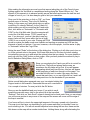
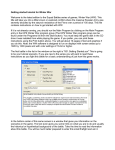
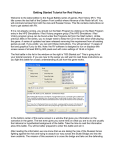
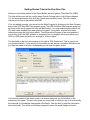
Once you hit the enter key or click on "OK", you’ll see
another menu of choices. This is the A/I Selection
Dialog. In this menu you’ll pick which side you will be
controlling. So choose "Manual" for the French A/I
which means you will be controlling the French side.
Next, click either on "Automatic" or "Automatic with
FOW" for the Viet-Minh side. Now the computer will
control the Viet-Minh troops. "FOW" means fog of
war. If you choose it, you won’t be able to see any
enemy units until they come within the line of sight
(LOS) of one or more of your units. Playing with FOW
turned on makes the battle much more realistic and exciting as surprise and LOS are key
elements of small unit actions. If you are, however, a first time player, it will be easier to play
in "Automatic" without the Fog of War.
Notice the word "Rules" at the bottom of the dialog box. Clicking on it will allow you to turn on
or off the optional rules in the game. We’ll leave that alone for this time, but when starting
future battles you can go in and select the optional rules that you desire. For more details on
each rule click the “Help” button on that screen. After you have picked the method of play in
the A/I Selection Dialog Menu, click on "OK".
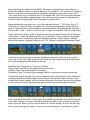
Since you are playing the French you will be in control for
the first turn. That may not always be the case, as
sometimes the A/I player will go first. A box will appear
designating which army has the turn, this box will appear
at the beginning of each turn through out the game. You
can either left-click on it to make it go away, and then
repeat that each time, or you can right-click on it and it will
display briefly then automatically go away each turn for the remainder of your session.
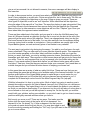
Notice a small dialog box appeared once your turn started stating that
Support exists in this scenario. Remember this as we’ll come back to
it in a couple of minutes. For now just click the OK button.
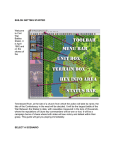
Now you see the battlefield and your troops. If you wish to scroll
around the map with ease, click on the menu list at the top called
"Settings" Then click on “Auto Scroll” unless it already has a check mark. Now you can simply
run your mouse pointer to any corner of the map and the screen will move until the edge of
the map is reached.
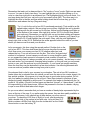
Your forces will be in view in the upper-right segment of the map, spread out in formation.
This map is not that large, so depending on your screen resolution you shouldn’t have too
much scrolling to do. You will see several objective hexes along the tree line; these are the
little boxes on the map with a number inside them. Holding these, along with eliminating the