1
CAPSPAN5000
User’s
Manual
Copyright © 2002 Cronyx Engineering
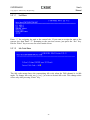
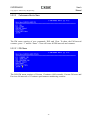
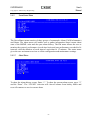
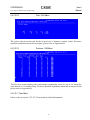
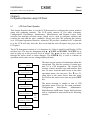
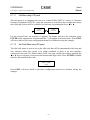
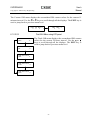
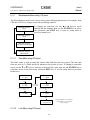
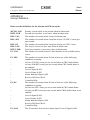
The lock menu is used to control LCD panel and CID port operation. Normally,
configurations and maintenance can be changed from LCD panel and CID port. To avoid
unauthorized user from changing the MSDSL system’s setting, LCD panel and CID
port’s ability to change configuration and maintenance can be disabled by selecting
LOCK MENU to “on”. With locked “ON”, user still can operate to obtain the
configuration information and status from surveillance menu. To disable LOCK function,
user must select “OFF” and enter a password.
LOCK
* OFF
LOCK
ON
Previously was in LOCK
state
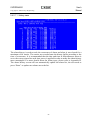
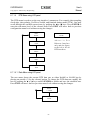
Use the 3or 4 keys to scroll through all the
displays then use the ENTER key to select
the operation and EXIT key is used to jump
back to previous menu level.
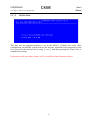
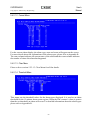
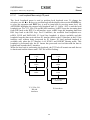
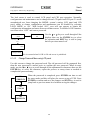
Enter Password:
YES
Config Lcoked
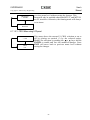
This is returned when LOCK is ON and access is prohibited.
6.1.4.3
Change Password Menu using LCD panel
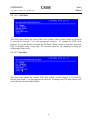
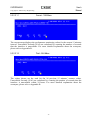
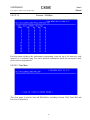
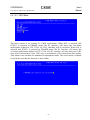
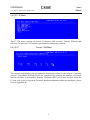
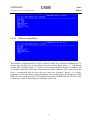
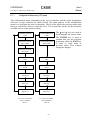
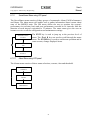
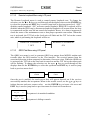
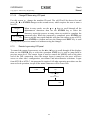
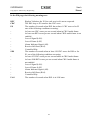
Use this screen to change the password used. The old password will be prompted first,
then the new password is entered twice to confirm the new password. When in entry
mode, use the 3or 4 keys to scroll through all the alphanumeric characters then use the
ENTER key to select the character, repeat the process as many times as needed to
complete the password entry.
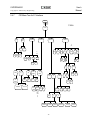
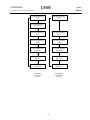
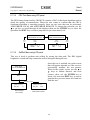
DSL
CURRENT-15M
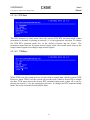
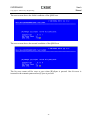
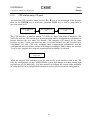
When the password is completed, press ENTER one time to end
the entry mode and this will place the cursor on top of YES. Press
ENTER to confirm and save the changes and EXIT key is used to
jump back to previous menu level without saving the changes.
DSL
TOTAL-24H
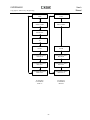
DSL
PREVIOUS-15M
106