1
51
Complete Time Tracking Standard v3.12
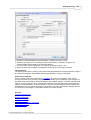
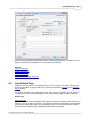
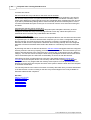
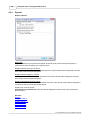
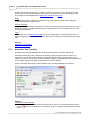
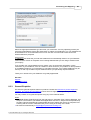
This list of category links shows the category tree "branch" for the selected category, showing up
to three category levels. The selected category is shown last, with its Group categories above. If a
category more than three levels deep is selected a popup hint displays the hierarchy for the top
category if the mouse is positioned over it. This is useful when selecting deeply nested categories
to see which higher level Group categories are selected.
In the previous figure the selected category is Web Server, a task for a Systems project for
customer Energex Inc.
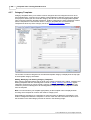
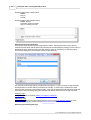
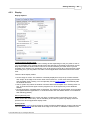
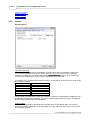
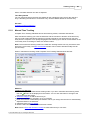
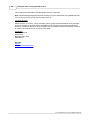
When a category link is clicked a popup menu appears allowing you to select the appropriate
category. The popup menu appears automatically when the mouse cursor is positioned over the
links if the single click category selection option is enabled. An example popup menu is shown in
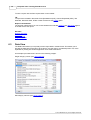
the following figure:
The categories that appear in the popup menu depend on which category link that you click:
First category link: All categories from the top level.
Second category link: All categories from the same level as the category clicked.
Third category link: All categories from the same level as the category clicked.
For example in the previous category links screen shot clicking the Systems category link will
display the categories General, Management, Sales and Systems and allow you to select them or
their sub categories.
Changing Categories Without Restarting the Timer
If the timer is running in Automatic Time Tracking mode and the control (ctrl) key is held when a
category is selected the timer is not restarted and a time entry is not created. The category is
simply changed to the new category and the timer continues to run. This is useful when a category
is incorrectly selected to change to the correct category without interrupting the timer.
Selecting a Group (Parent) Category
Sometimes you need to add time entries that are not applicable to a specific category. There are
two approaches to this:
© 2012 Backslash Pty Ltd. All Rights Reserved.