1
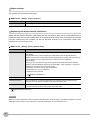
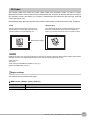
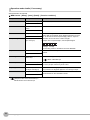
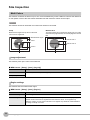
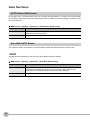
Region settings
This function sets the measurement region.
X MENU mode - [Setup] - [Item] - [Region]
Item
Description
Measurement region
Sets the region to be measured.
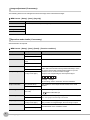
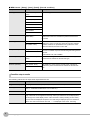
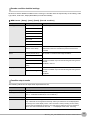
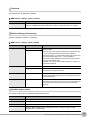
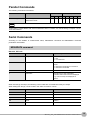
Registering the master data for verification
Master data are used for verification. After reading process, the read text string can be verified against the preregistered master data. 32 sets of master data can be registered as text string. Also, processing to be executed
from this measurement item onwards can also be branched according to the verification results when
measurement control function is ON.
X MENU mode - [Setup] - [Item] - [Master data]
Item
Description
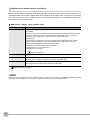
Master data
There are two modes for registering master data, auto setting and manual setting.
Auto setting:
The actual barcode is used to register the master data. When the [AUTO] button is
pressed, the barcode is read and the result is registered as the master data. Text string up
to 32 characters long are registered. Control codes also can be registered.
Manual setting:
Text string up to 32 characters long can be registered as master data via the software
keyboard. Check available characters in the ASCII table. 2-byte characters, 1-byte kana
characters and control codes cannot be entered.
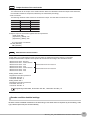
The following characters can be used as wildcards:
*: Wildcard for zero or more characters
?: Wildcard for one character
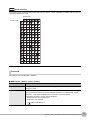
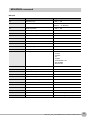
ASCII code table p.3
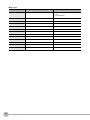
Rename
This is the text string displayed as the verification result on the result display screen.
First meas. Item No.
This is the Start No. of measurement items to be executed, when the measurement
control is set to ON and the read text string match the master data.
Last meas. Item No.
This is the End No. of measurement items to be executed, when the measurement control
is set to ON and the read text string match the master data.
Measurement control p.5
Important
When the manual registration screen is displayed after execution of AUTO setting, unavailable characters in manual
registration (control codes, 2-byte characters, 1-byte kana characters, etc.) are displayed as "?".
2
ZFX-C1_/C2_-CD Additional Functions Instructions