1
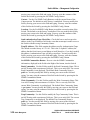
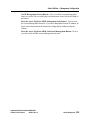
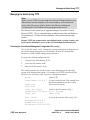
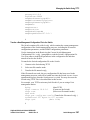
Table Of Contents
Preface
1
1
2
2
3
3
6
9
How to Use This Manual
Intended Audience
Related Materials
Ancor Customer Service
Safety Notices
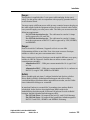
Communications Statements
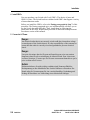
Laser Safety Information
Accessible Parts
1. GigWorks™ MKII-8 Switch Model MKII-BASE8, General Description
1-1
1-1
1-2
1-4
1-4
1-7
1-7
1-7
1-7
1-8
1-8
1-8
1-8
1-8
1-9
1-9
1-9
GigWorks™ MKII-8 Switch Model MKII-BASE8 General Description
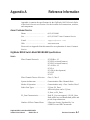
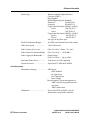
Major Fibre Channel Port Features
Major Switch Management Features
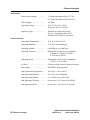
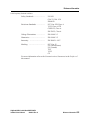
Major Switch Chassis Features
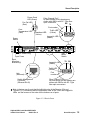
Fibre Channel Ports
Front Panel Controls
Power Switch
Test Mode Switch
Front Panel LEDs
Heartbeat LED (Yellow)
Power Good LED (Green)
Fan Fail LED (Red)
Over Temperature LED (Red)
Port Logged-In LED (Green)
Port Activity LED (Yellow)
AC Input Power Connector and Fuses
Switch Management Connector
2. Installation
2-1
2-1
2-2
2-3
2-4
2-4
2-6
2-7
2-11
Installation
1. Unpack
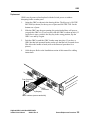
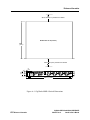
2. Place or Mount the Equipment
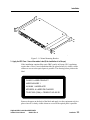
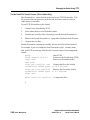
3. Apply the IEC Class 1 Laser Information Label (If the installation is in Europe)
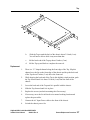
4 Install GBICs
5. Connect to AC Power
6. Check the Power On Self Test (POST) Results
7. Cable N or NL_Port Adapters to the Switch
Operating the Switch
GigWorks MKII-8 Switch Model MKII-BASE8
Installer's/User's Manual
59004-01 Rev. A
Table Of Contents
iii