1
High Definition media player
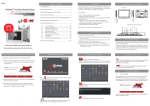
Click the HD Icon
which will display the HD Video and Audio
files
File Management: Copy, Cut, Delete, Rename
Select the File Manager Icon
to manage file storage and
documents on the SD Card and External HDD.
After running the File manager tool, click or hold the object file or folder,
to display the menu below:
Select copy or cut from the menu. A red frame will show at the top of the
screen. Click and hold the object folder
Copyright © Edis Trading (HK) Limited 2008-2012. All Rights Reserved.
Page 14 of 23