1
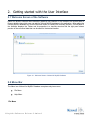
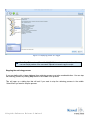
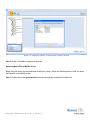
File menu of the Kernel for MySQL Database software appears, as shown in the following figure:
Figure 2.2: File Menu
Following table enlists the options available in the File menu:
Option
Description
Add db Folder
Adds MySQL database folder to the application
Save
Launches Save database wizard
Exit
Exits from the application
Help Menu
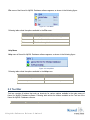
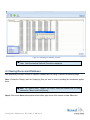
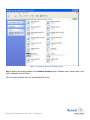
Help menu of Kernel for MySQL Database software appears, as shown in the following figure:
Figure 2.3: Help Menu
Following table enlists the options available in the Help menu:
Option
Description
About Kernel for MySQL Database
Gives information about the software
Software Help
Launches Online Help manual
2.3 Tool Bar
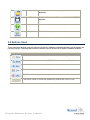
Tool bar consists of buttons that work as shortcuts for various options available in the main menus of
Kernel for MySQL Database software. Following table enlists the buttons available on the Tool bar of the
Kernel for MySQL Database software:
Button
Button Name
©L e pide Sof t w a r e P r iva t e L im it e d
Description