1
Table of Figures
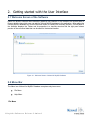
Figure 2.1: Welcome Screen of Kernel for MySQL Software ........................................................................................7
Figure 2.2: File Menu .................................................................................................................................................8
Figure 2.3: Help Menu ................................................................................................................................................8
Figure 4.1: Adding corrupt MySQL Database folder to the application......................................................................... 12
Figure 4.2: Displaying the recovered tables in a tree-like structure ............................................................................... 13
Figure 4.3: Viewing the properties of the tables .......................................................................................................... 14
Figure 4.4: Displaying preview of a Table .................................................................................................................. 15
Figure 4.5: Displaying preview of a Trigger ............................................................................................................... 16
Figure 4.6: Stopping the retrieving process ................................................................................................................. 17
Figure 4.7: Selecting Tables and Properties for Saving ................................................................................................ 18
Figure 4.8: Testing the connection parameters ............................................................................................................ 19
Figure 4.9: Creating New Database ............................................................................................................................ 20
Figure 4.10: Saving the recovered database objects ..................................................................................................... 20
Figure 4.11: Displaying summary of objects saved...................................................................................................... 21
Figure 4.12: Selecting Batch File Mode...................................................................................................................... 22
Figure 4.13: Batch File Mode .................................................................................................................................... 23
Figure 4.14: Saving the recovered database objects in Batch File Mode........................................................................ 23
Figure 4.15: Displaying summary of objects saved in Batch File Mode ........................................................................ 24
Figure 4.16: Restoring Batch File to MySQL Server ................................................................................................... 25
Figure 4.17: Specifying the details in Command Prompt Window ................................................................................ 26
©L e pide Sof t w a r e P r iva t e L im it e d