1
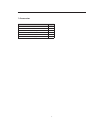
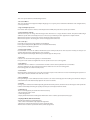
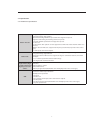
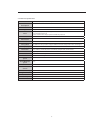
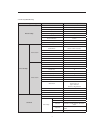
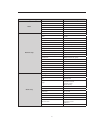
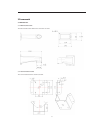
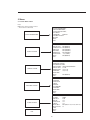
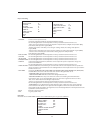
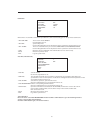
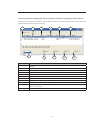
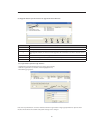
The above diagram illustrates the overall structure of the speed dome setup menu.
Note:
- ERR means current setup is invalid.
- Please make sure all the cable connections are right.
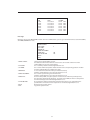
5.2 Self-diagnosis system information
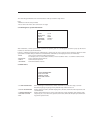
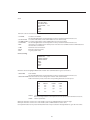
ADDR:001-H
BAUD RATE:
9600
PARITY:NONE
PROTOCOL:PELCO-P
SOFTWARE:V1.04.3
BACK
EXIT
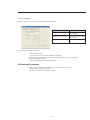
After installation, connect speed dome to power. The system goes on a self-diagnosis, and then il pops up the above
interface to show the system information.
If there is anything wrong during the self-diagnosis, system pops up error code. The above interface disappears after
speed dome received after speed dome received the first commande (or the display time lasts for 4 minutes).
-ADDR: Here you can view dome address information.
For example, 001-H, 1 is the address number, -H is hard address mode. -S is software address mode.
- BAUD RATE: Dome communication baud rate.
- PARITY: Communication protocol.
- SOFTWARE: Dome PTZ software version.
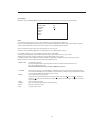
5.3 Main menu
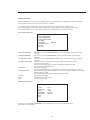
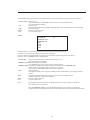
SYSTEM INFORMATION
DISPLAY SETTING
CAMERA SETTING
FUNCTION SETTING
EXIT
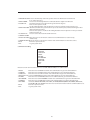
- SYSTEM INFORMATION: - DISPLAY INFORMATION: - CAMERA PARAMETERS: - FUNCTION SETTING: - EXIT: Dome self-diagnosis information, address information, system time setup, set north
direction, language, language, factory default setup, reboot and so on.
Display dome preset title, azimuth display, time, direction, dome internal temperature and ect information.
Display dome white balance setup, camera function setup, day/night setup, shutter setup
Set preset, pan, scan, auto cruise, pattern, idle motion, time task and pivacy mask function.
Log out the system menu.
21