1
Music mode
Playback
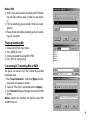
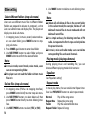
1. Insert earphone plug into the earphone socket
2. Move power switch to ON position
3. Press and hold PLAY/PAUSE button to turn device
ON
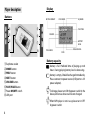
4. By PREV/NEXT buttons choose the music mode
and push MODE button to enter music mode
5. To choose track (song) use NEXT and PREV buttons.
Press PLAY/PAUSE to start playing.
6. If the file containing movie will be set, a video will
start display
Note. Exactly the same procedure will be used for displaying video files.
Equalizer setting
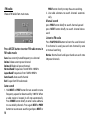
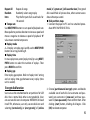
1. When music is playing shortly press MODE to enter
option menu
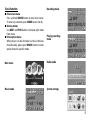
2. Using NEXT/PREV buttons choose Equalizer
3. Use MODE to confirm choice
4. Choose one of effects: Natural, Rock, Pop, Classic,
Soft, Jazz, DBB
5. Confirm You choice by MODE.
Displaying lyric
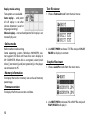
Player supports LRC file format which allows to display
song lyric simultaneously with music. To use lyric feature, LRC file must have the same name as MP3 song.
For example:
Music file is: TRACK-4.mp3
Lyric file should be named: TRACK-4.lrc
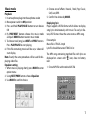
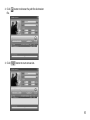
The MP3 song containing matched files with lyric are
displayed on screen with “ ” icon, close to battery
icon:
1. Chose MP3 file with matched LRC file
7