1
tristube
@
&
M
Delete Pictures
1 ) Delete Single lmages: enter playback mode, then long press'Delete'
button for 2 seconds.
2) DeleteAll lmages: press'Menu' button and navigate to'Delete All lmages',
then press 'Set' button.
Sleep mode
enter
) Long press'Tab'button for 3 seconds, the receiver and transmitter
sleepmode. While"sleeping",thesleepindicatorlighton receiverturns
orange; power indicator light on transmitter turns red.
2) To wake up the receiver, long press 'Tab' button again for 3 seconds.
1
;
tut
Playback & Delete
Pictures can only be saved on GWll while shooting in 'Mini' mode. The saved
picture is only the image captured by built-in camera on transmitter, not
actuallywhatthe camera captures. While shooting in'LV'mode, there is no
storage or playback on GWll.
Browse Pictures
1 ) Press the'Delete'button to enter playback mode. You'll see the latest
saved picture by default.
2) Press'Menu'button to navigate backwards, and press'Set'button to
navigate forwards.
3) Press the'Delete' button to revert back to live-view mode.
4) Connect one end ofAV output cable with AV socket of receiver, and the
other end with computer orTV. To browse pictures, follow the above directions
in step 1 .
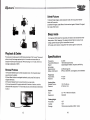
Specifications
Frequency:
Transmitter Distance:
Signal:
tech nology
Signal source:
Battery lnformation:
2.4GHz
100 meters (open area)
Digital sig nal transfer, freq uency switch ing
4
different signals
NP-60, 1200mAH, rechargeable Lithium Battery
Power Life:
Transmitter:
Receiver:
4 hours
4 hours
Product Size:
Remote Control:
Receiver:
127 x79x30 mm
87x50x41 mm
Screen:
Size:
Resolution:
3-5' TFT, 1 6M colors display
320x240
ViewingAngle:
Horizontal:
Vertical:
Storage:
13
120"
1
05'
100 pictures (available in
14
Mini mode)