1
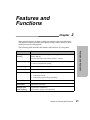
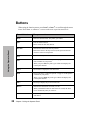
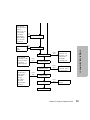
Menu Options
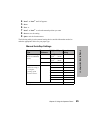
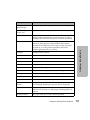
The following table provides information on where to find specific functions on the
printer operator panel. Those selections in italics may or may not appear on the panel,
depending on the printer settings or what printer options are installed.
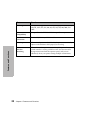
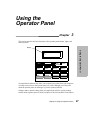
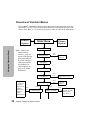
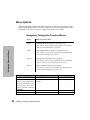
Navigating Through the Function Menus
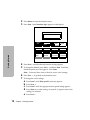
Press:
When you want to move:
Item ↑
Up through the Main, Primary, or Secondary levels.
For example, if the operator panel displays Control Options
and you want Data Options, press Item ↑.
Using the Operator Panel
Item ↓
Down through the Main, Primary, or Secondary levels.
For example, if the operator panel displays Print Demo and
you want Print Settings, press Item ↓.
Next →
To the Primary or Secondary level of options.
For example, if the operator panel displays Paper Hand Opt.
and you want to select Auto Tear-off, press Next →.
Prev. ←
Back to a Main or Primary level of options.
For example, if you have selected Auto Tear-off and want to
return to Paper Hand Opt., press Prev. ←.
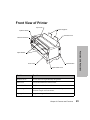
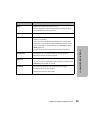
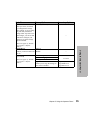
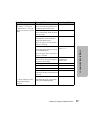
Main Menu
Primary Options
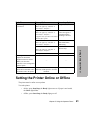
Set Top of Form
Select Tractor
—
—
• Tractor 1
Allows you to specify which • Tractor 2
tractor you would like to use.
34
Secondary Options
—
Does not appear unless the
Tractor 2 Option is installed.
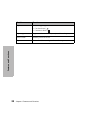
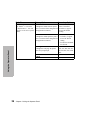
Print Demo
—
—
Print Settings
—
—
Chapter 3: Using the Operator Panel