1
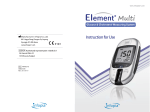
EVOLUTIONTM Blood Glucose Monitoring System
KIT Contents
EVOLUTIONTM Blood Glucose Test Meter
Test Strip Port:
Insert the Evolution test strip here
Test Strip Ejector
Display Screen:
Displays your test results, symbols and messages.
Function Button:
Powers the meter on/off, prompts
memory data and acts as an
enter button during setup and
after tests.
Up/Down Arrow Buttons:
Adjusts setting, scrolls through
memory
1. EVOLUTIONTM Blood Glucose
Test Meter
6. Warranty Registration Card
2. EVOLUTIONTM Blood Glucose
Test Strips
8. Carrying Case
Serial Number
7. Patient Logbook
9. Two 3V Li-CR2032 Batteries
3. Lancing Device
Battery Cover
4. Lancets
5. Operatrion Manual
CAUTION
TM
Your EVOLUTION Blood Glucose Monitoring System has been
sealed and it should contain all of the parts shown above. Please
return the system to place of purchase or contact your nearest
EVOLUTIONTM representative if the container seals are broken or parts
are missing.
8
www.infopia21.com
1. Do not use EVOLUTIONTM blood glucose test meter in a dry environment,
especially if synthetic materials are present. Synthetic clothes, carpets, etc.,
may cause damaging static discharges in a dry environment.
2. Do not use EVOLUTIONTM blood glucose test meter near cellular or cordless telephones, walkie talkies, garage door openers, radio transmitters, or
other electrical or electrical equipment that are sources of electromagnetic
radiation, as these may interfere with the proper operation of the blood glucose test meter.
9