1
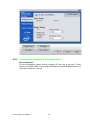
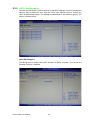
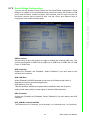
You can use this screen to select options for the South Bridge Configuration. South
Bridge is a chipset on the motherboard that controls the basic I/O functions, USB
ports, audio functions, modem functions, IDE channels, and PCI slots. Use the up
and down <Arrow> keys to select an item. Use the <Plus> and <Minus> keys to
change the value of the selected option.
Chapter 5
5.7.2 South Bridge Configuration
AMI BIOS Setup
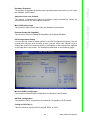
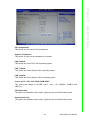
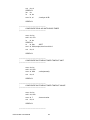
USB Functions
Set this value to allow the system to enable or disable the onboard USB ports. The
choices are Disabled, 2 USB Ports, 4 USB Ports, 6 USB Ports, 8 USB Ports, 10 USB
Ports, 12 USB Ports.
GbE Controller
Options are "Enabled" and "Disabled". Select "Disabled" if you don't want to use
onboard LAN controller.
GbE LAN Boot
When [Enabled], the BIOS attempts to boot from a LAN boot image before it
attempts to boot from a local storage device.
GbE Wake up From S5
This field specifies whether the system will be awakened from the S5 power
saving mode when activity or input signal of onboard LAN is detected.
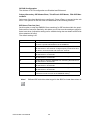
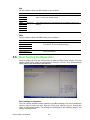
HDA Controller
Options are "Enabled" and "Disabled". Select "Disabled" if you don't want to use HDA
controller.
SLP_S4# Min. Assertion Width
The choices are 4 to 5 seconds, 3 to 4 seconds, 2 to 3 seconds, and 1 to 2 seconds.
43
IPPC-6192A User Manual