1
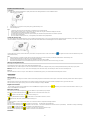
White Balance :
1. Enter into MENU, and press Up/Down button to select ”
White Balance”.
2. Press OK button, and then press Up/Down button to select white balance,
Auto / Daylight / Cloudy / Tungsten / Fluorescent
3. After selection, please press OK button to confirm, and press Left button to exit. Or,
select Right button to return back.
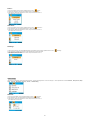
Exposure :
1. Enter into MENU, and press Up/Down button to select ”
Exposure”.
2. Press OK button , and then press Up/Down button to select Exposure,
-2.0 , -5/3 , -4/3 , -1.0 , -2/3 , -1/3 , +0.0 , +1/3 , +2/3 , +1.0 , +4/3 , +5/3 , +2.0
3. After selection, please press OK button to confirm, and press Left button to exit. Or,
select Right button to return back.
Playback Mode
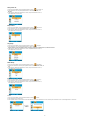
Under Camera mode, please press Mode Button twice quickly to enter into Playback Mode,
Press W Button to enter into Photo Mode, and press Up/Down/ Left/ Right button to select the photo you would like to view. After selection, please press OK button to view the photo.
When viewing the photo, you can press T Button to zoom in the photo, and press Up/Down/ Left/ Right button to adjust the viewing angle.
When viewing the photo, please press Menu/Left button to enter into Playback setting. There are Delete , Protect , and Slide Show.
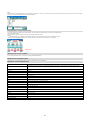
Delete :
1. Enter into Playback mode, and press Up/Down button to select ”
Delete”.
2. Press OK button, and then press Up/Down button to select a setting .
3. After selection, please press OK button to confirm, and press OK button again to execute it. press Left button to exit. Or, select Right button to return back.
OK button
ÎÎÎÎÎ
5