1
Mailbox — Where callers leave you voicemail.
Extension — A three to six-digit number that is
linked to your physical phone(s). Shorter, one and
two-digit extensions are generally used for special
purposes, such as Call Park, Call Groups, ACD
Queues and Broadcast Intercom.
Numbers – Existing phone numbers that have
been transferred, new DIDs (even from outside the
US and Canada), and new or transferred Toll-free
numbers (TFNs) can all belong to your account.
Note: Any user can have one or more accounts,
mailboxes, numbers and/or extensions.
Your PBX Account
To use the system, your PBX administrator must
first create your account. You are assigned a
permanent user ID (usually your phone number or
your extension), an extension number, a
temporary password, and possibly a personal
phone and/or fax number.
Once you log in to your account, you will use your
permanent ID and temporary password to access
your voicemail box on both your phone and the
VCP.
You can also access your voicemail as well as
change settings and greetings from any IP,
landline, or even mobile telephone regardless of
where that phone is on the planet.
Next, we’ll go through all the details of how to set
up and use your voicemail.
Table 1 - Voicemail Access
Access Type
Number to Dial
Your assigned IP
Phone residing on
your
organization’s
PBX
00
A landline, mobile
phone or PDA,
Method 1
A landline, mobile
phone or PDA,
Method 2
You are now in the voicemail Main menu. Press 2
to create a personalized voicemail greeting. Follow
the prompts to record your first and last name, and
internal and external greetings.
Once you have recorded your greeting, select one
of the following options.
Table 2 - Recording Menu
Key
Option
1
Play the recording.
4
Cancel the custom recording and return to
the default system settings.
7
Redo the recording.
Voicemail Set Up and Use
*
To set up your voicemail, use the password given
to you by your PBX administrator. With the PBX
you can set up your voicemail box from any of the
following handsets:
•
An IP Phone residing on your organization’s
IP-PBX
•
Any external IP Phone
•
Any internal or external phone including
mobile phones or PDAs.
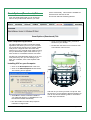
Choose how you will set up voicemail from the
options in the following table and dial the
appropriate number.
IP-PBX User Manual
Dial your full 10-digit number.
Wait for the auto attendant,
press the * key and enter
your password when
prompted.
Dial your main PBX number,
and then dial 00 and your
extension – e.g., 00xxxx. Wait
for the auto attendant, press
the * key and enter your
password when prompted.
#
Cancel the recording and return to the Main
menu.
Use the recording and return to the Main
menu.
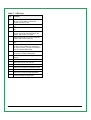
Once you have set up your personal greetings,
return to the Main menu and select from one of the
following options.
Table 3 - Main Menu
Key
Option
1
Enter the Message Center (Message
Center menu).
2
Change your greeting (Recording menu).
Page 3 of 20