1
Digital I/O Modules
7
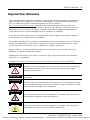
ATTENTION
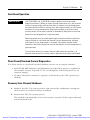
Do not touch or remove the terminal block when the SLC 500 system is
powered. Contact with ac line potential may cause injury to personnel.
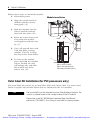
Apply the Octal Filter Label
1. Remove the octal filter label from its paper carrier.
2. Align the octal filter label numbers horizontally to the module color bar and
over the decimal filter numbers.
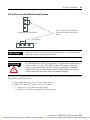
Refer to page 8 for filter label placement.
3. Apply the octal label to the filter.
4. Press firmly to be sure that the label adheres properly.
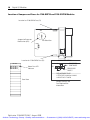
Apply the Octal Door Label
1. Remove the octal door label from its paper carrier.
2. Align the octal label directly over the decimal door label on the inside of the
door.
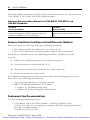
Refer to page 8 for door label placement.
3. Press firmly to be sure that the label adheres properly.
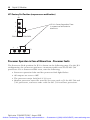
Removable Terminal Blocks
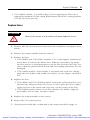
Colored terminal blocks are removable by loosening the upper and lower retaining
screws. Black terminal blocks are not removable.
Publication 1746-IN027C-EN-P - August 2008
Artisan Technology Group - Quality Instrumentation ... Guaranteed | (888) 88-SOURCE | www.artisantg.com