1
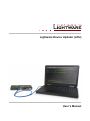
Lightware Device Updater
User’s Manual
Table of contents
1.
INTRODUCTION ...................................................................................................................... 4
1.1.
1.2.
2.
INSTALLING LIGHTWARE DEVICE UPDATER (LDU) ......................................................... 5
2.1.
2.2.
2.3.
3.
COMPATIBILITY WITH LIGHTWARE PRODUCTS........................................................................ 4
ABOUT FIRMWARE PACKAGE (LFP FILE) ............................................................................... 4
W INDOWS INSTALL .............................................................................................................. 5
MAC OS X INSTALL ............................................................................................................. 7
UPGRADING THE LDU ......................................................................................................... 7
FIRMWARE UPGRADE – EXTENDER MODE ....................................................................... 8
3.1. SHORT INSTRUCTIONS ......................................................................................................... 8
3.2. DETAILED INSTRUCTIONS..................................................................................................... 8
3.2.1. Establish the connection between the computer and the device(s) ......................... 8
3.2.2. Start the LDU and follow the instructions.................................................................. 8
4.
FIRMWARE UPGRADE – 25G HYBRID MODE ................................................................... 14
4.1. SHORT INSTRUCTIONS ....................................................................................................... 14
4.2. DETAILED INSTRUCTIONS................................................................................................... 14
4.2.1. Establish the connection between the computer and the matrix ............................ 14
4.2.2. Start the LDU and follow the instructions................................................................ 14
5.
VERSION APPLICABILITY ................................................................................................... 20
6.
DOCUMENT REVISION HISTORY ....................................................................................... 20
Section 1. Introduction
Page 3 / 20