1
ADAPT-PT 2012 Getting Started Guide
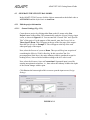
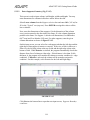
Next enter the reference height. The reference height (Rh) identifies the position
of a reference line that is used to specify the location of the tendon. Typically, the
reference line is selected to be the soffit of the member. Hence for this tutorial,
select slab depth. Click ? with the Rh definition in the legend for additional
information regarding Reference Height.
Type the reference height, Rh, as 10 inches (254 mm) for all the segments of all
spans.
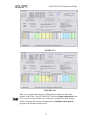
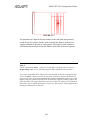
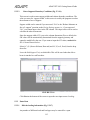
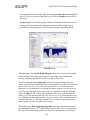
The Left and Right Multiplier columns (<-M and M->) are used to specify the
tributary width to indicate how much of the tributary width falls on either side of
the frame line. Enter 0.5 for both the left and right multiplier for all the segments
of all spans, except for the second segment of span 3. There is a 3 ft (0.91 m)
cutout, so the tributary width on either side of the frame line is different. Enter
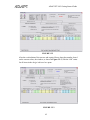
0.62 for the left multiplier and 0.38 for the right multiplier as shown in
Figure 5.3-6. Note that the sum of left and right multipliers add up to be 1.
You can use the “Typical” row (top row) if several spans have similar dimensions.
To enter typical values, type the value into the appropriate cell in the top row and
then press Enter. The typical value will be copied to all the spans.
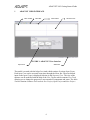
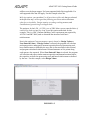
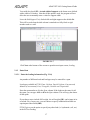
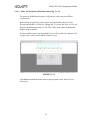
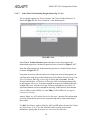
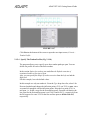
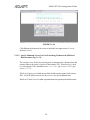
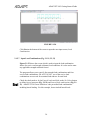
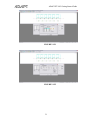
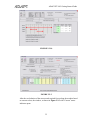
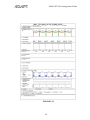
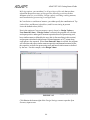
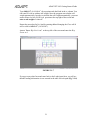
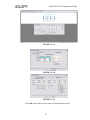
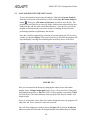
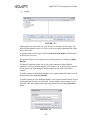
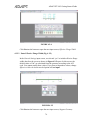
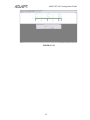
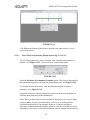
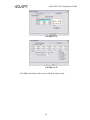
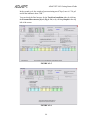
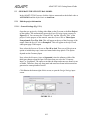
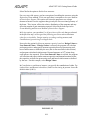
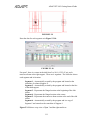
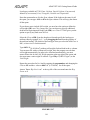
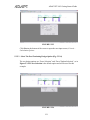
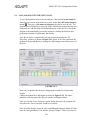
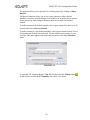
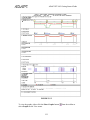
Your structure should look like shown in Figure 5.3-14.
FIGURE 5.3-14
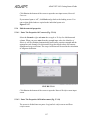
Click Next on the bottom line to open the input screen, Support Geometry.
113