1
ADAPT-PT 2012 Getting Started Guide
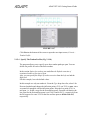
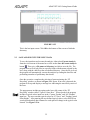
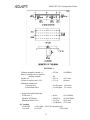
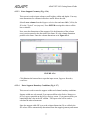
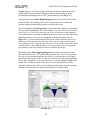
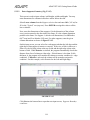
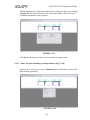
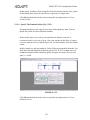
Change the second span Center height to 10 inches (254 mm) (since this span is
shorter than the first, balancing a lower percentage of self-weight is beneficial)
and third span Center height to 28.75 inches(730 mm) (average of the left and
right heights, to make a straight profile).
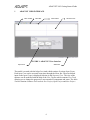
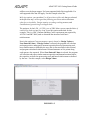
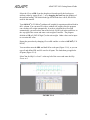
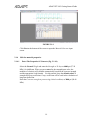
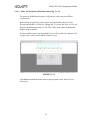
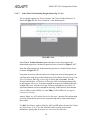
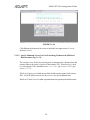
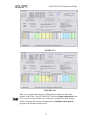
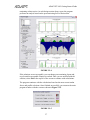
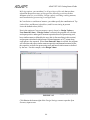
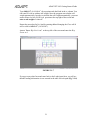
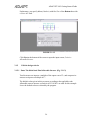
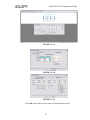
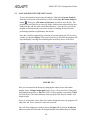
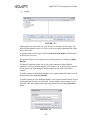
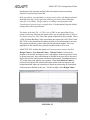
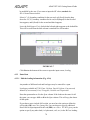
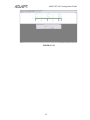
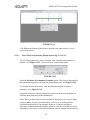
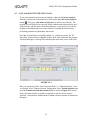
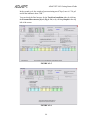
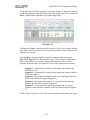
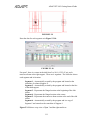
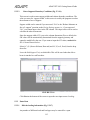
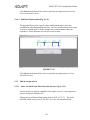
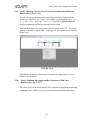
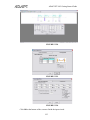
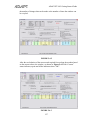
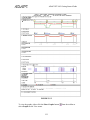
To edit the number of strands in a tendon type, click the Tendon selection and
extents [5] tab (Fig. 4.3-4). The number of strands to use for each tendon type is
shown in the “Selected Number” column. These numbers may be changed
independently of one another. To delete a tendon type, set the number of strands
selected to zero. To add a tendon type, enter the number of strands to use for that
type. The “Average Force” column shows the average force in each strand.
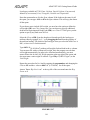
Change the number of strands for Tendon Type A to 8 and for Type B to 4
(Fig. 4.3-4).
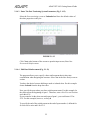
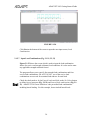
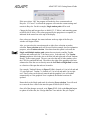
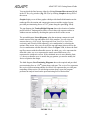
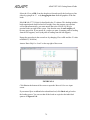
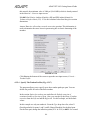
To change a tendon end from dead to stressing or stressing to dead, hold down the
Shift key and left click once at the end of the tendon. Clicking a second time will
change the tendon back to its original configuration. Note that the tendon must
have at least one stressing end. To change the extent of Tendon Type B or
Tendon Type C, position the cursor over the tendon end, hold down the left
mouse button and drag the end to the desired location. Change the right end of
the Tendon Type A from stressing to dead.
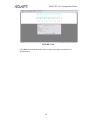
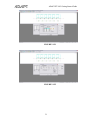
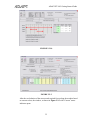
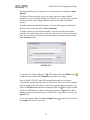
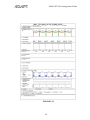
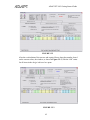
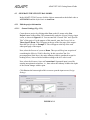
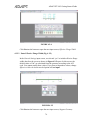
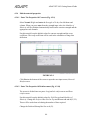
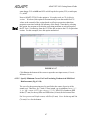
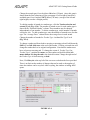
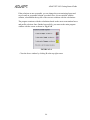
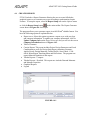
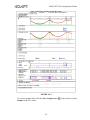
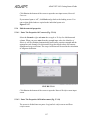
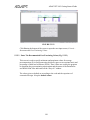
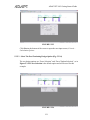
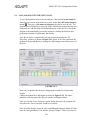
Next, Click Recycle at the top left of the screen to recalculate the force provided.
There is no limit on the number of changes that can be made or the number of
times the window can be recycled. After recycling, the window as in Fig. 4.3-5
opens.
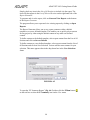
FIGURE 4.3-4
93