1
This user manual has been created to guide users how to use the JD Car
Shop
system.
It
assumes
that
user
has
possession
of
the
“fqiCS5914Web.war” and ” fqiCS5914EJB.jar” or “fqiCS5914Ear.ear” files that
were submitted to “/home/projects” directory on hawk and successfully
installed them on the JBoss deploy folder.
Guard to Using JD Car Shop System
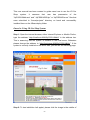
Step 1: Open the internet browser, either Internet Explorer or Mozilla Firefox,
type the address “http://localhost:8080/fqiCS5914Web/” in the address bar.
This is assuming that the system is installed in the local sever, Otherwise
please change the address to “http://hostname:8080/fqiCS5914Web/”. If the
system is correctly installed on the sever side, you will see the following page.
Step 2: To load exhibition hall applet, please click the image in the middle of
-1-