1
FUNCTION SCHEMA
WIRING DIAGRAM
FUNCTION SCHEMA
˙KEEP DRY
˙INSTALL IN VENTILATED AREAS
˙FOR INSIDE USE ONLY
DMX OUT
INPUT: DC 12-24V/16A
OUTPUT: 4 Way x4A( 48~96W)
6
DMX IN
5
+
-
3
2
1
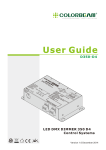
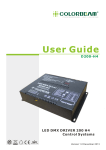
1. Signal Indicator
2. Seven-Segment Display
3. Function Key
4
4. Output Connecter 5-Pin Terminal Block
5. DMX Connecter 3-Pin Terminal Block
6. 12-24VDC
WIRING DIAGRAM
CAUTION:
Do not hot swap. Ensure that power to the fixture is
off before connecting or disconnecting fixtures.
FRONT SIDE
ORBIT TP
˙KEEP DRY
˙INSTALL IN VENTILATED AREAS
˙FOR INSIDE USE ONLY
˙KEEP DRY
˙INSTALL IN VENTILATED AREAS
˙FOR INSIDE USE ONLY
Power
24VDC
DMX OUT
DMX IN
DMX OUT
Power
100-200W
12-24VDC
DMX OUT
DMX IN
Power
100-200W
12-24VDC
DMX IN
DMX IN
DMX OUT
COLORBEAM
LIGHTING
COLORBEAM
LIGHTING
+ -
+ -
W- B- G- R- V+
BACK SIDE
+
-
NOTICE:
1. Please notice the idea of the wiring for all Colorbeam fixture is in series connection.
2. The wiring of the customized is different from the commercially available. Please refer our
accessory RJ-2 and RJ-3 to do the extension and the split.
3. The warranty will be invalid when the fixture is not under normal usage (including trimming the cable
and do wiring by user).
Please contact with your sales representative for the detailed information if the trimming will be happen.
www.colorbeam.com
2