1
English
6.3 HTTPS
The HTTPS
protocol is used for encryption and for authenticating communication between the web server (video server)
and browser (client PC) on the Internet. All data transmitted between the video server and client PC is
encrypted using SSL. Apart from SSL encryption (compatible with all standard browsers), a source
authorisation certificate is required in order to use HTTPS.
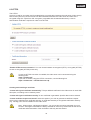
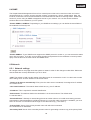
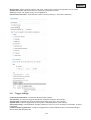
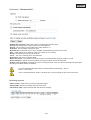
“Enable HTTPS secure connection” You can choose between unencrypted (HTTP) + encrypted (HTTPS)
access or encrypted (HTTPS) access only.
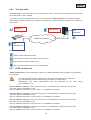
If a secure HTTPS connection is enabled, the video server can be accessed using the
following lines:
https:\\“IP-Adresse”
If you wish to stream using the HTTPS connection, use the following link:
https:\\“IP-Adresse”:“HTTPS-Port\Live.sdp
Creating and installing a certificate
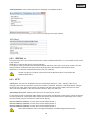
“Create self-signed certificate automatically” The pre-defined certificate in the video server is used. With
this option, no settings can be made by users.
“Create self-signed certificate manually” A new certificate is generated. Specific data must be entered.
“Create certificate request and install” Select this option if you wish to generate a certificate request
which is then submitted to a certificate authority. A certificate issued by a recognised certification authority
(e.g. VeriSign) can also be installed on the video server.
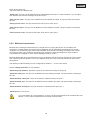
Note: When using a “self-signed certificate”, you may receive a warning message from your
browser. Self-signed certificates are always classed as insecure by the browser as the source
certificate and authorisation of the certification authority are both absent.
79