1
ProtectDrive 8.4.1
Release Notes
Known Issues and Workarounds from Previous Releases
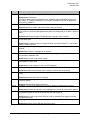
Issue
9735
Synopsis
Summary: Use of the ‘/e’ option with ‘decdisk’ when using a bootable USB thumb drive
39628
Workaround: Copy decdisk and recovery file/s to bootable floppy if the decdisk '/e' option is
necessary.
Summary: USB card readers do not respond to all ports in a Dell D820
39577
Workaround: Use one of the other USB ports.
Summary: Addition of local "Users" group to ProtectDrive
39576
Workaround: If the addition of a local users group is encountered then add the local users
individually.
Summary: Dell USB Smart Card Reader Keyboard issues on D620 and D820.
39569
Workaround: Use the internal reader or USB reader for ProtectDrive pre-boot authentication
if needed.
Summary: With some Vista hardware combinations Smart Card SSO may fail with "No valid
certificates found" message
39379
Workaround: Re-insert the smart card. If that fails, then re-insert it again.
Summary: ProtectDrive PCMCIA support may be lacking with machines with internal card
readers
39291
Workaround: Use the internal reader or a USB reader.
Summary: If problems are encountered removing ProtectDrive after a decdisk with recovery
files
39241
Workaround: Decrypt all drives with decdisk. Boot to Safe Mode. Delete the
HKLM\Software\Microsoft\WindowsNT\CurrentVersion\Winlogon\GinaDLL registry entry. Run
‘services.msc’ and disable Client Data Manager and Storage Encryption Service. Reboot
normally. Uninstall ProtectDrive by running ‘msiexec /x safenetprotectdrive.msi
ERA_AUTO_UNINST=Y’.
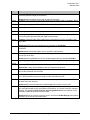
Summary: Support for encrypted RM formatted with exFAT file system
39086
Workaround: Format the RM with another file system.
Summary: PCMCIA readers may return error if smart card is queried after short interval of
time
38998
Workaround: Pause before querying the card or remove, reinsert and pause.
Summary: Recovering the ProtectDrive mbr with 'rmbr' from a USB thumb drive after
running 'fdisk /mbr'
38968
Workaround: Run 'rmbr' from a boot floppy or CD.
Summary: Windows format prompt with Vista for encrypted RM
38912
Workaround: On some systems, inserting encrypted removable media may result in a
prompt to format the device. This prompt can be safely ignored and the device unlocked as
usual.
Summary: Systems with C: on Disk1
Workaround: Ensure the C: drive is on Disk0.
Customer Support (800) 545-6608
[email protected]
Page 6 of 10