1
To acquire a new card one must pay a price and/or a deposit, depending on the settings, and one can
choose to load the card with a fixed amount at purchase. When a card is returned the deposit paid (if
any) and the credit on the card are reimbursed. The guest terminal can also be configured not to
reimburse credit still on the card, or to reimburse the credit but not take in the card.
A FacilityPro card is a smartcard for your own organisation or company which can be used for electronic
payment at cash registers, POS stations, vending machines, printers, photocopiers, etc. Magna Carta
developed the ‘closed’ electronic transaction system FacilityPro, which offers various functions for card
configuration, registration of data on the cards and a loyalty system for card users. A useful feature of
the system is the ability to charge different card holders different prices. FacilityPro is available for
contact cards as well as contactless cards. Supported are contact cards T=0, T=1, such as JavaCard, IBM
MFC and legacy Bull Scot5, Gemclub Micro, FacilityCard and Multi-Card Smart. Presently supported
contactless cards are Mifare (Classic, DESFire, DESFire EV1) and contactless JavaCards (JCOP 21, 31
etc.). LEGIC cards (Prime, Avant) are also supported, and require a special LEGIC card reader.
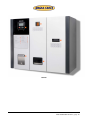
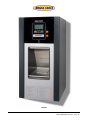
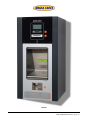
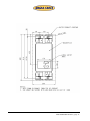
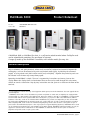
The MultiBank consists of a steel housing with one or several compartments into which are built the
various modules that are needed for the functions of the reload terminal. The left compartment houses
the control unit (or Magnabox), the Printed Circuit Board (PCB) and the card reader (Atlas 4), or, in the
case of a guest terminal, a motorised card dispenser (also for card caption) with card reader with
blocking mechanism. In a transfer terminal the left compartment will also house the hardware for one
of the reload methods:
-
coin acceptor and coin cash box
bank note acceptor with bank note cash box
EFT module (for debit and credit banking payment systems) with a printer for receipts
PIN module and, optionally, a printer (for closed debit payment systems)
The second and further compartments of a MultiBank each house the hardware for one reload method.
The coin compartment in a guest terminal will have a coin acceptor with coin return mechanism, as it
must be able to refund coins to the user in order to pay back a deposit and/or remaining balance or as
change. A compartment with a PIN or EFT module will always be to the left of any compartments for
cash reloading, and a compartment with coin acceptor will always be to the left of a compartment with
bank note acceptor.
Data sheets with technical specifications for the Magnabox and Atlas 4 are attached.
The MultiBank will function as a reload terminal within a complete FacilityPro electronic transaction
system. In addition to reload terminals, Magna Carta payment terminals will be incorporated (e.g. at
cash registers, vending machines, printers and photocopiers), and possibly also access control
terminals. The terminals are managed with the software FacilityPro Manager developed by Magna Carta.
With the PayPro module of FacilityPro Manager, the system administrator manages the reload terminals
and the payment terminals. He can for instance determine the amounts that can be reloaded, determine
which coins or bank notes will be accepted, put stolen cards on the hotlist and collect data from the
terminals. If the MultiBank is connected to a network FacilityPro Manager can collect data from and
configure the terminal automatically at set times. For further details on FacilityPro Manager you are
referred to the datasheet for this product.
The MultiBank can communicate with the management software via Ethernet, via mobile or analogue
telephone network using a GSM/GPRS- or PSTN-modem, or stand-alone with a USB stick or via infrared
communication. In some cases additional hardware and/or software might be necessary, such as a
Personal Digital Assistant (PDA) and the COMET software for communication via infrared, or a modem
on the back-office computer for dial-up connection to a modem.
PDS8 B5000 UKED 0310.doc, page 2