1
7 ONE20G/D/M
Installation Guide
1.1
Chapter 1
Safety instructions
Safety information
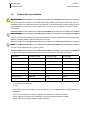
IMPORTANT SAFETY INSTRUCTIONS
•
Disconnect the power supply before installing, adjusting or servicing the unit. Always disconnect the
AC input first.
•
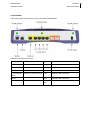
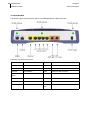
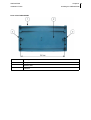
The external power supply is connected on the rear panel of the device, and is delivered together with
the ONE20G/D/M.
•
To connect the power supply, proceed as follows:
-
Connect the DC input jack from the power supply to the DC 12V power input on the rear panel of
the device.
-
Secure the power supply connection by installing the DC power supply cord into the foreseen clip.
-
Connect the power supply to an AC electrical outlet (100-240 VAC). Plugging in the power supply
turns the router on.
•
Do not use another type of power supply then the one prescribed by OneAccess.
•
Over current Protection: This device requires that the building’s electrical installation is designed for
protection against short-circuit (over-current) protection. A fuse or circuit breaker no larger than 240
VAC, 10A must be used on the phase conductors.
SAFETY WARNING
•
To avoid damage to the unit, please observe all procedures described in this chapter.
•
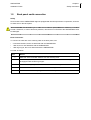
It is essential that, if a device has got an earth stud on the back panel, that this is effectively connected
to earth. Otherwise, in case of electrical problems, other devices connected to the ONE20G/D/M
could be damaged. Also refer to 1.5 - Back panel earth connection.
Ensure that the unit and its connected equipment all use the same power and ground, to reduce noise
interference and possible safety hazards caused by differences in ground or earth potentials.