1
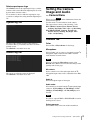
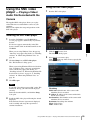
Alarm sending Tab — Setting the
e-mail sending mode when
detecting the alarm
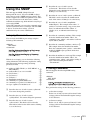
Set to send an e-mail linked with alarm detection by the
external sensor input or by the built-in motion detection
function.
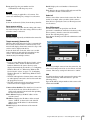
Alarm sending
Select On to set sending an e-mail linked with alarm
detection.
File attachment
Set whether an image file (JPEG file) is to be attached to
the e-mail or not.
When On is selected, the image file made using the
settings below is attached. When Off is selected, only
the message is sent.
Interval: Set the interval at which you want to send an
e-mail periodically after detection.
E-mails are sent after a specified interval time until
the Camera tampering detection setting is cleared or
the detection setting is turned off. You can set the
hour (H) and minutes (M) between 30 minutes and
24 hours (one day).
When file attachment is set to ON, a file is only
attached to an initial mail and will not be attached to
the following mails.
VMF: An alarm of the VMF detection function.
Motion detection: The alarm detected by the motion
detection function.
Click Detection, and the motion detection menu is
displayed to allow you to set the motion detection
function (page 73).
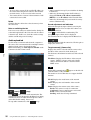
Effective period
Set the period during which alarm detection is effective.
Type the file name you want to assign to the image to be
attached to an e-mail. You can use up to 10
alphanumeric characters, - (hyphen) and _ (underscore)
for naming.
Always: Alarm detection is always effective.
Schedule: You can specify the period during which
alarm detection is effective.
Click Schedule and the menu for the effective period
is displayed. (“Setting the Schedule — Schedule
Menu” on page 72)
Suffix
OK/Cancel
Select a suffix to be added to the file name.
None: No suffix is added. The image file name is
assigned to the image to be sent via e-mail.
Date & time: The date & time suffix is added to the
image file name.
The date/time suffix consists of lower two-digits of
the year (2 digits), month (2 digits), date (2 digits),
hour (2 digits), minute (2 digits), second (2 digits),
and sequential number (2 digits), thus adding 14digit number to the image file name.
Sequence number: A sequential number of 10 digits
between 0000000001 and 4294967295 and two fixed
digits 00 are added to the image file name.
See “Buttons common to every menu” on page 26.
Administrating the Camera
Image file name
Sequence number clear
Click Clear to reset the Sequence number suffix to 1.
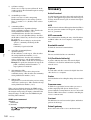
Alarm
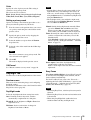
Periodical sending Tab — Setting
the periodical e-mail sending mode
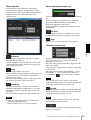
You can set to send e-mails periodically.
Periodical sending
Select On when you want to use periodical e-mail
sending.
Image file name
Type the file name of the image attached to the e-mail
using up to 10 alphanumeric characters, - (hyphen) and
_ (under score).
The actual image file name will be the specified image
file name with a suffix and the extension .jpg.
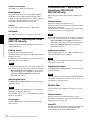
Select the alarm to be linked with e-mail notification.
Sensor input 1: The external sensor that is connected to
sensor input of the camera I/O port.
Camera tampering detection: An alarm that is
triggered when the camera detects vibration or
shaking.
60
Sending an Image via E-mail — e-Mail (SMTP) Menu
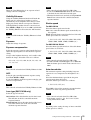
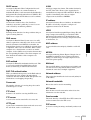
Suffix
Select a suffix to be added to the file name used when the
e-mail is sent.
None: The name of the sent file will be the image file
name.