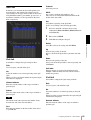
1
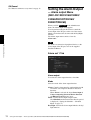
4-199-270-13 (1)
Network Camera
User’s Guide
Software Version 1.3
Before operating the unit, please read this manual thoroughly
and retain it for future reference.
SNC-CH120/CH160/CH220/CH260
SNC-DH120/DH120T/DH160/DH220/DH220T/DH260
© 2010 Sony Corporation
Table of Contents
Overview
Features .................................................................. 4
How to Use This User’s Guide .............................. 5
System Requirements ............................................ 5
Preparation
Assigning the IP Address to the Camera ............ 6
Assigning an IP address using SNC toolbox ..... 6
When using Windows XP Service Pack 2 or
later ................................................................... 8
When using Windows Vista ............................. 10
When using Windows 7 ................................... 13
Accessing the Camera Using the Web
Browser ................................................................. 15
Basic Configuration by the Administrator ....... 18
Operating the Camera
Administrator and User ...................................... 19
Logging in to System ........................................... 20
Logging in as a user ......................................... 20
About Viewers .................................................. 20
Configuration of Main Viewer ........................... 21
Main menu ....................................................... 21
Control panel section ....................................... 21
Monitor image .................................................. 23
Plug-in free viewer ........................................... 23
Using SolidPTZ function ................................. 24
Controlling via the control panel (Operation
common to Area zoom mode and Vector
dragging mode) .............................................. 25
Panning and tilting by clicking the monitor image
(Area zoom mode only) ................................. 25
Panning, tilting and zooming by specifying the
area (Area zoom mode only) .......................... 25
Panning and tilting by dragging the screen
(Vector dragging mode only) ......................... 25
Moving the camera to a preset position (Common
operations in Area zoom and Vector dragging
modes) ............................................................ 26
Using pan/tilt/zoom operations with the displayed
control bar (PTZ Control bar only) ................ 26
Controlling the Camera on a Full Image .......... 26
Using the Trigger Button ................................... 27
Sending a monitor image via e-mail ................ 27
Sending a monitor image to an FTP server ...... 27
Controlling Alarm out 1 ................................... 27
2
Table of Contents
Controlling the Day/Night function ..................27
Switching TCP/UDP Transmission Mode ..........28
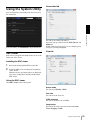
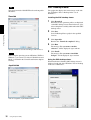
Using the System Utility ......................................29
SNC viewer .......................................................29
SNC Desktop viewer ........................................30
Administrating the Camera
Basic Operations of the Administrator
Menu .....................................................................32
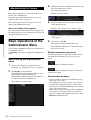
How to set up the Administrator menu .............32
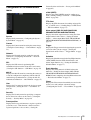
Configuration of the Administrator menu ........33
Configuring the System — System Menu ..........34
System Tab ........................................................34
Date & time Tab ................................................35
Superimpose Tab ..............................................35
Installation Tab .................................................36
Initialize Tab .....................................................37
System log Tab .................................................38
Access log Tab ..................................................38
Setting the Camera Image — Camera
Menu .....................................................................39
Common Tab ....................................................39
Focus tab — Adjusting the Focus (SNC-CH120/
CH220) ...........................................................39
Focus/Zoom tab — Adjusting the focus/zoom
(SNC-CH160/CH260/DH120/DH120T/DH160/
DH220/DH220T/DH260) ...............................39
Picture Tab ........................................................40
Privacy masking tab ..........................................42
Day/Night Tab ..................................................42
Video codec Tab ...............................................43
Streaming Tab ...................................................46
Configuring the Network — Network
Menu .....................................................................47
Network Tab .....................................................47
QoS Tab ............................................................49
Dynamic IP address notification Tab
— Notifying the IP Address ...........................50
Setting the SSL function — SSL Menu ..............52
Common tab .....................................................52
CA certificate tab — Adding the CA certificate
for client authentication ..................................54
How to install the CA certificate ......................55
To remove an installed CA certificate ..............56
Using the 802.1X Authentication Function
— 802.1X Menu ....................................................57
System configuration of 802.1X network ........57
Common Tab — Basic setting of 802.1X
authentication function ...................................58
Client certificate Tab .........................................59
CA certificate Tab .............................................60
Setting the 802.1X authentication function
— Example of Windows Server 2003 ............ 60
Setting the User — User Menu ........................... 63
Setting the Security — Security Menu .............. 64
Saving the Camera Position and Action
— Preset position Menu ...................................... 65
Position Tab — Saving pan/tilt/zoom
position ........................................................... 65
Preset tour Tab — Setting a position tour ........ 66
Sending an Image via E-mail — e-Mail (SMTP)
Menu ..................................................................... 68
Common Tab — Setting the e-Mail (SMTP)
Function .......................................................... 68
Alarm sending Tab — Setting the e-mail sending
mode when detecting the alarm....................... 69
Periodical sending Tab — Setting the periodical
e-mail sending mode ...................................... 70
Sending Images to FTP Server — FTP client
Menu ..................................................................... 71
Common Tab — Setting the FTP client
function .......................................................... 71
Alarm sending Tab — Setting the FTP client
action when detecting the alarm ..................... 72
Periodical sending Tab — Setting the periodical
FTP client activity .......................................... 73
Setting the Alarm Output — Alarm output Menu
(SNC-CH120/CH160/CH220/CH260/DH120T/
DH160/DH220T/DH260) ..................................... 74
Alarm out 1 Tab ................................................ 74
Setting the Operations from the Viewer
— Trigger Menu .................................................. 75
Setting the Schedule — Schedule Menu ............ 77
Setting the Sensor input (SNC-CH120/CH160/
CH220/CH260/DH120T/DH160/DH220T/
DH260)/Camera tampering detection/Motion
detection — Event detection Menu .................... 77
Sensor input tab — Set the sensor input .......... 77
Camera tampering detection tab — Set the camera
tampering detection ........................................ 77
Motion detection tab — Set the motion
detection ......................................................... 78
Setting items for motion detection ................... 78
Configuring the Viewer — Viewer Menu .......... 80
Layout tab ......................................................... 80
HTML output tab ............................................. 83
Others
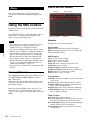
Using the SNC toolbox .........................................84
Starting SNC toolbox ........................................84
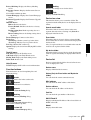
How to use SNC toolbox ..................................84
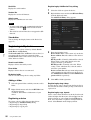
Registering in My device ..................................86
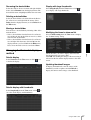
Changing the Device list display method .........87
Setting SNC toolbox options ............................88
Using Privacy Masking — Masking a Camera
Image ..............................................................89
Using the Custom Homepage — Setting the
customized homepage .....................................90
Using the Firmware Upgrade ............................90
Using the Schedule Task ...................................91
Configuring the device setting ..........................93
Device restart and initialization ........................95
Using the SNMP ...................................................95
1. Inquiry Commands .......................................95
2. Setting Commands ........................................96
Glossary ................................................................97
Index ....................................................................100
Table of Contents
3
Overview
Overview
Features
• High-quality Full HD (1080P) real-time monitoring,
up to 30 fps. (SNC-CH220/CH260/DH220/DH220T/
DH260)
• High-quality HD (720P) live images from camera can
be monitored at a maximum frame rate of 30 fps.
• Live images can be streamed in high-quality with
maximum SXGA (1280 × 1024) image size.
• High quality real-time streaming, up to image size
1920 × 1440. (SNC-CH220/CH260/DH220/DH220T/
DH260)
• Exmor CMOS sensor enables high-quality images for
streaming.
• NR enables clearer images for streaming in the low
lightness environment.
• Three video compression modes (video codecs)
JPEG/MPEG4/H.264 are supported.
• Single codec mode and dual codec mode are available.
• Easy Focus enables easier focus adjustment when it is
installed.
• Easy Zoom function enables remote adjustment of
view angle after installation. (SNC-CH160/CH260/
DH120/DH120T/DH160/DH260)
• Up to 5 users can view images from one camera at the
same time.
• Date/time can be superimposed on the image.
• PoE (Power over Ethernet) compliant.
NOTICE TO USERS
© 2010 Sony Corporation. All rights reserved. This
manual or the software described herein, in whole or in
part, may not be reproduced, translated or reduced to
any machine readable form without prior written
approval from Sony Corporation.
SONY CORPORATION PROVIDES NO
WARRANTY WITH REGARD TO THIS MANUAL,
THE SOFTWARE OR OTHER INFORMATION
CONTAINED HEREIN AND HEREBY EXPRESSLY
DISCLAIMS ANY IMPLIED WARRANTIES OF
MERCHANTABILITY OR FITNESS FOR ANY
PARTICULAR PURPOSE WITH REGARD TO THIS
MANUAL, THE SOFTWARE OR SUCH OTHER
INFORMATION. IN NO EVENT SHALL SONY
CORPORATION BE LIABLE FOR ANY
INCIDENTAL, CONSEQUENTIAL OR SPECIAL
DAMAGES, WHETHER BASED ON TORT,
CONTRACT, OR OTHERWISE, ARISING OUT OF
OR IN CONNECTION WITH THIS MANUAL, THE
SOFTWARE OR OTHER INFORMATION
CONTAINED HEREIN OR THE USE THEREOF.
Sony Corporation reserves the right to make any
modification to this manual or the information
contained herein at any time without notice.
The software described herein may also be governed by
the terms of a separate user license agreement.
• “IPELA” and
are trademarks of
Sony Corporation.
•
is trademark of Sony Corporation.
• “Exmor” and
are trademarks of Sony
Corporation.
• Microsoft, Windows, Internet Explorer and
Microsoft DirectX are registered trademarks of
Microsoft Corporation in the United States and/or
other countries.
• Java is a trademark of Sun Microsystems, Inc. in the
United States and other countries.
• Intel and Pentium are registered trademarks of Intel
Corporation or its subsidiaries in the United States
and other countries.
• Adobe, Adobe Reader and Adobe Flash are
trademarks of Adobe Systems Incorporated in the
United States and/or other countries.
All other company and product names are trademarks
or registered trademarks of the respective companies or
their respective makers.
4
Features
How to Use This User’s
Guide
Jumping to a related page
When you read the User’s Guide on the computer
display, you can click on a sentence to jump to a related
page.
The following computer environment is necessary for
the computer to display images and the controls of the
camera.
(Nov. 2010)
Overview
This User’s Guide explains how to operate the Network
Camera from a computer.
The User’s Guide is designed to be read on the computer
display.
This section gives tips on making the most of the User’s
Guide-read it before you operate the camera.
System Requirements
Common
OS
Microsoft Windows XP, Windows Vista (32bit version
only), Windows 7 (32-bit version, 64-bit version)
Authorized editions:
Windows XP: Professional
Windows Vista: Ultimate, Business
Windows 7: Ultimate, Professional
Software display examples
Note that the displays shown in the User’s Guide are
explanatory examples. Some displays may be different
from the ones that appear in actual use.
The illustrations of the camera and menu display in the
User’s Guide show the SNC-CH120 as an example.
Printing the User’s Guide
Microsoft DirectX 9.0c or higher
Web Browser
Microsoft Internet Explorer Ver. 6.0, Ver. 7.0, Ver. 8.0
Firefox Ver.3.5 (Plug-in free viewer only)
Safari Ver.4.0 (Plug-in free viewer only)
Google Chrome Ver.4.0 (Plug-in free viewer only)
Depending on your system, certain displays or
illustrations in the User’s Guide, when printed out, may
differ from those that appear on your screen.
SNC-CH120/CH160/DH120/DH120T/
DH160
Installation Manual (printed matter)
CPU
Intel Core 2 Duo, 2 GHz or higher
The supplied Installation Manual describes the names
and functions of parts and controls of the Network
Camera, connection examples, and how to set up the
camera. Be sure to read the Installation Manual before
hand.
Memory
1 GB or more
Display
1600 × 1200 pixels or higher
SNC-CH220/CH260/DH220/DH220T/
DH260
CPU
Intel Core 2 Duo, 2.33 GHz or higher
Memory
2 GB or more
Display
1600 × 1200 pixels or higher (2560 × 1600 pixels or
higher is recommended)
How to Use This User’s Guide / System Requirements
5
Preparation
2
When you are using Windows XP Service Pack 2 or
later, Windows Vista or Windows 7, a message
regarding the active contents may appear. For
details, see “Installing software” in “When using
Windows XP Service Pack 2 or later” on page 8,
“Installing software” in “When using Windows
Vista” on page 10 or “Installing software” in
“When using Windows 7” on page 13.
The Preparation section explains what the administrator
has to prepare for monitoring images after installation
and connection of the camera.
Preparation
Assigning the IP
Address to the Camera
3
If you click Save on the “File Download” dialog,
you will not be able to perform set up correctly.
Delete the downloaded file, and click the Setup
icon again.
4
Install SNC toolbox on your computer using the
wizard.
If the Software License Agreement is displayed,
read it carefully and click Accept to continue with
the installation.
5
Start SNC toolbox.
Notes
• SNC toolbox may not operate correctly if you use a
personal firewall or antivirus software in your
computer. In this case, disable the software.
• If you are using Windows XP Service Pack 2 or later,
Windows Vista or Windows 7, disable the Windows
Firewall function. Otherwise SNC toolbox will not
operate correctly. For the setting, see “Configuring
Windows Firewall” in “When using Windows XP
Service Pack 2 or later” on page 9, “Configuring
Windows Firewall” in “When using Windows Vista”
on page 11 or “Configuring Windows Firewall” in
“When using Windows 7” on page 14.
Click File Open.
Note
To connect the camera to a network, you need to assign
a new IP address to the camera when you install it for the
first time.
Before starting, connect the camera, referring to
“Connecting the Camera to a Local Network” in the
supplied Installation Manual.
Consult the administrator of the network about the
assigned IP address.
Click the Setup icon of SNC toolbox.
The “File Download” dialog opens.
When you are using Windows Vista, the message
“User Account Control – An unidentified program
wants access to your computer” may appear. In this
case, click “Allow”.
6
Click Search.
SNC toolbox detects the network cameras
connected to the local network and lists them.
Assigning an IP address using SNC
toolbox
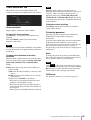
1
Insert the CD-ROM in your CD-ROM drive.
A cover page appears automatically in your Web
browser.
If it does not appear automatically in the Web
browser, double-click the index.htm file on the
CD-ROM.
When you are using Windows Vista, the “Auto
play” pop-up may appear. For details, see
“Installing software” in “When using Windows
Vista” on page 10.
6
Assigning the IP Address to the Camera
Tip
The factory setting of the camera network is DHCP
mode.
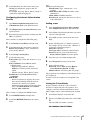
7
Select a camera you want to assign an IP address
from the list and click Network.
The account settings screen is displayed.
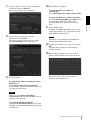
10 Set the DNS server address.
To obtain the DNS server addresses
automatically:
Select Obtain DNS server address automatically.
Preparation
To specify the DNS server addresses manually:
Select Use the following DNS server address, and
type the Primary DNS server address and
Secondary DNS server address in the relevant
boxes.
11 Set the HTTP port No.
Normally, select 80 for the HTTP port No. To use
another port number, type a port number between
1024 and 65535 in the text box.
8
Register the name and password of the
administrator and click OK.
The factory settings for both items are “admin”.
The Network Setting screen is displayed.
Note
When using a port number other than 80, check
with the network administrator first.
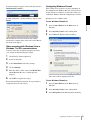
12 Confirm that all items are correctly set, then click
OK.
If “Setting OK” is displayed, the IP address is
correctly assigned.
13 When setting is finished, to access the camera
directly, double-click the camera name in the list.
9
Set the IP address.
The viewer screen of the network camera is
displayed on the Web browser.
To obtain the IP address automatically from a
DHCP server:
Select Obtain an IP address automatically.
The IP address, Subnet mask and Default gateway
are assigned automatically.
Note
When you select Obtain an IP address
automatically, make sure that the DHCP server is
operating on the network.
To specify the IP address manually:
Select Use the following IP address, and type the
IP address, Subnet mask and Default gateway in the
relevant boxes.
Assigning the IP Address to the Camera
7
Display sample
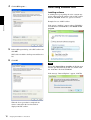
If the message “File Download – Security Warning”
appears, click Run.
Program name
Preparation
Note
Note
If the IP address is not set correctly, the viewer does not
appear after step 13. In that case, try to set the IP address
again.
If you select Save in the “File Download – Security
Warning” dialog, you will not be able to perform the
installation correctly. Delete the downloaded file, and
click the Setup icon again.
If the message “Internet Explorer – Security Warning”
appears, click Run.
When using Windows XP Service
Pack 2 or later
Program name
Installing software
A warning message regarding the active contents may
appear when you install software such as SNC toolbox
from CD-ROM. In this case, operate as follows:
Example: In case of SNC toolbox
The software installation starts.
If message “Internet Explorer” appears, click Yes.
Installing ActiveX Control
During installation of ActiveX Control, the
“Information Bar” or “Security Warning” may appear.
In this case, operate as follows:
If the message “Information Bar” appears, click OK.
8
Assigning the IP Address to the Camera
If the information bar appears, click on the bar and select
Install ActiveX Control….
Configuring Windows Firewall
If “Internet Explorer – Security Warning” appears, click
Install.
Example: In case of SNC toolbox
SNC toolbox may not operate correctly depending on
the configuration of Windows Firewall. (No cameras are
shown in the list even if they are detected.) In this case,
confirm the Windows Firewall configuration as follows:
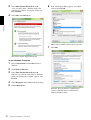
To turn Windows Firewall off
Select Control Panel from the Start menu of
Windows.
2
Select Security Center of the working field.
3
Select Off in the Windows Firewall dialog.
Preparation
1
Program name
The installation of ActiveX Control starts. When
installation is completed, the main viewer or the Motion
detection menu appears.
When accessing with Windows Vista or
Windows 7 in SSL communications
ActiveX control may not function properly. In such a
case, change the Internet Explorer settings.
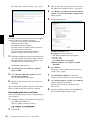
1
Click Tool(T), Internet Option(O).
2
Select Security Tab.
3
Select Trusted sites in Security settings.
4
Click on Sites(S).
5
Enter the address of the camera in Add this Web
site to the zone. Be sure to add the protocol
(https://).
6
Click OK to complete the setting.
The camera will be displayed in the list.
To turn Windows Firewall on
Restart Internet Explorer when the above procedure is
completed and access the camera.
1
Select Control Panel from the Start menu of
Windows.
2
Select Security Center of the working field.
3
Select Exceptions in the Windows Firewall dialog.
Assigning the IP Address to the Camera
9
4
Click Add Program….
When using Windows Vista
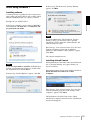
Installing software
A warning message regarding the active contents may
appear when you install software such as SNC toolbox
from the CD-ROM. In this case, operate as follows:
Example: In case of SNC toolbox
Preparation
If the pop-up “AutoPlay” appears when a CD-ROM is
inserted into the CD-ROM drive, click Install or run
program.
Program name
5
In the Add Program dialog, select SNC toolbox and
click OK.
SNC toolbox is added to the Programs and Services
list.
6
Click OK.
Note
If you click Open folder to view files, the Web browser
will not open automatically. In this case, double-click
the “index.htm” file in the CD-ROM.
If the message “Internet Explorer” appears, click Yes.
When the above procedure is completed, the
camera connected in the local network are
displayed in SNC toolbox.
10
Assigning the IP Address to the Camera
If the message “File Download – Security Warning”
appears, click Run.
If the message “Information Bar” appears, click Close.
Program name
Preparation
If the information bar appears, click on the bar and select
Install ActiveX Control….
Note
If you select Save in the “File Download – Security
Warning” dialog, you will not be able to perform
installation correctly. Delete the downloaded file, and
click the Setup icon again.
If the message “Internet Explorer – Security Warning”
appears, click Run.
If the message “User Account Control – Windows needs
your permission to continue” appears, click Continue.
If “Internet Explorer – Security Warning” appears, click
Install.
Program name
Program name
If the message “User Account Control – An unidentified
program wants access to your computer” appears, click
Allow.
The software installation starts.
Starting the software
When you start software such as SNC toolbox, the
message “User Account Control – An unidentified
program wants access to your computer” may appear. In
this case, click Allow.
Installing ActiveX Control
During installation of ActiveX Control, the information
bar or “Security Warning” may appear. In this case,
operate as follows:
The installation of ActiveX Control starts. When
installation is completed, the main viewer or the Motion
detection menu appears.
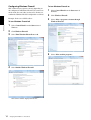
Configuring Windows Firewall
SNC toolbox may not operate correctly depending on
the configuration of Windows Firewall. (No cameras are
shown in the list even if they are detected.) In this case,
confirm the Windows Firewall configuration as follows:
Example: In the case of SNC toolbox
To turn Windows Firewall off
1
Select Control Panel from the Start menu of
Windows.
2
Click Windows Firewall.
Assigning the IP Address to the Camera
11
3
Select Turn Windows Firewall on or off.
“User Account Control – Windows needs your
permission to continue” may appear. In this case,
click Continue.
4
Select Off in the General tab.
6
If the Add Program dialog appears, select SNC
toolbox and click OK.
Preparation
SNC toolbox is added to the Program or port list.
7
Click OK.
The cameras will be displayed in the list.
To turn Windows Firewall on
1
Select Control Panel from the Start menu of
Windows.
2
Click Windows Firewall.
3
Select Turn Windows Firewall on or off.
If the message “User Account Control - Windows
needs your permission to continue” appears, click
Proceed.
4
Select Exceptions in the Windows Firewall dialog.
5
Click Add Program….
When the above procedure is completed, the
cameras connected in the local network are
displayed in SNC toolbox.
12
Assigning the IP Address to the Camera
When using Windows 7
If the message “File Download - Security Warning”
appears, click Run.
Installing software
A warning message regarding the active contents may
appear when you install software such as SNC toolbox
from the CD-ROM. In this case, operate as follows:
Example: In case of SNC toolbox
Preparation
If the pop-up “AutoPlay” appears when a CD-ROM is
inserted into the CD-ROM drive, click Install or run
program from your media.
Note
If you select Save in the “File Download - Security
Warning” dialog, you will not be able to perform
installation correctly. Delete the downloaded file, and
click the Setup icon again.
If the message “User Account Control - Do you want to
allow the following program from an unknown
publisher to make changes to this computer?” appears,
click Allow.
The software installation starts.
Installing ActiveX Control
Note
If you click Open folder to view files, the Web browser
will not open automatically. In this case, double-click
the “index.htm” file in the CD-ROM.
If the message “Internet Explorer” appears, click Yes.
During installation of ActiveX Control, the information
bar or “Security Warning” may appear. In this case,
operate as follows:
If the information bar appears, click on the bar and select
Install This Add-on for All Users on This
Computer....
If the message “User Account Control - Do you want to
allow the following program to make changes to this
computer?” appears, click Allow.
The installation of ActiveX Control starts. When
installation is completed, the main viewer or the Motion
detection menu appears.
Assigning the IP Address to the Camera
13
Configuring Windows Firewall
To turn Windows Firewall on
SNC toolbox may not operate correctly depending on
the configuration of Windows Firewall. (No cameras are
shown in the list even if they are detected.) In this case,
confirm the Windows Firewall configuration as follows:
1
Select Control Panel from the Start menu of
Windows.
2
Click Windows Firewall.
Example: In the case of SNC toolbox
3
Select Allow a program or feature through
Windows Firewall.
4
Select Allow another program....
To turn Windows Firewall off
Preparation
1
Select Control Panel from the Start menu of
Windows.
2
Click Windows Firewall.
3
Select Turn Windows Firewall on or off.
4
Select Disable Windows Firewall.
The cameras will be displayed in the list.
14
Assigning the IP Address to the Camera
5
Add program.
Accessing the Camera
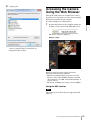
Using the Web Browser
After the IP address has been assigned to the camera,
check that you can actually access the camera using the
Web browser installed on your computer.
Use Internet Explorer as a Web browser.
Start the Web browser on the computer and type the
IP address of the camera in the URL address bar.
Preparation
1
The viewer window is displayed.
Display sample
When the above procedure is completed, the
cameras connected in the local network are
displayed in SNC toolbox.
Note
When accessing the camera, images will not be
displayed in the following conditions.
• When the maximum number of viewers exceeds 5
However, if the e-Mail (SMTP) function or the FTP
client function is set to On, the maximum number of
viewers will be 3.
• The bit rate including new requests exceeds 16Mbps
Using the SSL function
Note
The model on sale in China does not support the SSL
function.
Accessing the Camera Using the Web Browser
15
When Internet Explorer 6 is used
“Security Alert” dialog may appear according to the
status of the certificate. In this case, click Yes to
continue.
The viewer window is displayed (in SSL
communication).
When the viewer of the camera is
displayed for the first time
“Security Warning” is displayed. When you click Yes,
ActiveX control is installed and the viewer is displayed.
Preparation
Notes
When Internet Explorer 7 or Internet Explorer 8
is used
When you enter the camera IP address, “Certificate
Error” may appear according to the status of the
certificate set on the camera. In this case, click Continue
to this website (not recommended). to continue.
The welcome page appears (in SSL communication).
• If Automatic configuration is enabled in the Local
Area Network (LAN) settings of Internet Explorer, the
image may not be displayed. In that case, disable
Automatic configuration and set the Proxy server
manually. For the setting of the Proxy server, consult
your network administrator.
• When you install ActiveX Control, you should be
logged in to the computer as Administrator.
• If you are using Windows XP Service Pack 2 or later,
Windows Vista or Windows 7, the information bar or
“Security Warning” may appear. For details, see
“Installing ActiveX Control” in “When using
Windows XP Service Pack 2 or later” on page 8,
“Installing ActiveX Control” in “When using
Windows Vista” on page 11 or “Installing ActiveX
Control” in “When using Windows 7” on page 13.
Tip
When “Allow HTTP connection for some
clients” (page 52) is checked
To use HTTP and SSL connections separately to access,
enter the following in the address box of the browser.
For HTTP connection
The software is optimized for Internet Explorer using
medium font.
To display the viewer correctly
To operate the viewer correctly, set the security level of
Internet Explorer to Medium or lower, as follows:
1
Select Tools from the menu bar for Internet
Explorer, then select Internet Options and click
the Security tab.
2
Click the Internet icon (when using the camera via
the Internet), or Local intranet icon (when using
the camera via a local network).
3
Set the slider to Medium or lower. (If the slider is
not displayed, click Default Level.)
For SSL connection
16
Accessing the Camera Using the Web Browser
When using antivirus software, etc., on
the computer
• When you use antivirus software, security software,
personal firewall or pop-up blocker on your computer,
the camera performance may be reduced, for example,
the frame rate for displaying the image may be lower.
• The Web page displayed when you log in to the
camera uses JavaScript. The display of the Web page
may be affected if you use antivirus software or other
software described above on your computer.
Preparation
Accessing the Camera Using the Web Browser
17
Basic Configuration by
the Administrator
Preparation
You can monitor the camera image by logging in with
the initial conditions set for this network camera. You
can also set various functions according to the installing
position, network conditions or purpose of the camera.
We recommend you configure the following items
before monitoring images from the camera.
18
Setting contents
Setting menu
Set the format of the image sent from the camera.
Video codec Tab (page 43)
Select the White Balance mode according to the installation position.
White balance (page 41)
Select the brightness of the image sent from the camera.
Exposure (page 40)
Brightness (page 41)
Select the quality of the image sent from the camera.
Video codec Tab (page 43)
Select the view size of the image.
View size (page 21)
Synchronize the date and time of the camera with those of the computer.
Date & time Tab (page 35)
Make the setting for sending the monitor image attached to an e-mail.
e-Mail (SMTP) Menu (page 68)
Set the user access right for the camera.
User Menu (page 63)
Set a place to be watched beforehand.
Preset position Menu (page 65)
Prepare a panorama image.
To create a full image (page 26)
Basic Configuration by the Administrator
Operating the Camera
Administrator and User
This network camera identifies those who log in as the
Administrator or User.
The Administrator can use all the functions of this
network camera, including camera settings. The User
can use the functions for monitoring the image from the
camera, and control the camera. The Viewer mode
setting is used to restrict the user’s access rights. There
are five types of users.
This section explains how to monitor the image from the
camera using your Web browser (Internet Explorer).
The functions of the camera should be set by the
Administrator. For the setting of the camera, see
“Administrating the Camera” on page 32.
Each type of user can use the corresponding functions below.
User
Administrator
Full
Pan/Tilt
Preset
position
Light
View
Monitor a live image
z
z
z
z
z
z
View the date and time
z
z
z
z
z
z
Control the frame rate (JPEG mode only)
z
z
–
–
–
–
Control the image view size
z
z
z
z
z
–
Save a still image and movie in the computer
z
z
z
z
z
–
Send an image file to the FTP server
z
z
–
–
–
–
Send an image attached to an e-mail
z
z
–
–
–
–
Control the alarm output of the I/O port on the camera
z
z
–
–
–
–
Switch the Day/Night function mode
z
z
–
–
–
–
Switch the TCP/UDP transmission mode (Available in
MPEG4/H.264 mode only)
z
z
–
–
–
–
Call the preset position
z
z
z
z
–
–
Perform the pan/tilt/zoom operation
z
z
z
–
–
–
Select the codec mode
z
z
z
z
z
–
Control the setting menu
z
–
–
–
–
–
Operating the Camera
Function
z Usable function
– Not usable function
The access rights of the administrator and the user can
be set in “Setting the User — User Menu” of the
Administrator menu on page 63.
Administrator and User
19
Logging in as a user
When you display the main viewer of the
camera for the first time
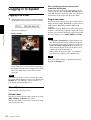
When you access the network camera using ActiveX
viewer for the first time, the Security Warning appears.
Click Yes and install ActiveX Control. You can use all
the functions of the viewer with ActiveX Control.
1
Plug-in free viewer
Logging in to System
Start the Web browser on your computer and type
the IP address of the camera you want to monitor.
The viewer is displayed.
Display sample:
Operating the Camera
This viewer allows the user to select from three image
display methods: JPEG, JPEG/Flash or ActiveX viewer.
JPEG method: JPEG images will be displayed in
sequence.
JPEG/Flash method: JPEG images will be displayed in
sequence. Adobe Flash is required to display the image.
ActiveX viewer method: The image can be viewed when
the image display is set to JPEG, MPEG4 or H.264.
Notes
• If Automatic configuration is enabled in the Local
Area Network (LAN) Settings of Internet Explorer,
the camera image may not be displayed. In that case,
disable Automatic configuration and set the Proxy
server manually. For the setting of the Proxy server,
consult your network administrator.
• When you install ActiveX Control, you should be
logged in to the computer as the Administrator.
Tip
Every page of this software is optimized for Internet
Explorer in Medium font.
Three types of viewer are available: ActiveX
viewer, Plug-in free viewer and custom homepage.
By default, ActiveX viewer is displayed. To switch
the viewer, make changes to the Viewer menu
(page 80).
Note
If the main viewer does not start correctly, the security
level of the Internet Explorer may be set to higher than
Medium. See “To display the viewer correctly” on
page 16 and check the security level.
About Viewers
You can use the following viewers.
ActiveX viewer
This viewer can monitor the camera image in any of the
JPEG, MPEG4 and H.264 video codecs.
You must install this viewer when you access the main
viewer for the first time.
20
Logging in to System
Configuration of Main
Viewer
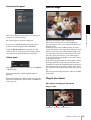
Control panel section
This section explains the functions of the parts and
controls of the main viewer. For a detailed explanation
on each part or control, see the specified pages.
You can drag the panels to the monitor screen and
configure them.
To return to the operation panel, drag the panel and
configure the operation panel.
Click the
to hide the detail setting menu or click it
again to show the menu.
Main viewer using ActiveX viewer
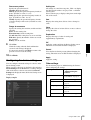
Information panel
Main menu
Check the date and time here.
Operating the Camera
View panel
Control panel
section
Monitor image
section
Main menu
ActiveX
Displays the ActiveX viewer.
Plug-in free
Displays the Plug-in free viewer.
Tool
You can download system utility from here. (page 29)
This operation is only available when you are logged in
as administrator.
Setup
Click to display the Administrator menu. (page 32)
You can operate this function only when logging in as
the administrator.
Language
You can change the screen mode, size of the image,
image codec mode and frame rate. Also, still images and
movies can be saved (movie saving can also be stopped)
from here.
Screen Mode
Select Window or Full Screen.
View size
Selects the view size to be displayed.
Click View size list box to select the view size.
Select x1/4 to display the images set in Image size of the
Camera menu (page 44) in 1/4 size.
Select x1/2 to display the images set in Image size of the
Camera menu (page 44) in 1/2 size.
Select x1 to display images set in Image size of the
Camera menu. (page 44)
Select Full to display images according to the view size.
Select Fit to display images according to the view size,
with fixed aspect ratio.
Image Codec
Select Image 1 or Image 2 for the image codec mode.
Note
When Codec of Image 2 is set to Off in the Camera
menu-Video codec tab, you cannot select Image 2.
Set language from pull-down.
Configuration of Main Viewer
21
Frame rate
(Displayed only when the camera image is in JPEG.)
Selects the frame rate to transmit images.
Zoom control
Press
to zoom out, and press
to zoom in.
Zooming continues while the button remains pressed.
(Capture)
Click to capture a still image shot by the camera and to
store it in the computer. Click to open the folder to be
saved.
Exclusive control
Click this button to display the time remaining for
operation authority. However, if operation authority has
not been obtained, the waiting time is displayed.
Note
In the case of Windows VISTA or Windows 7, if
“Enable Protected Mode” is checked in Control
Panel-Internet Option-Security, still images cannot be
shot.
Operating the Camera
(Run)/
(Stop Save Video)
Runs and stops Save Video. Click
to open the folder
to be saved.
Note
Set the Exclusive control mode in the System Tab of the
System Menu to On to perform exclusive control
(page 34).
Panorama panel
Note
In the case of Windows VISTA or Windows 7, if
“Enable Protected Mode” is checked in Control
Panel-Internet Option-Security, video content cannot be
saved.
If you click on the Panorama panel, the image of that
place is displayed on the monitor.
Camera control panel
Trigger panel
The camera control panel appears when SolidPTZ is set
to On. This panel allows you to control the camera’s
pan/tilt/home position and zoom (page 25). In addition,
you can obtain authority to operate the camera in
exclusive control mode.
22
The above is displayed only when Viewer mode
(page 63) is set to Full, and one or more triggers are
enabled in the Trigger menu (page 75).
Image action
Select the mode of operation from Off, Area zoom and
Vector dragging.
The configured functions are displayed as buttons on
this panel.
Pan/Tilt control
Click the arrow button the direction in which you want
to move the camera. Keep it pressed to move the camera
continuously.
To return to the home position, click
.
Click the function button you want to use on the Trigger
panel. The selected function is activated. The selectable
functions are as follows:
• send still image files attached to an e-mail (page 27)
• send still image files to an FTP server (page 27)
• control the alarm output (page 27)
• switch the Day/Night function on/off (page 27)
Configuration of Main Viewer
Preset position panel
Monitor image
The registered preset position is displayed.
If you select a thumbnail when registering a preset
position, it will be displayed with a thumbnail.
Select the Preset position name from the list. The
camera will move to the preset position that you have
stored in memory using the Preset position menu.
Others panel
(The Other panel is displayed in the case of an MPEG4
or H.264 image.)
You can switch between TCP and UDP (Unicast/
Multicast).
Each click switches the transmission mode of the video
data between TCP mode, Unicast mode, and Multicast
mode (page 28).
Operating the Camera
The above is displayed only when one or more preset
positions are stored in memory.
The image shot by the camera is shown here.
There are two modes for on-screen pan/tilt/zoom
operation using a mouse: Area zoom mode and Vector
dragging mode.
In the Area zoom mode, clicking will pan or tilt the
camera towards the center of the image. The Area zoom
will move the camera in the direction that displays the
area selected by the operator and zooms in at the same
time. The operator can choose a part of the image to
view and zoom in by surrounding an area with a frame
by dragging the mouse.
In the Vector dragging mode, the camera pans or tilts in
the dragged direction. How long you drag the mouse
determines the speed. Releasing the button on the mouse
after dragging stops the panning or tilting of the camera.
You can also use the camera control panel bar to pan or
tilt.
The zoom operation using the mouse wheel is available
in all modes.
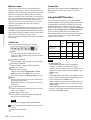
Plug-in free viewer
Main viewer using Plug-in free viewer
Display sample:
Camera list
Control bar
Monitor screen
Configuration of Main Viewer
23
Operating the Camera
Monitor screen
Camera list
There are two modes for on-screen pan/tilt/zoom
operation using a mouse: Area zoom mode and Vector
dragging mode. A control bar is displayed on the screen.
In the Area zoom mode, clicking will pan or tilt the
camera towards the center of the image, and will move
the camera in the direction that displays the area selected
by the operator and zooms in at the same time. The
operator can choose a part of the image to view and
zoom in by surrounding the area with a frame by
dragging the mouse.
In the Vector dragging mode, the camera pans or tilts in
the dragged direction. How long you drag the mouse
determines the speed. Releasing the button on the mouse
after dragging stops the panning or tilting of the camera.
You can also use the tool bar to pan or tilt.
The zoom operation using the mouse wheel is available
in all modes.
The camera list is displayed when Camera list is set to
On in the viewer menu, and at least one camera is
registered.
Using SolidPTZ function
You can operate the camera by using the SolidPTZ
function, which provides panning, tilting and zooming
by adjusting the position and zooming ratio from the
maximum image size, without moving the camera.
There are three modes of camera operation: Area zoom
mode, Vector dragging mode and PTZ Control bar.
You can control pan/tilt and zoom in either mode.
The available functions for the camera operation modes
vary according to the viewer display. The available
functions are as follows:
Plug-in free viewer
ActiveX
viewer
Control bar
The following operation buttons are available.
Setting
You can set the streaming method, image size,
frame rate, PTZ operation mode, trigger selection
and image codec.
Streaming start button
Starts streaming. (Appears while stops streaming.)
Streaming stop button
Stops streaming. (Appears while streaming.)
Trigger run button
Runs the selected trigger.
(Displayed only when Viewer mode from User
menu (page 63) is set to Full, and one or more
triggers are enabled in the Trigger menu (page 75).)
Preset
Select a preset position to move the camera to the
registered preset position.
(Displayed only when a camera preset position is
registered.)
Save still image button
Captures still images taken by the camera and saves
them to the computer.
Audio output volume slider
Use the slider to adjust the volume. Clicking the
button will stop sound output.
Note
This unit is not equipped with audio functions.
Control waiting time and control time for exclusive
control
Exclusive control button
24
Configuration of Main Viewer
JPEG
JPEG/
FLASH
ActiveX
Operation from
control panel
a
×
×
×
Area zoom
a
a
a
a
Vector dragging
a
a
a
a
PTZ control bar
×
a
a
×
Notes
• Pan/Tilt limitation
The SolidPTZ function controls streaming by
cropping or reducing a maximum size image.
Thus, the more the camera zooms out, the less area to
be panned or tilted, and becomes unavailable at the
WIDE setting.
• Zoom
The SolidPTZ function enables you to display an area
of the cropped image from the maximum image size,
when zoomed in at the TELE setting.
And the whole area shot in the maximum image size
will be displayed if the camera is zoomed out at the
WIDE setting.
The SolidPTZ function’s zoom is performed digitally;
therefore, some deterioration in image quality may be
observed at the TELE setting.
Controlling via the control panel
(Operation common to Area zoom
mode and Vector dragging mode)
Panning, tilting and zooming by
specifying the area (Area zoom
mode only)
You can operate the camera direction, zoom, and focus
by using the control panel for the monitor image
currently displayed.
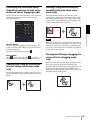
Click and hold the left button of the mouse on the
monitor image, and drag the mouse diagonally to draw a
red frame around the portion you want to enlarge. The
camera moves so that framed portion is positioned at the
center of the display and is zoomed in.
Operating the Camera
Note
Pan/Tilt control
Click the arrow button in the direction in which you
want to move the camera. Keep it pressed to move the
camera continuously.
To return to the home position, click
.
When the specified area is zoomed in, the center may be
shifted or some portion of the image may appear out of
the monitor image section. In this case, click the point
you want to move to the center or click the arrow button
on the camera control panel.
Zoom control
Click
to zoom out, and click
to zoom in.
Zooming continues while the button remains pressed.
Panning and tilting by dragging the
screen (Vector dragging mode
only)
Panning and tilting by clicking the
monitor image (Area zoom mode
only)
When you click on the starting point on the image and
drag to the end point, the camera pans/tilts in the
direction of the arrow from the starting point to the end
point. The speed of operation is determined by the
length of arrow. Releasing the button on the mouse stops
the panning/tilting of the camera.
Click on the monitor image, and the camera moves so
that the clicked portion is positioned at the center of the
display.
Configuration of Main Viewer
25
Moving the camera to a preset
position (Common operations in
Area zoom and Vector dragging
modes)
Select a preset position name from the Preset position
panel. The camera will move to the preset position that
you have stored in memory using the Preset position
menu (page 65).
Controlling the Camera on a Full
Image
When the camera is in controllable condition, the full
image appears on the panorama panel.
The full image is the still image of entire area to be shot
by the camera in reduced-sized image. By clicking on
the full image, the selected location appears on the
panorama panel.
To create a full image
Create the full image with Capture full image in the
Initialize tab of the System menu. See page 38 for
details.
Operating the Camera
Tip
Make sure to recreate the full image when you move the
camera position or change the layout around the camera.
To display a specified position on the
monitor
Using pan/tilt/zoom operations with
the displayed control bar (PTZ
Control bar only)
Pan/Tilt operations
Click the arrow of the direction you wish to move the
camera. Continue clicking on the arrow to keep moving
the direction of the camera.
Zoom operation
Click
to zoom out, click
to zoom in. The zoom
operation continues while you are clicking on the
button.
26
Configuration of Main Viewer
1
Create the full image and display on the monitor.
2
Click the potion you want to see on the full image.
The current specified position appears on the
monitor screen.
Using the Trigger Button
Controlling Alarm out 1
You can execute various functions by clicking their
respective buttons on the Trigger panel.
You can control Alarm out 1.
To use this function, you need to make Alarm out 1
active in the Trigger menu of the Administrator menu
(page 76).
Sending a monitor image via e-mail
1
You can send a captured still image by attaching it to an
e-mail.
To use this function, you need to make e-Mail (SMTP)
active and set the address in the Trigger menu of the
Administrator menu properly (page 75).
1
Tip
For the connection of peripheral devices to the alarm
output of the I/O port, see the supplied Installation
Manual.
Operating the Camera
Click e-Mail (SMTP) on the Trigger panel.
The still image of the time you click is captured,
and your e-mail with the image file attached is sent
to the specified mail address.
Click Alarm out 1 on the Trigger panel.
The alarm output is switched by clicking.
The alarm output mode can be selected from
Toggle or Timer of Alarm out 1 in the Trigger
menu (page 76).
Controlling the Day/Night function
Sending a monitor image to an FTP
server
You can send a captured still image to the FTP server.
To use this function, you need to make FTP active and
set the address in the Trigger menu of the Administrator
menu properly (page 76).
1
Click FTP client on the Trigger panel.
The still image of the time you click is captured,
and the image file is sent to the FTP server.
You can set the Day/Night function to On (night mode)
and Off (day mode).
To use this function, you need to make Day/Night active
in the Trigger menu of the Administrator menu
(page 76).
1
Click Day/Night on the Trigger panel.
Each click switches the Day/Night function
alternately between On (night mode) and Off (day
mode).
Note
If Day/Night in the Trigger-Day/Night menu (page 76)
is set to Auto, you cannot control the Day/Night
function by clicking Day/Night.
Using the Trigger Button
27
Switching TCP/UDP
Transmission Mode
You can select TCP or UDP as the communication port
for video data.
This function can be used when Mode (video codec
mode) is set to MPEG4 or H.264 and the ActiveX
viewer is used.
Notes
Operating the Camera
• The function may not operate correctly if you use
personal firewall software or antivirus software on
your computer. In that case, disable the software or
select the TCP mode.
• If you are using Windows XP Service Pack 2 or later,
Windows Vista, or Windows 7, disable “Windows
Firewall”. For details, see “Configuring Windows
Firewall” in “When using Windows XP Service Pack
2 or later” on page 9, “Configuring Windows
Firewall” in “When using Windows Vista” on page 11,
or “Configuring Windows Firewall” in “When using
Windows 7” on page 14.
1
Select TCP, Unicast or Multicast from the
Connection drop-down list in the Others panel.
TCP: This is normally selected.
When TCP is selected as the communication port,
HTTP communication is adopted for video
communications.
HTTP is the protocol used for reading the usual
Web page.
In an environment capable of reading Web pages,
you can watch video by selecting the TCP port.
Unicast: When Unicast is selected as the
communication port, RTP (Real-time Transport
Protocol) is adopted for video communications.
Since RTP is the protocol for running video data,
the video playback is smoother than when TCP
(HTTP) is selected. If a firewall is installed between
the camera and the computer, or depending on the
network environment, video may not play back
properly when Unicast is selected. In this case,
select TCP.
28
Switching TCP/UDP Transmission Mode
Multicast: This protocol is selectable when
Multicast streaming (page 47) is On. When
Multicast is selected as the transmission port, RTP
(Real-time Transport Protocol) and UDP multicast
techniques are adopted for video transmission. By
selecting it, the network transmission load of the
camera can be reduced. If a router that does not
correspond to a multicast or firewall is installed
between the camera and the computer, video may
not play back properly. In this case, select TCP or
Unicast.
Using the System Utility
Connection tab
You can download system utility from the tools tab on
the main menu.
SNC viewer
Operating the Camera
To use the utility, click Download to begin download.
You can set the connection method.
Select the start-up connection from: TCP, Unicast, and
Multicast.
If TCP connection is selected, you can configure proxy
settings by selecting Use proxy.
View tab
SNC viewer is an application which allows you to set the
initial state of the viewer.
Installing the SNC viewer
1
Execute the downloaded SNCViewer.msi file.
2
Install the SNC viewer following the instructions
on the wizard.
When the license agreement policies are displayed,
agree after reading them carefully and install the
SNC viewer.
Using the SNC viewer
Click SNC viewer in the control panel.
Screen mode
You can select Window or Full.
View size
You can select the view size.
JPEG framerate
You can set the frame rate for JPEG.
Image action
Select from the image operation modes Area zoom,
Vector dragging and Off.
Using the System Utility
29
Tip
The operation mode of Solid PTZ have been changed for
this device.
SNC Desktop viewer
The gadget that displays the camera image on the side
bar of Windows Vista or Desktop in the case of
Windows 7.
Save tab
Installing the SNC desktop viewer
Operating the Camera
1
Click Download.
When the license agreement policies are displayed
on the SNC desktop viewer download screen, agree
after reading them carefully and download the SNC
desktop viewer.
2
Click Save.
Save SncDesktopViewer.gadjet in the specified
location.
3
Click Open files.
Run it in the “Download completed” dialog.
4
Click Run.
The message “Do you want to run this
software?” will be displayed. Agree and run.
5
Click Install.
The message “Do you want to install this
Gadget?” will be displayed. Agree and run.
Specify a folder to save the still images and movies to.
Note
When using the operating system of Windows VISTA or
Windows 7, you can not save video if “Enable Protected
Mode” is checked in the Control Panel-Internet OptionSecurity.
Joystick tab
You can assign the joystick buttons here.
30
Using the System Utility
Using the SNC desktop viewer
When installation is finished, SNC desktop viewer is
displayed on the side bar of Windows Vista or Desktop
in the case of Windows 7.
Camera address
Set the IP address for the camera to display on the
Gadget.
Frame rate
Select the frame rate for the image to display on the
Gadget.
Image size
Select the image size for the image to display on the
Gadget.
Operating the Camera
How to control PTZ
Select the PTZ operation mode for the Gadget screen
from the options Area zoom, PTZ control bar, and
Vector dragging.
Click
(Exit) to exit Gadget.
When you click
(Set), you will see the following
setting screen.
Tip
The operation mode of Solid PTZ has been changed for
this device.
Using the System Utility
31
Administrating the Camera
3
Example: “System” menu
This section explains how to set the functions of the
camera by the Administrator.
For details about monitoring the camera image, see
“Operating the Camera” on page 19.
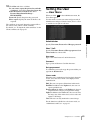
This section explains the basic operations and each
option of the Administrator menu.
Click the menu name (example: System) on the left
side of the Administrator menu.
The clicked menu appears.
4
Select the required tab above the menu, and set each
setting option in the tab.
Example: “Date & time” tab of “System” menu
Note on the display of menu options
The setting menus of this unit will clearly display only
the setting options that you can currently select. Grayed
out options cannot be selected.
See pages 34 to 83 for details of the menu tabs and
setting options.
Administrating the Camera
Basic Operations of the
Administrator Menu
You can use the Administrator menu to set all functions
to suit the user’s needs.
Click Setting in the viewer to display the Administrator
menu.
How to set up the Administrator
menu
1
Log in to the homepage to display the viewer.
For details, see “Logging in as a user” on page 20.
2
Click Setting on the main menu.
The authentication dialog appears. Enter the user
name and password for Administrator.
The user name “admin” and password “admin” are
set at the factory for the Administrator.
The Administrator menu appears.
32
Basic Operations of the Administrator Menu
5
After setting, click OK.
The settings you have made become active.
Click Cancel to nullify the set values and return to
the previous settings.
Buttons common to every menu
The following buttons are displayed on all the menus.
The functions of the buttons are the same on every
menu.
Click this button to confirm the settings.
Click this button to nullify the set values and return to
the previous settings.
General notes on menus
• One-byte katakana character is not valid for any text
field, such as User name.
• After changing a setting on a menu, wait at least 10
seconds before turning off the power of the camera.
If the power is turned off immediately, the new setting
may not be stored correctly.
• If the camera settings are changed while watching the
main viewer, some settings cannot be restored. To
reflect the change on the opening main viewer, click
Refresh on the Web browser.
Configuration of the Administrator
menu
Camera Position and Action — Preset position Menu”
on page 65)
e-Mail (SMTP)
Displays the e-Mail (SMTP) menu for sending an email. (“Sending an Image via E-mail — e-Mail (SMTP)
Menu” on page 68)
FTP client
Displays the FTP client menu for sending an image file,
etc., to an FTP server. (“Sending Images to FTP Server
— FTP client Menu” on page 71)
System
Displays the System menu. (“Configuring the System —
System Menu” on page 34).
Network
Displays the Network menu for setting the network
connection. (“Configuring the Network — Network
Menu” on page 47).
SSL
Displays the SSL menu for performing SSL
communication between the client device and camera.
(“Setting the SSL function — SSL Menu” on page 52)
802.1X
Displays the 802.1X menu for connecting the camera to
a network configured in compliance with the 802.1X
standard for port authentication. (“Using the 802.1X
Authentication Function — 802.1X Menu” on page 57)
User
Displays the User menu for setting the log in user name
and password. (“Setting the User — User Menu” on
page 63)
Administrating the Camera
Camera
Displays the Camera menu for setting the camera image.
(“Setting the Camera Image — Camera Menu” on page
39).
Alarm output (SNC-CH120/CH160/CH220/
CH260/DH120T/DH160/DH220T/DH260)
Displays the Alarm output menu for setting the alarm
output terminal of the camera. (“Setting the Alarm
Output — Alarm output Menu (SNC-CH120/CH160/
CH220/CH260/DH120T/DH160/DH220T/DH260)” on
page 74)
Trigger
Displays the Trigger menu for designating the operation
to execute when you run a trigger. (“Setting the
Operations from the Viewer — Trigger Menu” on page
75)
Schedule
Displays the Schedule menu for the Day/Night function,
e-Mail (SMTP) function, FTP client function, and
Alarm output function, etc. (“Setting the Schedule —
Schedule Menu” on page 77)
Event detection
Displays the setting menu for all built-in detection
functions. (“Setting the Sensor input (SNC-CH120/
CH160/CH220/CH260/DH120T/DH160/DH220T/
DH260)/Camera tampering detection/Motion detection
— Event detection Menu” on page 77)
Viewer
Displays the Viewer menu from which you can select the
viewer to use and configure advanced settings.
(“Configuring the Viewer — Viewer Menu” on page 80)
Security
Displays the Security menu for specifying a computer
that is allowed to connect to the camera. (“Setting the
Security — Security Menu” on page 64)
Preset position
Displays the Preset position menu to register a position
you want to save. “Tour function,” which rotates the
registered positions, is also set here. (“Saving the
Basic Operations of the Administrator Menu
33
Configuring the System
— System Menu
When you click System in the Administrator menu,
the System menu appears.
Use this menu to perform the principal settings of the
software.
The System menu has seven tabs: System, Date & time,
Superimpose, Installation, Initialize, System log and
Access log.
System Tab
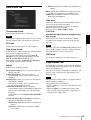
Maximum wait number
Sets the number of users who are permitted to wait for
their turn for control authority during operation by one
user. The selectable number is from 0 to 5. This is
effective when Exclusive control mode is set to On.
Notes
• To use Exclusive control mode, the date and time of
this unit and the connected computer must be set
correctly first.
• To use Exclusive control mode, do not disable the
Web browser Cookie. If it is disabled, this mode
cannot be used.
• When you change the Exclusive control mode
setting, click Refresh on the Web browser to reflect
the change when opening the main viewer page.
PTZ mode
Administrating the Camera
Select the pan/tilt control mode using the 8-direction
arrow buttons (page 22) and the zoom control mode
using the
/
buttons (page 22). Select Normal or
Step.
Title bar name
Type a name of up to 48 characters to be displayed on the
title bar. The characters typed here are displayed on the
title bar of the Web browser.
Serial number
The serial number of the camera is displayed.
Software version
The software version of this camera is displayed.
Exclusive control mode
Controls the authority to operate pan, tilt, zoom and
some other functions of the camera.
On: Only one user has control authority. Set the
operation time for one user in Operation time.
If a user tries to operate a function during operation
by another user, the authority is controlled by the
settings of Operation time and Maximum wait
number.
Off: Multiple users can control pan, tilt and zoom at the
same time. When multiple users control these
functions at the same time, the last operation has
priority.
Operation time
Sets the time length for a user who has control authority.
The selectable range is from 10 to 600 seconds. This is
effective when Exclusive control mode is set to On.
34
Configuring the System — System Menu
Normal: When you click the mouse button, the camera
starts panning, tilting or zooming, and the operation
continues while you hold down the mouse button. To
stop the operation, release the mouse button.
Step: Each time you click the mouse button, the camera
moves (pans, tilts or zooms). If you keep the mouse
button held down for more than 1 second, the
operation mode is temporarily changed to Normal.
When you release the mouse button, camera
operation stops and the Step mode is restored.
When you select Step, Pan/Tilt level and Zoom level
are selectable.
Pan/Tilt level: Select the camera transition level from 1
to 10 by clicking the 8-direction arrow buttons for
panning/tilting. Selecting 10 provides the maximum
transition level.
Zoom level: Select the camera transition level from 1 to
10 by clicking
/
for zooming. Selecting 10
provides the maximum transition level.
OK/Cancel
See “Buttons common to every menu” on page 32.
Date & time Tab
NTP server 3: Enter the third choice for NTP server
address.
DHCP server: Select DHCP server when you need to
get NTP server information from DHCP server.
Multicast: Select Multicast when you search for an
NTP server with Multicast.
Time zone
Current date & time
Displays the date and time set on this unit.
Note
After you have purchased the camera, be sure to check
the date and time of the camera and set as necessary.
Displays the date and time set on your computer.
Date & time format
Select the format of date and time to be displayed in the
main viewer from the drop-down list.
You can select the format between yyyy-mm-dd
hh:mm:ss (year-month-day hour:minutes:seconds),
mm-dd-yyyy hh:mm:ss (month-day-year
hour:minutes:seconds), and dd-mm-yyyy hh:mm:ss
(day-month-year hour:minutes:seconds).
Adjust
Select how to set the day and time.
Keep current setting: Select if you do not need to set
the date and time.
Synchronize with PC: Select if you want to
synchronize the camera’s date and time with the
computer.
Manual setting: Select if you want to set the camera’s
date and time manually.
Select the year, month, date, hour, minutes and
seconds from each drop-down list.
Synchronize with NTP: Select if you want to
synchronize the camera’s date and time with those of
the time server called NTP server (Network Time
Protocol).
Set the NTP server when Synchronize with NTP is
selected.
Automatically adjust clock for daylight saving
time changes
When selected, the clock is automatically adjusted
according to the daylight saving time of the selected
time zone.
Administrating the Camera
PC clock
Set the time difference from Greenwich Mean Time in
the area where the camera is installed.
Select the time zone in the area where the camera is
installed from the drop-down list.
For Japan, select “Osaka, Sapporo, Tokyo
(GMT+9:00)”
Note
If the time zone selected in Time zone is different from
that set on the computer, the time is adjusted using the
time zone difference and set on the camera.
OK/Cancel
See “Buttons common to every menu” on page 32.
Superimpose Tab
Select whether to superimpose the camera ID, date/time
and other information on an image or not. A still image
can be also superimposed.
You can select whether to superimpose on Image 1 and
Image 2 or not, set the font size and configure each
displayed item.
Note
The superimpose setting for Image 1 is applied to Image
2 in the following conditions.
Codec information is not displayed.
• Image 1 and Image 2 are the same size and larger than
640 × 480.
• When Cropping is set to On in the Camera menu,
either vertical or lateral size of the cropped image is
larger than that of 640 × 480.
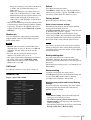
Use the following NTP server address: Synchronize
with the selected NTP server address.
NTP server 1: Enter the first choice for NTP server
address.
NTP server 2: Enter the second choice for NTP
server address.
Configuring the System — System Menu
35
• Codec: Set to display the bit rate and frame rate.
• Zoom ratio: Set to display the zoom ratio.
• Camera direction: Set to display the name of a preset
position.
• Event: Set to display an event record.
Notes
• The items except for Off and Text cannot be set at the
same time.
• Depending on the length of the string you enter in
Text, the string display may crossover the other item.
In this case, change the display position or modify the
string.
OK/Cancel
Date & time
Set the format of date/time and the separator. These
settings are applied to both Image 1 and Image 2.
Installation Tab
Administrating the Camera
Camera ID
You can perform settings related to installation.
Select Text or Logo to display Camera ID.
You can modify the Text string and upload an image file
you want to use for Logo. However, both Text and Logo
cannot be used at the same time. Camera ID is applied to
both Image 1 and Image 2.
Images that can be used as a logo should be in GIF89a
format, and should not support the GIF animation or
transparent GIF format. The image size can be up to
640 × 120. The number of pixels horizontally should be
an even number. The maximum file size can be
approximately 50 KB.
Display sample: SHC-CH120
Note
If the image size of the logo is larger than the image, it
cannot be displayed.
Image
Select whether to superimpose on Image 1 and Image 2
or not, set the font size and configure each item that
display position is assigned.
Superimpose
On/Off: When using the Superimpose function, select
On.
Font size: Set the font size.
Superimpose format
Set the items to superimpose according to the displayed
position. English one byte characters and symbols are
displayed. Available items are as follows:
• Off: Set not to superimpose.
• Text: Set to display a string that you want. You can
enter characters in the right free space.
• Date & time: Set to display date and time.
• Camera ID: Set to display Camera ID.
36
See “Buttons common to every menu” on page 32.
Configuring the System — System Menu
Maximum image size
SNC-CH120/CH160/DH120/DH120T
1280 × 720: Image will have an aspect ratio of 16:9, and
an image size up to 1280 × 720 can be specified for
the video codec.
1280 × 1024: Image will have an aspect ratio of 5:4, and
an image size up to 1280 × 1024 can be specified for
the video codec.
SNC-CH220/CH260/DH220/DH220T/
DH260
1920 × 1080: Image will have an aspect ratio of 16:9,
and an image size up to 1920 × 1080 can be specified
for the video codec.
1920 × 1440: Image will have an aspect ratio of 4:3, and
an image size up to 1920 × 1440 can be specified for
the video codec.
Notes
• The camera restarts when the Maximum image size is
changed. It takes about 2 minutes.
• The settings below are changed when the Maximum
image size is changed.
– Camera menu-Privacy Masking tab: returns to the
factory setting.
– Camera menu-video codec tab: returns to the factory
setting except:
– Image size of image1: to be 1280 × 720 when set
to 1280 × 720, or 1280 × 1024 when set to
1280 × 1024.
– Frame rate of image1: to be 30 fps when set to
1280 × 720, or 20 fps when set to 1280 × 1024.
– Maximum detection size of motion diction: to be
width of 1280 and height of 720 when set to
1280 × 720, or 1280 and height of 1024 when set
to 1280 × 1024.
• Once the maximum image size has been changed, full
panorama image will not be displayed in the optimum
aspect ratio. To return to the optimum aspect ratio,
capture the full image again in Initial tab - Capture
full image.
Monitor out
You can configure the output setting for the monitor
output terminal of this unit. Select On to output an
NTSC or PAL signal.
• Monitor out is used when you install this unit to
adjust the angle of view, etc. Be sure to set Off and
unplug the AV cable when you do not use this
function.
• Be aware that the system performance may be
influenced, if monitor out is set to on.
• The output signal format is determined according to
the setting of the camera’s NTSC/PAL switch.
• Motion detection function is not available when
Monitor out is set to On.
OK/Cancel
See “Buttons common to every menu” on page 32.
Initialize Tab
Display sample: SHC-CH120
Used when rebooting the camera.
Click Reboot, and the message “This System will be
rebooted. Are you sure?” appears. Click OK to reboot
the camera. It takes about two minutes to restart.
Factory default
Resets the camera to the factory settings.
Retain current network settings
When this item is checked, only the current network
settings will be retained after reset.
Click Factory default, and the message “Setup data will
be initialized. Are you sure?” appears.
When you click OK, the network indicator on the
camera starts to blink. After adjustments of the default
settings have finished, the camera reboots automatically.
Do not turn off the camera until the camera reboots.
Tip
Administrating the Camera
Notes
Reboot
The camera can also be reset to the factory settings by
turning on the power of the camera while pressing the
reset button on the camera. For details, see the supplied
Installation Manual.
Backup setting data
Saves the setting data of the camera in a file.
Click Save, and follow the instructions on the Web
browser to specify the folder and save the setting data of
the camera.
The file name preset at the factory is “snc-ch120.cfg” for
SNC-CH120.
Restore setting
Loads the stored setting data of the camera.
Click Browse and select the file in which the setting data
is stored. Click OK, and the camera is adjusted
according to the loaded data, and restarted.
Restore preset position and Privacy Masking
settings
If you select this, the stored setting data of the camera,
the preset position data and the data of the Privacy
Masking setting are loaded.
Notes
• With Restore setting, some items in the Network
menu (page 47) cannot be restored.
• When Restore preset position and the Privacy
Masking setting is selected, it may take some time to
load the setting data.
• The following items cannot be stored or restored with
Backup setting data or Restore setting.
Configuring the System — System Menu
37
– a homepage created using Custom Homepage of
SNC toolbox
– a client certificate and CA certificate to be used in
the 802.1X authentication function
– Header logo
– superimpose logo
System log Tab
Delete custom homepage
Click Delete to delete the homepages recorded in the
flash memory of the camera with Custom Homepage of
SNC toolbox (page 90).
Capture full image
When you click Capture, a full image covering the
entire shooting range is shot and saved to the camera.
The full image is captured regardless of the image size
and crop settings.
The data of the software activity of the camera is
recorded in this log. It includes data that is useful if a
problem occurs.
Click Reload to reload the latest data.
Access log Tab
Note
Administrating the Camera
Main viewer image may be interrupted or image and/or
audio files may not be created correctly during image
capturing.
Delete image
By pressing Delete, you can delete the full image
recorded in the camera.
Delete thumbnails
Click Delete to delete the thumbnails set in the Preset
Setting menu.
Delete header logo
Click Delete to delete the header logo set in the Viewer
menu.
Delete superimpose logo
Click Delete to delete the superimposed logo, set in the
camera ID on the Superimpose tab of the System menu,
from the camera.
To set whether to show or hide the superimpose logo,
you need to configure the setting under the Superimpose
tab.
38
Configuring the System — System Menu
The access record of the camera is displayed.
Click Reload to reload the latest data.
Setting the Camera
Image
— Camera Menu
When you click Camera in the Administrator menu, the
Camera menu appears.
Use this menu to set the functions of the camera.
The Camera menu consists of the following tabs.
SNC-CH120/CH220: Common, Focus, Picture,
Privacy Masking, Day/Night, Video codec, and
Streaming.
SNC-CH160/CH260/DH120/DH120T/DH160/
DH220/DH220T/DH260: Common, Focus/Zoom,
Picture, Privacy Masking, Day/Night, Video
codec, and Streaming.
Common Tab
Preview screen
Preview the image and adjust the focus.
The current image focus position is superimposed when
adjusting the focus.
For the details on each button, refer to the Control bar of
the Plug-in free viewer (page 24).
Note
If you click the buttons in this tab, in order to adjust the
focus easily, the settings below are temporarily changed:
– Privacy Masking and Cropping are deactivated.
– The current image focus position is superimposed.
– The alarm of Motion detection is deactivated.
Adjusting the focus
Click Start button in Easy Focus to set the focus to the
optimum position.
Notes
Administrating the Camera
• The most suitable focus position may not be available
depending on imaging conditions.
If so, click the –20, –5, –1, +1, +5 or +20 buttons to
adjust the focus accordingly.
• When SolidPTZ is set to On, Easy Focus may not
work properly. In this case, set SolidPTZ to Off.
Color
Select Color or Monochrome for the image.
Focus reset
OK/Cancel
Click the Reset button to return to the default flange
back position.
See “Buttons common to every menu” on page 32.
Focus tab — Adjusting the Focus
(SNC-CH120/CH220)
Adjust the focus by moving the flange back position of
the imaging device.
Focus/Zoom tab — Adjusting the
focus/zoom (SNC-CH160/CH260/
DH120/DH120T/DH160/DH220/
DH220T/DH260)
Adjust the focus and zoom position by looking at the
image.
Setting the Camera Image — Camera Menu
39
Preview screen
Preview the image and adjust the focus/zoom.
The current image focus/zoom position is superimposed
when adjusting the focus/zoom.
For the details of each button, please refer to the Control
bar of the Plug-in free viewer (page 24).
Picture Tab
You can set the color conditions, exposure, etc., of the
camera.
Note
If you click the buttons in this tab, in order to adjust the
focus/zoom easily, the settings below are temporarily
changed:
– Privacy Masking and Cropping are deactivated.
– The current image focus/zoom position is
superimposed.
– The alarm of Motion detection is deactivated.
Adjusting the zoom
Click the –500, –100, –10, +10, +100 or +500 buttons to
adjust the zoom position accordingly.
Administrating the Camera
Note
The focus is moved slightly after adjusting; adjust the
focus again, as necessary.
Adjusting the focus
Click Start button in Easy Focus to set the focus to the
optimum position.
Notes
• The most suitable focus may not be available
depending on imaging conditions. If so, click the –20,
–5, –1, +1, +5, +20 buttons to adjust the focus.
• When SolidPTZ is set to On, Easy Focus may not
work properly. In this case, set SolidPTZ to Off.
Preview screen
Preview the image and adjust the picture setting.
For details on each button, refer to the Control bar of the
Plug-in free viewer (page 24).
Exposure
Adjust the settings of exposure.
Backlight compensation
Select On to enable the backlight compensation
function.
Note
When the backlight compensation function is set to On,
hunting may occur. In this case, select Off.
Exposure compensation
Select the exposure correction value from the list box to
adjust the target brightness for the automatic exposure
setting.
A larger value brightens the image, and a smaller value
darkens the image. Selectable values are as follows:
+2.0, +1.6, +1.3, +1.0, +0.6, +0.3, 0, –0.3, –0.6, –1.0,
–1.3, –1.6, –2.0 (EV)
40
Setting the Camera Image — Camera Menu
AGC
Select the maximum gain value of the automatic
exposure setting as follows.
42, 36, 30, 24, 18, 12, 6, Off (db)
If you select Off, the automatic exposure setting by gain
control is not performed.
Shutter speed
• Auto-controlled shutter speed automatically sets the
exposure.
• Select the minimum and maximum shutter speeds
from the list box. Selectable shutter speed values are
as follows:
1, 1/2, 1/4, 1/8, 1/15, 1/30, 1/50, 1/60, 1/100, 1/250,
1/500, 1/1000, 1/2000, 1/4000, 1/10000 (sec.)
White balance
Select the White Balance mode.
ATW: Eliminating the influences caused by
environmental illumination or lights, adjust the white
balance automatically to reproduce original colors of
the objects (approximately 2000 K to 10000 K).
ATW-PRO: Automatically adjusts the color to be
closest to the image you are viewing (approximately
3000 K to 5800 K).
Fluorescent lamp: Sets the white balance to that
suitable for photography under three-band
fluorescent lighting with a neutral white color.
Mercury lamp: Sets the white balance to that suitable
for photography under a mercury lamp.
Sodium vapour lamp: Sets the white balance to that
suitable for photography under a high-pressure
sodium vapor lamp.
Metal halide lamp: Sets the white balance to that
suitable for photography under a metal halide lamp.
White LED: Sets the white balance to that suitable for
photography under the light of white LEDs.
One push WB: The One push trigger button becomes
active. Click the button to adjust the white balance
instantly.
Manual: When this option is selected, R gain and B
gain become active. Selectable gain values are from
0 to 4095.
Set the gamma curve in the camera. Depending on
subject or recording conditions, the following settings
will be available:
Normal: This setting is suitable for many scenes.
Scene 1: This setting is suitable for shooting dark areas
without losing detail of bright areas when the subject
is in high contrast, such as both sunlight and shadow.
Scene 2: This setting is suitable for obtaining an effect
stronger than Scene 1.
Scene 3: This setting is suitable for shooting dark areas
brightly when the subject is in high contrast, such as
both sunlight and shadow.
Scene 4: This setting does not perform gamma
correction. It is suitable for picture processing of an
image you shot.
Scene 5: This setting is suitable for preventing bright
subjects from overexposure.
Scene 6: This setting is suitable for using a display
system with a gamma characteristic of 1.8.
Administrating the Camera
• If you set the same values at the minimum and
maximum shutter speeds, the shutter speed will not be
changed.
Gamma setting
Brightness
Select the brightness in 11 steps, from –5 to +5.
Selecting +5 provides the brightest picture.
Saturation
Select the saturation in 7 steps, from –3 to +3. Selecting
+3 provides the highest image saturation.
Sharpness
Select the sharpness in 7 steps, from –3 to +3. Selecting
+3 provides the sharpest picture.
Contrast
Select the contrast in 7 steps, from –3 to +3. Selecting +3
provides the highest contrast.
OK/Cancel
See “Buttons common to every menu” on page 32.
NR
Image noise can be reduced by using the NR function.
Select Off to disable the function.
Setting the Camera Image — Camera Menu
41
Privacy masking tab
4
Using the privacy masking enables you to hide images
by masking specified parts of the images when
streaming.
Select the color of the mask from the Color dropdown list.
Note
The color is common to every privacy mask. The
color selected last is applied.
5
Click OK.
The mask is displayed on the preview screen.
OK/Cancel
See “Buttons common to every menu” on page 32.
Day/Night Tab
Use this tab to set the day/night function of the camera.
Preview screen
Display sample: SNC-CH160
Administrating the Camera
This screen is for monitoring images and configuring
privacy masking.
For details on each button, refer to the Control bar of the
Plug-in free viewer (page 24).
Position
Allows you to delete privacy masks one-by-one or all at
one time.
After completing the configuration, register by clicking
OK.
Clear: Click the button to delete the privacy mask set.
All clear: Click the button to delete all privacy mask.
Color
Specify the color of privacy masks. This setting is
common to every privacy mask.
The colors used are as follows:
Black, Gray1, Gray2, Gray3, Gray4, Gray5, Gray6,
White, Red, Green, Blue, Cyan, Yellow, Magenta
Setting a privacy mask
This screen is for monitoring images and configuring
day/night settings.
For details on each button, refer to the Control bar of the
Plug-in free viewer (page 24).
Operate according to the following procedure to set a
privacy mask in the position of your choice:
Day/Night mode
1
Face the camera to the position where you want to
set a privacy mask using the control button on the
preview screen.
2
Specify the privacy mask area by dragging the
mouse on the preview screen.
3
42
Preview screen
Select the number to register from the Position
drop-down list.
Setting the Camera Image — Camera Menu
Select the day/night mode from among four modes.
Auto: Normally works in day mode; switches
automatically to night mode in a dark place.
Threshold: Set the brightness to High or Low when
night mode is set.
Hold time: Set the reaction time of changes in
brightness from 2 sec. to 30 sec.
Note
If bright light is directed at the camera while it is in night
mode it may cause hunting in the camera. In such cases,
switch settings according to the lighting using the
Sensor mode, or switch the Day/Night mode using the
Manual mode.
Manual: Switch the day/night mode manually. When
you select Manual, On and Off become active.
When you select On, the camera works in night
mode. When you select Off, it works in day mode.
Timer: Normally the camera works in day mode. It
switches to night mode at the time you set in the
Schedule menu.
Click Schedule to display the setting menu for the
effective period. (“Setting the Schedule — Schedule
Menu” on page 77)
IR illuminator (SNC-CH160/CH260/DH160/
DH260)
Sync with Day/Night: IR illuminator will be activated
once Day/Night mode switched, when it is checked.
Off: IR illuminator will be always off.
Maximum Strength: From low to high, Maximum
strength for IR illuminator is graded from level1 to
level6.
Washed-out image control (SNC-CH160/CH260/
DH160/DH260)
Setting to prevent image wash-out by the IR
illuminator when using night mode.
This feature is activated only when IR illuminator Sync
with Day/Night link is selected.
Select On to always prevent subjects becoming washedout.
OK/Cancel
Administrating the Camera
See “Buttons common to every menu” on page 32.
Video codec Tab
Use this tab to set the items for the video codec.
Sensor input: Controls the day/night mode by
synchronizing it with the sensor input.
While a sensor input is detected, the camera works in
night mode.
The status field shows the state of the Sensor input.
Easy Focus
When Sync with Day/Night is selected, Easy Focus will
be activated once Day/Night mode switched, and the
focus readjusted automatically.
For details on Easy Focus, refer to the “Focus tab —
Adjusting the Focus (SNC-CH120/CH220)” (page 39)
and “Focus/Zoom tab — Adjusting the focus/zoom
(SNC-CH160/CH260/DH120/DH120T/DH160/
DH220/DH220T/DH260)” (page 39).
Notes
• When using Easy Focus, satisfactory focus may not be
achieved.
• When using Easy Focus, the alarm of motion detection
is deactivated.
• When using Day/Night link, confirm the focus
condition under both Day and Night mode.
Letterbox (SNC-CH120/CH160/DH120/
DH120T/DH160)
If you use Letterbox, select On.
Notes
• This function is not available if SolidPTZ or Cropping
is set to On.
• The motion detection function is not available if
Letterbox is set to On.
Setting the Camera Image — Camera Menu
43
Cropping
You can crop a portion of the image and display the
cropped image on the computer. Cropping reduces the
transmitting data size and thus the network load, and a
higher frame rate is achieved.
Select On to crop the image, or Off.
Notes
• This function is not available if Letterbox or SolidPTZ
is set to On.
• If this function is enabled, the motion detection
function will not be available.
• Video 2 image is cropped with the same setting as
Video 1.
To crop an image
1
Administrating the Camera
2
3
4
SNC-CH120/CH160/DH120/DH120T/DH160
Maximum image size [1280 × 720]
Image 1
Image 2
1280 × 1024
×
×
1280 × 960
×
×
Set Cropping to On and click the Area setting
button.
The area setting window appears.
1280 × 800
×
×
1280 × 720
a
×
1024 × 768
×
×
Setting the trimming portion
Hold down the left button of the mouse on the still
image and drag the cursor diagonally. The area in a red
frame is the trimming portion.
1024 × 576
a
×
800 × 600
a
×
800 × 480
a
×
768 × 576
a
×
Click OK at the bottom of the window.
The cropped image is displayed on the main viewer.
720 × 576
a
×
704 × 576
a
×
720 × 480
a
×
640 × 480
a
a
640 × 368
a
a
384 × 288
a
a
320 × 240
a
a
320 × 192
a
a
To close the image, click
corner.
in the upper-right
SolidPTZ
Select On to enable the SolidPTZ function.
Notes
• This function is not available if Letterbox or Cropping
is set to On.
• If this function is enabled, the motion detection
function will not be available.
• When SolidPTZ of Image 1 is set to On, SolidPTZ
of Image 2 can be set to On.
• When SolidPTZ is set to On, Easy Focus may not
work properly. In this case, set SolidPTZ to Off.
Codec
Select JPEG, MPEG4, H.264 or OFF. Note that Image
1 cannot be set to Off.
Notes
• The selectable size of images and frame rate for
Image 2 may be limited depend on the setting of codec
type, size of images and/or frame rate for Image 1.
• Motion detection function is not available when Image
2 is set to other than Off.
44
Image size
You can select the size of images sent from the camera.
The selectable size of images are depend on the setting
of maximum image size. For details on selecting
maximum image size, refer to “Installation tab” in
“System menu” in page 36.
When you set the different image size to Image 1 and
Image 2, the available combinations are as follows:
a: Possible set ×: Impossible set f: Possible set if the
resolution is the same as image1
Setting the Camera Image — Camera Menu
Maximum image size [1280 × 1024]
Image 1
Image 2
1280 × 1024
a
×
1280 × 960
a
×
1280 × 800
a
×
1280 × 720
a
×
1024 × 768
a
×
1024 × 576
a
×
800 × 600
a
×
800 × 480
a
×
768 × 576
a
×
720 × 576
a
×
704 × 576
a
×
720 × 480
a
×
640 × 480
a
a
640 × 368
a
a
384 × 288
a
a
Image 1
Image 2
Image 1
Image 2
320 × 240
a
a
768 × 576
a
f
320 × 192
a
a
720 × 576
a
f
704 × 576
a
f
720 × 480
a
f
640 × 480
a
a
SNC-CH220/CH260/DH220/DH220T/DH260
Maximum image size [1920 × 1080]
Image 1
Image 2
640 × 368
×
a
1920 × 1440
×
×
384 × 288
a
a
1600 × 1200
×
×
320 × 240
a
a
1680 × 1056
a
×
×
a
1920 × 1080
320 × 192
a
×
1440 × 912
a
×
1376 × 768
a
×
1280 × 1024
×
×
1280 × 960
×
×
1280 × 800
a
×
1280 × 720
a
f
1024 × 768
×
×
1024 × 576
a
f
Frame rate
Set the frame rate of the image.
Selectable frame rates are as follows:
1, 2, 3, 4, 5, 6, 8, 10, 12, 15, 16, 20, 25, 30 (fps)
800 × 600
×
×
800 × 480
a
f
768 × 576
×
×
720 × 576
×
×
704 × 576
×
×
720 × 480
×
×
640 × 480
×
a
640 × 368
a
a
JPEG
30
-
384 × 288
×
a
H.264
25
H.264
5
320 × 240
×
a
H.264
25
JPEG
10
320 × 192
a
a
H.264
25
MPEG4
6
MPEG4
30
MPEG4
10
30
JPEG
16
30
JPEG
30
SNC-CH120/CH160/DH120/DH120T/DH160
Image size [1280 × 720]
Image 1
Single
codec
Dual codec
Maximum image size [1920 × 1440]
Administrating the Camera
“fps” is a unit indicating the number of frames
transmitted per second.
Configurable frame rates are as follows:
The frame rate of JPEG image can be changed by the
setting of Image quality.
Image 2
Codec
Frame rate
(fps)
Codec
H.264
30
-
MPEG4
30
-
Image 1
Image 2
MPEG4
1920 × 1440
a
×
JPEG
1600 × 1200
a
×
1680 × 1056
×
×
1920 × 1080
×
×
1440 × 912
×
×
1376 × 768
×
×
1280 × 1024
a
×
1280 × 960
a
×
1280 × 800
×
×
1280 × 720
×
×
1024 × 768
a
f
1024 × 576
×
×
800 × 600
a
×
800 × 480
×
×
Frame rate
(fps)
Image size [1280 × 1024]
Image 1
Single
codec
Dual codec
Image 2
Codec
Frame rate
(fps)
Codec
Frame rate
(fps)
H.264
20
-
MPEG4
25
-
JPEG
30
-
H.264
15
H.264
6
H.264
15
JPEG
12
H.264
15
MPEG4
8
MPEG4
20
MPEG4
8
MPEG4
25
JPEG
6
JPEG
30
JPEG
12
Setting the Camera Image — Camera Menu
45
SNC-CH220/CH260/DH220/DH220T/DH260
When image size of image 1 is “1920 × 1080”; the
image size of image 2 is “640 × 480”
Image 1
Single
codec
Dual codec
Image 2
Codec
Frame rate
(fps)
Codec
H.264
30
-
MPEG4
20
-
Frame rate
(fps)
JPEG
16
-
H.264
25
H.264
20
H.264
25
JPEG
30
H.264
25
MPEG4
25
MPEG4
20
MPEG4
30
MPEG4
20
JPEG
30
JPEG
16
JPEG
30
When image size of image 1 is “1920 × 1440”; the
image size of image 2 is “640 × 480”
Administrating the Camera
Image 1
Single
codec
Dual codec
Image 2
Codec
Frame rate
(fps)
Codec
Frame rate
(fps)
H.264
20
-
MPEG4
16
-
JPEG
12
-
H.264
20
H.264
12
H.264
20
JPEG
30
H.264
20
MPEG4
16
MPEG4
15
MPEG4
30
Image quality
Set the JPEG image quality.
Selectable values are from Level 1 to Level 10.
When Level 10 is selected, the best image quality is
achieved.
Bandwidth control
Limits the network bandwidth for the JPEG image data
output from the camera.
OK/Cancel
See “Buttons common to every menu” on page 32.
Use this tab to set the items for the transmission by
unicast or multicast.
MPEG4
15
JPEG
30
JPEG
12
JPEG
30
I-picture interval
Set the I-picture insertion interval.
Adaptive rate control
This function adjusts the frame rate and the bit rate
automatically so that the camera plays back a smooth
image to suit the connected computer environment. If
On is selected, the MPEG4 or H.264 image rate is
automatically adjusted.
Setting the Camera Image — Camera Menu
• The actual frame rate and bit rate may be different
depending on the image size, shooting scene, or
network condition.
• When Adaptive rate control is set to On, the actual
frame rate and bit rate change within the range that
does not exceed the values set in Frame rate and Bit
rate.
Streaming Tab
Bit rate
Set the bit rate of MPEG4 or H.264 image transmission
for a line. When the bit rate is set to a high level, better
image quality can be enjoyed.
Selectable bit rates are as follows:
64, 128, 256, 384, 512, 768, 1024, 1536, 2048, 3072,
4096, 5120, 6144, 7168, 8192 (kbps)
46
Notes
Unicast streaming
Specify the transmission port numbers of the MPEG4/
H.264 video data to be used when Unicast is selected
from the Connection drop-down list in the Other panel
on the main viewer.
Video port number 1, 2
Specify the transmission port number of the MPEG4/
H.264 video data. It is initially set to 50000.
Specify an even number from 1024 to 65534. Two port
numbers (the number specified here and an odd number
with 1 added to the specified number) are actually used
for video data communication and control.
The setting for Image 1 and Image 2 apply for Video port
number 1 and 2 respectively.
Note
Specify different numbers for the video port number.
Multicast streaming
Set whether the camera uses multicast streaming for
MPEG4/H.264 video data or not. It reduces the
transmission load on the camera by having a computer
of the same segment network receive the same
transmitting data.
Select On to allow, or Off not to allow multicast
sending.
When you select On, set Multicast address and Video
port number 1 and 2 properly.
Multicast address
Type the multicast address used on the multicast
streaming.
— Network Menu
When you click Network in the Administrator menu, the
Network menu appears.
Use this menu to configure the network to connect the
camera and the computer.
The Network menu consists of three tabs: Network,
QoS and Dynamic IP address notification.
Network Tab
This section provides the menus for connecting the
camera through the network cable.
Administrating the Camera
Video port number 1, 2
Specify the MPEG4/H.264 video transmission port
number used for the multicast streaming. It is initially
set to 60000. Specify an even number from 1024 to
65534. Two port numbers (the number specified here
and an odd number with 1 added to the specified
number) are used for video data communication and
control.
The setting for Image 1 and Image 2 apply for Video port
number 1 and 2 respectively.
Configuring the Network
Note
Specify different numbers for the video port number.
OK/Cancel
See “Buttons common to every menu” on page 32.
MAC address
Displays the MAC address of this unit.
Ethernet status
Displays the current transmission rate.
Auto-MDI/MDIX
According to the port of the connected Ethernet device,
automatically switches the port of the unit between MDI
and MDI-X for transmission.
Displays the Ethernet port mode of the unit.
IPv4 setting
Configure the IPv4 network setting.
IP address
Configure the IP address.
Configuring the Network — Network Menu
47
Obtain an IP address automatically (DHCP): Select
this option when a DHCP server is installed on the
network to allow IP address assignment. With this
setting, the IP address is assigned automatically.
Host name
Type the host name of this unit to be transmitted to the
DHCP server. This setting is valid only when Obtain an
IP address automatically (DHCP) is selected in the
Network tab.
Note
When you select Obtain an IP address automatically
(DHCP), make sure that a DHCP server is operating on
the network.
Use the following IP address: Select this option when
you set a fixed IP address. With this setting, specify
the IP address, Subnet mask and Default gateway
manually.
IP address
Type the IP address of the camera.
Subnet mask
Type the subnet mask.
Administrating the Camera
Default gateway
Type the default gateway.
DNS server
Configure the DNS server address.
Obtain DNS server address automatically: Select this
option to obtain the IP address of DNS server
automatically. It can be set only when Obtain an IP
address automatically (DHCP) is selected in the
Network tab.
Domain suffix
Type the domain suffix of this unit to be transmitted to
the DHCP server. This setting is valid only when Obtain
an IP address automatically (DHCP) is selected in the
Network tab.
Note
The domain suffix is sent to the DHCP server as FQDN
(Fully Qualified Domain Name) information when Host
name is set.
HTTP port number
Normally select 80. If you want to use a port number
other than 80, select the text box and type a port number
between 1024 and 65535.
Note
When you have set the HTTP port number to a number
other than 80 in the Network menu or in SNC toolbox,
access the camera again by typing the IP address of the
camera on your Web browser as follows:
Example: Setting port number 8000 when IP address is
192.168.0.100
Note
When you select Obtain DNS server address
automatically, make sure that a DHCP server is
operating on the network.
Use the following DNS server address: Select this
when you set a fixed address as the IP address of the
DNS server. With this setting, specify the addresses
on Primary DNS server and Secondary DNS
server manually.
Primary DNS server
Type the IP address of the primary DNS server.
Secondary DNS server
Type the IP address of the secondary DNS server, if
necessary.
MTU
Enter the MTU value for the Ethernet port. (1000 - 1500)
If IPv6 is enabled, the value must be 1280 or greater.
IPv6 setting
Configure the IPv6 network settings.
IPv6 can be used simultaneously with IPv4.
Only IPv6-specific details are explained here. For
common details, see “IPv4 setting” on page 47.
On/Off
To use IPv6, select On.
Prefix
Enter the Prefix value. (0 to 128)
IPv6 MTU
Enter the MTU value for IPv6. (1280 -1500)
The value must not exceed the MTU value for the
Ethernet port.
OK/Cancel
See “Buttons common to every menu” on page 32.
48
Configuring the Network — Network Menu
QoS Tab
Protocol
Select the protocol.
In this tab, you can mark the data traffic packets sent
from the device and configure the settings for QoS
control. Rules for the types of data traffic can be created
using IPv4/IPv6 address, port number, protocol, etc. A
maximum of 10 rules can be registered for IPv4 and
IPv6, respectively.
DSCP
Set a value to mark the data traffic (0 ~ 63).
This value is set in the DSCP field included in the IP
header of the data traffic.
Set
Used when registering on the QoS table.
QoS is set according to the following procedure:
1
Select No. from No. and enter the necessary
conditions for Network address, Subnet, Protocol
and/or Port No..
2
Enter values in DSCP.
3
Click Set and configure the QoS.
Administrating the Camera
Delete
select No. to delete the setting and click Delete.
Up
Increases the priority of the rule.
Select a rule from the QoS table to prioritize and click
Up.
IPv4 QoS
Select On to configure the QoS setting for IPv4.
Rule
Used to register, edit and delete QoS.
No.
Select the number to use when registering on the QoS
table.
When you select a registered number, the registered QoS
information is displayed.
Network address
Enter the network address of the target on which to
perform QoS.
Subnet
Enter the subnet mask values of the target on which to
perform QoS.
Tip
The subnet mask value represents the number of bits
from the left side of the network address.
Down
Decreases the priority of the rule.
Select a rule from the QoS table to lower its priority and
click Down.
QoS table
Displays the list of registered QoS information. If
multiple conditions match, the rule with the smallest
number has priority.
IPv6 QoS
Select On to configure the QoS setting for IPv6.
Rule
Used to register, edit and delete QoS.
No.
Select the number to use when registering on the QoS
table.
When you select a registered number, the registered QoS
information is displayed.
Network address
Enter the network address of the target on which to
perform QoS.
Port
Enter the port number for the data traffic of the device
(e.g. HTTP:80).
Configuring the Network — Network Menu
49
Prefix
Enter the prefix value of the target on which to perform
QoS.
Tip
The prefix value represents the number of bits from the
left side of the network address.
Port
Enter the port number for the data traffic of the device
(e.g. HTTP:80).
OK/Cancel
See “Buttons common to every menu” on page 32.
Dynamic IP address notification
Tab — Notifying the IP Address
When Obtain an IP address automatically (DHCP) is
selected in the Network tab, you can send notification of
completion of the network settings using the SMTP or
HTTP protocol.
Protocol
Select the protocol.
DSCP
Set a value to mark the data traffic (0 ~ 63).
This value is set in the DSCP field included in the IP
header of the data traffic.
Administrating the Camera
Set
Used when registering on the QoS table.
QoS is set according to the following procedure:
1
Select the number you want to register from No.
and enter the necessary conditions for Network
address, Subnet, Protocol and Port No..
2
Enter values in DSCP.
3
Click Set and configure the QoS.
Delete
select No. to delete the setting and click Delete.
Up
Increases the priority of the rule.
Select a rule from the QoS table to prioritize and click
Up.
Down
Decreases the priority of the rule.
Select a rule from the QoS table to lower its priority and
click Down.
e-Mail (SMTP) notification
Select On to send an e-mail when the DHCP setting is
completed.
SMTP server name
Type the name or IP address of the SMTP server for
sending an e-mail, using up to 64 characters.
SMTP port number
Enter a port number from 25 to 65535.
The standard port number is 25. If TLS is enabled, the
standard port number for SMTPs is 465.
Use TLS
To use the encryption function by TLS, set to On.
QoS table
Displays the list of registered QoS information. If
multiple conditions match, the rule with the smallest
number has priority.
Tip
To attain QoS of data traffic, the target device must be
connected to a router or switch that supports the QoS
function.
50
Configuring the Network — Network Menu
Note
The model on sale in China does not support the TLS
function.
STARTTLS
To use the encryption function by STARTTLS, set to
On.
Note
Note
The model on sale in China does not support the
STARTTLS function.
The model on sale in China does not support the
CRAM-MD5 authentication.
Authentication
User name, Password
Type the user name and password of the owner of the
mail account, using up to 64 characters. This setting is
necessary when the SMTP server that sends e-mails
performs authentication.
Select the authentication required when you send an
e-mail.
Off: Select if no authentication is required when an
e-mail is sent.
On: Select if authentication is required when an e-mail
is sent. Select one of the authentication methods
from the following and specify the POP server
name, User name and Password as required.
SMTP: Select when SMTP authentication is
required.
POP before SMTP: Select when POP before SMTP
authentication is required.
Note
Type the recipient e-mail address, using up to 64
characters. You can specify only one recipient e-mail
address.
Administrator e-mail address
Type the e-mail address of the camera administrator,
using up to 64 characters. This is used as the reply
address or the address for a system mail from the mail
server.
Administrating the Camera
When you set Authentication to On, make sure to select
either or both SMTP or/and POP before SMTP.
Recipient e-mail address
Subject
POP mode
Select POP3 or APOP as the authentication method for
POP authentication.
Note
The model on sale in China does not support the APOP
authentication.
Wait time after POP
Set the waiting time in POP before SMTP before
SMTP authentication after POP authentication is
completed. Timeout can be set from 0 to 10,000 msec.
POP server name
It is necessary when POP before SMTP is selected for
Authentication.
Type the POP (receiving mail) server name, using up to
64 characters. Or type the IP address of the POP server.
This setting is necessary when the SMTP server that
sends e-mails performs authentication using the POP
user account.
POP port number
Enter a port number from 110 to 65535.
The standard port number is 110. If TLS is enabled, the
standard port number for POP3s is 995.
Authentication mode
Select Login or CRAM-MD5 as the authentication
method for SMTP authentication.
Type the subject/title of the e-mail, using up to 64
characters.
Message
Type the text of the e-mail using up to 384 characters. (A
line break is equivalent to 2 characters.) You can
describe the information of the acquired IP address, etc.,
using the special tags mentioned below.
HTTP notification
Select On to output a command to the HTTP server
when the DHCP setting is completed. Using this
function, you can configure a useful system, for
example, to view the access log stored in the HTTP
server, or start an external CGI program.
URL
Specify the URL to send an HTTP request, using up to
256 characters. The URL is normally written as follows:
ip_address: Type the IP address or host name of the host
to which you want to connect.
To enter an IPv6 address:
http:// [IPv6 address]
http:// [IPv6 address]: port
[:port]: Specify the port number to which you want to
connect. If you want to use the established port
number 80, you do not need to input a value.
path: Type the command.
Configuring the Network — Network Menu
51
parameter: Type the command parameter if necessary.
You can use the special tags mentioned below for the
parameters.
Proxy server name
When you send an HTTP request via a proxy server,
type the name or IP address of the proxy server, using up
to 64 characters.
Proxy port number
Specify the port number when you send an HTTP
request via the proxy server. Set a port number between
1024 and 65535.
Setting the SSL function
— SSL Menu
When you click SSL in the Administrator menu, the
SSL menu appears.
Use this menu to configure the SSL or TLS function.
(called “SSL” hereafter)
The settings allows the camera to communicate with the
client PC by using SSL.
SSL menu consists of the Common tab and CA
certificate tab.
Notes
Method
Select the HTTP method GET or POST.
OK/Cancel
See “Buttons common to every menu” on page 32.
Administrating the Camera
• The model on sale in China does not support the SSL
function.
• When using the SSL function, always configure the
settings after setting the date and time of the camera.
If the date and time are not correctly set, it may cause
browser connection problems.
About the special tags
You can use the following five special tags to allow
notification of the settings acquired by DHCP, such as an
IP address. Type the tags in the parameter section of the
URL that you described in the Message field of the
HTTP.
Common tab
<IP>
Use this tag to embed the IP address acquired by DHCP
in the text or parameter.
<HTTPPORT>
Use this tag to embed the specified HTTP server port
number in the text or parameters.
<MACADDRESS>
Use this tag to embed the MAC address of the interface,
whose IP address was acquired by DHCP, in the text or
parameter.
<MODELNAME>
Use this tag to embed the camera’s model name in the
text or parameter.
<SERIAL>
Use this tag to embed the camera’s serial number in the
text or parameter.
SSL function
On: Select this to use the SSL function. When Allow
HTTP connection for some clients is selected, both
HTTP and SSL connections are allowed. When
Allow HTTP connection for some clients is not
selected, only SSL connection is allowed.
When Microsoft Internet Explorer Ver.6.0 is used
When SSL session is established,
appears in the
status bar on your web browser.
When Microsoft Internet Explorer Ver.7.0 Ver.8.0 is
used
When SSL session is established, appears in the right
of the address bar on your web browser.
Off: Select this to not use the SSL function. Only HTTP
connection is allowed with the camera.
52
Setting the SSL function — SSL Menu
When you use SSL connection for the first time
When you use SSL connection only with the SSL
function On, you cannot access the camera if the SSL
function does not work properly.
In this case, you must reset the camera to the factory
settings. (All settings will be initialized.)
To avoid this, check that SSL connection is possible by
performing the following steps.
1
Set the SSL function to On, and select Allow
HTTP connection for some clients.
2
Click OK to close the main viewer and the setting
window.
3
Display the main viewer in SSL connection.
Refer to “Using the SSL function” on page 15 for
connection.
4
Even if the setting window or the browser is closed as
SSL connection is impossible, http connection will be
possible if Allow HTTP connection for some clients is
selected. First check the setting contents of SSL tab in
http connection, then check the SSL connection again.
If Allow HTTP connection for some clients is not
selected, you will not be able to access the camera if SSL
connection becomes impossible. In this case, turn on the
power of the main unit while pressing the reset switch on
the camera to initialize. For details, refer to the supplied
Installation Manual.
Notes
• When Use a self-signed certificate (For test use) is
selected, the Security Alert dialog appears on the
SSL connection with a browser.
For details, refer to “Using the SSL function”
(page 15).
• SSL connection may be impossible due to the type of
certificate installed in the camera. In this case, refer to
“How to install the CA certificate” on page 55 and
install.
Administrating the Camera
After checking that SSL connection is possible,
cancel Allow HTTP connection for some clients
selected in step 1.
Use a self-signed certificate (For test use): This mode
uses the certificate and private key pair generated by
“Generating a self-signed certificate” on page 53.
Private key information corresponding to the
certificate is stored in the camera.
You do not need to install an external certificate.
However, you cannot execute the existence proof that
is one of the SSL functions for the following reasons.
– The private key generated in the camera is selfsigned by the camera.
– A prepared value is set for a distinguished name
(Common name, etc).
– The certificate is not issued by a trusted CA.
For reasons of security, we recommend using this
mode only when there is no problem even if perfect
security is not saved.
Certificates
Import, display or delete the certificate.
To import the certificate
Click Browse... to select the certificate to be imported.
Click Submit to import the certificate, and the selected
file to the camera.
Note
SSL connection will load the camera down; therefore,
not all images may be downloaded, and the
mark
may appear when the camera accesses the setting
window from the browser. In this case, reload the
window. Press the F5 key on the keyboard to reload.
Certificate options
Select an installation mode of the certificate.
Use an external certificate: Uses the certificate
including private key information issued by a CA.
The PKCS#12 and PEM formats are supported.
Note
The import process becomes invalid if the selected file is
not a certificate or the imported certificate is not
allowed.
Generating a self-signed certificate
A self-signed certificate can be generated in the camera
to be used when Use a self-signed certificate (For test
use) is selected from Certificate options.
Click Generate to generate a self-signed certificate in
the camera. Clicking Generate again after Generate
has been clicked once will update the self-signed
certificate stored in the camera.
Note
SSL is not available when Certificate options-Use an
external certificate is selected, or certificate and private
key password is not set properly even SSL is set to “ON”
Note
Make sure to set the date and time on the camera
correctly before performing this operation. If the date
and time are not correctly set, it may cause browser
connection problems.
Setting the SSL function — SSL Menu
53
To display certificate information
When the certificate has been set in the camera correctly,
its information appears on Status, Issuer DN, Subject
DN, Validity Period and Extended Key Usage.
Status
Shows if the status of the certificate is valid or invalid.
The following statuses are recognised.
Administrating the Camera
Valid: The certificate is correctly stored and set.
Invalid: The certificate is not correctly stored and set.
Possible causes are as follows:
– Use an external certificate is selected and the
private key password included in the certificate is
not specified correctly.
– Use an external certificate is selected and the
private key password is specified in spite of the fact
that the key pair in the certificate is not encrypted.
– Use an external certificate is selected and the key
pair is not included in the certificate.
– Use a self-signed certificate (For test use) is
selected without the self-signed certificate being
generated.
Note
Click Cancel at the bottom of the menu if you want to
cancel changing the private key password after clicking
Reset. Doing so restores the other setting items in the
Client certificate tab to the previous settings.
OK/Cancel
See “Buttons common to every menu” on page 32.
Note
When you click OK after changing SSL setting, close
the main viewer and the setting window once.
CA certificate tab — Adding the CA
certificate for client authentication
In this tab, you can manage the CA certificate needed for
the camera to use the client authentication of the SSL
function.
Note
Note
When the certificate to be imported is of PKCS#12
format and the private key password is not set correctly,
<Put correct private key password> is displayed in the
boxes of Issuer DN, Subject DN, Validity Period and
Extended Key Usage. Specify the correct private key
password to confirm the information of the certificate.
When using the client authentication, the personal
certificate must be successfully installed on the PC to
use it. If this preparation cannot be performed, do not
configure settings on this tab. Otherwise, you may not be
able to connect to the camera.
To delete the imported certificate or self-signed
certificate
Click Delete to delete the certificate or self-signed
certificate imported to the camera.
Private key password
Type the password for the private key information
included in the certificate using up to 50 characters. This
text box is active only when Certificate options is set to
Use an external certificate.
Leave the text box blank if the private key information
included in the certificate is not encrypted.
If no private key password is set in the camera, an active
text field is displayed and this allows a password to be
entered.
If a private key password is already set, it is displayed as
an inactive text field.
SSL client authentication
You can configure whether to enable the client
authentication of the SSL function.
Trusted CA certificate 1 to 4
Reset
To change the private key password, click this button.
The current password is cleared and the password text
box becomes active to allow a new password entry.
54
Setting the SSL function — SSL Menu
You can import a trusted CA certificate (route
certificate, etc.) to the camera.
Up to four certificates from trusted CAs can be imported
to the camera. Only PEM format is supported.
To import the CA certificate
How to install the CA certificate
1
Click Browse… to select the CA certificate to be
saved in the camera.
2
Click Submit
The selected file will be imported to the camera.
The camera may not be connected because the browser
(Internet Explorer) does not display whether the
certificate will be accepted or not due to the type of
certificate. In this case, install the CA certificate as
follows.
Note
1
Save in the PC the certificate of CA which has
signed the certificate to be installed in the camera.
The extension of the certificate file is normally
“.cer”. Double-click this file. The following
Certificate dialog appears.
2
Click Installation Certificate....
The Certificate Import Wizard appears.
Import process will be invalid if the selected file is not a
CA certificate.
To display the information of the CA certificate
When the CA certificate has been saved in the camera
correctly, its information appears on Issuer DN,
Subject DN, Validity Period, and Extended Key
Usage for your reference.
Administrating the Camera
To delete the CA certificate
Click Delete to delete the selected CA certificate from
the camera.
Tip
To enable a client certificate, it is recommended that the
settings are configured following the procedure below:
1 Import the necessary CA certificate.
2 Set SSL client authentication to On and
click OK.
Note
When you set SSL client authentication to On and click
OK, the camera will immediately operate to enable
client authentication. Make sure that the personal
certificate on your PC is successfully installed.
OK/Cancel
See “Buttons common to every menu” on page 32.
Setting the SSL function — SSL Menu
55
3
4
Click Next.
1
In Internet Explorer, click in the order Tools,
Internet options, Content tab and Certificates.
The Certificates dialog appears.
2
Select the certificate you want to remove.
The CA certificate is usually stored in Trusted
Root Certification Authorities.
3
Click Remove.
Do you want to delete the certificate appears to
confirm.
4
Click Yes.
The certificate will be removed.
There may be a case that a certificate cannot be
removed by the steps above due to the type of
certificate. Check the installation condition and
remove it following the steps below.
Select Automatically selects the certificate store
based on the type of certificate and click Next.
Completing the Certificate Import Wizard
appears.
Administrating the Camera
5
To remove an installed CA
certificate
Check the contents, then click Finish.
The CA certificate will be installed.
Note
You need to log in as Administrator to perform these
steps.
56
Setting the SSL function — SSL Menu
1
Open Run... of the Windows menu, then enter mmc
and click OK.
2
Select File in the Console 1 window and Add/
Remove Snap-in... (when Windows XP
Professional is used)
Add/Remove Snap-in... dialog appears.
3
Click Add to display Add Stand-alone Snap-in
dialog.
You need to follow this step if using Windows XP
Professional.
4
Select Certificates from the list, then click Add.
Certificate Snap-in is displayed.
5
Select Computer account as the certificate
administrated in this Snap-in, then click Next.
6
Select Local Computer as the computer
administrated in this Snap-in, then click Finish.
7
Close Add Standalone Snap-in (for Windows XP
Professional only) and Add/Remove Snap-in...
dialogs.
The items for administrating Certificates appears
in the Console Route window.
Confirm the relevant certificate, then remove it.
Using the 802.1X
Authentication Function
— 802.1X Menu
When you click 802.1X in the Administrator menu, the
802.1X menu appears.
Use this menu to configure the wired port-based
authentication in compliance with the 802.1X standard.
The 802.1X menu consists of three tabs: Common,
Client certificate and CA certificate.
Notes
Administrating the Camera
• To use the 802.1X authentication function, you need
knowledge of the 802.1X authentication (WPA and
WPA2) and digital certificate. To establish an 802.1X
network, you need to configure the authenticator,
authentication server and other elements. For details
on these settings, refer to the manual of the
corresponding equipment.
• When using the 802.1X authentication function,
always configure the settings after setting the date and
time of the camera. If the date and time are incorrect,
port authentication may not be performed correctly.
System configuration of 802.1X
network
The following figure shows a general system
configuration of an 802.1X network.
Supplicant (camera)
Authenticator
(hub or router)
Authentication server + CA
Using the 802.1X Authentication Function — 802.1X Menu
57
Supplicant
A supplicant is a device that connects to the
authentication server to join the network. This unit
serves as a supplicant in the 802.1X network. The
supplicant can enter the 802.1X network after
appropriate authentication by the authentication server.
Authenticator
An authenticator forwards certificate request data or
response data that the supplicant or authentication server
issues to the other party. Normally a hub or router serves
as an authenticator.
Authentication server
An authentication server has a database of connecting
users and verifies if the supplicant is a valid user or not.
It can also be called RADIUS server.
Administrating the Camera
CA (Certificate Authority)
A CA issues and manages certificates of the
authentication server (CA certificates) and user
certificates. The CA is essential for certificate-based
user authentication. Normally a CA is located inside an
authentication server.
Note
This camera supports EAP mode in which the supplicant
and the server authenticate using the certificate. This
mode requires a CA to issue the certificate.
Common Tab — Basic setting of
802.1X authentication function
Wired interface status
Shows the authentication status of the 802.1X
authentication function for wired ports.
Click Refresh to update the status.
EAP identity
Type the user name to identify the client in the 802.1X
authentication server using 3 to 253 characters.
EAP password
A supplicant EAP password is needed to be inputted
when PEAP is selected with EAP condition. The
password can contain half-width letters and the length
should be between 1 to 50.
Reset
To change the once set EAP password, click Reset and
clear the current password. A new password can be
entered.
Note
After you click Reset, if you wish to cancel the EAP
password change, click Cancel at the bottom of the
screen. This will cancel other changes made to the
settings.
EAP method
You can select the authentication method used with the
authentication server. This device supports TLS and
PEAP.
TLS: By this method, the supplicant and the server
authenticate each other using a certificate. This
enables secure port authentication.
PEAP: By this method, an EAP password is used for the
supplicant authentication and a certificate is used for
server authentication.
OK/Cancel
See “Buttons common to every menu” on page 32.
802.1X authentication function
This item is used for enabling/disabling the 802.1X
authentication function for wired ports. The wired
interface status can also be checked here.
Wired interface
To activate the 802.1X authentication function for wired
ports, select On.
58
Using the 802.1X Authentication Function — 802.1X Menu
Client certificate Tab
When TLS is selected as the EAP method, client
certificate is imported for authentication at the camera.
Client certificate
Note
When the client certificate to be imported is of
PKCS#12 format and the private key password is not set
correctly, “<Put correct private key password>” is
displayed in the boxes of Issuer DN, Subject DN,
Validity Period and Extended Key Usage. Specify the
correct private key password to confirm the information
of the certificate.
To delete the client certificate
Click Delete, and the client certificate stored in the
camera will be deleted.
Import, display or delete the client certificate.
To import the client certificate
Click Browse… to select the client certificate to be
imported.
Then click Submit, and the selected file will be
imported to the camera.
The import process becomes invalid if the selected file is
not a client certificate or the imported client certificate is
not allowed.
To display the information of the client
certificate
When the client certificate has been saved in the camera
correctly, its information appears on Status, Issuer DN,
Subject DN, Validity Period and Extended Key
Usage.
Status: Shows if the status of the client certificate is
valid or invalid.
Valid means the client certificate is correctly stored
and set.
Invalid means the client certificate is not correctly
stored and set.
Possible causes of Invalid are as follows:
– The private key password included in the client
certificate is not specified correctly.
– The private key password is specified in spite of
the fact that the key pair in the client certificate is
not encrypted.
– The key pair is not included in the client certificate.
Type the password for the private key information
included in the client certificate using up to
50 characters.
Leave the text box blank if the private key information
included in the client certificate is not encrypted.
If no private key password is set in the camera, the text
box is activated to allow entering of a password.
If a private key password is already set, it is displayed as
turned letters.
Administrating the Camera
Note
Private key password
Reset
To change the private key password, click this button.
The current password is cleared and the password text
box is actived to allow new password entry.
Note
Click Cancel at the bottom of the menu if you want to
cancel changing the private key password after clicking
Reset. Doing so restores the other setting items in the
Client certificate tab to their previous settings.
OK/Cancel
See “Buttons common to every menu” on page 32.
Using the 802.1X Authentication Function — 802.1X Menu
59
CA certificate Tab
You can import a trusted CA certificate (server
certificate or route certificate) to the camera. Up to four
certificates from trusted CAs can be imported to the
camera. Only the PEM format is supported.
Setting the 802.1X authentication
function — Example of Windows
Server 2003
This section explains how to configure the
authentication server and CA using Microsoft Windows
Server 2003.
Note
As this section describes authentication based on the
user interface in English on Windows Server 2003, the
UI terminology and page configuration may be different
depending on the version of the Operating System or
Service Pack and patch update status.
Before setting
Perform the following settings before configuring an
802.1X network.
Administrating the Camera
Active Directory (domain controller)
The following setting example is based on the
assumption that the Active Directory has been
configured.
To import the CA certificate
Click Browse… to select the CA certificate to be
imported.
Then click Submit, and the selected file will be
imported to the camera.
Note
Windows IAS configuration
Configure Remote access/VPN server in Manage
Your Server of Windows Server 2003. Open Add or
Remove Programs from Control Panel of Windows
menu. Install Internet Authentication Service in Add/
Remove Windows Components.
Import process becomes invalid if the selected file is not
a CA certificate.
CA configuration
To configure the CA, perform the following steps:
To display the information of the CA certificate
When the CA certificate has been saved in the camera
correctly, its information appears on Issuer DN,
Subject DN, Validity Period and Extended Key
Usage.
1
Open Add or Remove Programs from Control
Panel of the Windows menu.
2
Select Add/Remove Windows Components.
3
Add Certificate Services in the Component menu.
4
Select Enterprise root CA on CA Type.
5
Type the CA name on Common Name for this CA,
and configure the CA.
To delete the CA certificate
Click Delete, and the CA certificate stored in the camera
will be deleted.
Creating a security group for Active
Directory
60
Using the 802.1X Authentication Function — 802.1X Menu
1
Open Active Directory Users and Computers
from Administrative Tools of the Windows menu.
2
Select Users of the domain with which you want to
perform 802.1X connection.
3
Select New from the context menu, then select
Group and configure the group for 802.1X
connection.
For example, the group “Wired_802.1X_Group” is
assumed for explanation purposes.
10 Set the following items:
Friendly name: Type “authenticator” as an
example.
Client address (IP or DNS): IP address of the
authenticator
Client-Vender: RADIUS Standard
Shared secret: Specify the shared secret to be set
in the authenticator.
Configuring the Internet Authentication
Service
1
Open Internet Authentication Service from
Administrative Tools of the Windows menu.
2
Click Register Server in Active Directory on the
operation menu.
3
Read the displayed precautions carefully and click
OK to accept them.
Adding a user
Open Active Directory Users and Computers
from Administrative Tools of Windows menu.
2
Select Users of the domain with which you want to
add a user and right-click.
3
Select New from the context menu, then select
User.
4
Set the following items to configure a new user:
For example, the log-on user name “1XClient” is
assumed for explanation purposes.
First name: 1XClient
User logon name: 1XClient@<domain name>
Password: Specify a password. Then select
Password never expires in account options.
5
Select the user to be added and right-click.
6
Select Properties from the context menu.
7
Set the following items:
Dial-in tab: Select Allow access in Remote
Access Permission (Dial-in or VPN)
Member Of tab: Add “Wired_802.1X_Group”.
Then, continue to configure the EAP-TLS policy.
4
Select Remote Access Policy and right-click.
5
Select New from the context menu, and select
Remote Access Policy to open “New Remote
Access Policy Wizard”.
6
Select Set up a custom policy.
7
Set the following items:
Policy name: Type “Allow 802.1X Access” as an
example.
Policy conditions: Click Add and add the
following items:
– NAS Port-Type: Ethernet, WirelessIEEE802.11, Wireless-Other and Virtual
(VPN)
– Windows-Groups: Wired_802.1X_Group
Permissions: Select Grant remote access
permission.
Edit Profile:
– Dial-in Constraints tab: Specify the session
time out period during which the client is
allowed to be connected, as required.
– Authentication tab: Delete checks from all the
boxes. Click EAP Method and add Smart
Card or other certificates.
Then, continue to configure the RADIUS client.
8
Select RADIUS Clients and right-click.
9
Select New RADIUS Client from the context
menu.
Administrating the Camera
1
The preparations for configuring a 802.1X network are
now completed.
Proceed to issue the certificate to be imported to the
camera.
Issuing the CA certificate
Prepare a Windows client PC (called “client PC”
hereafter) to temporarily store the certificate, and
configure so that the client PC and Windows Server
2003 computer can be connected through the network.
1
Start Internet Explorer on the client PC.
2
Type the CA’s URL in the address bar, and click Go
To.
The CA’s URL is normally as follows:
Using the 802.1X Authentication Function — 802.1X Menu
61
The “Microsoft Certificate Services” page opens.
3
Type the log-in user name and password correctly.
The “Microsoft Certificate Services” page opens.
4
Click Request a certificate, advanced certificate
request and Create and submit a request to this
CA in sequence.
5
Set the following items.
Note
Administrating the Camera
If the Microsoft Certificate Service page does not appear
using the URL above, check the following:
– Is the service of Web site enabled on Internet
Information Service (IIS)?
– Is Certificate Services enabled?
– Does the firewall or antivirus software setting on
the client PC block connection?
– Are the network configuration and Internet
Explorer settings on the client PC correct?
3
Certificate Template: User
Key Options: Create new key set
– CSP: Microsoft Enhanced Cryptographic
Provider v1.0
– Key Size: 1024
– Check Mark keys as exportable.
Additional Options: Select SHA-1 for Hash
Algorithm.
When Internet Explorer prompts entering the log-in
user and password, type the user name as follows.
Example: when the user name is “1XClient” and
the domain name “localnetwork.net”
[email protected]
4
Click Download a CA certificate, certificate
chain, or CRL.
5
Select Base 64 in Encoding method and click
Download CA certificate.
The “File Download” dialog opens.
6
Specify the file storage location and save the CA
certificate.
After saving the CA certificate, import it to the camera.
The CA certificate import procedure is completed.
Downloading the client certificate
This section explains the procedure to downloading the
client certificate.
62
1
Start Internet Explorer on the client PC and type the
CA’s URL in the address bar.
The CA’s URL is normally as follows:
2
Click Go To.
Using the 802.1X Authentication Function — 802.1X Menu
6
Click Submit.
The message “The certificate you requested was
issued to you.” appears.
7
Click Install this certificate. to install the
certificate in the certificate store on the client PC.
8
Click Internet Options, Content and Certificates
of Internet Explorer in sequence.
The new client certificate is displayed in the
Personal tab.
9
Select the installed certificate and click Export....
The “Certificate Export Wizard” opens.
10 Click Next and select as follows.
Do you want to export the private key with the
certificate?: Select Yes, export the private key.
Select the format you want to use: Select
Personal Information Exchange –
PKCS#12(PFX).
Password: Specify the private key password.
File to export: Specify the name of the file to be
exported.
The certificate is exported. Import the exported file to
the camera as the camera’s client certificate.
For details, see “To import the client certificate” in the
Client certificate tab on page 59.
Setting the User
— User Menu
When you click User in the Administrator menu, the
User menu appears.
Use this menu to set the user names and passwords of
Administrator and up to 9 kinds of users (User 1 to User
9), and the access right of each user.
Administrator
Administrating the Camera
Specify User name, Password and Re-type password.
User 1 to 9
Specify User name, Password, Re-type password and
Viewer mode for each user ID.
User name
Type a user name between 5 and 16 characters.
Password
Type a password between 5 and 16 characters.
Re-type password
To confirm the password, retype the password that you
typed in the Password box.
Viewer mode
When the user is authenticated for logging in the main
viewer, select the viewer mode to be displayed after
authentication.
Full: The user can operate all functions in this mode.
Pan/Tilt: In addition to the Light mode, the user can
operate pan/tilt/zoom.
Preset position: In addition to the Light mode, the user
can perform the camera’s preset position settings.
Light: In addition to the View mode, the user can select
the image size of the main viewer, select codec and
capture a still image.
View: The user can only monitor the camera image.
For the functions available for each viewer mode, see
“Administrator and User” on page 19.
Setting the User — User Menu
63
Viewer authentication
Set whether the user is authenticated or not when the
main viewer is displayed.
On: The main viewer is displayed in accordance with
the viewer mode of the authenticated user.
Off: Select the viewer mode of the main viewer which is
displayed without authentication from Full,
Pan/Tilt, Preset position, Light or View.
OK/Cancel
Setting the Security
— Security Menu
When you click Security in the Administrator menu, the
Security menu appears.
This allows you to control which computers can have
access to the camera.
Likewise, when using IPv6, security settings can be
configured for each network.
See “Buttons common to every menu” on page 32.
Security function
Administrating the Camera
To activate the security function, select On.
Default policy
Select the basic policy of the limit from Allow and Deny
for the computers specified in the Network address/
Subnet 1 to Network address/Subnet 10 menus below.
Network address/Subnet 1 to Network
address/Subnet 10
Type the network addresses and subnet mask values that
you want to allow or deny access to the camera.
You can specify up to 10 network addresses and subnet
mask values. For a subnet mask, type 8 to 32.
(In the case of IPv6, enter a value between 8 and 128.)
Select Allow or Deny from the drop-down list on the
right for each network address/subnet mask.
Tip
The subnet mask value represents the bit number from
the left of the network address.
For example, the subnet mask value for “255.255.255.0”
is 25.
If you set 192.168.0.0/24 and Allow, you can allow
access from computers having an IP address between
“192.168.0.0” and “192.168.0.255”.
Note
You can access the camera even from a computer having
an IP address whose access right is set to Deny, if you
enter the user name and password set for the
Administrator boxes in the User menu.
OK/Cancel
See “Buttons common to every menu” on page 32.
64
Setting the Security — Security Menu
Saving the Camera
Position and Action —
Preset position Menu
When you click Preset position in the Administrator
menu, the Preset position menu appears. This allows you
to save the camera’s pan, tilt and zoom positions and set
position (programmed action of the camera).
The Preset position menu consists of 2 tabs: Position
and Preset tour.
The Preview screen is displayed.
Every setting item can be set to Image 1 and Image 2
respectively.
Notes
Position Tab — Saving pan/tilt/
zoom position
You can save up to camera positions (pan, tilt and zoom
positions).
Set the current camera position as the home position.
Set
Click to save the current pan, tilt and zoom positions as
the home position. To move the camera to the home
position, click
in the control panel (page 22).
Reset
Click to reset the home position to the factory-set
position.
Position at alarm
This unit can synchronize a preset position with Sensor
input or with Camera tampering detection.
If an alarm is detected by the sensor input or the camera
tampering detection function, the camera automatically
moves to the corresponding preset position.
If you do not want to synchronize with any preset
number, select none.
Administrating the Camera
• Preset position menu is not available when SolidPTZ
is set to On in the Camera menu-Video codec tab.
• Only Image 1 can be set when SolidPTZ of Image 2
is set to Off.
Home position setting
Sensor input 1 (S1)
Select a preset position to synchronize with the alarm
from Sensor input 1.
Camera tampering detection (TP)
Select the preset position to synchronize with the camera
tampering detect alarm.
Preset
You can configure and save preset positions and
thumbnails. Click Call to move the camera to a specified
preset position and click Clear thumbnail to delete the
thumbnail information for the specified preset position.
No.
Select a preset number from 1 to 8 from the drop-down
list.
Name
Type the preset position name of the selected preset
number using up to 32 characters.
Preview screen
This screen is for monitoring images and setting preset
positions.
For details of each button, please refer to the Control bar
of the Plug-in free viewer (page 23).
Image
Select the image to configure.
Set
Click to save the current camera position to the selected
preset number.
To save a preset position, operate as follows:
1
Move the camera to the position to be saved, while
checking the image with the preview viewer.
2
Select a preset number for saving, and type the
preset position Name.
Saving the Camera Position and Action — Preset position Menu
65
3
Click the Set button.
The camera position is saved.
Call
Click to move the camera to the preset position.
Preset tour Tab — Setting a
position tour
The camera moves to the programmed positions
sequentially (Tour).
Up to five programs can be set as Tours A to E.
Clear Thumbnail
Click to delete the thumbnail of the specific preset
position.
Thumbnail
Checking this checkbox registers a thumbnail when you
register a preset position.
Select a radio button to determine whether to register the
current camera image as a thumbnail or to register with
a specified image.
To specify an image, click Browse. Then click Submit.
Note
Administrating the Camera
The maximum file size for images in JPEG format is
approximately 50 KB.
Preset position list
By clicking Preset, you can view the information of the
preset positions.
Preview screen
Copy
You can copy the preset position of Video 1 and Video 2.
Select the preset position you want to copy, and then.
This screen is for monitoring images and configuring
preset tour settings.
For details of each button, please refer to the Control bar
of the Plug-in free viewer (page 23).
Rename
Select the preset position you want to rename, and then
click Rename. You can enter characters. Press the enter
(return) key to confirm.
Image
Clear
You can delete preset positions.
Select On to enable the tour function.
Select the image to configure.
Tour
Resume time on inactivity
OK/Cancel
See “Buttons common to every menu” on page 32.
Note
Only the setting items of Position at Alarm can be
saved or cancelled by clicking OK/Cancel.
This item becomes active when Tour is set to On.
With this item, you can select whether you restart or stop
the tour after it has stopped by manual pan, tilt or zoom
operation or by camera movement to the preset position
triggered by an alarm.
On: Specify the wait time before the tour restarts,
between 5 and 3600 seconds. The tour restarts
automatically after the specified time has elapsed.
Off: The tour does not restart.
Tour A to Tour E
Configure Tour A to Tour E respectively.
Each tour setting consists of 5 items: On/Off,
Sequence, Speed, Stay time, Effective period.
Select the tour to configure from the drop-down list.
66
Saving the Camera Position and Action — Preset position Menu
On: The tour operates.
Off: The tour does not operate.
OK/Cancel
See “Buttons common to every menu” on page 32.
Note
If nothing is added to the Sequence list and you click
OK when On is selected, the tour function will fail.
Administrating the Camera
Sequence
Set the sequence of the tour.
The preset positions saved using the Position tab are
displayed in Preset position list.
Select the preset position from Preset position list, then
click Add. The selected preset position is added in the
Sequence list. Repeat this procedure to specify the
preset positions in sequence.
To check a preset position, select it from Preset position
list, and then click Call.
To delete a preset position from Sequence, select it, and
then click Delete.
To change the order in Sequence, select the preset
position and then click Up or Down.
Speed
Select the speed of camera movement between 1 and 23,
or Fastest from the drop-down list. The camera moves
faster with a higher number setting. The fastest speed is
obtained with Fastest.
Stay time
Type a period of time during which the camera is to stay
at each preset position, between 1 and 3600 seconds.
Preview
Previews the order of movements of the selected tour.
The operation speed and stop time do not influence the
preview operation.
Stop
Stops the preview in action.
Effective period
Select the period during which the tour in activated.
Always: The tour can be activated any time.
Schedule: The tour is activated according to the
schedule you have set.
Click Schedule, and the menu for the effective
period is displayed. (“Setting the Schedule —
Schedule Menu” on page 77.)
Note
You cannot set tours if the effective periods overlap each
other.
Saving the Camera Position and Action — Preset position Menu
67
Sending an Image via
E-mail — e-Mail (SMTP) Menu
When you click e-Mail (SMTP) in the Administrator
menu, the e-Mail (SMTP) menu appears.
Using the e-Mail (SMTP) function, you can send an
e-mail with an attached image file that has been shot
linked with an external sensor input or with the built-in
detection functions. An image file can also be sent
periodically.
The e-Mail (SMTP) menu consists of three tabs:
Common, Alarm sending and Periodical sending.
Note
The model on sale in China does not support the TLS
function.
STARTTLS
To use the encryption function by STARTTLS, select
On.
Note
The model on sale in China does not support the
STARTTLS function.
Authentication
Common Tab — Setting the e-Mail
(SMTP) Function
Select whether authentication is required when you send
an e-mail.
Administrating the Camera
Off: No authentication is required when an e-mail is
sent.
On: Authentication is required when an e-mail is sent.
Select one of the authentication methods from the
following and specify the POP server name, User
name and Password as required.
SMTP: Select when SMTP authentication is
required.
POP before SMTP: Select when POP before SMTP
authentication is required.
Note
When you set Authentication to On, be sure to select
either or both SMTP or/and POP before SMTP.
e-Mail (SMTP)
Select On when you use the e-Mail (SMTP) function.
Note
The frame rate and operability on the main viewer may
be reduced while a file is being transmitted by the e-Mail
(SMTP) function.
SMTP server name
Type the SMTP server name using up to 64 characters,
or the IP address of the SMTP server.
SMTP port number
Enter a port number from 25 to 65535.
The standard port number is 25. If TLS is enabled, the
standard port number for SMTPs is 465.
Use TLS
To use the encryption function by TLS, select On.
68
Sending an Image via E-mail — e-Mail (SMTP) Menu
POP mode
Select POP3 or APOP as the authentication method for
POP authentication.
Note
The model on sale in China does not support the APOP
authentication.
Wait time after POP
Set the waiting time in POP before SMTP before
SMTP authentication after POP authentication is
completed. Timeout can be set from 0 to 10,000 msec.
POP server name
This is necessary when POP before SMTP is selected
for Authentication.
Type the POP (receiving mail) server name using up to
64 characters, or type the IP address of the POP server.
This setting is necessary when the SMTP server that
sends e-mails performs authentication using the POP
user account.
POP port number
Enter a port number from 110 to 65535.
The standard port number is 110. If TLS is enabled, the
standard port number for POP3s is 995.
Alarm sending Tab — Setting the
e-mail sending mode when
detecting the alarm
Authentication mode
Select Login or CRAM-MD5 as the authentication
method for SMTP authentication.
Set to send an e-mail linked with alarm detection by the
external sensor input or by the built-in detection
functions.
Note
The model on sale in China does not support the CRAMMD5 authentication.
User name, Password
Type the user name and password of the user who owns
the mail account using up to 64 characters. This setting
is necessary when the SMTP server that sends e-mails
performs authentication.
Recipient e-mail address
Administrator e-mail address
Type the Administrator e-mail address using up to 64
characters.
This address is used for reply e-mails and sending
system messages from the mail server.
When more than two of the following settings are
activated, the camera only creates two still images at the
same time. A third still image cannot be created unless
one of the previous two still images is sent.
e-Mail (SMTP) menu
– Alarm sending tab Alarm sending (when file
attachment is set to On).
– Periodical sending Periodical sending
FTP client menu
– Alarm sending tab Alarm sending
– Periodical sending Periodical sending
Administrating the Camera
Type the recipient e-mail address using up to 64
characters.
You can specify up to three recipient e-mail addresses.
Note
Trigger menu
– Mail (SMTP)
– FTP Client
Subject
Type the subject/title of the e-mail using up to 64
characters.
When Alarm sending of the Alarm sending tab is set to
On, an e-mail sent in response to alarm detection will
indicate the type of alarm in the subject. (S1) is added
for sensor input detection, (TP) for camera interference
detection, (MD) is additionally available for motion
detection.
Message
Type the text of the e-mail using up to 384 characters. (A
line break is equivalent to 2 characters.)
OK/Cancel
Alarm sending
See “Buttons common to every menu” on page 32.
Select On to set sending an e-mail linked with alarm
detection.
Sending an Image via E-mail — e-Mail (SMTP) Menu
69
File attachment
Effective period
Set whether an image file (JPEG file) is to be attached to
the e-mail or not.
When On is selected, the image file made using the
settings below is attached. When Off is selected, only
the message is sent.
Set the period during which alarm detection is effective.
Image file name
Type the file name you want to assign to the image to be
attached to an e-mail. You can use up to 10
alphanumeric characters, – (hyphen) and _ (underscore)
for naming.
Suffix
Administrating the Camera
Select a suffix to be added to the file name.
None: No suffix is added. The image file name is
assigned to the image to be sent via e-mail.
Date & time: The date & time suffix is added to the
image file name.
The date/time suffix consists of lower two-digits of
the year (2 digits), month (2 digits), date (2 digits),
hour (2 digits), minute (2 digits), second (2 digits),
and sequential number (2 digits), thus adding 14digit number to the image file name.
Sequence number: A sequential number of 10 digits
between 0000000001 and 4294967295 and two fixed
digits 00 are added to the image file name.
Sequence number clear
Click Clear to reset the Sequence number suffix to 1.
Alarm
Always: Alarm detection is always effective.
Schedule: You can specify the period during which
alarm detection is effective.
Click Schedule and the menu for the effective period
is displayed. (“Setting the Schedule — Schedule
Menu” on page 77)
OK/Cancel
See “Buttons common to every menu” on page 32.
Periodical sending Tab — Setting
the periodical e-mail sending mode
You can set to send e-mails periodically.
Note
When more than two of the following settings are
activated, the camera only creates two still images at the
same time. A third still image cannot be created unless
one of the previous two still images is sent.
e-Mail (SMTP) menu
– Alarm sending tab Alarm sending (when file
attachment is set to On).
– Periodical sending Periodical sending
FTP client menu
– Alarm sending tab Alarm sending
– Periodical sending Periodical sending
Select the alarm to be linked with e-mail notification.
Sensor input 1: The external sensor that is connected to
sensor input of the camera I/O port.
Camera tampering detection: An alarm that is
triggered when the camera detects tampering such as
direction shifting or spray.
Interval: Set the interval at which you want to send an
e-mail periodically after detection.
E-mails are sent after a specified interval time until
the Camera tampering detection setting is cleared or
the detection setting is turned off. You can set the
hour (H) and minutes (M) between 30 minutes and
24 hours (one day).
When file attachment is set to ON, a file is only
attached to an initial mail and will not be attached to
the following mails.
Motion detection: The alarm detected by the motion
detection function.
Click Detection, and the motion detection menu is
displayed to allow you to set the motion detection
function (page 77).
70
Sending an Image via E-mail — e-Mail (SMTP) Menu
Trigger menu
– Mail (SMTP)
– FTP Client
Periodical sending
Select On when you want to use periodical e-mail
sending.
Image file name
Type the file name of the image attached to the e-mail
using up to 10 alphanumeric characters, – (hyphen) and
_ (under score).
The actual image file name will be the specified image
file name with a suffix and the extension .jpg.
Suffix
Select a suffix to be added to the file name used when the
e-mail is sent.
When you click FTP client in the Administrator menu,
the FTP client menu appears.
Use this menu to set up for capturing and sending still
images to an FTP server. Using the FTP client function,
you can send an image file that has been shot and
recorded linked with external sensor input or the built-in
detection functions to an FTP server. An image file can
also be sent periodically.
The FTP client menu consists of three tabs: Common,
Alarm sending and Periodical sending.
Common Tab — Setting the FTP
client function
Administrating the Camera
None: The name of the sent file will be the image file
name.
Date & time: The date & time suffix is added to the
image file name.
The date & time suffix consists of the year (2 digits),
month (2 digits), date (2 digits), hour (2 digits),
minutes (2 digits) and seconds (2 digits), and
sequential number (2 digits), thus adding a 14-digit
number to the image file name.
Sequence number: A sequential number of 10 digits
between 0000000001 and 4294967295 and two fixed
digits 00 are added to the image file name.
Sending Images to FTP
Server — FTP client Menu
Sequence number clear
Click Clear to reset the Sequence number suffix to 1.
Interval
FTP client function
Type the interval at which you want to send an e-mail
periodically. You can set the hour (H) and minutes (M)
between 30 minutes and 24 hours (one day).
To activate the FTP client function, select On.
Effective period
The frame rate and operability on the main viewer may
be reduced while a file is being transmitted by the FTP
client function.
Set the period during which periodical sending will be
effective.
Always: Periodical sending is always effective.
Schedule: You can specify the period during which
periodical sending is effective.
Click Schedule and the menu for the effective period
is displayed. (“Setting the Schedule — Schedule
Menu” on page 77)
OK/Cancel
Note
FTP server name
Type either the FTP server name to upload still images
using up to 64 characters, or the IP address of the FTP
server.
User name
Type the user name for the FTP server using up to 64
characters.
See “Buttons common to every menu” on page 32.
Password
Type the password for the FTP server using up to 64
characters.
Re-type password
To confirm the password, type the same characters as
you typed in the Password box.
Sending Images to FTP Server — FTP client Menu
71
Passive mode
Remote path
Set whether you use the passive mode of FTP server or
not when connecting to the FTP server. Select On to
connect to the FTP server using the passive mode.
Type the path to the destination using up to 64
characters.
Image file name
OK/Cancel
See “Buttons common to every menu” on page 32.
Type the file name you want to assign to the images
when sending to the FTP server. You can use up to 10
alphanumeric characters, – (hyphen) and _ (underscore)
for naming.
Alarm sending Tab — Setting the
FTP client action when detecting
the alarm
Suffix
Set to forward an image file to a specified FTP server
linked with alarm detection by the external sensor input
or by the built-in detection functions.
Note
Administrating the Camera
When more than two of the following settings are
activated, the camera only creates two still images at the
same time. A third still image cannot be created unless
one of the previous two still images is sent.
e-Mail (SMTP) menu
– Alarm sending tab Alarm sending (when file
attachment is set to On).
– Periodical sending Periodical sending
FTP client menu
– Alarm sending tab Alarm sending
– Periodical sending Periodical sending
Trigger menu
– Mail (SMTP)
– FTP Client
Select a suffix to be added to the file name.
Date & time: The date & time suffix is added to the
image file name.
The date/time suffix consists of the year (2 digits),
month (2 digits), date (2 digits), hour (2 digits),
minute (2 digits) and second (2 digits), and
sequential number (2 digits), thus adding a 14-digit
number to the image file name.
Sequence number: A sequential number of 10 digits
between 0000000001 and 4294967295 and a
sequential 2-digit number are added to the image file
name.
Tip
A sequential number added to Date & time and
Sequence number is used to identify individual files
created with consecutive alarm events.
Sequence number clear
Click Clear to reset the Sequence number suffix to 1.
Alarm
Select the alarm to be linked with the file to be
forwarded to the FTP server.
Sensor input 1: The external sensor that is connected to
sensor input of the camera I/O port.
Camera tampering detection: An alarm that is
triggered if the camera detects tampering, such as
direction shifting or spray.
Motion detection: The alarm detected by the motion
detection function.
Click Detection, and the Motion detection menu is
displayed to allow you to set the motion detection
function (page 77).
Note
Alarm sending
Select On to send the image file to the FTP server linked
with alarm detection.
72
Sending Images to FTP Server — FTP client Menu
When a preset position is set in the menu of Preset
Position-Alarm linked position, the alarm is invalid if
the camera is moved to a preset position.
Effective period
Image file name
Set the period during which alarm detection is effective.
Type the file name of the image sent to the FTP server
using up to 10 alphanumeric characters, – (hyphen) and
_ (under score).
The actual image file name will be the specified image
file name with a suffix and extension .jpg.
Always: Alarm detection is always effective.
Schedule: You can specify the period during which
alarm detection is effective.
Click Schedule and the menu for the effective period
is displayed. (“Setting the Schedule — Schedule
Menu” on page 77)
OK/Cancel
See “Buttons common to every menu” on page 32.
Periodical sending Tab — Setting
the periodical FTP client activity
You can set to send image files (JPEG files) to an FTP
server periodically.
Note
e-Mail (SMTP) menu
– Alarm sending tab Alarm sending (when file
attachment is set to On).
– Periodical sending Periodical sending
FTP client menu
– Alarm sending tab Alarm sending
– Periodical sending Periodical sending
Trigger menu
– Mail (SMTP)
– FTP Client
Select a suffix to be added to the file name sent to the
FTP server.
None: The name of the sent file will be the image file
name.
Date & time: The date & time suffix is added to the
image file name.
The date & time suffix consists of the year (2 digits),
month (2 digits), date (2 digits), hour (2 digits),
minute (2 digits) and second (2 digits), and
sequential number (2 digits), thus adding a 14-digit
number to the image file name.
Sequence number: A sequential number of 10 digits
between 0000000001 and 4294967295 and two fixed
digits 00 are added to the image file name.
Administrating the Camera
When more than two of the following settings are
activated, the camera only creates two still images at the
same time. A third still image cannot be created unless
one of the previous two still images is sent.
Suffix
Sequence number clear
Click Clear to reset the Sequence number suffix to 1.
Mode
Select the periodical sending mode.
Periodical mode: An image file is sent periodically
according to the specified Interval and Effective
period.
Tour mode: An image file is sent each time the camera
is moved to a preset position during the tour.
Interval
Type the interval at which you want to send images to
the FTP server periodically. You can set the hour (H),
minutes (M) and seconds (S) between 1 second and 24
hours (one day).
Note
The actual interval may be longer than the set value,
depending on the image size, image quality setting, bit
rate and the network environments.
Effective period
Set the period during which periodical sending is
effective.
Periodical sending
Select On when you want to use periodical sending.
Remote path
Always: Periodical sending is always effective.
Schedule: You can specify the period during which
periodical sending is effective.
Click Schedule to display the menu for the effective
period. (“Setting the Schedule — Schedule Menu”
on page 77)
Type the remote path using up to 64 characters.
Sending Images to FTP Server — FTP client Menu
73
OK/Cancel
See “Buttons common to every menu” on page 32.
Setting the Alarm Output
— Alarm output Menu
(SNC-CH120/CH160/CH220/
CH260/DH120T/DH160/
DH220T/DH260)
When you click Alarm output in the Administrator
menu, the Alarm output menu appears.
You can perform setting in this menu to control the
alarm output of the I/O port on the rear of the camera
linked to alarm detection, the timer and the Day/Night
function.
The Alarm output menu consists of one tab:
Alarm out 1.
Tip
Administrating the Camera
For details on connection of peripheral devices to the
alarm output of the I/O port, refer to the supplied
Installation Manual.
Alarm out 1 Tab
Alarm output
To activate the alarm output function, select On.
Mode
Select the mode of the alarm output function.
Alarm: Controls alarm output by synchronizing it with
an external sensor input or the built-in detection
functions.
When Alarm is selected, the items Sensor input 1,
Camera tampering detection, Motion detection
and Effective period become active.
Timer: Controls alarm output using the timer.
Click Schedule and the menu for the effective period
is displayed. (“Setting the Schedule — Schedule
Menu” on page 77)
Day/Night: Controls the alarm output linked to the day/
night function.
74
Setting the Alarm Output — Alarm output Menu (SNC-CH120/CH160/CH220/CH260/DH120T/DH160/DH220T/DH260)
Sensor input 1
Select this option when you link the alarm output to an
external sensor that is connected to sensor input of the
camera I/O port.
Camera tampering detection
Select this option when you link the alarm output to the
tampering detection, such as when the camera position
is moved, or the camera is sprayed.
Motion detection
Select this option when you link the alarm output to the
motion detection function.
Click Detection, and the Motion detection menu is
displayed to allow you to set the motion detection
function (page 77).
Setting the Operations
from the Viewer — Trigger
Menu
Click Trigger in the Administrator menu to display the
Trigger menu.
This allows you to select the activities that can be
performed when the button on the Trigger panel is
clicked on the main viewer.
Note
Alarm duration
Select the duration for which the alarm is output,
between 1 and 60 sec.
Effective period
This item becomes active when Mode is set to Alarm.
Set the period during which the alarm detection is
effective.
e-Mail (SMTP)
Administrating the Camera
In the case that the synchronized preset position is
specified in Position at alarm in the Preset position
menu, the alarm event that happens when the camera
moves to the preset position will be invalid.
Checking this box allows you to select e-Mail (SMTP)
on the Trigger panel in the main viewer.
By clicking e-Mail (SMTP) a still image of the moment
you click is captured, and your e-mail with the image file
attached is sent to the specified mail address.
When you click e-Mail (SMTP), the Trigger-e-Mail
(SMTP) menu is displayed. You can set the necessary
options here. The setting options and setting procedures
are the same as those of the e-Mail (SMTP) menu
(page 68).
Always: Alarm detection is always effective.
Schedule: You can specify the period during which
alarm detection is effective.
Click Schedule and the menu for the effective period
is displayed. (“Setting the Schedule — Schedule
Menu” on page 77)
OK/Cancel
See “Buttons common to every menu” on page 32.
Setting the Operations from the Viewer — Trigger Menu
75
FTP client
Checking this box allows you to select FTP client on the
Trigger panel in the main viewer.
By clicking FTP client a still image of the moment you
click is captured, and the image file is sent to the FTP
server.
When you click Day/Night, the Trigger-Day/Night
menu is displayed. You can set the necessary options
here. The setting options and setting procedures are the
same as those in the Day/Night tab of the Camera menu
(page 42).
Note
When you click FTP client, the Trigger-FTP client
menu is displayed. You can set the necessary options
here. The setting options and setting procedures are the
same as those of the FTP client menu (page 71).
The day/night function is invalid when Day/Night is set
to Auto in the Trigger-Day/Night menu, even if you
click Trigger.
Administrating the Camera
OK/Cancel
See “Buttons common to every menu” on page 32.
Alarm output 1
Checking this box allows you to select Alarm output 1
on the Trigger panel in the main viewer. You can control
the alarm output by clicking Alarm output 1.
Select the alarm ouput control mode from Toggle or
Timer.
Toggle: Each time you run a trigger, On (short circuit)
or Off (open) is switched.
Timer: When you run a trigger, the alarm output is
switched to On, and will automatically set to Off
after the time specified in Duration has elapsed.
Duration
When Timer is selected, specify the time for which the
alarm output remains off, from 1 to 300 seconds.
Day/Night
Checking this box allows you to select Day/Night on the
Trigger panel in the main viewer. You can set the day/
night function to On (night mode) or Off (day mode) by
clicking Day/Night.
76
Setting the Operations from the Viewer — Trigger Menu
Setting the Schedule
— Schedule Menu
When you click Schedule in the Administrator menu,
the Schedule menu appears.
The Schedule menu consists of 6 tabs.
This is the same menu as the Schedule menu that is
displayed when you click Schedule to set the Effective
period in the following menus.
Example: When setting e-Mail (SMTP) (Periodical
sending) in the Schedule menu
— Event detection Menu
When you click Event detection in the Administrator
menu, the Event detection menu appears. The Event
detection menu consists of three tabs: Sensor input,
Camera tampering detection and Motion detection.
Administrating the Camera
Day/Night: Schedule in the Day/Night tab of the
Camera menu
Preset position (Image 1 or 2): Schedule in the
Position Tour of the Preset position menu
e-Mail: Schedule in the Alarm sending or Periodical
sending tab of the e-Mail (SMTP) menu
FTP: Schedule in the Alarm sending or Periodical
sending tab of the FTP client menu
Alarm out: Schedule in the Alarm out 1 tab of the
Alarm output menu
Setting the Sensor input
(SNC-CH120/CH160/
CH220/CH260/DH120T/
DH160/DH220T/DH260)/
Camera tampering
detection/Motion
detection
Sensor input tab — Set the sensor
input
Sensor input mode
Use the same time schedule every day
When this item is checked, the same Start time and End
time are applied to all days. In that case, the Start time
and End time of the day from Mon (Monday) to Sun
(Sunday) cannot be input.
Mon (Monday) to Sun (Sunday)
The time period on the right of the checked day is the
effective period of the schedule.
Set the direction of the detected input signal to the
sensor input terminal of the camera.
Normally open: Detects the alarm when the sensor
input is short-circuited.
Normally closed: Detects the alarm when the sensor
input is open-circuited.
OK/Cancel
See “Buttons common to every menu” on page 32.
Camera tampering detection tab —
Set the camera tampering detection
Start time, End time
Specify the start time and the end time.
OK/Cancel
See “Buttons common to every menu” on page 32.
Camera tampering detection
Select On to activate the function to detect camera
tampering, such as direction shifting or spray. When you
select On, you can select the Sensitivity.
Setting the Schedule — Schedule Menu / Setting the Sensor input (SNC-CH120/CH160/CH220/CH260/DH120T/DH160/DH220T/DH260)/Camera
tampering detection/Motion detection — Event detection Menu
77
Sensitivity: Set the sensitivity of camera tampering
detection to High, Middle or Low.
Detection status: Display the tampering detection state
of the time when Camera tampering detection tab is
opened. To clear the detection status, click Clear
button.
OK/Cancel
See “Buttons common to every menu” on page 32.
Note
Administrating the Camera
Activation of the camera tampering detection function
may be delayed in the following conditions.
– When Auto slow shutter in the Camera menuPicture tab is active.
– When Image 1 size is as follows in the Camera menu
Video codec tab (SNC-CH220/CH260/DH220/
DH220T/DH260)
1920 × 1440
1600 × 1200
1280 × 960
1280 × 1024
– When Cropping is set to On in the Camera menu
Video codec tab (SNC-CH220/CH260/DH220/
DH220T/DH260)
Motion detection tab — Set the
motion detection
Notes
• If Automatic configuration is enabled in the Local
Area Network (LAN) settings of Internet Explorer, the
image may not be displayed. In that case, disable
Automatic configuration and set the Proxy server
manually. For the setting of the Proxy server, consult
your network administrator.
• When you install ActiveX control, you should be
logged in to the computer as Administrator.
• When you are using Windows XP Service Pack 2 or
later, Windows Vista or Windows 7, the information
bar or “Security Warning” may appear as you click
Motion detection. For details, see “Installing ActiveX
Control” in “When using Windows XP Service Pack 2
or later” on page 8, “Installing ActiveX Control” in
“When using Windows Vista” on page 11, or
“Installing ActiveX Control” in “When using
Windows 7” on page 13.
Setting items for motion detection
Use the settings tab to set the conditions for the motion
detection function while observing camera images. This
menu is the same as the settings menu displayed when
you click Detection on Alarm transmission on the
e-Mail (SMTP) menu, or on the FTP client menu.
Click the desired item in the setting item list to set the
respective detection area.
Monitor screen
Motion detection detects moving objects in the camera
image and outputs an alarm.
Notes
• Before actual use, perform an operation test and
confirm that the motion detection function works
correctly.
• The Motion detection menu may not be displayed
depending on the function settings. To display the
Motion detection menu, configure as follows.
System menu- Installation tab (page 36)
– Monitor out: Off.
Camera menu-Video codec tab (page 43)
– Letterbox: Off.
– Cropping: Off.
– SolidPTZ: Off.
– Codec of Image 2: Off.
Setting item list
When the Motion detection menu is
displayed for the first time
When you click Motion detection, “Security Warning”
is displayed.
When you click Yes, ActiveX control is installed and the
Motion detection menu is displayed.
78
Setting area
Detection target
All PTZ position or Preset position
Setting the Sensor input (SNC-CH120/CH160/CH220/CH260/DH120T/DH160/DH220T/DH260)/Camera tampering detection/Motion detection —
Event detection Menu
VMD settings (VMD: Motion detection)
Set detection area, detection response, detection
response speed and detection size for Motion detection.
Click the desired item in the setting item list to set the
respective detection area.
Detection area
Specify the effective scope of motion detection.
Delete Area
Clicking this button will change the cursor to a
button. While the cursor is a button, click on a part
of the area to delete that area.
After the deletion, the cursor will return to its
original form. To exit this operation, click this
button again.
Add vertex
Clicking this button will change the cursor to a
button. In that state, when you click on a part of the
side of the area, a vertex is added to that point. After
the addition, the cursor will return its original form.
To exit this operation, click this button again.
Note
The frames shown on the monitor screen are not
displayed on the image files sent or recorded with
motion detection.
Configuring the detection area
The following procedure is used to configure the motion
detection area:
1
Administrating the Camera
Delete vertex
Clicking this button will change the cursor to a
button. In that state, when you click on a part of the
vertex of the area, the vertex added to that point is
deleted. After the deletion, the cursor will return its
original form. To exit this operation, click this
button again.
Note
The vertex can be moved in an outward direction
but cannot be moved toward the inside of an area.
Detection sensitivity
Set the sensitivity of motion detection.
Use the following buttons to specify the active
area(s) and inactive area(s).
Add detection area
Clicking this button will add an active area window
in the center of the screen.
When you place the cursor on the area, the cursor
changes to a crossed arrow, which you can drag to
move the area.
When you place the cursor on the vertex of the area,
the cursor changes to n, which you can drag to
move the vertex.
Add non detection area
Clicking this button will add an inactive area
window in the center of the screen.
When you place the cursor on the area, the cursor
changes to a crossed arrow, which you can drag to
move the area.
When you place the cursor on the vertex of the area,
the cursor changes to n, which you can drag to
move the vertex.
A value from 1 to 100 can be specified.
Clicking Return to the default changes the value to the
default value.
Detection response
Set the response velocity of motion detection.
A value from 1 to 5 can be specified.
Clicking Return to the default changes the value to the
default value.
Setting the Sensor input (SNC-CH120/CH160/CH220/CH260/DH120T/DH160/DH220T/DH260)/Camera tampering detection/Motion detection —
Event detection Menu
79
Detection size
Specify the minimum detection size and maximum
detection size of motion detection. To specify the
detection size, you can either enter values or drag the
vertexes of the area.
Configuring the Viewer
— Viewer Menu
Click Viewer in the Administrator menu to display the
Viewer menu.
Using this menu, you can select the viewer to use and
configure advanced settings.
The viewer menu consists of two tabs: Layout and
HTML output.
Layout tab
Administrating the Camera
The area size is measured in pixels.
• When you place the cursor on the area, the cursor
changes to a crossed arrow, which you can drag to
move to the minimum detection size area and
maximum detection size area.
• When you place the cursor on the vertex of the area,
the cursor changes to n. Drag and move the vertex
to adjust the detection size.
OK/Cancel
See “Buttons common to every menu” on page 32.
Homepage
Set the viewer or homepage to be displayed at the time
of access.
80
Configuring the Viewer — Viewer Menu
ActiveX viewer: Displays the ActiveX viewer at time of
access.
Plug-in free viewer: Displays the Plug-in free viewer at
time of access.
Custom: Select the homepage to be displayed.
To store a homepage HTML file in the built-in flash
memory, use the Custom Homepage function of
SNC toolbox included in the supplied CD-ROM.
To learn how to use the Custom Homepage, see
page 90.
To display your Custom homepage perform the
following operation:
1
Select Custom.
2
Type the path of the HTML file using up to 64
characters in the text box on the right of Path.
3
In Selected memory, select the memory in which
the homepage is stored.
Configure the setting for the bar menu displayed at the
top of the viewer screen. Select On to display the header,
and Off to hide it.
Text color, Background color 1, and
Background color 2
Specify the background colors and font color.
To specify the color, enter “#” followed by an RGB
value in 6-digit hexadecimal.
The first 2 digits after # represent red, the next 2 digits
green, and the last 2 digits blue. Specify the brightness
for each color. 256 brightness levels are available
(00-FF).
Camera list
You can register cameras in the camera list. By selecting
a registered camera on the viewer screen, you can see the
images from the registered camera.
Administrating the Camera
Header
Logo
To set the logo image, click Browse and specify the
image to display. The image file format that can be used
is GIF, PNG, JPEG. The maximum file size is 50KB.
The uploaded image is displayed as 150 × 480 pixel.
Click Delete header logo to delete the log set on the
Initialize Tab of system menu (page 38).
Note
The camera list can be set only when Plug-in free viewer
is selected as the homepage.
Tip
Even when you select Off, the Administrator menu can
be displayed by entering the following URL in the
address box of your Web browser.
Example: When the IP address of the camera is set to
192.168.0.100
On/Off
Select On to show the camera list, and Off to hide it.
Enter the following value to <TAG> according to the
language you wish to use.
en : English
ja : Japanese
fr : French
de : German
it : Italian
es : Spanish
zh_hant : Chinese (Traditional Chinese character)
zh_hans : Chinese (Simplified Chinese character)
ko : Korean
pt : Portuguese
Background color
Specify the background color of the camera list. The
colors are specified in the same way as those for the
header.
Button Style
Select Standard or Simple.
Style
You can configure the camera list style.
Registering in Cameras
Specify a number on the camera list and set the IP
address, port number, and comment for each camera.
Insert: Click to register a camera in the camera list.
Modify: Click to edit a selected camera list.
Delete: Click to delete a selected camera list.
Down: Click to decrement the number indicating
registered camera numbers.
Up: Click to increment the number indicating registered
camera numbers.
Text
Note
The camera list can be set only when Plug-in free viewer
is selected as the homepage.
Configuring the Viewer — Viewer Menu
81
Text1 text, Text2 text and Text3 text
Enter the text to be displayed on the viewer screen.
Text1 link, Text2 link and Text3 link
Specify the URL of the link to assign a link to the text.
Text color, Background color 1, and
Background color 2
Specify the font color of the text and background colors.
The colors are specified in the same way as specifying
those for the header.
Show comment if camera selected
Select this option to display comments on the viewer
screen.
Monitor
Configure the setting for the camera image display part
of Plug-in free viewer.
Administrating the Camera
Note
The camera list can be set only when Plug-in free viewer
is selected as the homepage.
Initial streaming
Set the display method for camera image for streaming.
Initial image size
Set the initial camera image size.
Initial image codec
Set the initial codec mode.
Image1: Display the image set in Image 1 of camera
menu-video codec tab when streaming starts.
Image2: Display the image set in Image 2 of camera
menu-video codec tab when streaming starts.
Image3: Display the image set in Image 3 of camera
menu-video codec tab when streaming starts.
Note
Image 1 is automatically displayed on the monitor
screen if the selected camera from the Camera list is as
follows:
– Image2: Codec of Image 2: Off.
– Image3: Image 3 function is not installed, or Codec of
Image 3: Off.
You can check the settings for codec in Camera menuVideo codec tab.
Initial PTZ
Set the pan/tilt/zoom operation modes for streaming.
No PTZ: PTZ is not available when streaming starts.
Area zoom: Area zoom is available when streaming
starts.
82
Configuring the Viewer — Viewer Menu
PTZ control bar: Display the PTZ operation bar when
streaming starts.
Vector dragging: Vector drag is available when
streaming starts.
Initial frame rate
Set the initial camera image frame rate.
Initial image
Set what to initially display on the camera image display
area.
Still image: JPEG still images are acquired from the
camera and displayed at start-up.
Specified image (URL): Specify a still image of your
choice by URL at start-up.
Auto play: Run to start playback.
Blank: No display at start-up.
Click to start streaming: By ticking this when Still
image or Specified image is selected, you can start
play by clicking on the image.
Tip
If the menu display is Off, Blank cannot be selected.
Initial sound
Set the initial volume for when streaming starts. Check
Muting for muting sound.
Note
This setting is valid only when SNC ActiveX viewer is
selected for Streaming method from Setting of the
Plug-in free viewer control bar. However, this unit is not
equipped with audio functions.
Show menu
Set whether to show or hide operation buttons at the
bottom of the camera image area.
Select On to display the menu, select Off to hide the
menu.
When On is selected, the items below can be set:
Streaming: Displays the setting options of Streaming,
if it is checked.
Image size: Displays the setting menu of Image size, if
it is checked.
Frame rate: Displays the setting menu of Frame rate,
if it is checked.
Preset position: Displays the setting menu of Preset
position, if it is checked.
Trigger: Displays the setting options of Trigger, if it is
checked.
PTZ operation: Displays the setting menu of PTZ
operation mode, if it is checked.
Sound: Displays the setting menu of Sound, if it is
checked.
Note
HTML sample
Displays the sample source for HTML.
This unit is not equipped with audio functions.
Capture image: Displays the Capture image button, if
it is checked.
Image codec: Displays the setting menu of Image
codec, if it is checked.
OK/Cancel
See “Buttons common to every menu” on page 32.
HTML output tab
If the monitor is for personal use, this tab can be used to
output sample source for HTML and script.
For details on the setting, refer to “Monitor” of the
Layout tab.
Administrating the Camera
Monitor
Displays a preview.
Preview: Displays a preview on the monitor based on
the current settings.
Default: Resets the setting to that set in Viewer - Layout
tab.
Note
The selected image size is not used for the preview
screen.
Embedded script
Displays the sample source for script.
Configuring the Viewer — Viewer Menu
83
Others
How to use SNC toolbox
Menu bar
Function buttons
This section explains how to use the application
software and commands, including the supplied CDROM.
***
Using the SNC toolbox
Explains the functions except those of the Network tab
in SNC toolbox.
To install SNC toolbox, to assign an IP address and to set
the network, see “Assigning the IP Address to the
Camera” on page 6 in “Preparation”.
Notes
Others
• SNC toolbox may not operate correctly if you use a
personal firewall or antivirus software in your
computer. In this case, disable the software.
• If you are using Windows XP Service Pack 2 or later,
Windows Vista or Windows 7, disable the Windows
Firewall function. Otherwise SNC toolbox will not
operate correctly. For the setting, see “Configuring
Windows Firewall” in “When using Windows XP
Service Pack 2 or later” on page 9, “Configuring
Windows Firewall” in “When using Windows Vista”
on page 11 or “Configuring Windows Firewall” in
“When using Windows 7” on page 14.
• The model on sale in China does not support the SSL
function.
Starting SNC toolbox
Select Program from the Start menu of Windows, then
select SNC toolbox and SNC toolbox in sequence.
SNC toolbox starts.
The main screen appears. SNC toolbox detects cameras
connected to the local network and lists them on the
Network tab window.
When you are using Windows Vista, message “User
Account Control – An unidentified program wants
access to your computer” may appear. In this case, click
Allow.
84
Using the SNC toolbox
Device tree display
Device list
View button
Menu bar
All functions can be selected from here.
File (F) menu
Import: Reads the Device list file (CSV format).
Export: Outputs the Device list in a CSV format file.
Close: Exits SNC toolbox.
Edit (E) menu
Cut: Cuts off a device or folder.
Copy: Copies a device or folder.
Paste: Pastes a device or folder.
Select All: Selects all devices in the Device list.
Add Folder: Creates a folder.
Add Device Entry: Manually registers a device.
Modify Device Entry: Edits the device information.
Remove: Removes a device from a folder.
Delete: Deletes a device or folder.
View (V) menu
Status Bar: Switches show/hide of status at the bottom
of the screen.
Normal: Displays detailed information on a device.
Snapshot small: Displays detailed information on a
device with a small thumbnail.
Snapshot large: Lists devices with large thumbnails.
Column Setting: Displays the setting screen for the
items to display on the list.
Tools (T) menu
Search: Searches again for devices.
Device Account: Displays the management screen for
user names and passwords related to the device.
Network Setting: Displays the screen for modifying the
address settings for the selected device.
Device Setting: Displays the settings screen for the
selected device.
Privacy Masking: Displays the Privacy Masking
screen.
Panorama Creator: Displays the Panorama Creator
screen.
Not available with this product.
Custom Homepage: Displays the Custom Homepage
screen.
Firmware Upgrade: Displays the Firmware Upgrade
screen.
Initialize Device:
Reboot: Restarts the device.
Factory Default: Initializes the device to factory
default.
Backup setting data: Backs up setting data on a
computer.
Restore setting: Restore the backup setting data to
the device.
Device Homepage: Connects to the device.
Device Log:
System Log: Obtains system log for the device.
Access Log: Obtains access log for the device.
Tool Log: Obtains SNC toolbox log.
Option: Displays the screen for modifying SNC toolbox
settings.
Help (H) menu
Version: Displays SNC toolbox version information.
Function buttons
Function buttons are used for updating lists and
displaying dialog.
Search
Updates the Device list in the search result.
Account
Sets the administrator for each device.
Network
Displays the Network Setting dialog.
Masking
Displays the Privacy Masking dialog.
Panorama
Displays the Panorama Creator dialog.
Not available with this product.
Custom HP
Displays the Custom Homepage dialog.
Task
Displays the Task List dialog.
Device tree view
This function allows you to customize folders. The
registration details of My device can be displayed in tree
format.
Search result folder
When this folder is selected, devices in the same
segment detected at time of startup or by Search are
displayed in the Device list.
Error folder
When this folder is selected, devices registered in My
device folder that can not be connected are displayed in
the Device list.
Also, if a registered device is not found on the network,
it will also be registered in this folder.
My device folder
When this folder is selected, devices in the Search result
folder or registered manually are displayed in the Device
list.
Others
Task (K) menu
Task List: Displays the Task list screen.
Add Task: Displays the Task Wizard screen.
Modify Task: Displays the Task editing screen.
Delete Task: Deletes task.
Setting
Displays the settings screen for the device.
Device list
Devices registered in the folder selected at Device tree
view are displayed in a list.
Device name
Displays individual device names.
Status (Only for Error folder and My device
folder)
You can check the current connection status.
MAC address
You can check the MAC address of the device.
Device address
You can check the IP address of the device.
Port No.
You can check the port number of the device.
DHCP/Fixed IP
Displays whether the IP address of the selected device is
DHCP or fixed IP.
Model
Displays the model name.
Using the SNC toolbox
85
Serial No.
Displays the serial number.
Version No.
Displays the version of firmware.
Registering by Add Device Entry dialog
1
Select the folder to register the device.
2
Right click the mouse and select Add Device Entry
from the displayed menu.
The Add Device Entry dialog appears.
3
Enter the following items:
Device name: Enter a device name of your choice.
Device address: Enter the address of the device to
register.
HTTP port No.: Normally, 80 should be selected.
When setting a value other than 80, select the
textbox and enter a port number.
HTTPS port No.: Normally select 443. When
setting a value other than 443, select the textbox
and enter a port number.
Device account: Enter the user name and password
of the administrator who will access the device in
the Administrator name field and Administrator
password field, respectively.
4
Click OK to finish registration.
Admin name
Displays the administrator user name.
Tips
• A camera with which SSL communication has been
performed will show
on the left side of its IP
address.
• The model on sale in China does not support the SSL
function.
View button
You can change the display format of the Device list
(page 87) .
Registering in My device
Others
The device tree has three folders by default: Search
result, Error and My device.
The Search result folder and Error folder are fixed, so
you cannot edit the content or rename the folder.
The My device folder can be renamed, and you can add,
delete and move folders.
Search result folder
Displays devices detected by search.
Error folder
Displays devices that are not connected.
My device folder
You can sort and manage devices using any folder.
Adding a folder
1
Select the parent folder to which you want to add a
folder.
2
Right click the mouse and select Add Folder from
the displayed menu.
A folder is added. Enter a folder name of your
choice.
Registering a device
To register a device, follow the procedure below:
• Registering by Add Device Entry dialog
• Registering by drag & drop
• Registering by copy & paste
86
Using the SNC toolbox
Registering by drag & drop
To add a device, select a device from the Device list in
the Search result folder, and drag & drop to the folder to
register it in.
Registering by copy & paste
Select a device from the Device list in the Search result
folder and right click the mouse. Select Copy from the
displayed menu (or select Copy from the Edit menu).
Next, select the folder to register in and right click the
mouse. Select Paste from the displayed menu.
Renaming the device/folder
Display with large thumbnails
Select the folder or device to rename and right click the
mouse. Select Rename from the displayed menu. The
device/folder name is highlighted. Enter the new name.
Select Snapshot(L) from the View menu or click
set to display with large thumbnails.
to
Deleting a device/folder
Select the device/folder to be deleted from the Device
list or Device tree and right click the mouse. Select
Delete from the displayed menu (or select Delete from
the Edit menu).
Moving a device/folder
You can move a device/folder by following either of the
methods below:
• Select a device/folder from the Device list or Device
tree and drag & drop in the folder to move it to, which
will move the device/folder.
• Select a device/folder from the Device list or Device
tree and right click the mouse. Select Cut from the
displayed menu (or select Cut from the Edit menu).
Next, select the folder to move to and select Paste.
Details display
Select Normal from the View menu or click
to the details display.
to set
Select Column setting from the View menu to display
the “Column Setting” dialog.
Check the items you want to display and remove the
checks from items you want to hide.
Click OK after making the changes. The new setting is
reflected on the list and the display returns to the main
screen.
Others
Changing the Device list display
method
Modifying the items to show on list
Updating thumbnail images
To display the thumbnail, select the camera of the
thumbnail you wish to update and click Reload to
display the current camera image as the thumbnail.
Details display with thumbnails
Select Snapshot(S) from the View menu or click
set to the details display with thumbnails.
to
Using the SNC toolbox
87
Setting SNC toolbox options
Network tab
Select Option from the Tools menu to display the
“Option” dialog. This dialog consists of three tabs:
General, Network and Log.
General tab
Others
Language
Set language.
Default device account
Set the initial values of user name and password for the
administrator accessing the device for each device.
Show warning dialog when closing main window:
Select to display the warning message.
Remind me the risk when assigning IP: Select to
display the warning message.
Configure the HTTP proxy and FTP proxy.
When using HTTP proxy, check Use HTTP proxy.
When using FTP proxy, check Use FTP proxy.
To auto-detect the proxy server, select On for Auto
detect.
If you are not auto-detecting the proxy server, select Off
for Auto detect, and enter the proxy address and proxy
port number.
IP configuration
Select IPv4 or IPv6 priority for combined use of IPv6
and IPv4.
SSL Setting
Configure the SSL setting.
Default client certificate: Enter the client certificate to
use.
How to process SSL errors in scheduled task or main
window: Select Continue or Cancel.
When SSL function of device is SSL only, allow to
switch from HTTP protocol to HTTPS protocol
automatically: Check this box if necessary.
Notes
• When you have changed the SSL setting, restart the
SNC toolbox.
• The model on sale in China does not support the SSL
function.
88
Using the SNC toolbox
Log tab
Privacy Masking screen
Overwrite the oldest log file
To set the size of the log file, check Enable and specify
the minimum required space for a log file.
Using Privacy Masking —
Masking a Camera Image
The Privacy Masking function of SNC toolbox allows
you to mask parts of the camera image to be transmitted.
1
2
Select the camera to set a privacy mask from the
Device list.
Click Masking.
Using the Privacy Masking
The Privacy Masking screen enables you to set the
privacy mask position.
Click Masking to display the Privacy Masking screen.
Note
When the camera setting is as follows, the Privacy
Masking cannot be set.
– Cropping (page 44) is On.
– SolidPTZ (page 44) is On.
Viewer
A live image of the camera is displayed. You can specify
the position of the privacy mask in this area.
Others
Log output folder
Click Browse to display the folder selection dialog.
Specify the folder to save the log.
Number
The set mask number is displayed in the Viewer.
Frame
Display the frame of the set mask to distinguish the
mask area when the set mask is overlapped.
Privacy mask setting section
Allows you to set or delete the privacy mask.
You can set up to four privacy masks.
Set: Register the area specified on the viewer as a
privacy mask area.
Click Set and the portion of the viewer image is
masked with the privacy mask. The color of the
privacy mask is that selected with the Color dropdown list.
Note
If the mask area is close to the bottom of the image, the
background at the bottom may still be visible.
Color
Specify the color or mosaic of privacy masks. This
setting is common to every privacy mask.
The selectable colors are as follows:
Black, Gray1, Gray2, Gray3, Gray4, Gray5, Gray6,
White, Red, Green, Blue, Cyan, Yellow, Magenta
Using the SNC toolbox
89
Clear all
Click to delete all privacy masks simultaneously.
Setting a privacy mask
To set a privacy mask in a desired position, do the
following:
1
Specify the privacy mask area by dragging the
mouse on the viewer.
2
Select the color or mosaic of the mask from the
Color drop-down list.
Note
The color is common to every privacy mask. The
color last selected is applied.
3
Select the desired privacy mask number in the
privacy mask setting section, and then click Set of
the corresponding number.
The mask is displayed on the viewer.
Using the Custom Homepage —
Setting the customized homepage
Others
The Custom Homepage function of the SNC toolox
allows you to store the homepage that you have created
in the camera and watch it.
Notes on creating the homepage
When you are creating the homepage, note the following
points.
• The file name should be typed using up to 24
characters including the extension.
• The file size of the homepage should be 2.0 MB or
less.
• To see the created homepage, set the Homepage in the
Layout tab from viewer menu.
Uploading the homepage to the camera
using the Custom Homepage
1
Select the device to upload from the Device list.
You can select multiple devices at the same time.
2
Click the Custom Homepage.
The “Custom Homepage” dialog opens.
Read the notes carefully.
Note
If you cannot establish communications with the
camera using the proxy server being used, connect
the camera to the local network and run the Custom
Homepage without using the proxy server.
90
Using the SNC toolbox
3
Type the path in which your homepage is stored.
4
Click Start uploading.
Uploading of the homepage file to the camera
starts.
5
Click Cancel to exit the program.
Using the Firmware Upgrade
Using the Firmware Upgrade function of the SNC
toolbox allows you to upgrade the firmware of the
device.
Starting the Firmware Upgrade
1
Select the device to upgrade its firmware from the
Device list.
You can select multiple devices at the same time.
2
Right click the mouse. Click Firmware Upgrade
from the displayed menu.
The Firmware Upgrade screen is displayed.
Notes
***
• To stop upgrading, click Stop upgrading.
To protect some devices, during the process of
upgrading, upgrading cannot be canceled.
• Do not turn off the power until the device restarts after
upgrading.
Using the Schedule Task
***
Device list
You can specify the time or interval to change the Device
setting or perform Firmware upgrade.
Click Task to display the Task List, which shows a list
of scheduled executable tasks.
Module list
Tip
The Firmware Upgrade screen can also be displayed
using the following method:
• Select Firmware Upgrade from the Tools menu.
Module list
To display the dialog, click the Browse button on the
right side of the model to update (listed in the module
list). Select the target SVU file from the dialog.
You can select one file for each model.
Updating
1
Set the order of devices perform update using Up
and Down.
2
Click Browse and select an upgrade file for each
model.
3
Select how many devices to upgrade in Paralleled
upgrade quantity.
4
5
To back up the camera setting, check Backup
device setting.
Click Start upgrading.
Upgrading starts.
Others
Device list
Select the device to upgrade.
A progress bar is displayed when updating is in process.
The status field shows current status.
Task List
Displays the list of scheduled executable tasks.
Add
Displays the Task Wizard.
Modify
You can edit a task.
Delete
You can delete a task.
Start
This reserves a task.
Stop
You can cancel a task reservation.
Cancel
Closes the Task List.
Creating a task
1
Click Add.
Using the SNC toolbox
91
Displays Task Wizard.
2
Click Next.
3
Select a device to which the task is assigned.
A list of devices registered in My device is
displayed. Select the device you want to assign the
task to from the My device list, and register in
Device(s) in task list.
Select Device Setting or Firmware Upgrade.
6
Click Next.
For Device Setting:
Edit the value for the setting you wish to change.
See “Device Setting” on page 93 for changing the
values.
Click Next to display the confirmation screen for
setting change. Check to see if the setting is correct.
If correction is needed, click Back to return to the
previous screen to redo the setting.
Others
For Firmware Upgrade:
Set the firmware for the device you want to
upgrade.
See “Using the Firmware Upgrade” on page 90 for
setting firmware.
7
Click Next.
8
Set the schedule.
My Device: Display a list of cameras registered in
My devices.
Device(s) in task: Display a list of devices set to
execute a task.
Add: Register a device in Device(s) in task.
Remove: Removes a device from Device(s) in task.
Up/Down: Changes the order of devices in
Device(s) in task.
4
Click Next.
5
Select the task action.
Task name
Name the task.
92
Using the SNC toolbox
9
Recurrence pattern
Specify the operation interval.
Onetime: Runs the task once.
Hourly: Specify the operation frequency in units of
hours. (Possible set value: 1 to 99)
Daily: Specify the operation frequency in units of
days. (Possible set value: 1 to 99)
Weekly: Specify the operation frequency in units
of weeks and days of the week. (Possible set value:
1 to 99)
Setting tree
All settings are sorted into categories. Click + to display
the subcategories under a category. Click – to hide the
subcategories.
Select a subcategory to display setting items on the right
side of the screen.
Range of recurrence
Specify the starting date and time, and the end date
and time.
Start: Set the starting date.
Execution time: Set the starting time.
No end date: This setting does not set an end date.
End after: Specify the number of times to execute
the operation.
End by: Set the end date.
Value
Displays the value of an item. Select or enter a value to
change the value.
Click Next.
Check the setting when the final confirmation
screen for task setting is displayed.
If correction is needed, click Back to return to the
previous screen to redo the setting.
Item
Displays the setting items. Select a line to change its
value.
Explanation
Displays the range of value for setting and
supplementary explanations.
OK
Apply the setting and close the Device Setting screen.
The main screen of SNC Toolbox is displayed.
Others
Cancel
Close the Device Setting screen without changing the
setting. The main screen of SNC Toolbox is displayed.
10 Click Finish.
Configuring the device setting
You can configure advanced settings for a device on the
Device Setting screen.
When you select a device(s) on the Device list and select
Device Setting from the Tools menu, or when you right
click on the device selection screen and click Device
Setting in the displayed menu, the Device Setting screen
is displayed.
Apply
Apply the setting.
Other settings
See the relevant pages in “Administrating the Camera”
when configuring the settings.
Setting items
Pages to refer to in
“Administrating the
Camera”
System
“Configuring the System —
System Menu” on page 34
Display sample:
System
“System Tab” on page 34
Date
“Date & time Tab” on
page 35
Superimpose
“Superimpose Tab” on
page 35
Installation
“Installation Tab” on
page 36
Initialization
“Initialize Tab” on page 37
Using the SNC toolbox
93
Setting items
Pages to refer to in
“Administrating the
Camera”
Setting items
Pages to refer to in
“Administrating the
Camera”
Device
“Setting the Camera Image
— Camera Menu” on
page 39
e-Mail (SMTP)
“Sending an Image via Email — e-Mail (SMTP)
Menu” on page 68
Common
“Common Tab” on page 39
Picture
“Picture Tab” on page 40
Day/Night
“Day/Night Tab” on page 42
Video codec
“Video codec Tab” on
page 43
Streaming
“Streaming Tab” on page 46
Network
Network
“Network Tab” on page 47
QoS
“QoS Tab” on page 49
IP address
notification
“Dynamic IP address
notification Tab —
Notifying the IP Address”
on page 50
SSL
“Common Tab — Setting
the e-Mail (SMTP)
Function” on page 68
Alarm sending
“Alarm sending Tab —
Setting the e-mail sending
mode when detecting the
alarm” on page 69
Periodical sending
“Periodical sending Tab —
Setting the periodical e-mail
sending mode” on page 70
FTP client
Others
Setting
“Common tab” on page 52
CA certificate
“CA certificate tab —
Adding the CA certificate
for client authentication” on
page 54
“Common Tab — Setting
the FTP client function” on
page 71
Alarm sending
“Alarm sending Tab —
Setting the FTP client action
when detecting the alarm”
on page 72
Periodical sending
“Periodical sending Tab —
Setting the periodical FTP
client activity” on page 73
Alarm Output
“Using the 802.1X
Authentication Function —
802.1X Menu” on page 57
Common
“Common Tab — Basic
setting of 802.1X
authentication function” on
page 58
Client certificate
“Client certificate Tab” on
page 59
CA certificate
“CA certificate Tab” on
page 60
User
“Setting the User — User
Menu” on page 63
Security
“Setting the Security —
Security Menu” on page 64
Preset position
“Saving the Camera
Position and Action —
Preset position Menu” on
page 65
Tour (position)
Using the SNC toolbox
“Preset tour Tab — Setting a
position tour” on page 66
“Sending Images to FTP
Server — FTP client Menu”
on page 71
Common
“Setting the SSL function
— SSL Menu” on page 52
802.1X
94
“Configuring the Network
— Network Menu” on
page 47
Common
Alarm out 1
“Setting the Alarm Output
— Alarm output Menu
(SNC-CH120/CH160/
CH220/CH260/DH120T/
DH160/DH220T/DH260)”
on page 74
“Alarm out 1 Tab” on
page 74
Trigger
“Setting the Operations
from the Viewer — Trigger
Menu” on page 75
Event detection
“Setting the Sensor input
(SNC-CH120/CH160/
CH220/CH260/DH120T/
DH160/DH220T/DH260)/
Camera tampering
detection/Motion detection
— Event detection Menu”
on page 77
Camera tampering
detection
“Camera tampering
detection tab — Set the
camera tampering
detection” on page 77
Device restart and initialization
You can restart and initialize (restore factory default) a
selected device. Multiple devices can be selected
simultaneously for restart and initialization.
Restarting a device
Click Tools, Initialize Device and Reboot in this order
on the menu bar to restart the device.
Initializing a device
Click Tools, Initialize Device and Factory Default in
this order on the menu bar to initialize the device
(restore factory default).
Using the SNMP
This unit supports SNMP (Simple Network
Management Protocol). You can read MIB-2 objects
using software such as SNMP manager software. This
unit also supports the coldStart trap which occurs when
the power is turned on or the unit restarts, and the
Authentication failure trap, which informs of any illegal
access using SNMP.
Using CGI commands, you can set the community name
and access limitation, host to send traps, and some MIB2 objects. To allow these settings, you need
authentication by the camera administrator.
1. Inquiry Commands
You can check the SNMP Agent settings using the
following CGI commands.
<Method>
GET, POST
<Command>
(JavaScript parameter format)
Others
(standard format)
With the above inquiry, you can obtain the following
setting information. The following explains the setting
information using the inqjs=snmp (JavaScript
parameter) format.
var sysDescr=“SNC-CH120” (or “SNC-CH160” ,
“SNC-CH220” , “SNC-CH260” , “SNC-DH120” ,
“SNC-DH120T” , “SNC-DH160” , “SNC-DH220” ,
“SNC-DH220T” , “SNC-DH260”)
...1
var sysObjectID=“1.3.6.1.4.1.122.8501”
...2
var sysLocation=“”
...3
var sysContact=“”
...4
var sysName=“”
...5
var snmpEnableAuthenTraps=“1”
...6
var community=“1,r,public,0.0.0.0,v2c”
...7
var community=“2,r,private,192.168.0.101,v2c” ...8
var trap=“1,public,192.168.0.101,v2c”
...9
1 Describes the case of “mib-2.system. sysDescr.0”.
You cannot change this parameter.
2 Describes the case of “mib-2.system.
sysObjectID.0”. You cannot change this parameter.
3 Describes the case of “mib-2.system.
sysLocation.0”. This field is used to describe
information on the location of this camera. Nothing
is set at the factory.
Using the SNMP
95
4 Describes the case of “mib-2.system.
sysContact.0”. This field is used to describe
information on the administrator of this camera.
Nothing is set at the factory.
3)
sysName=<string>
Set the case of “mib-2.system.sysName.0” in the
<string> position. The maximum length of <string>
is 255 characters.
5 Describes the case of “mib-2.system. sysName.0”.
This field is used to describe the administration
node of this camera. Nothing is set at the factory.
4)
enaAuthTraps=<value>
Set the case value of “mib-2.snmp.snmp
EnableAuthenTraps.0” in the <string> position.
Type “1” (enable) or “2” (disable) in the <value>
position.
5)
community=<ID>,r,
<communityName>,<IpAddressString>
Set the community attributes. <ID> describes the
setting identification number (1 to 8)
<communityName> describes the community
name to be set, and <IpAddressString> describes
the IP address of the host you allow access (0.0.0.0
for any host).
Example: To allow reading by any host in the
“private” community and having the ID
number “2”.
community=2,r,private,0.0.0.0
6)
trap=<ID>,<communityName>,
<IpAddressString>
Set the attributes to send traps to. <ID> describes
the setting identification number (1 to 8),
<communityName> describes the community
name to send traps to, and <IpAddressString>
describes the IP address of the host to send traps to.
Example: To specify the destination of traps as the
public community and the ID number “1”.
trap=1,public,192.168.0.101
7)
delcommunity=<ID>
This parameter is used to delete the previous
community setting. <ID> describes the community
setting identification number (1 to 8).
8)
deltrap=<ID>
This parameter is used to delete the previous setting
of the host to send traps to. <ID> describes the trap
setting identification number (1 to 8).
6 Describes the case of “mib-2.snmpEnable
AuthenTraps.0”. This example shows when “1”
(enable) is set. In this setting, a trap occurs when
there is an authentication failure. When “2”
(disable) is set, no authentication failure trap
occurs.
7 Describes the community attributes. This example
shows the identification number “ID=1”, the
community name “public”, and enables read from
any IP address (0.0.0.0).
8 Describes the community attributes, similar to 7.
This example shows the identification number
ID=2, the community name “private”, and enables
reading by SNMP request packet from the host
“192.168.0.101”.
Others
9 Describes the attributes to send a trap. This example
shows the identification number “ID=1”, the
community name “public”, and enables sending of
traps to the host having the IP address
“192.168.0.101”.
2. Setting Commands
The unit supports the following SNMP setting
commands.
<Method>
GET, POST
<Command>
First, perform the settings of the following parameters.
96
1)
sysLocation=<string>
Set the case of “mib-2.system.sysLocation.0” in the
<string> position. The maximum length of <string>
is 255 characters.
2)
sysContact=<string>
Set the case of “mib-2.system.sysContact.0” in the
<string> position. The maximum length of <string>
is 255 characters.
Using the SNMP
When you have finished changing the SNMP setting
information using the above parameters 1) to 8), check
the changed settings using an inquiry command. If the
changed settings are OK, restart the SNMP using the
following CGI command.
SNMP restart command
<Method>
GET, POST
<Command>
Glossary
ActiveX control
A component program object that can be used with web
pages or other application programs. The technology for
creating ActiveX control is part of software developed
by Microsoft.
AES
Abbreviation for Advanced Encryption Standard. This is
the next-generation standard of encryption, adopted by
the U.S. government.
Bandwidth control
To limit the amount of transmitted data.
Bit rate
The rate at which data bits are transmitted.
CA (Certificate Authority)
Capture
To send audio and video converted to digital data from
video devices to a computer.
Acronym for Dynamic Host Configuration Protocol
server. The IP address of a terminal without an
individual IP address can be automatically distributed by
the Dynamic Host Configuration Protocol (DHCP). The
DHCP server assigns the IP addresses to the terminals.
Digital certificate
An electronic certificate that a CA (Certificate
Authority) attests that a public key to cancel a secret
code is issued by an authentic publisher.
Digital zoom
Zooming in/out function of an image without using an
optical zooming function.
DNS server
Acronym for Domain Name System server. As an IP
address required for connecting to the device on an IP
network is numerical and difficult to remember, the
Domain Name System was established. A domain name
is alphabetic and is easier to remember. When a client
computer uses a domain name to connect to another
computer, it asks a DNS server to translate the name into
the corresponding IP address. The client computer can
then obtain the IP address of the computer to be
connected.
EAP method
Codec
Acronym for Extensible Authentication Protocol. This
is a protocol extended from PPP (Point-to-Point
Protocol) and having an authentication function.
Software/hardware for coding/decoding video and audio
data.
EAP-TLS authentication
Common name
A URL to be typed in the browser when you access a
website employing SSL (Secure Sockets Layer)
protocol with the security function. Access is successful
after the URL of the website is verified as matching the
server’s common name.
Contrast
The difference in tone between the lightest and darkest
portions of the image.
Default gateway
Device that can be used to access another network.
Others
A private authority that issues and controls digital
certificates to be used for authentication regarding
network access.
DHCP server
TLS is an authentication protocol of the EAP methods
using Transport Layer Security. By using digital
certificates and other methods, EAP-TLS prevents data
falsification, eavesdropping and spoofing.
Frame rate
The number of frames of a moving image that can be
transmitted per a second.
FTP client
Software to be used for accessing the FTP server.
FTP server
A server to be used to transfer files via a network.
HTTP port
A port used to communicate between the web server and
the web client, such as a web browser.
Glossary
97
H.264
Primary DNS server
An image compression format. The standard written by
the JVT (Joint Video Team) a joint organization for
standardization (composed of ISO and ITU-T. H.264), is
capable of transmitting video data at a higher
compression rate than that of MPEG4.
One of the DNS servers that can first reply to a request
by connected devices or other DNS servers.
IP address
Acronym for Internet Protocol Address. An individual
IP address is basically assigned to each piece of
equipment connected to the Internet.
JPEG
Acronym for Joint Photographic Expert Group. The still
image compression technology or standards of ISO
(International Organization for Standardization) and
ITU-T. Popularly used as an image compression format
on the Internet, etc.
Proxy server
A server or software that acts as an intermediary
between a local network and the Internet so that it can
connect to the Internet in place of a computer on a local
network.
PSK
Abbreviation for Pre-Shared Key. This is a shared key to
make an encryption key, used with TKIP in WPA
encryption standard. PSK sometimes means an
authentication system using a key previously shared.
QoS
MAC address
Enter a value in the DSCP (Differential Service Code
Point) field included in the IP header to control
communication service quality.
A network address that uniquely identifies each LAN
card.
RADIUS client
MPEG4
Others
Acronym for Moving Picture Experts Group4. One of
the MPEG standards for image compression format
aiming to transmit images at a high compression rate
with lower picture quality.
Multicast
RADIUS (Remote Authentication Dial-in User Service)
is an authentication and accounting protocol managing
network access, and a RADIUS client is a party that
accesses the network.
In Internet connecting service, a Network Access Server
(NAS) such as that for dial-up and broadband access
server is a RADIUS client. In a wireless LAN system, a
wireless LAN access point is a RADIUS client.
The class D IP address assigned between 224.0.0.0 and
239.255.255.255. Using this IP address enables you to
transmit the same data to multiple equipment.
Saturation
Network address
Secondary DNS Server
The portion that identifies the local network (subnet) in
an IP address.
Subsidiary DNS server used when a primary DNS server
cannot be used.
Network bandwidth
Shared secret
Bit rate that can be used for networking.
A character string to be used for mutual authentication
between a RADIUS server and RADIUS client.
The degree to which a color is pure.
NTP server
Network time server that transmits and receives time
information over the networks.
Sharpness
The degree to which the boundary of two portions is
clearly distinguished.
Passive mode
The mode whereby a client FTP allows TCP connection
for data transmission to the FTP server.
POP server
A server for storing incoming e-mail until you have read
it.
98
Glossary
SMTP server
A server for sending or relaying e-mail messages
between servers.
SNMP
A protocol for monitoring and managing network
devices.
SSL
Acronym for Secure Sockets Layer. This is a protocol
developed by Netscape Communications Corporation to
be used for communications of encrypted data on the
Internet.
Subnet mask
32-bit stream used to distinguish the subnet address
from an IP address.
TCP
Acronym for Transmission Control Protocol. A standard
protocol used for Internet connection. Compared with
the other protocol, UDP, TCP provides reliable
communication but communication speed is slower.
TKIP
Others
Acronym for Temporal Key Integrity Protocol. This is
used in WPA encryption for a wireless LAN. TKIP
provides high security since it changes encryption keys
based on PSK during on-going communication.
UDP
Acronym for User Datagram Protocol. A standard
protocol used for Internet connection. Compared with
the other protocol, TCP, UDP can transmit data faster,
but reliable communication is not guaranteed.
Unicast
Transmission of data to specified equipment on a
network by specifying a single address.
WPA
Acronym for Wi-Fi Protected Access. This is an
encryption standard for a wireless LAN. It provides
higher security than the conventional WEP (Wired
Equivalent Privacy) standard. In WPA, TKIP is used for
the encryption method, and PSK and EAP are used for
the authentication protocol.
WPA2
Abbreviation for Wi-Fi Protected Access 2. WPA2 is a
standard with which AES (Advanced Encryption
Standard) is added to WPA.
802.1X
A standard that performs user authentication and
dynamic key generation and traffic on a LAN.
Glossary
99
Index
Numerics
802.1X...................................... 57, 99
A
Others
Access log ......................................38
Active Directory .............................60
ActiveX control .................... 8, 11, 16
ActiveX viewer......................... 20, 21
Adaptive rate control ......................46
Adjust .............................................35
Administrator ........................... 19, 63
Administrator e-mail
address.................................... 51, 69
Administrator menu .......................32
AES ................................................97
Alarm........................................ 70, 72
Alarm duration ...............................75
Alarm output ................ 27, 33, 74, 76
Alarm output Menu ........................74
Alarm sending .......................... 69, 72
Authentication .......................... 51, 68
Authentication server .....................58
Authenticator..................................58
Automatically adjust clock for
daylight saving time changes .......35
B
Backup setting data ........................37
Bandwidth control ..........................46
Bit rate............................................46
C
CA (Certificate Authority) ....... 58, 97
CA certificate ........................... 60, 61
CA certificate tab ...........................54
Camera ..................................... 33, 39
Camera list ............................... 24, 81
Camera Menu .................................39
Camera position .............................65
Cancel button..................................32
Capture ...........................................22
certificate request ...........................59
CGI commands...............................95
Clear ...............................................66
Client certificate .............................59
100
Index
Color...............................................39
Common ............................. 39, 68, 71
Common name ...............................97
control authority .............................34
control panel...................................25
Cropping.........................................44
Current date & time........................35
Custom Homepage Installer ...........90
FTP client function.........................71
FTP client Menu.............................71
FTP server ......................................71
FTP server name.............................71
G
Glossary..........................................97
Group preset positions....................66
D
H
Date & time ....................................35
date and time ..................................35
Date and time format......................35
Day/Night ................................. 27, 76
Day/night mode ..............................42
daylight saving time .......................35
Default gateway..............................48
Default policy .................................64
delete ..............................................38
Delete custom homepage ...............38
device setting..................................93
DHCP server...................................48
Digital certificate............................97
DNS server .....................................48
Domain suffix.................................48
Dynamic IP address notification ....50
H.264 ..............................................98
Home ..............................................21
home position .................................65
Home position setting.....................65
Homepage.......................................81
Host name.......................................48
HTML output tab............................83
HTTP method .................................52
HTTP notification...........................51
HTTP port number .........................48
HTTP request .................................51
HTTP server ...................................51
E
EAP method ............................. 58, 97
EAP-TLS authentication ................97
Effective period
...............................67, 70, 71, 73, 75
e-mail........................................ 50, 68
e-Mail (SMTP) ................... 33, 68, 75
e-Mail (SMTP) Menu.....................68
e-Mail (SMTP) notification............50
e-mail address.................................51
End time .........................................77
Exclusive control mode ..................34
F
Factory default................................37
factory settings ...............................37
File attachment ...............................70
file name ....................... 70, 71, 72, 73
Firmware Upgrade..........................90
format of date and time ..................35
Frame rate................................. 22, 45
FTP client ................................. 33, 76
I
image file ........................................27
Image file name .................. 70, 72, 73
Image quality..................................46
Image size.......................................44
information bar .................................9
Information Bar message..................8
Initialize..........................................37
Installation Tab ...............................36
Internet Authentication Service......61
Internet Explorer.............................15
Interval...................................... 71, 73
IP address ...................................6, 47
IP Setup Program........................6, 84
IPv4 setting.....................................47
IPv6 setting.....................................48
IR illuminator .................................43
J
JPEG...............................................20
L
Layout.............................................80
Logging in ......................................20
M
MAC address.................................. 47
Main viewer ................................... 21
Masking ......................................... 89
Maximum wait number.................. 34
Message ................................... 51, 69
Method ........................................... 52
Mode ........................................ 73, 74
Monitor image................................ 23
Motion detection ...................... 33, 75
Multicast ........................................ 28
Multicast address ........................... 47
Multicast streaming........................ 47
My device....................................... 86
Preset tour ...................................... 66
Primary DNS server ....................... 48
Privacy Masking tab....................... 42
Private key password...................... 59
Proxy port number ......................... 52
proxy server.................................... 52
Proxy server name.......................... 52
PSK ................................................ 98
PTZ mode....................................... 34
Q
QoS Tab.......................................... 49
R
O
S
OK button....................................... 32
Operation Mode ............................. 22
Operation time ............................... 34
saves the setting data...................... 37
Schedule................................... 33, 77
Schedule Menu............................... 77
Schedule Task ................................ 91
Secondary DNS server ................... 48
Security .................................... 33, 64
Security function............................ 64
Security Menu ................................ 64
Security Warning...............8, 9, 11, 78
sending images............................... 27
Sensor input 1 .......................... 65, 75
Sequence ........................................ 67
Sequence number
clear.............................70, 71, 72, 73
Serial number ................................. 34
Set .................................................. 65
Setting ............................................ 21
Shared secret .................................. 98
SMTP server ............................ 50, 68
SMTP server name................... 50, 68
SNC Desktop viewer...................... 30
SNC privacy masking tool ............. 89
SNC toolbox................................... 84
SNC viewer .................................... 29
SNMP............................................. 95
N
P
Pan/Tilt................................22, 25, 34
pan/tilt control mode ...................... 34
Passive mode............................ 72, 98
Password .......................51, 63, 69, 71
PC clock ......................................... 35
periodical e-mail sending............... 70
Periodical sending.................... 70, 73
Picture ............................................ 40
Plug-in free viewer......................... 23
POP server ............................... 51, 68
POP server name...................... 51, 68
port number.................................... 52
Portable module ............................. 82
Position .......................................... 65
Position at alarm ............................ 65
Preset.............................................. 65
Preset call ....................................... 66
preset position .......................... 23, 26
Preset position Menu ..................... 65
preset position name ...................... 65
T
TCP ................................................ 28
TCP/UDP ....................................... 28
Text................................................. 81
time difference ............................... 35
Time zone....................................... 35
Timer .............................................. 76
title bar ........................................... 34
Title bar name ................................ 34
TKIP............................................... 99
Toggle............................................. 76
Tool ................................................ 21
tour ................................................. 66
transmission port number............... 46
Trigger............................................ 33
Trigger Menu ................................. 75
Others
Name .............................................. 65
Network.................................... 33, 47
Network address/Subnet ................ 64
network bandwidth......................... 46
Network Menu ............................... 47
No................................................... 65
RADIUS client............................... 98
Reboot ............................................ 37
Recipient e-mail address .......... 51, 69
Remote path ............................. 72, 73
Reset............................................... 65
Restore setting................................ 37
Resume time on inactivity.............. 66
Re-type password..................... 63, 71
Software version............................. 34
SolidPTZ ........................................ 24
special tags ..................................... 52
Speed.............................................. 67
SSL Menu ...................................... 52
SSL................................................. 99
Start time ........................................ 77
Stay time ........................................ 67
Streaming ....................................... 46
Subject...................................... 51, 69
Subnet mask ................................... 48
Suffix.............................70, 71, 72, 73
Superimpose................................... 35
Supplicant....................................... 58
System...................................... 33, 34
System log...................................... 38
System Menu.................................. 34
System Utility ................................ 29
U
UDP................................................ 46
Unicast ........................................... 28
Unicast streaming........................... 46
URL................................................ 51
Use the same time schedule every
day................................................ 77
User .................................... 19, 61, 63
User Menu...................................... 63
User name .....................51, 63, 69, 71
Index
101
V
Video codec....................................43
Video port number.................... 46, 47
View size ........................................21
Viewer authentication.....................64
Viewer Menu ..................................80
Viewer mode ............................ 19, 63
W
welcome page.................................15
Windows Firewall.............................9
Windows Vista................................10
Windows XP Service Pack 2 ............8
WPA ...............................................99
WPA2 .............................................99
Z
Zoom .................................. 22, 25, 34
Others
Sony Corporation
102
Index