1
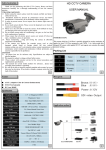
► DSS: Digital slow shutter.
Function Menu
OSD
MENU
AWB
► AUTO: automatic white balance.
► MANUAL:manual white balance.
■AUTO
■AUTOext
■PUSHING
■MANUAL
AWB
WDR/BLC
■HLC
■BLC
■WDR
■OFF
WDR/BLC
* HLC: High Light Compensation .
■LOW
■MIDDLE
■HIGH
3D DNR
* BLC: Back Light Compensation Control.Area set (size & position).
■MIRROR
■FLIP
■D-ZOOM
■D-WDR
IMAGE
■SHADING
■PRIVACY
■MOTTON
■RETURN
* WDR:The scene is especially light parts and special dark parts
at
the
same time can see very clearly
■PROTOCOL
■IMAGE
■OUTPUT
■COLOR SPA
RANG
MODE
CE
3D-DNR
SYSTEM
■FRAME RATE ■CVBS
■RESET
■RETURN
*This function reduces the background noise in a low luminance
environment.
EXIT
IMAGE
► MIRROR: you can flip the image horizontally.
► FLIP:you can flip the image vertically.
How to use the camera
► D-ZOOM: 1.0X-8.0X.
► D-WDR: Digital wide dynamic.
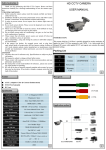
EXPOSURE
► SHADING: LENS Shading.
► BRIGHTNESS: Adjust the brightness of the image.
► PRIVACY:Hide an area you want to hide on the screen.
► SHARPNESS: Adjust the sharpness of the image.
► MOTION:ON/OFF.
► COLOR GAIN: Adjust Color.
SYSTEM
► GAMMA: Adjust gamma control setting.
► PROTOCOL: RS485 Address/Baudrate/Protocol set up
► AGC: You can adjust it LOW,MIDDLE and HIGH level. The
► IMAGE: CRT monitor and LCD monitor.
higher the gain level, the brighter the screen but the higher the
► OUTPUT MODE: Select 1080P/720P.
noise.
► COLOR SPACE: Select HD-CbCr/YUV/SD-CbCr.
► LENS: Normal/Deblur Choice.
► FRAME RATE: Select 25/30/50/60FPS.
► SHUTTER: MANUAL/AUTO.
► CVBS: Select NTSC/PAL.
* MANUAL:1/25-1/60000
► RESET: Resets the camera setting to the factory defaults.
* AUTO: Select this mode to control the shutter speed
automatically. Shutter speed is automatically controlled
EXPOSURE
■BRIGHTNESS ■SHARPNESS
■AGC
■LENS
■COLOR GAIN ■GAMMA
■SHUTTER
■DSS
5
6
EXIT
►EXIT: Press the ENTER button in the EXIT menu to save the
current settings and exit the MAIN SETUP menu.
RS485
Address:1
Baudrate:9600
Protocol:Protocol P
7
8