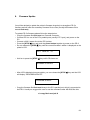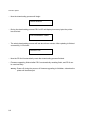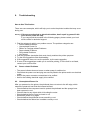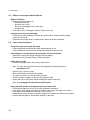
1
Configuring the Printer
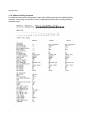
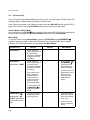
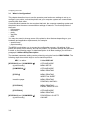
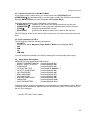
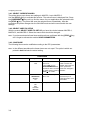
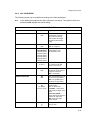
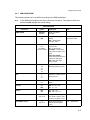
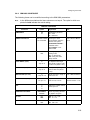
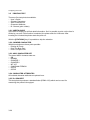
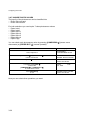
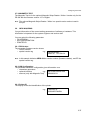
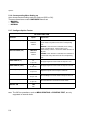
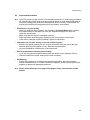
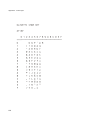
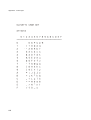
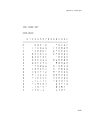
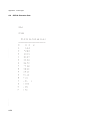
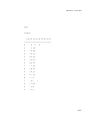
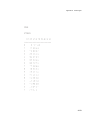
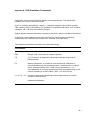
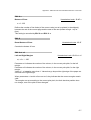
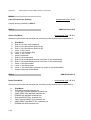
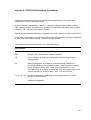
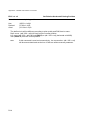
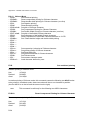
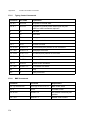
3.4.7 IBM CONFIGURE
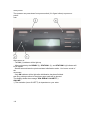
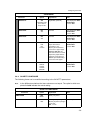
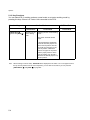
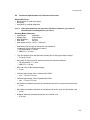
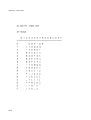
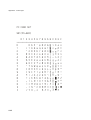
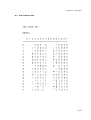
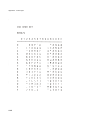
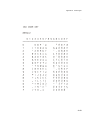
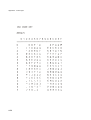
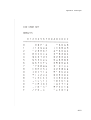
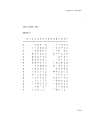
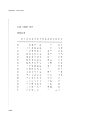
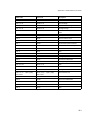
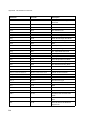
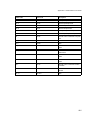
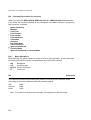
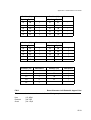
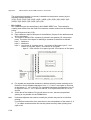
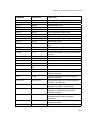
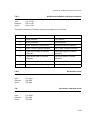
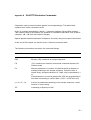
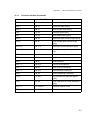
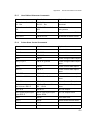
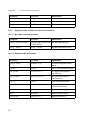
The following items can be modified according to the IBM parameters.
Note:
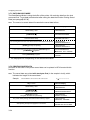
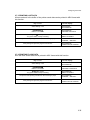
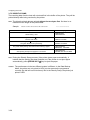
In the different emulations the items shown are not equal. The option’s which are
printed in bold indicate the actual setting.
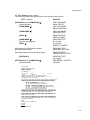
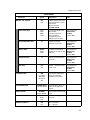
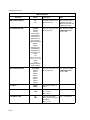
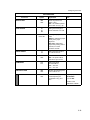
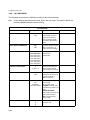
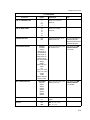
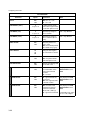
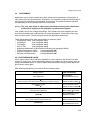
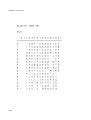
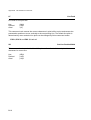
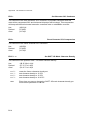
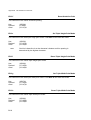
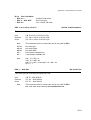
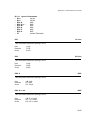
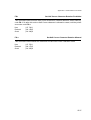
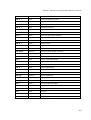
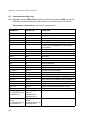
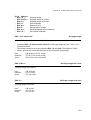
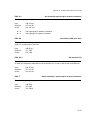
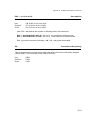
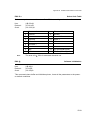
IBM CONFIGURE
Parameter
EMULATION
AGM
HIGH SPEED PRINTING
Option
IBM X24
IBM PPII
NO
YES
YES
NO
A4 SHEET
FAN FOLD PAPER
Explanation
Select your printer
emulation
NO = ignore AGM graphic
printing
YES = AGM graphic
printing is active
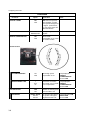
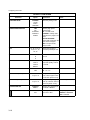
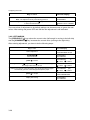
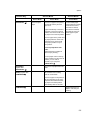
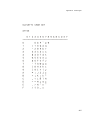
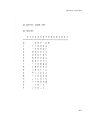
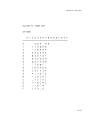
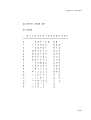
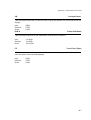
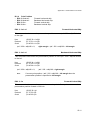
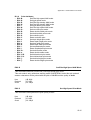
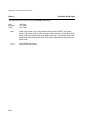
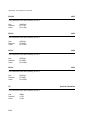
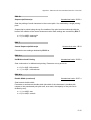
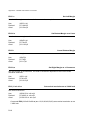
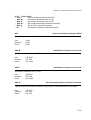
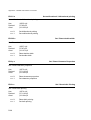
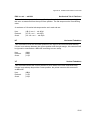
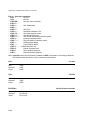
10
12
15
17.1
20
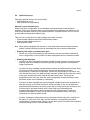
Defines the number of
characters printed per inch.
LPI
5
6
8
Defines the number of lines
printed per inch.
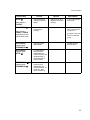
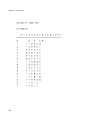
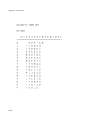
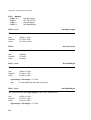
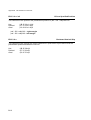
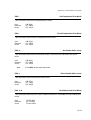
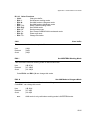
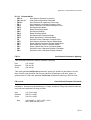
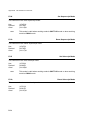
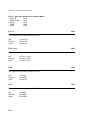
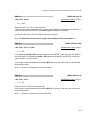
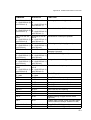
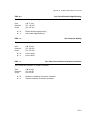
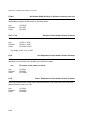
DRAFT
LQ
AGM is only for IBM
X24 printers valid.
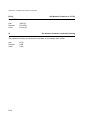
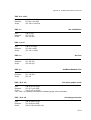
Selecting high speed
printing mode.
NO = no draft mode.
A4 SHEET = always draft
mode when the paper is A4
Sheet.
FAN FOLD PAPER =
always draft mode when the
paper is fan fold paper.
YES: = the print mode
always is draft.
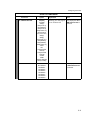
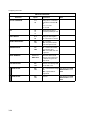
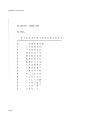
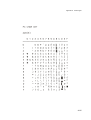
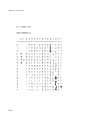
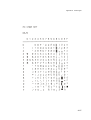
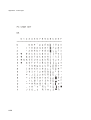
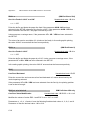
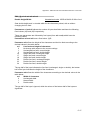
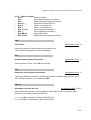
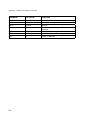
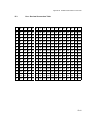
CPI
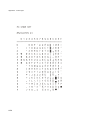
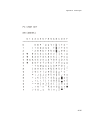
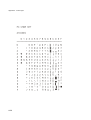
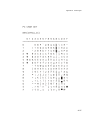
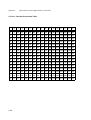
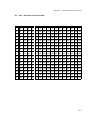
CHARACTER DEFINITION
Note
Selecting the printing
quality.
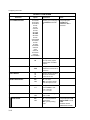
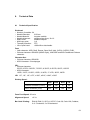
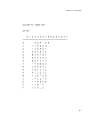
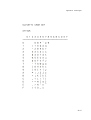
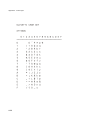
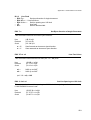
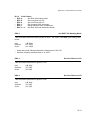
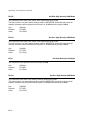
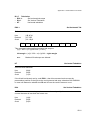
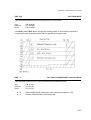
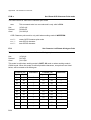
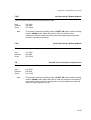
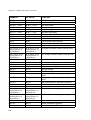
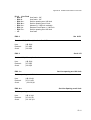
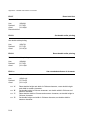
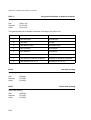
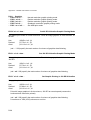
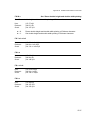
LF+CR
NO
YES
YES: LF = LF + CR
NO: LF = LF
CR+LF
NO
YES
NO: CR = CR
YES: CR = CR + LF
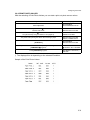
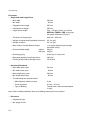
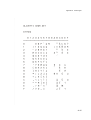
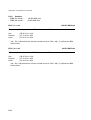
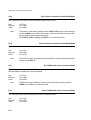
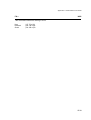
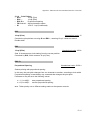
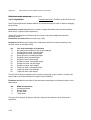
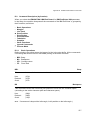
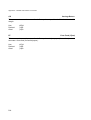
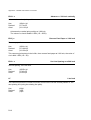
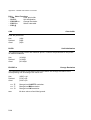
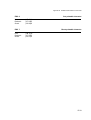
LEFT MARG. (1/60")
0
-6 up to +6
To adjust the left margin
more to left or right in units
of 1/60" inch (about 4 mm).
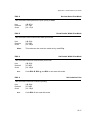
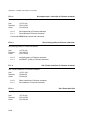
TOP MARG. (1/60")
0
-6 up to +6
Adjust the top margin in
units of 1/60 inch (about
4 mm).
TOF = Top Of Form
3-17