Download warning - LUCKINSlive

Transcript
Entering Safety Mode
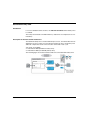
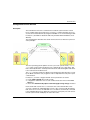
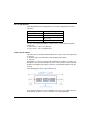
There are 4 ways of entering Safety Mode:
when the Safety PLC is powered up
z when the Safety Mode is entered from Maintenance Mode
z when the key is locked
z when Unity Pro XLS is disconnected either by the customer or because of a
broken connection
z
When the Safety PLC is powered up, it automatically enters Safety Mode.
NOTE: After power up and if there is a valid application, the PLC only performs cold
start.
Thus, the project is reinitialized and the system performs:
z the initialization of data with the initial values defined in the project
z the initialization of elementary function blocks (EFBs) based on initial data
z the initialization of data declared in the EFBs
z the initialization of system bit and words
z the cancellation of any forcing, see also Forcing, page 94
Switching from Maintenance Mode to Safety Mode is only possible if the PLC is not
debugging.
NOTE: Data forced before switching to Safety Mode stay forced after switching, see
also Forcing, page 94.
Details concerning the transition from Maintenance Mode to Safety Mode can be
found in the chapter "Switching Between Safety and Maintenance Mode" (see Unity
Pro XLS Software, Operating Mode Manual, Safety PLC Specifics) in the Unity Pro
XLS Operating Mode Manual Safety PLC Specifics.
Automatic Start in Run Option
You have the possibility to let your project automatically enter Safety Mode’s run
state after power up. To do this, activate the option Automatic start in Run, see
also the chapter "Configuration of Quantum Processors" (see Unity Pro, Operating
Modes) in the Unity Pro Operating Modes Manual. However, Schneider Electric
recommends using the Run command instead of the Automatic start in Run option
for a SIL3 project to enter run state.
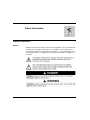
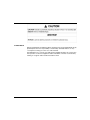
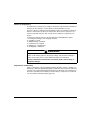
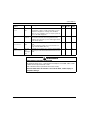
WARNING
UNINTENDED EQUIPMENT OPERATION
Avoid using the Automatic start in Run option. If you use this feature, it is your
responsibility to program and configure the system in such a way that it behaves
correctly after restart.
Failure to follow these instructions can result in death, serious injury, or
equipment damage.
33003879 04/2013
91