1
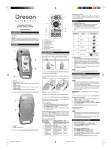
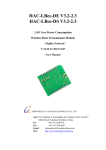
However, user can remove the jumpers and connect cables to communicate with the WiFi transceiver directly. For example, this can upgrade the firmware of the transceiver. 4. Power OFF Button: pressing this button will turn off the module. It is worth noting that even when the module is powered off, part of the circuit including the MCU is still energized. The MCU is in deep sleep mode. The current consumption is around 25uA when the module is powered off. For version 1 of the board, the marking for the button (ON/OFF) is a little misled. This button only turns the module off. It does not turn it on. Use the reset button to turn it on. 5. RESET Button: pressing this button will turn on the module if it is off, or restart the module if it is already running. 6. WiFi Antenna Connector: standard U.FL connector for connecting a WiFi antenna. The WiFi transceiver requires an external antenna to maximize performance. 7. Connector Pin 21: when plug the module into the development board, make sure this pin aligns with the same pin of the socket. 8. WiFi Transceiver: low-power high performance WiFi transceiver that is compatible with b/g/n WiFi standard. 9. System Status LED (Green): there are 3 flashing speeds indicating different system status: Very fast (10 times per second): module in boot loader mode. Usually the module stays in this mode only briefly. If the boot loader can’t find a valid application firmware, it will stay in this mode indefinitely. It will also stay in this mode for longer time if a new firmware is found and written to the module. Fast (4 times per second): module is booting up. Setting up WiFi, etc. Slow (once every 2 seconds): module is ready. It has obtained a valid IP address and ready to be connected. 10. Power Status LED (Red): if USB power is present, this LED will stay on. If USB power is not present, when battery voltage falls below 3.7V, this LED will start flashing slowly (once every 2 seconds) and it will flash faster and faster as battery voltage dropping. 10