1
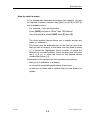
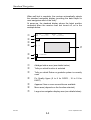
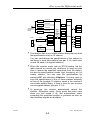
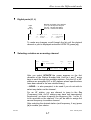
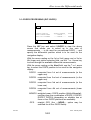
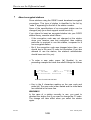
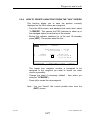
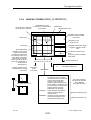
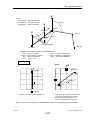
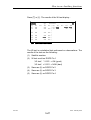
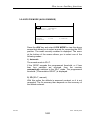
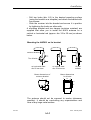
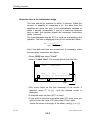
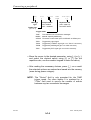
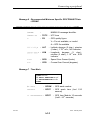
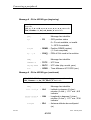
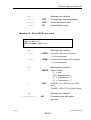
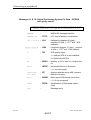
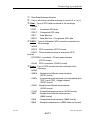
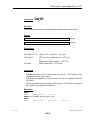
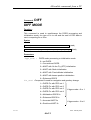
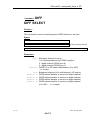
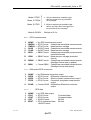
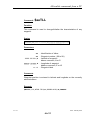
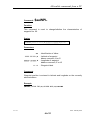
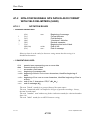
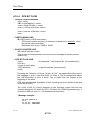
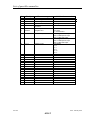
How to use the Differential mode
HF or MF
HF or MF
Channel 1
DIF
DIF
1-Select
Channel 2
2-KART
Wide Band
(or Narrow
Band)
HF or MF
HF or MF
Channel 3
EDGPS
KART A
KART R
Channel 4
Station 1
NUM
Port K
3-DGPS
Station 2
DGPS2
Digital RTCM
Station 3
Station 4
Port L
DGPS1
DGPS3
6 sets of
corrections
DGPS4
MDGPS
UHF (DSNP)
or
Digital RTCM
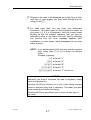
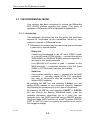
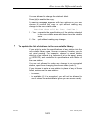
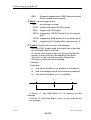
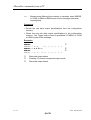
" The receiver has a non-volatile station library that can hold
the specifications of up to 15 stations.
You can view/change the specifications of the stations in
the library or enter new stations (see par. 3-1-6, which also
covers the case of encrypted stations).
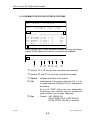
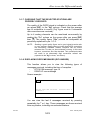
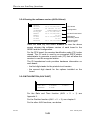
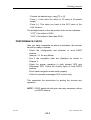
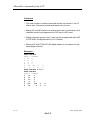
" When the receiver works with an RTCM station (via the
radio channel or a serial port, whichever is used) not only
does it receive the expected corrections from the station,
but also the specifications (coords, type, frequency, etc.) of
nearby stations. You can view the specifications by
pressing DIF and selecting 4-Stations. You may want to
copy the specifications of one of these stations manually
as one of the possible 15 stations saved in the receiver's
non-volatile station library, if there is room for one or more
non-encrypted stations (see par. 3-1-6).
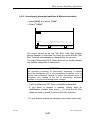
" At power-on, the receiver automatically selects the
stations, Differential mode, Fixing mode that were used
when you last turned it off, and automatically starts
computing the requested position or positions as soon as
the necessary signals are available.
0311357
Issue : February 2000
3-3