1
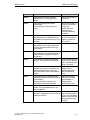
Index
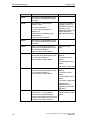
Display elements
dynamic
static
Display messages on the
operating unit
Displaying system messages
(Example)
Displays
Actual values
Download
MPI
Downloading
Troubleshooting
Driving LED
Driving light-emitting diodes
Driving the LED
Dynamic attributes
Dynamic display elements
Release 12/01
5-4
5-4
5-37
5-49
5-6
5-6
6-3
6-3
6-6
6-6
5-73
5-73
5-73
5-72
5-4
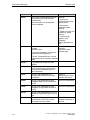
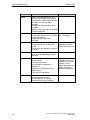
Functions
combining
conversion functions
events for triggering
example
peculiarities
triggering
Using
5-52
5-57
5-59
5-53
5-60
5-59
5-53
5-52
G
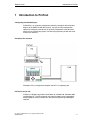
Getting started in ProTool
Global function key
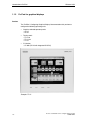
Graphic displays
Graphic lists
GUI language
2-2
5-10
1-3
5-26
5-77
H
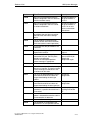
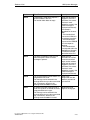
E
Editing language
5-77
EM
D-1
Enter setpoints
5-8, 5-9
Entries
5-66
Recipe
5-66
Error messages during compilation
6-5
Error messages while downloading
6-6
Evaluating
key operation
5-72
Event messages export file (example) 5-50
Events for triggering functions
5-53
Exporting
5-85
message text
5-41
Texts for translating
5-85
Exporting message text
5-41
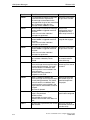
F
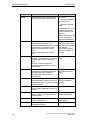
Fields
Fixed window
FM
Footers
Force VAR
Foreign languages
Export/import
System requirements
Function key
key operation evaluating
Function parameters
Function screens
Select
I-2
5-2
5-2
D-1
5-25
6-4
5-77
5-85
5-76
5-10
5-72
5-54
5-58
5-58
Headers
Help text in messages
HMI
5-25
5-30
D-1
I
Import
Message text and screens
5-41
Text for translation
5-85
Import screens
5-41
Importing message text
5-41
Indirect transfer
5-69
Data records:
5-69
Information about the project
4-20
Input
5-8, 5-9
Input/output fields
5-9
Instance DB
3-1
Integrated operation
7-8
project management
7-8
Interface area
C-2
Control and acknowledgement bits C-3
Data areas
C-6
K
Key operation
evaluating
Keyboard assignment
language dependent
Keyboard assignment of the
operating unit
5-72
5-81
5-81
C-8
ProTool User Manual How to configure text-based units
A5E00149249