1
Configuration techniques
5.3.3
Release 12/01
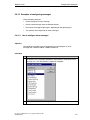
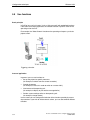
What are function keys?
Purpose
A function key is a key on the operating unit for configuring a function assignment.
You can assign one or more functions to any function key in ProTool. The functions
are triggered as soon as the key is pressed. The function key assignment may be
locally or globally significant. You can assign a password level to function keys in
order to prevent operation by unauthorized persons.
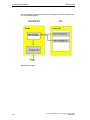
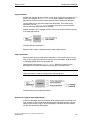
Global assignment
Globally assigned function keys always trigger the same function, irrespective of
the current control situation. You can use them, for example, to open a screen,
display the current alarm message or print the contents of a screen.
By using globally assigned function keys, you cut your configuration effort
considerably since you do not have to assign individual functions to global keys on
every screen.
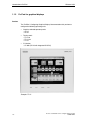
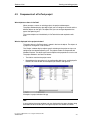
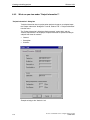
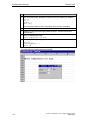
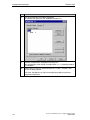
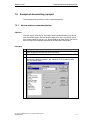
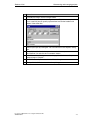
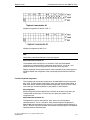
Assign function keys globally by choosing "System" > "Screen/Keys" from
the menu. To do this, click in the Screen/Keys dialog box on one of the
keys "K1" through "Kx" or "F1" through "Fx". You can specify the functions
you have assigned to specific keys on the operating unit by means of
labeling strips (not OP 3).
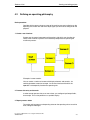
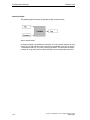
Local assignment
Locally assigned function keys trigger different actions on the operating unit
depending on the situation. A function key whose assignment may vary from
screen to screen is referred to as a "soft key".
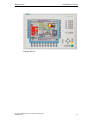
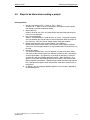
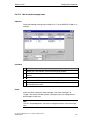
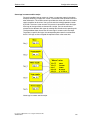
Assign soft keys locally in the screen editor. To do so, click in the screen
on one of the keys "F1" through "Fx", which are arranged directly around
the operating unit screen.
You can also assign soft keys globally. A global assignment is active on all screens
to which you do not assign a screen-specific function. Use globally assigned soft
keys, for example, to change from any screen to the same system screen.
Note
Do not assign functions that have to be permanently available on the operating unit
to soft keys.
5-10
ProTool User Manual How to configure text-based units
A5E00149249