1
Options during a call
talk with the other participants.
End the multi-party call by closing your phone or pressing
the [P] key.
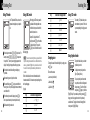
Searching for a number in Contacts
during a call
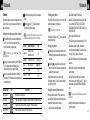
Press the [Option] Soft key.
If necessary, press the [Up] or [Down] scroll key to
highlight the [Contacts] option. Press the [Select] Soft
key.
Select the preferred search type like Name, Group, or
Photo.
Press the [O] key.
The Contacts entries are displayed.
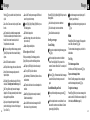
To search for a name or group in
Contacts
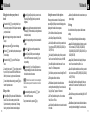
Enter the first letters of the name for Name Search, or the
first letters of the group for Group Search. The entries are
displayed starting with the first entry matching your input.
32
Options during a call
To find a name manually in Contacts
Press the [Up] or [Down] scroll key.
To view the highlighted entry in
Contacts
Press the [O] key. (For further details, see 2. Contacts on
page 54.)
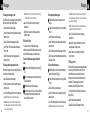
Using DTMF tones
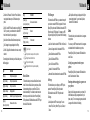
You can turn the DTMF key tones off or on during a call.
When the [DTMF Off] option is selected, your phone does
not transmit the key tones. It allows you to press keys
without hearing any key tones during calls.
To communicate with answering machines or computerised
telephone systems, you must select the [DTMF On] option.
To turn DTMF tones off or on
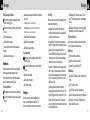
Reading or writing a message
during a call
To switch to a Bluetooth headset or
hands free kit during a call
You can read or write a message during a phone call.
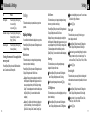
Press the [Option] Soft key.
Press the [Up] or [Down] scroll key to highlight the
[Messages] option then press the [Select] Soft key or
[O] key.
To read a received message, select the Inbox
subcommand then scroll to the message that you want to
read.
To write a new message, select the Write New
subcommand then press the [O] key. (For further details,
see Write New on page 43.)
This function is available when a Bluetooth headset or
hands free kit is connected during a call.
To switch to a Bluetooth headset or
hands free kit
Press the [Option] Soft key then select the [Retrieve Call in
Headset/Handsfree] option.
To switch back to your phone during a call
Press the [Option] Soft key then select the [Retrieve Call in
Phone] option.
NOTE While you are on a call using your phone, you can also
press a button on the Bluetooth headset or hands free kit to talk
using the headset or hands free kit.
Press the [Option] Soft key then select the [DTMF Off] or
[DTMF On] option.
33