1
Phone specification
Design
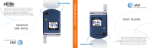
Clamshell phone with internal and external TFT displays
Displays
30.096 mm x 37.62 mm (1.9 ) internal display
18.144 mm x 24.192 mm (1.2 ) external display
Supports up to 262K colors in 176 x 220 pixels (internal
display) and 65K colors in 96 x 128 pixels (external
display)
7 lines for text in basic mode with 18-pixel font
Two programmable “Soft” selection keys; five-way
scroll/selection key
Melodies
MP3, AAC, AAC+, AMR, G-MIDI, SP-MIDI, C-MIDI, SMF,
XMF, RTTL, IMelody
Camera
2
Integrated UXGA (2MP) CMOS camera
Resolution up to 1600 x 1200
Mpeg4 Video recording/replay up to 30 f/s (QCIF size)
Mpeg4 Video maximum size QVGA
Self timer function (5 sec or 10 sec)
Safety precautions
Phone display used as a viewfinder
Photo album in Gallery
Photo Gallery for image storage and editing
3 image quality options: Fine, Normal, Low
Flash light supported
Dimensions & Weight
Weight: 92g
Dimensions: 87.0 mm x 43.6 mm x 20.9 mm
Operating frequencies
EGSM: 900MHz, DCS: 1800MHz, PCS: 1900MHz
networks in Europe, Africa, Asia-Pacific, North America,
and South America where these networks are supported
Automatic band switching
Using a mobile phone while driving may be
prohibited.
Please check local laws and regulations with regard to the
prohibition of mobile phone use while driving, and comply
with them.
Use of your phone while you are driving may disturb your
concentration and so cause an accident. Always switch your
phone off as soon as possible.
Should you use your phone in an emergency, either use a
hands free device built into your car, or pull over in a safe
place first.
Switch off in aircraft
Always switch your phone off when you are in an aircraft.
The electromagnetic waves emitted by your phone may
affect the electronic navigation equipment in the aircraft.
Switch off in hospitals and near medical equipment
Always switch your phone off in hospitals, and obey the
regulations or rules of the hospital.
Switch your phone off when using medical equipment for
private purposes, if possible. Always consult with the
medical equipment’s manufacturer or an expert regarding
phone use near the medical equipment.
Switch off in restricted areas
Always switch your phone off in areas where mobile phone
use is restricted.
Installing a hands free device in your vehicle
Install vehicle hands free devices away from the steering
and airbag expansion area, otherwise injury may result.
Switch off in explosive or dangerous areas
Always switch your phone off in areas with explosive or
dangerous materials (such as fuels, fuel stations or areas
containing chemical goods) and obey any instructions or
signals. Do not remove your mobile phone’s battery in such
areas.
Mobile phones and other electronic devices
Mobile phones emit electromagnetic waves that may affect
nearby electronic devices. When it is switched on, do not
place your phone close to delicate electronic equipment.
3