1
Once the password has been successfully entered, the STEMS program will automatically
compress the school’s STEMS database to Zip format, then auto-generate an e-mail message
to the Regional Office from the school and attach the zipped database before sending via SMTP
over the Internet. Within seconds, the Regional Office will have your database.
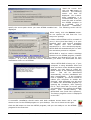
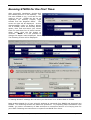
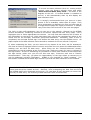
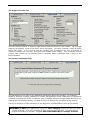
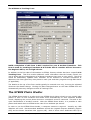
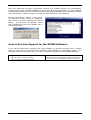
During transmission, which is very quick,
the following screen should be displayed,
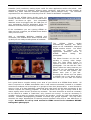
after which, a success message box should
appear. At this point, the Primary school
has completed its part of the STEMS year 6
transition process.
How to Get User Support for the STEMS Software:
If you have encountered a problem with using STEMS, you should first take note of exactly
what you were trying to do and what messages were displayed or symptoms evident. The
following resources should be used - in order - in obtaining support for the STEMS software:
This user documentation
http://www.stuhasic.com/stems
Your Region’s STEMS Coordinator
If there is still an unresolved problem, the Region’s
STEMS Coordinator should take full detail of the problem
and report it to the DEVELOPER for prompt attention.
School Transition Enterprise Management System for Primary Schools
Page 21