1
The sub-folders for the media – MAIL and SWIFT – exist under the parent folder EMS.
FTP
In the UNIX box, create a folder with two sub-folders, named IN and OUT. In the IN folder, create
two sub-folders – READY and FINAL.
QUEUE
Create four queues, named according to the following convention:
•
In Queue Name = “Queue Name”
•
Backup Queue Name = “Queue Name” + b
•
Final queue name = “Queue Name” + f
Example
•
In Queue Name = InQueue
•
Backup Queue Name = InQueueb
•
Final queue name = InQueuef
1.3.1.2 Folder having the binaries (.dll and .exe files)
Create a folder in the local machine for storing all the executable files. Copy all the .dll files (files
with the .dll extension in their names) and .exe files from the bin folders of all projects and paste
them into the .exe folder. For example, you could have a folder named C:\emsexes. You should
also maintain this path in the .ini file through the .ini file writer.
1.3.1.3 .INI files
Save the .ini file in a local machine folder.
1.3.2 Configuring EMS.NET
Configuration details for EMS.NET are explained below.
1.3.2.1 Maintaining of the .ini file
You have to maintain the .ini file through the .ini file writer. You can locate the necessary
executable in the binaries folder named EMSIniWritter. The .ini file is a ‘Read-Only’ file. You have
to remove this property before you run the EMSIniWritter.exe.
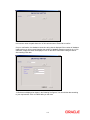
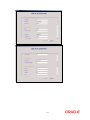
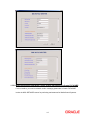
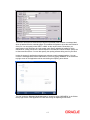
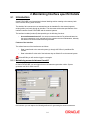
Double click on the Windows form executable EMSIniWritter. In this form, you can edit the .ini file.
1-3


![[December] [2010] Oracle Part Number E51712-01](http://vs1.manualzilla.com/store/data/005705420_1-4b383e67b8ec6628c44005398bb7935f-150x150.png)