1
7.1
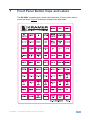
Installing the Front Panel Button Caps, Labels
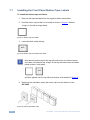
To install the button caps and labels:
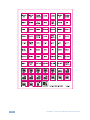
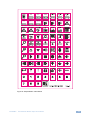
1. Remove the required labels from the supplied button label sheet.
2. Hold the button cap so that it is oriented as shown in Figure 7 with the
“wings” on the left and right sides.
Figure 7: Button Cap Orientation
3. Insert the label inside the cap.
OFF
Figure 8: Button Cap Orientation with Label
i
Note that the button cap for the top left-most button on the front panel
should be oriented with the “wings” at the top and lower sides as shown
below (without / with label):
ON
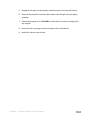
and then placed over the top left-most button, as illustrated in Figure 9
4. Retaining the orientation, place the button cap over the buttons of the
RC-54DL.
Figure 9: Placing the Button Cap
12
RC-54DL - Front Panel Button Caps and Labels