1
Table of Contents
CHAPTER 1 INTRODUCTION.................................................. 7
1.1 About the FWA-3600 Series..............................................................................7
1.2 Specification ......................................................................................................8
1.2.1 FWA-3660 Specification
8
1.2.2 FWA-3600 Specification
9
1.3 The Motherboard of FWA-3600 Series ..........................................................10
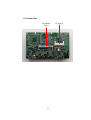
1.3.1 Component Side
10
1.3.2 Solder Side
11
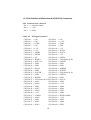
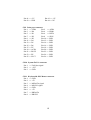
1.3.3 Pin Definition of Motherboard (POD-9578) Connectors
12
1.4 The mechanism of FWA-3600 Series.............................................................20
1.5 Operating Systems..........................................................................................24
CHAPTER 2 INSTALLATION AND CONFIGURATION ......... 26
2.1 Install CPU and heat-sink ...............................................................................26
2.2 Console Redirection........................................................................................29
CHAPTER 3 DRIVER INSTALLATION................................... 32
3.1 Install VGA Driver ............................................................................................34
3.1.1 Driver Installation for WIN 2000
34
3.1.2 Driver Installation for Linux
35
3.2 Install LAN Driver ............................................................................................38
3.2.1 Driver Installation for WIN 2000/XP
38
3.2.2 Driver Installation for Linux
39
CHAPTER 4 WATCHDOG TIMER AND LAN BYPASS......... 41
4.1 Watchdog Timer Programming ......................................................................41
4.2 LAN Bypass Function .....................................................................................42
CHAPTER 5 LCM.................................................................... 45
5.1 General Information ........................................................................................45
5.1.1 - Introduction
45
5.2 LCM-100S Hardware Installation....................................................................46
5.3 LCM-100S Demo Tool........................................................................................1
5.4 LCM-100S Operation Examples .......................................................................1
5.5 Operation Procedure.........................................................................................2
5.6 LCM-100S Command.........................................................................................3
CHAPTER 6 BIOS SETUP........................................................ 6
6.1Function Keys.....................................................................................................6
5