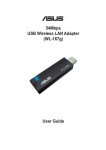
1
8bays SAS/SATA NAS System User Manual Revision 1.0 NAS System Table of Contents Preface ..................................................................................................................................... 5 Before You Begin .................................................................................................................. 6 Safety Guidelines ...........................................................................................................................................................................6 Packaging, Shipment and Delivery........................................................................................................................................6 Chapter 1 Introduction...................................................................................................... 7 1.1 Key Features..........................................................................................................................................................................8 1.2 Technical Specifications ...................................................................................................................................................9 Chapter 2 Installation ...................................................................................................... 10 2.1 Unpacking the NAS System........................................................................................................................................ 10 2.2 Identifying Parts of the NAS System...................................................................................................................... 11 2.2.1 Front View.................................................................................................................................................................. 11 2.2.2 Rear View.................................................................................................................................................................... 12 2.2.3 Disk Tray ..................................................................................................................................................................... 13 2.2.3.1 Disk Drive Status Indicator........................................................................................................................ 13 2.2.4 LCD Panel ................................................................................................................................................................... 14 2.2.5 LCD Menu Diagram............................................................................................................................................... 15 2.3 Getting Started with the NAS System ................................................................................................................... 16 2.3.1 NAS Hardware Setup ............................................................................................................................................ 16 2.3.2 Installing Hard Drives ........................................................................................................................................... 16 2.3.3 Connecting to NAS Management GUI......................................................................................................... 18 2.3.4 Quick Setup............................................................................................................................................................... 20 2.4 Overview of the NAS Setup Phases........................................................................................................................ 24 Chapter 3 3.1 proNAS Manager........................................................................................... 25 Storage/Share ................................................................................................................................................................ 25 3.1.1 RAID / Disk Information ...................................................................................................................................... 25 3.1.1.1 Create New RAID and Join Disk to Storage Pool .......................................................................... 27 3.1.1.2 Set a Spare Disk............................................................................................................................................. 32 3.1.2 Volume ........................................................................................................................................................................ 33 3.1.2.1 2 Join a Disk to Storage Pool...................................................................................................................... 34 User Manual NAS System 3.1.2.2 Create a Volume ............................................................................................................................................ 35 3.1.2.3 Delete a Volume ............................................................................................................................................ 37 3.1.2.4 Extend a Volume Capacity ........................................................................................................................ 38 3.1.2.5 Setup Volume as iSCSI Target................................................................................................................. 39 3.1.2.6 Disable iSCSI Configuration in a Volume........................................................................................... 42 3.1.2.7 Remove iSCSI Configuration and Restore to NAS Volume....................................................... 43 3.1.3 3.2 Share/Security .......................................................................................................................................................... 45 3.1.3.1 Create New Share Folder........................................................................................................................... 46 3.1.3.2 Assign Permission to Share ...................................................................................................................... 51 3.1.3.3 Edit Share Folder ........................................................................................................................................... 54 3.1.3.4 Delete Share Folder...................................................................................................................................... 55 Network ............................................................................................................................................................................ 56 3.2.1 Device Configuration ............................................................................................................................................ 56 3.2.1.1 Configure Network Trunking ................................................................................................................... 58 3.2.1.2 Cancel Network Trunking .......................................................................................................................... 61 3.2.2 ADS/NIS ...................................................................................................................................................................... 62 3.2.2.1 Join NAS to Windows AD Domain........................................................................................................ 63 3.2.2.2 Join NAS to NIS Domain ........................................................................................................................... 66 3.2.3 DHCP (Internet Gateway) .................................................................................................................................... 67 3.2.4 P2P................................................................................................................................................................................. 68 3.3 3.2.4.1 Status................................................................................................................................................................... 69 3.2.4.2 Server .................................................................................................................................................................. 70 3.2.4.3 Options............................................................................................................................................................... 71 3.2.4.4 Shares.................................................................................................................................................................. 72 3.2.4.5 Example of Download from Link and Torrent ................................................................................. 73 System............................................................................................................................................................................... 77 3.3.1 System Information ............................................................................................................................................... 77 3.3.2 Service.......................................................................................................................................................................... 79 3.3.2.1 Photo................................................................................................................................................................... 85 3.3.3 Miscellaneous (Time and Serial Port)............................................................................................................ 89 3.3.4 Boot/Shutdown........................................................................................................................................................ 91 3.3.5 Upgrade ...................................................................................................................................................................... 94 3.3.5.1 Remote Upgrade ........................................................................................................................................... 94 3.3.5.2 Local Upgrade................................................................................................................................................. 95 3.3.6 Log................................................................................................................................................................................. 96 3.3.7 Notification ................................................................................................................................................................ 97 3.3.7.1 Event Option.................................................................................................................................................... 97 User Manual 3 NAS System 3.3.7.2 3.3.8 3.4 Email Setting.................................................................................................................................................... 98 System Tools............................................................................................................................................................. 99 Account...........................................................................................................................................................................104 3.4.1 Account .....................................................................................................................................................................104 3.4.1.1 Create Account .............................................................................................................................................105 3.4.1.2 Delete Account .............................................................................................................................................106 3.4.1.3 Edit Account...................................................................................................................................................107 3.4.1.4 Import Account.............................................................................................................................................108 3.4.2 Group .........................................................................................................................................................................109 3.4.2.1 Create Group .................................................................................................................................................110 3.4.2.2 Delete Group .................................................................................................................................................111 3.4.2.3 Edit Group.......................................................................................................................................................112 3.5 Data Backup .................................................................................................................................................................113 3.5.1 Backup List...............................................................................................................................................................113 3.5.1.1 Create Backup Plan.....................................................................................................................................114 3.5.1.2 Create Immediate Backup .......................................................................................................................118 3.5.1.3 Delete Backup Plan.....................................................................................................................................119 3.5.1.4 Edit Backup Plan ..........................................................................................................................................119 3.5.1.5 Delete a Backup Log..................................................................................................................................120 3.5.1.6 Restore a Backup.........................................................................................................................................120 3.5.2 Schedule....................................................................................................................................................................121 3.5.2.1 Setup Scheduled Backup Task ..............................................................................................................122 3.5.2.2 Edit Scheduled Backup Task...................................................................................................................123 4 User Manual NAS System Preface About this manual This manual provides information regarding the quick installation and hardware features of the NAS system. This document also describes how to use the storage management software. Information contained in the manual has been reviewed for accuracy, but not for product warranty because of the various environment/OS/settings. Information and specifications will be changed without further notice. This manual uses section numbering for every topics being discussed for easy and convenient way of finding information in accordance with the user’s needs. The following icons are being used for some details and information to be considered in going through with this manual: NOTES: These are notes that contain useful information and tips that the user must give attention to in going through with the subsystem operation. IMPORTANT! These are the important information that the user must remember. WARNING! These are the warnings that the user must follow to avoid unnecessary errors and bodily injury during hardware and software operation of the subsystem. CAUTION: These are the cautions that user must be aware of to prevent damage to the equipment and its components. Copyright No part of this publication may be reproduced, stored in a retrieval system, or transmitted in any form or by any means, electronic, mechanical, photocopying, recording or otherwise, without the prior written consent. Trademarks All products and trade names used in this document are trademarks or registered trademarks of their respective owners. Changes The material in this document is for information only and is subject to change without notice. NOTE: Some screen shots may differ from actual NAS system model. User Manual 5 NAS System Before You Begin Before going through with this manual, you should read and focus to the following safety guidelines. Notes about the subsystem product packaging and delivery are also included. Safety Guidelines To provide reasonable protection against any harm on the part of the user and to obtain maximum performance, user is advised to be aware of the following safety guidelines particularly in handling hardware components: Upon receiving of the product: Place the product in its proper location. To avoid unnecessary dropping out, make sure that somebody is around for immediate assistance. It should be handled with care to avoid dropping that may cause damage to the product. Always use the correct lifting procedures. Upon installing of the product: Ambient temperature is very important for the installation site. It must not exceed 30°C. Due to seasonal climate changes; regulate the installation site temperature making it not to exceed the allowed ambient temperature. Before plugging-in any power cords, cables and connectors, make sure that the power switches are turned off. Disconnect first any power connection if the power supply module is being removed from the enclosure. Outlets must be accessible to the equipment. All external connections should be made using shielded cables and as much as possible should not be performed by bare hand. Using anti-static hand gloves is recommended. In installing components, secure all the mounting screws and locks. Make sure that all screws are fully tightened. Follow correctly all the listed procedures in this manual for reliable performance. Packaging, Shipment and Delivery Before removing the subsystem from the shipping carton, you should visually inspect the physical condition of the shipping carton. Unpack and verify that the contents of the shipping carton are complete and in good condition. Exterior damage to the shipping carton may indicate that the contents of the carton are damaged. If any damage is found, do not remove the components; contact the dealer where you purchased the subsystem for further instructions. 6 User Manual NAS System Chapter 1 Introduction The NAS System Storage networks become more and more complex. If you need to easily expand storage capacity while providing uninterrupted high-performance data access across your LAN. You may want to consider a NAS (Network Attached Storage) appliance. When budgets are tight and a quick fix is required, a NAS appliance is a low-cost, efficient solution to dodge that network-to-storage logjam. That's why more and more users select NAS architecture as their storage networking. The EN-T800A-CM (SATA II NAS Subsystem) is a reliable, cost-effective way to add storage to the network. It comes with 8 drive trays accommodating 3.5" SATA II drives while SCA II single connector architecture enables true hot swap capability. Built-in Intel Celeron 1.6G CPU (or above) up to 42GB DDR2 533/667MHz SDRAM and two Gigabit Ethernet ports offer high performance NAS platform. Linux based embedded OS design, it can boot without HDD, FDD or CD-ROM to guarantee reliability and quick boot. The EN-T800A-CM system is managed and configured by Flex / Ruby browser based software, including pre-configure disk capacity, users setting, volume management, quick installed on popular network platform, Multi protocol support, etc... Equipped with RAID function to offer fault tolerant data protection. It is a full featured data protection supporting RAID levels 0、1、5、6, 10, Linear (JBOD). System reliability is ensured by an environmental monitoring unit, which tracks the enclosure temperature as well as individual disk temperatures. If any irregularity in these systems occurs, the monitoring unit alerts the administrator. User Manual 7 NAS System 1.1 Key Features Supports up to eight hot-swappable SATA II hard drives Supports RAID levels 0、1、5、6, 10, Linear(JBOD) Linux based embedded OS design Provides file access services to multiple users over the LAN, the intranet and / or the internet Multi protocol support (TCP / IP, DHCP, Apple Talk, Mac zone, SMB, NFS, CIFS, AFP over TCP / IP) 8 User Manual NAS System 1.2 Technical Specifications Hardware Platform Intel Celeron 1.6G CPU (or above) Cache memory: 1GB ~ 4GB DDR2 533/667MHz Supports 8 SATA II hard drives Two Gigabit Ethernet port Environmental monitoring unit Macintosh Support AFP over AppleTalk AFP over TCP/IP Mac Zone iTunes service Storage Equipped with software RAID function to offer fault tolerant data protection Supports RAID levels 0, 1, 5, 6, 10, Linear (JBOD) Volume Management Disk usage statistics Hot spare capability Connectivity SMB over TCP / IP NFS over UDP / IP CIFS over TCP / IP NAT DHCP FTP Internet Server Unit acts as a DHCP server Unit act as a master browser Share level security User ID security for NFS General Supports Volume as iSCSI Target File Server Independent Localized language support With Quick Setup function Supports trunking / load balance / fail over / LACP(802.3ad) Support UPS management Supports USB print server Support BT download Support U-Share System Management Windows and Macintosh Client Discover Utility Tool Automatic IP address configuration Management through Web browser Flash upgradeable unit Supports Microsoft ADS/PDC and Unix NIS accounts import Fail-free online firmware upgrade Unicode support Backup / Restore Support Backup Solution Power Requirements One (1) 400W PSU with PFC 100V ~ 240V Full Range 7A ~ 4A, (50~60Hz) Environmental Relative Humidity: 10% ~ 85% Non-condensing Operating Temp: 10°C ~ 40°C (5O°F ~ 104°F) Physical Dimensions 360 (H) x 190 (W) x 280 (D) User Manual 9 NAS System Chapter 2 Installation 2.1 Unpacking the NAS System The package contains the following items: NAS System Unit One (1) power cord Two (2) Ethernet LAN cables Installation Reference Guide If any of these items are missing or damaged, please contact your dealer or sales representative for assistance. 10 User Manual NAS System 2.2 Identifying Parts of the NAS System The illustrations below identify the various parts of the NAS system. 2.2.1 Front View User Manual 11 NAS System 2.2.2 Rear View LAN0, LAN1 – The NAS system has 2 Ethernet Gigabit LAN ports. Power Supply – The NAS system has one power supply. AC Power Input Socket – This is where the power cord is connected. COM1 – The NAS system has one serial port. 12 User Manual NAS System 2.2.3 Disk Tray The Disk Tray houses a 3.5 inch hard disk drive. 2.2.3.1 Disk Drive Status Indicator Every Disk Tray has 2 status indicator lights. The Disk Status Indicator light is for Power On/Error status. When this light is GREEN the disk drive’s power is on and everything is functioning normally. When the light is RED, a disk error or failure has happened that requires the user’s attention. When disk is in rebuilding status, the LED is blinking RED. The other status indicator light is the hard disk drive access light. Access LED will light up blue if the SAS HD is installed. Access LED will not light up if the SATA HD is installed. When the hard disk drive is being accessed, this light will flash BLUE. In addition, both indicator lights are viewable within a 170° arc. User Manual 13 NAS System 2.2.4 LCD Panel Parts Power LED Green LED indicates power is on. Up and Down Arrow buttons Use the Up or Down arrow keys to go through the information on the LCD screen. This is also used to move between each menu. Select button This is used to enter the option you have selected. Exit button 14 Function User Manual EXIT Press this button to return to the previous menu. NAS System 2.2.5 LCD Menu Diagram Disk Status Information: S 001 - means slot number 1 *O* - means disk drive in slot is Online or detected *X* - means no disk drive in slot or disk drive not detected *R* - means the disk drive is rebuilding *F* - means the disk drive is failed User Manual 15 NAS System 2.3 Getting Started with the NAS System 2.3.1 NAS Hardware Setup 1. Attach network cable to LAN0 Ethernet port. Connect the other end of network cable to your network hub or switch. You may also connect the other Ethernet ports if needed. 2. Plug in the power cord into the AC Power Input Socket located at the rear of the subsystem. 3. To turn on the NAS, press the Power On/Off Switch. 4. The Power LED on the front panel will turn green. 2.3.2 Installing Hard Drives This section describes the location of the hard drives in the NAS system and gives instructions on installing a hard drive. The system supports hot-swapping allowing you to install or replace a hard drive while the system is running. a. To pull out a disk tray, press the tray latch. Pull the handle outwards to remove the disk tray from the enclosure. 16 User Manual NAS System b. Place the hard drive in the disk tray. Make sure the holes of the disk tray align with the holes of the hard drive. c. Install the mounting screws on the bottom part to secure the drive in the disk tray. d. Slide the tray into a slot. e. Press the handle until you hear the latch click into place. The HDD status LED will turn green if subsystem is on. User Manual 17 NAS System 2.3.3 Connecting to NAS Management GUI 1. Setup network setting of your host system (computer that will be used to manage the NAS) to enable connection to NAS default IP 172.16.0.1. Refer to Table below. 2. Open web browser and type in the address bar http://172.16.0.1:3000. 3. The proNAS Login Page will be displayed. 4. Enter the Login Name account and Password. Refer to the default settings in the table below. Entity Default Value LAN0 (eth0) IP address 172.16.0.1 TCP port 3000 Net Mask 255.255.0.0 Hostname NAS Login Name admin Password 00000000 NAS Default Settings NOTE: When the system initially has no NAS configuration (Unit is new and drives have just been used and inserted in the disk slots), after login to GUI, the Quick Setup option will be displayed. 18 User Manual NAS System 5. A warning message will be displayed. Select “Yes” to configure the NAS for the first time using Quick Setup (see next Section how to configure with Quick Setup). 6. If you select “No” in the message shown in item #5 (no existing NAS configuration, or NAS system has been configured already, after login, the proNAS Manager GUI will be displayed. NOTE: Enable Timeout is enabled by default. When there is no activity in the proNAS Manager GUI, admin will be automatically logged out after 15 minutes. To disable timeout, remove check mark in Enable Timeout. NOTE: The Language options supports: English, Chinese, Japanese, Korean, and Spanish. User Manual 19 NAS System 2.3.4 Quick Setup The Quick Setup provides a quick and easy way to setup the basic NAS configuration. This function will create the NASVG, which is a Volume Group that holds the NAS configurations and must be created or initialized the first time the NAS is used. The Quick Setup will make use of all available disk drives in the NAS. The Quick Setup options are listed below: 1. RAID This is used for selecting the RAID Level. 2. Storage/Share This shows the default Home share capacity which can be changed. It also shows default share named “share” which can be renamed and whose size can be changed. 3. Network Adapter This is for configuring the primary Ethernet interface LAN0 (eth0) network settings. After changing the settings, admin need to login using the new IP address. 4. Service This is for enabling the basic file sharing Services provided by proNAS. Windows (Samba) service is enabled by default. The Quick Setup Steps: 1. Configure the software RAID by selecting the RAID Level. The RAID Level options are: (a) Max. Capacity (RAID0) (b) Clone Data (RAID1) (c) Max. Security (RAID5) Without initializing – This will create the Raid storage device without initialization. 20 User Manual NAS System 2. Configure the Storage/Share. a. Change the “home” size default capacity if needed. b. Rename the default share if necessary. NOTE: The share folder name does not allow space in-between characters. c. Change the size of the default share if needed. 3. Configure the Network Adaptor settings. a. Enter the new NAS Host Name in the Host Name box. b. Enter the new IP address. c. Edit the Subnet Mask and Gateway. The configuration options in Network Adaptor: Host Name The Host Name is the NetBIOS name of NAS system. This name should be unique. IP This is the IP address of primary Ethernet port LAN0 (eth0) used for NAS management or share folder access. If not set, it will use the default IP 172.16.0.1. Subnet Mask The Subnet Mask used. If not set, it will use the default Subnet Mask 255.255.0.0. Gateway The Gateway used. If not set, it will use the default Gateway 172.16.0.1. User Manual 21 NAS System 4. Configure the Service options. a. Enable the Services provided by proNAS as needed. 5. Click the “Execute” button. 22 User Manual NAS System 6. The configurations will be set. 7. A warning message will be displayed. Select “Yes” to reboot the NAS and free some memory used by the system. 8. A message will be displayed. Click “OK”. 9. The NAS will restart. Wait for about 3 to 4 minutes then login again. If IP address was changed in Network Adapter settings, re-login to proNAS administration page using the new IP address. User Manual 23 NAS System 2.4 Overview of the NAS Setup Phases The Setup Phases include configuring proNAS components with proNAS Manager. The basic steps are: z Create RAID Disk from Hard Disk Drives z Join RAID Disk to Volume Group’s Storage Pool z Setup the Network Environment z Enable Services for Windows clients, Linux/UNIX clients, and MAC clients z Create and Setup Logical Volume and Share Folder. z Create Accounts or Groups or Join ADS/NIS Domain and assign Share Folder Permission 24 User Manual NAS System Chapter 3 proNAS Manager There are five management functions used to configure or manage the NAS. Network System Storage/Share Account Data Backup 3.1 Storage/Share 3.1.1 RAID / Disk Information Click the Storage/Share icon then select RAID / Disk Information tab. The RAID Configuration and Disk Information window will be displayed. NOTE: The Storage/Share Æ RAID function is normally used when creating a customized RAID configuration. This can be used when the Quick Setup has not been done yet, or Quick Setup has already been done but the RAID will be expanded using new disk drives. User Manual 25 NAS System RAID Configuration Screen: Name – The RAID disk name. This defaults to “RAID_00” if this is the first RAID disk created. LEVEL – The RAID level used by the RAID disk. Disk Used – The hard disk drives (slots) joined to the RAID disk. Total Size (GB) – The capacity size of the RAID disk. Status – The current status of the RAID disk. Status can be active, degraded, rebuilding, or failed. RAID Configuration Options: Create New RAID – Use to create a RAID disk using the hard disk drives. Edit RAID – Used to edit an existing RAID disk. Disk Information Screen: Disk(Slot) – The hard disk drive slot number. Size (GB) – The capacity size of the hard disk drive. Model – The hard disk drive model name. Status – The current status of the hard disk drive. Status can be “RAID_MEMBER”, “UN_USED”, or “SPARE”. Disk Information Options: Umount – Used to un-mount a disk. Set Spare – Used to set a selected hard disk drive as a Spare Disk. Delete Spare – Used to remove a Spare Disk setting on a hard disk drive. 26 User Manual NAS System 3.1.1.1 Create New RAID and Join Disk to Storage Pool Steps to Create a New RAID and Join Disk to Storage Pool: 1. Click “Create New RAID”. 2. Set the RAID Level and Stripe size, and select the hard disk drives to be included in the RAID disk. RAID Configuration Options: Without initializing – This will create the Raid storage device without initialization. RAID Level – Select the RAID Level you want for the RAID configuration. Available options, depending on number of disk drives, are: JBOD, 0, 1, 5, 6, and 10. Stripe – Set the size of the stripe (block size or chunk size) written to each disk drive. Default is 64KB. Other options are: 128KB, 256KB, 512KB and 1024KB. NOTE: A large stripe size produces better read performance if the NAS does mostly sequential reads. If the NAS will do mostly random reads, small stripe size is recommended. User Manual 27 NAS System 3. A message will be displayed. A warning message is also displayed. Click “OK” to close the warning message. 4. The RAID disk will be initialized. Verify in the Status information the current initialization process. 28 User Manual NAS System 5. While the RAID logical disk in initializing, the status will show active and the Disk Information will show “UN_USED”. The RAID disk can be joined to NASVG in Volume tab using “Create Storage Pool” button. Click “Create Storage Pool”. 6. Select the RAID logical disk that will be added to storage pool. Click “OK” when done. NOTE: NASVG, which is a Volume Group that holds the NAS configurations, will be created when at least one disk (RAID disk) is joined to Storage Pool. At the same time, the default Home volume is also created. The Home volume holds the individual share folders of all user accounts. The default Home volume size is 512MB. If necessary, change the Home size to a larger size. User Manual 29 NAS System 7. A warning message will be displayed. Select “Yes” to proceed. 8. A message will be displayed. 9. When warning message is displayed, select “Yes” to reboot the NAS system to free some memory used by the system. 10. The NAS system will reboot. 30 User Manual NAS System 11. Re-login to the system after about 3 minutes, and then select Storage/Share Æ Volume. The NASVG and the default Home volume are created. NOTE: After NASVG is initialized, the Storage Information screen will show a pie chart with amount of Free Size and Used Size. Volumes can be created from the NASVG. 12. After the RAID disk is joined to NASVG, the RAID status in Disk Information will show “IN_USED”. User Manual 31 NAS System 3.1.1.2 Set a Spare Disk Steps to Set a Spare Disk: 1. Select the hard disk drive to be made a spare disk and click “Set Spare”. 2. The selected hard disk drive will become a Spare Disk. The Status in Disk Information will show “SPARE”. 32 User Manual NAS System 3.1.2 Volume Click the Volume tab. The Volume Configuration screen will be displayed. Storage Information Screen: Name – The NAS Volume Group default name “NASVG”. Size (GB) – The total capacity of the NASVG Disk – The list of RAID disk(s) joined to the NASVG. Storage Information Options: Join Disk – Used to join a RAID disk to the NASVG. Create Volume – Used to create a new Volume. A Volume is storage space which is shared by several Share Folders (several Share Folders can be created under a single Volume). Volume List Screen: There are two types of view provided to display the Volume information: Detail View and Grid View. Detail View: has Delete, Extend, and iSCSI buttons Name – The Volume name. Size (MB) – The total Volume capacity in MB. Used (MB) – The Volume used capacity in MB. Used Size – The Volume used capacity as a percentage of the total Volume capacity. User Manual 33 NAS System Grid View: displays Volume List in table format Name – The Volume name. Size (MB) – The total Volume capacity in MB. Used Size (MB) – The Volume used capacity in MB. Volume List Options: Delete – Used to erase the Volume. Extend – Used to extend the total Volume capacity. iSCSI – Used to setup the Volume as iSCSI target. 3.1.2.1 Join a Disk to Storage Pool Steps to Join a Disk to Storage Pool: 1. Click “Join Disk”. 2. A dialog box will be displayed. Select a RAID logical disk (an unused/newly created RAID disk) to be joined to the Storage Pool of NASVG. Click “OK” when done. 3. The RAID logical disk will be joined to the NASVG. NOTE: If a new RAID logical disk has not been created yet, create first the RAID disk using the available free physical disk drives. NOTE: An un-used physical disk drive can be used to join to the Storage Pool of NASVG but it is not recommended because the physical disk drive does not have RAID Level nor provide data redundancy. Select only a RAID logical disk to add into the Storage Pool for better data security. 34 User Manual NAS System 3.1.2.2 Create a Volume Steps to Create a Volume: 1. Click “Create Volume”. 2. In the Create New Volume dialog box, enter the Volume Name and Size in MB. The Free NASVG capacity will show the available capacity that can be used. Click “OK” when done. NOTE: The volume name does not allow space in-between characters. 3. A message will be displayed. User Manual 35 NAS System 4. The new Volume will be created. 36 User Manual NAS System 3.1.2.3 Delete a Volume Steps to Delete a Volume: WARNING! Be careful when using this function. Make sure the data in the volume and all its share folders are no longer needed or a backup has been made before deleting the volume. 1. Click the “Delete” button of the Volume to be deleted. 2. A warning message will be displayed. Click “Yes” to proceed with deletion. 3. A message window will be displayed. 4. The Volume will be deleted. User Manual 37 NAS System 3.1.2.4 Extend a Volume Capacity Steps to Extend a Volume: 1. Click the “Extend” button of the Volume to be extended. 2. A dialog box will be displayed. Enter the additional capacity that will be added to the Volume in the “Size(MB)” box. Click “OK” when done. 3. A message will be displayed. 4. The total Volume capacity will be increased. 38 User Manual NAS System 3.1.2.5 Setup Volume as iSCSI Target Steps to Setup Volume as iSCSI Target: 1. Click the “iSCSI” button of the Volume to be setup. 2. A dialog box will be displayed. Tick the “iSCSI Enable” option to enable iSCSI function. Enter the Target name. To enable write cache, tick the option “Enable write cache”. To enable authentication, tick the “Enable” box in CHAP Authentication then enter an Account name. Enter the password in Password box and Password Confirm box. Click “OK” when done. NOTE: When CHAP Authentication is used, the same Account and Password must also be used in iSCSI initiator to successfully connect to the NAS iSCSI device. Password length must be 12 to 16 characters. 3. A warning message will be displayed. Select “Yes” to proceed. User Manual 39 NAS System 4. Another warning message will be displayed. Select “Yes” to proceed. 5. A message will be displayed. 6. The iSCSI Volume is ready. 40 User Manual NAS System 7. Connect to iSCSI Target Volume from host computer with iSCSI Initiator. Log on to target device. Use the CHAP account and password if set in iSCSI Configuration. 8. After successful connection, the iSCSI device will be shown in Disk Drives list. User Manual 41 NAS System 3.1.2.6 Disable iSCSI Configuration in a Volume Steps to Disable the iSCSI Configuration in a Volume: 1. Select the Volume with iSCSI Configuration and click the “iSCSI” button. Remove the check mark on the “iSCSI Enable” box. Click “OK” when done. 2. A warning message will be displayed. Select “Yes” to proceed. 3. A message will be displayed. 4. The iSCSI function of the Volume will be disabled. 42 User Manual NAS System 3.1.2.7 Remove iSCSI Configuration and Restore to NAS Volume Steps to Remove iSCSI Configuration and Restore to NAS Volume: WARNING: When iSCSI Configuration is removed and volume is restored as basic NAS volume, all the data in the volume previously configured as iSCSI Target are deleted. NOTE: The iSCSI Configuration must be disabled first before the Volume can be restored as basic NAS volume. See previous Section on how to disable iSCSI configuration. 1. Select the Volume with iSCSI Configuration and click the “iSCSI” button. Click the “Restore to Volume” button. 2. A warning message will be displayed. User Manual 43 NAS System 3. A message will be displayed. 4. The iSCSI Configuration will be removed and the volume is restored as basic NAS volume. 44 User Manual NAS System 3.1.3 Share/Security Click the Share/Security tab. The Share and Security Configuration window will be displayed. Share/Security Information Screen: Share Folder – Displays the share folder name. Share folders are the folders that are made accessible to clients via network. Volume – Shows the volume name where the share was created. Windows (Samba) – Shows the status if Samba / CIFS protocol is enabled (Yes) or not (No) in the share folder. UNIX/Linux (NFS) – Shows the status if NFS protocol is enabled (Yes) or not (No) in the share folder. Mac (AppleTalk) – Shows the status if AppleTalk protocol is enabled (Yes) or not (No) in the share folder. Rsync – Shows the status if Rsync is enabled (Yes) or not (No) in the share folder. Share/Security Options: Create Share Folder – Used to create a new share folder. Edit Share Folder – Used to edit settings of an existing share folder. Refresh – Used to update the information displayed in the screen. User Manual 45 NAS System 3.1.3.1 Create New Share Folder Steps to Create New Share Folder: 1. Click “Create Share Folder”. 2. The Share Folder Basic Configuration screen will be displayed. Configure the necessary options. Share Configuration Options: Share Name – Enter the share folder name. NOTE: The share folder name does not allow space in-between characters. Volume – Select the Volume where the share folder will be created. Owner – Set the owner of the share folder. By default, admin owns all share folders. Public – When enabled (checked), the share folder is accessible to all users. 46 User Manual NAS System 3. In the Protocol Setting window, setup the Windows (Samba) protocol options. Windows (Samba) Configuration Options: Enable Samba Sharing – Used to enable Samba protocol. When checked, the share folder can be accessed via Samba protocol. Case Sensitive – This controls whether filenames are case sensitive or not. Default is disabled. Files Begin with Dots – This controls whether files that begin with a dot will become hidden files. Default is disabled. Max connection - This option limits the number of simultaneous connections at a certain time. A value of zero (default) means an unlimited number of connections will be possible in this share. 4. Select “Unix/Linux(NFS)” option in Protocol Setting window. The NFS protocol configuration screen is displayed. If share will be accessed by UNIX/Linux clients, setup the necessary options. User Manual 47 NAS System Unix/Linux (NFS) Configuration Options: Enable NFS Sharing – Used to enable or disable NFS protocol. When enabled (checked), the share folder can be accessed via NFS protocol. Synchronize Write Operation - Use this option to enable or disable write caching. Allow Root Access – Use this option to allow or disallow access by root super-user account. Insecure - This option provides higher security. If this option is enabled, only the ports under 1024 are allowed access to the share folder. Subtree Check - Use this option to enable or disable subtree checking. A subtree check happens if a subdirectory of a filesystem is exported but the whole filesystem isn't, then whenever a NFS request arrives the server must check not only that the accessed file is in the appropriate filesystem (which is easy) but also that it is in the exported tree (which is harder). 5. Select “Mac(Appletalk)” option in Protocol Setting window. The AppleTalk protocol configuration screen is displayed. If share will be accessed by Mac clients, setup the necessary options. Mac (AppleTalk) Configuration Options: Enable AppleTalk Sharing – Used to enable or disable AppleTalk protocol. When enabled, the share folder can be accessed via AppleTalk protocol. 48 User Manual NAS System 6. Select “Rsync” option in Protocol Setting window. The Rsync configuration screen is displayed. If share will be used for Rsync, setup the necessary options. Rsync Configuration Options: Enable Rsync – Used to enable or disable Rsync Server function on this share folder. When enabled (checked), an Rsync client can connect to this share folder and upload or download files via Rsync. Read Only - When checked, all files within this share will be read only to any Rsync client. Anonymous – When checked, anonymous connections will be accepted. Maximum connections - This specifies the maximum number of Rsync client that can connect to this share at a certain time. #username:password – Use this option to edit Rsync account and password list. These accounts are the accounts that will be supplied by the Rsync client when connecting to this server. User Manual 49 NAS System 7. Click “Save” when done. Then Share Folder will be created. 50 User Manual NAS System 3.1.3.2 Assign Permission to Share Steps to Assign User or Group Account Permission to the Share Folder: NOTE: User or Group Accounts must have been created or NAS must have been joined to Windows AD or NIS domain. 1. Select (highlight) the share folder then click “Edit Share Folder”, or double-click the share folder name. 2. Select the Privilege tab. In the Account option, select the user accounts that will be given access permission to the share folder, then click “>>”.The accounts will appear on the right screen. Set the Write and Quota(MB) options as needed. NOTE: Use the “<<” to remove an account from share folder privilege. Select the account then click “<<”. The account will be removed from the right column. Account Privilege Options: Write – By default, this option is checked and the account is given Read and Write permission to the share folder. To assign Read-Only permission, remove the check mark. Quota(MB) – This option is used to assign user account quota to the share folder. Default is zero and no quota. User Manual 51 NAS System 3. Click the Group option. Select the groups that will be given access permission to the share folder, then click “>>”.The groups will appear on the right screen. Set the Write and Quota(MB) options as needed. NOTE: Use the “<<” to remove a group from share folder privilege. Select the group then click “<<”. The group will be removed from the right column. Group Privilege Options: Write – By default, this option is checked and the group is given Read and Write permission to the share folder. To assign Read-Only permission, remove the check mark. 52 User Manual NAS System 4. Click the IP option. Set up the IP address or addresses that will be allowed connections to the share folder, then click “>>”.The IP address will appear on the right screen. NOTE: This option allows setting certain range of hosts to have an access to the NAS. By default, NAS will accept connections from any host (*.*.*.*). To allow connections only from certain IP address, remove *.*.*.* then add the IP address/range. For example, add 192.168.100.*. This will only allow connections from your private network 192.168.100 and all other connection will be refused. Note: To remove an IP address from share folder privilege, select the IP address then click “<<”. IP Privilege Setup Options: Read – This option allows Read access from the specified IP address or address range. Write –This option allows Write access from the specified IP address or address range. IP Privilege Edit Option: Write – By default, this option is checked and the IP address or range of IP address is given Read and Write permission to the share folder. To assign Read-Only permission, remove the check mark. 5. Click “Save” when done. The permissions will be set in the share folder. User Manual 53 NAS System 3.1.3.3 Edit Share Folder Steps to Edit Share Folder: 1. Select the share folder name then click “Edit Share Folder”. 2. Change the necessary options. Click “Save” when done. NOTE: The Share Name cannot be modified. 54 User Manual NAS System 3.1.3.4 Delete Share Folder Steps to Delete Share Folder: 1. Select the share folder name then click “Edit Share Folder”. 2. Click “Delete”. A warning message will be displayed. Select “Yes” to proceed. The share folder will be deleted. WARNING! Be careful when using the “Delete” button. Make sure your data in the share is no longer needed or a backup has been made before deleting the share folder. User Manual 55 NAS System 3.2 Network 3.2.1 Device Configuration Click the Network icon to display the Network Device Configuration screen. Device Configuration Options: Host Name – The NetBIOS name of NAS. It should be unique. Domain – Enter the Windows domain name or workgroup name. For example: MYDOMAIN. Default is “Workgroup”. DNS Suffix – The DNS suffix is the name appended to server name to complete the server’s FQDN. For example: MYDOMAIN.LOCAL DNS Server – Enter the DNS Server IP address. DNS server is responsible for mapping the machine name and IP address. WINS Server – Enter the WINS Server IP address. WINS Server is responsible for the setting NetBIOS name resolution. Edit Hosts Table - Use this button to edit machine name and IP address mapping in the Hosts table. This is optional. Edit LmHost Table - Use this button to define the resolution of NetBIOS in the Lmhosts table. This is optional. Reset – Use this button to undo or clear any changes made. Apply – Use this button to save the changes made. 56 User Manual NAS System Network Adaptor Configuration Options: Device – Shows the network device name. eth0 is the device name for LAN0 gigabit port. IP - Shows the current IP address of the network device. Configure the IP address as necessary. Gateway – Show the current IP address of the Gateway. To edit, enter the Gateway IP address. Subnet Mask - Shows the current subnet mask setting. To edit, type in the new subnet mask number. MTU - The MTU size (Maximum Transmission Unit) in bytes. To modify the MTU size for this interface, enter the new MTU size. MAC address – Shows the MAC address of network device. Enable on Boot - If enabled, this adapter will be active when proNAS starts up. Dynamic IP (BOOTP/DHCP) - If checked, this specifies that this network device will dynamically obtain an IP address from a Dynamic Host Configuration Protocol (DHCP) server or from a Bootstrap Protocol (BOOTP) server. Default Gateway - If checked, the default gateway will be enabled in this adapter. A default gateway is a local IP router that is used to forward packets to destination beyond the local network. Only one default gateway can be enabled in a certain time. Reset – Use this button to undo or clear any changes made. Apply – Use this button to save the changes made. Create Trunking – Use this button to configure network trunking. User Manual 57 NAS System 3.2.1.1 Configure Network Trunking Steps to Configure Trunking Function: NOTE: It is necessary that the network switch supports the type of trunking mode that will be used. Otherwise, the network connections may become unstable. 1. In Network Æ Device Configuration screen, click “Create Trunking”. 2. The Create Trunking Dialog window will be displayed. Configure the necessary options. Create Trunking Configuration Options: Target Device – Shows the network device names that can be included in Trunking. To select, press the “Ctrl” key and at the same time click the network device names. Mode – Select the Trunking Mode that will be used. 58 User Manual NAS System Trunking Mode Options: Fault Tolerance – Active-Backup policy: If the active Ethernet port fails, the standby Ethernet port will become active. This enhances the availability of access to the NAS. Load Balance / Fault Tolerance - XOR policy: Transmit based on source MAC address XOR with destination MAC address. This selects the same slave for each destination MAC address. This mode provides load balance and fault tolerance. Dynamic Link Aggregation - 802.3ad policy: Combines multiple physical network links into a single logical link for increased performance. Transmits and receives on all slaves in the active aggregator. Pre-requisite: the network switch must support IEEE 802.3ad. Load Balance - ALB (Adaptive Load Balancing) policy: The receive load balancing is achieved by ARP negotiation and does not require special switch support. 3. Click “OK” when done. A warning message will be displayed. Click “Yes” to proceed. User Manual 59 NAS System 4. The Trunking function is configured. The member network devices will be shown as deactivated and cannot be configured. A new network device name “bond0”, which is the Trunking device, will be shown. 60 User Manual NAS System 3.2.1.2 Cancel Network Trunking Steps to Cancel Trunking Function: 1. Find the device name “bond0” then click “Cancel Trunking”. 2. A warning message will be displayed. Click “Yes” to proceed. 3. The Trunking function will be cancelled. The network device eth0 will be automatically configured and get the IP address previously assigned to the Trunking device. User Manual 61 NAS System 3.2.2 ADS/NIS Windows ADS/PDC or NIS domain accounts can be imported and integrated into the NAS. NOTE: Some network settings required in configuring the Windows Domain Authentication option must have been configured in Network ÎDevice Configuration, such as Domain/Workgroup name, DNS Suffix, and DNS Server. 62 User Manual NAS System 3.2.2.1 Join NAS to Windows AD Domain Steps to Join NAS in the Windows AD Domain: 1. Select Network Æ Device Configuration. Enter the Domain Name and DNS Suffix. A DNS Server IP can also be entered if necessary. Refer to Section 3.2.1 for the Device Configuration options. 2. A warning message will be displayed. Select “Yes” to apply new settings. 3. Select Network Æ ADS/NIS tab. User Manual 63 NAS System 4. In Windows screen, check the “Enable Domain Authentication” option. Configure the necessary options. a. If Domain Server IP is automatically detected, the Domain Server IP will be displayed. If you want to join NAS to a specific Domain Server IP, remove the check mark in “Auto Detect Domain IP” and manually enter the Domain Server IP address. b. Enter the Domain Administrator account. c. Enter the Domain Administrator’s password. d. Select the PDC/ADS mode. Windows Domain Authentication Options: Enable Domain Authentication – Use this option to enable or disable Windows Domain Authentication. Host Name – Indicates the NetBIOS name of NAS as configured in Network Æ Device Configuration tab. Domain/Workgroup – Shows the domain/workgroup name as configured in Network Æ Device Configuration tab. DNS Suffix – Shows the DNS Suffix as configured in Network Æ Device Configuration tab. Domain Server IP – Shows the IP address of the domain server which is automatically detected when “Auto Detect Domain IP” option is enabled. If “Auto Detect Domain IP” option is disabled, manually type the domain server IP address. Logon Administrator – Enter the administrator’s logon account in the domain server. Password – Enter the password of administrator’s logon account in the domain server. 64 User Manual NAS System PDC/ADS Mode – Select the mode type of the domain server. This can be “ADS Windows 2000/2003 Server)” or “PDC (Windows NT Server)”. Enable NTLMv2 Authentication – This parameter determines whether or not smbclient will attempt to authenticate itself using the NTLMv2 encrypted password. If enabled, NAS will only sent NTLMv2 and LMv2 responses. NTLMv2 authentication protocol is available only on WindowsNT4 with SP4 and Windows 2000 or later. Default is disabled. Enable Client Channel - This controls whether the client offers or even demands the use of the netlogon schannel. Default is auto, means it offers the schannel but does not enforce it. Reset – Use this button to undo or clear any changes made. Save – Use this button to save the changes made. 5. Click “Save” when done. NOTE: When NAS is successfully joined to the Windows domain, the domain user accounts will appear in Account list. NOTE: The NAS cannot be joined to the Windows domain if NASVG does not exist (NASVG is not yet initialized). User Manual 65 NAS System 3.2.2.2 Join NAS to NIS Domain Steps to Join NAS in the NIS Domain: 1. Select Network Æ ADS/NIS tab. 2. In NIS screen, check the “Enable NIS Authentication” option. Configure the necessary options. a. Enter the NIS Domain name. b. Enter the NIS Server IP address. 3. Click “Save” when done. NIS Authentication Options: Enable NIS Authentication – Use this option to enable or disable NIS Domain Authentication. NIS Domain – Enter the NIS domain name. NIS Server – Enter the IP Address of NIS server. Reset – Use this button to undo or clear any changes made. Save – Use this button to save the changes made. NOTE: When NAS is successfully joined to the NIS domain, the domain user accounts will appear in Account list. NOTE: The NAS cannot be joined to the NIS domain if NASVG does not exist (NASVG is not yet initialized). 66 User Manual NAS System 3.2.3 DHCP (Internet Gateway) NAS provides Internet gateway function for administrator to easily enable and disable the Internet access for users. This function integrates with DHCP service, routing and NAT. DHCP (Internet Gateway) Options: IP range starting from – Means the starting address of range of private IP addresses for DHCP. IP range ending with – Means the ending address of range of private IP address for DHCP. Private Net – The network device connected to the private network. WAN – The network device connected to the Internet / WAN. NOTE: This function must be configured in System Î Service tab. Select DHCP service. User Manual 67 NAS System 3.2.4 P2P The NAS system supports P2P (peer-to-peer) file sharing protocol. NOTE: Enable the P2P Service (System Î Service). Also setup the P2P Service ‘Download file location’ (System Î P2P Î Edit Î Quick Setup). Refer to Section 3.3.2 Service. NOTE: DNS settings must be configured first before starting P2P service. 68 User Manual NAS System 3.2.4.1 Status This screen will show current download or upload connections. Options: New download – Use this button to add download item. Then select either download link or torrent file. Remove – Use this button to remove a selected download item. Pause – Use this to pause the downloading of selected item. Resume – Use this to resume downloading of selected item. Refresh – use this to refresh current download status. User Manual 69 NAS System 3.2.4.2 Server This screen allows connection to and disconnection from server. Options: Connect – Use this button to connect to a selected server. Disconnect – Use this button to disconnect to a selected server. Refresh – Use this to refresh current connection status. 70 User Manual NAS System 3.2.4.3 Options Use this screen to configure download options. Options: Maximum download number – Use this option to set the maximum number of download connections. Maximum download rate – Use this option to set the maximum download transfer rate. Maximum upload number – Use this option to set the maximum number of upload connections. Maximum upload rate – Use this option to set the maximum upload transfer rate. Reset – Use this button undo any changes made and load previously saved setting. Apply – Use this button to save changes made. User Manual 71 NAS System 3.2.4.4 Shares This screen displays the list of files downloaded or being downloaded in the target share. 72 User Manual NAS System 3.2.4.5 Example of Download from Link and Torrent 1. Click “New download”. 2. To download using link, enter the download link or paste the link in the box provided. Click “OK”. User Manual 73 NAS System 3. To download from another link, enter the link or paste the link in the box then click “OK”. 4. Two items will be displayed under Download. 74 User Manual NAS System 5. To download using torrent, click “New download” then select “Torrent” option. Click “select torrent file”. 6. Select the torrent file. Click “Open”. User Manual 75 NAS System 7. The download item will be added in the Download list. 8. To remove an item, select the item and click “Remove”. 9. To pause downloading, select an item and click “Pause”. 10. To resume downloading, select a paused item then click “Resume”. 76 User Manual NAS System 3.3 System The System function is used to configure different NAS system settings and services, such as: Service configurations, Date and Time Zone setting, Serial Port setting, NAS Firmware Upgrade, Reboot and Shutdown functions, Log Information, Event Notification via email, and various System Tools. 3.3.1 System Information The System Information screen shows the following: Host Name – Indicates the NetBIOS name of NAS as configured in Network Æ Device Configuration. Domain/Workgroup – Shows the domain/workgroup name as configured in Network Æ Device Configuration. Version – Shows the NAS firmware version. Time – Shows the NAS system time and time zone. Model – Shows the NAS system model. CPU - Shows the NAS system processor type. Memory (KB) – Shows the amount of NAS system memory (RAM) in KB. Kernel Ver. – Shows the NAS kernel version. User Manual 77 NAS System Languages – Choose the preferred language from available options: English, Chinese, Japanese, Korean, and Spanish Skin – Shows the color schemes available as skin color. Current options are: Black, Blue (default), and Green. Enable Timeout – This is enabled by default. When there is no activity in the proNAS Manager GUI, admin will be automatically logged out after 15 minutes. To disable timeout, remove check mark in Enable Timeout. Device – Shows the device information such as Slot number, system fan, CPU fan, CPU temperature, and motherboard temperature. Status – Shows the current status of each device, such as slot temperature, CPU fan speed in RPM, and CPU and motherboard temperature reading. The System Information screen also shows the number of disk drives detected by the NAS system. The device icon is green when device is in good condition, and shows red when device is failed. 78 User Manual NAS System 3.3.2 Service The administrator can manage and enable/disable the various NAS system services. At the same time, some service can be configured in the Service tab. Service Name: Samba – Provides CIFS/SMB file sharing. MS Windows users need this service to access the NAS share folders. NFS - Provides NFS file sharing. UNIX and UNIX-like OS users need to enable this to access the NAS share folders. AppleTalk - Provides AppleTalk sharing, Mac OS users need this to access the NAS share folders. FTP – Provides users with access to NAS using FTP. Telnet – Provides users with remote access to NAS using Telnet. Rsync - Provides Rsync process or system to which Rsync client connects. SSH – Provides remote access to NAS using SSH with more secure level. iTunes – Enable music files in the NAS share to be directly accessed by iTunes programs in the network. P2P – Provides P2P (peer-to-peer) client program. This also supports sancho as its P2P GUI on a Windows computer in the network. WEB – Provide web server program. Need to be enabled if photo service is to be used. DHCP – Provides DHCP service, and make proNAS act as DHCP server. User Manual 79 NAS System DLNA – Provides proNAS DLNA multimedia File Server. Allow proNAS to share files to Sony PlayStation3 and XBOX360. Photo – Provide easy to use Photo gallery service. This service requires Web service enabled. Printer – Provide print server service. It allows a printer installed in proNAS to be shared by computers on the network. Service Options: Enable – Allows you to enable/disable the selected service. NOTE: You cannot enable a selected service if VG does not exist (NASVG is not yet initialized). Name – Shows the service name. Start on Boot – Allows the service to auto-start when the NAS starts. Configuration – This contains basic configuration options which can be set by clicking the “Edit” button. Edit – Click this button to configure the service. Configuration: AppleTalk Option: Languages – Select the AppleTalk Language option. 80 User Manual NAS System FTP Option: Port – Use this option to set the FTP port number. Default FTP port used by the NAS is 21. Max. connection – Specify the maximum number of allowed connections. Default is 5. Telnet Option: Port – Use this option to set the Telnet port number. Default Telnet port used by the NAS is 23. Max. connection – Specify the maximum number of allowed connections. Default is 5. User Manual 81 NAS System SSH Option: Enable sftp – Use this option to enable or disable SFTP in SSH. SFTP (Secure FTP) provides secure file transfer. iTunes Option: Set Share as iTunes Library – Select the share folder name that will be used as iTunes library from the list. P2P Option: Target Share – Select the share folder name or USB device that will be used as download location. 82 User Manual NAS System WEB Options: Target Share – Select the share folder name that will be used as target location. Enable SSL – Tick the box to enable SSL option. DHCP Options: IP range starting from – Means the starting address of range of private IP addresses for DHCP. IP range ending with – Means the ending address of range of private IP addresses for DHCP. Private Net – The network device connected to the private network. For example: eth0 WAN – The network device connected to the Internet / WAN. For example: eth1 User Manual 83 NAS System DLNA Options: Target Share – Select the share folder where DLNA service will be enabled. Please select LAN device – Select the network device for use with DLNA service. Photo Options: Target Share – Select the share folder that will be used as target location of photo/images. 84 User Manual NAS System 3.3.2.1 Photo To use the Photo service: 1. Enable the Photo Service, if not yet enabled, by selecting Photo service in System Æ Service tab. Click “Edit” and select the target share. Enable the Photo service by selecting the “Enable” check box on the left of the service name. 2. Open web browser and type http://xxx.xxx.xxx.xxx/photo/ where xxx.xxx.xxx.xxx is the NAS IP address. The LinPHA Photo Archive page will be displayed. User Manual 85 NAS System 3. Click the “login” link in the upper right side then login as admin and enter admin’s password. 4. The Photo Archive home page will be displayed. 86 User Manual NAS System 5. To view photos and images, select the folder links under “My Photo Archive”. NOTE: The picture files must be saved in the NAS share designated as target location of Photo service and must be inside a subfolder. For example: share1\Photo\Samples, where share1 is the share name, Photo is the folder created by Photo service, and Samples is the subfolder containing photos or images. 6. Select the “admin” tab to configure settings and options. User Manual 87 NAS System 7. Select “my settings” to configure account details. 8. Select “search” tab for search options. 9. Click the “logout” link to logout. 88 User Manual NAS System 3.3.3 Miscellaneous (Time and Serial Port) The system time, date, time zone, NTP option, and Serial ports can be configured here. Time To set Time, press up/down arrow in the hour and seconds boxes. To set Date, click the calendar icon on the right side and select the preferred date. To set Time Zone, click the down arrow and select the preferred time zone. NTP Option To select the NTP server, click the down arrow and select the preferred NTP server. To immediately synchronize the system time from NTP server, press the “Update Now” button. To enable automatic update of system time from NTP server, check the “Auto Update” option. Update Now – Use this button to manually update the system time and synchronize from NTP server. Auto Update – Check this option to enable automatic update of system time from NTP server. Add – Use this button to add an NTP server. Enter the NTP server IP address in the box provided then click this button. Remove – Use this button to remove an NTP server. Select the NTP server from the list then click this button. Reset – Use this button to undo or clear any changes made. (Reset button is located in Serial Port screen) Apply – Use this button to save the changes made. (Apply button is located in Serial Port screen) User Manual 89 NAS System Serial Port UPS Enable – Use the option to enable or disable UPS support for serial port. Serial Port – Use this option to select serial port option (com1 or USB). Note: In NAS models with com2 serial port, com2 is reserved for SES use. Service – Use this option to select the type of UPS, whether UPS (smart) or Dumb UPS. UPS Vendor – Use this option to select the UPS vendor. Currently, only APC and Beam-Tech UPS models are supported. Cable Model – Use this option to select the UPS cable type. Options are: simple, smart, ether, and usb. Shutdown Delay (Min) – Use this option to set the delay time in minutes before UPS shutdown. Reset – Use this button to undo or clear any changes made. Apply – Use this button to save the changes made. 90 User Manual NAS System 3.3.4 Boot/Shutdown The NAS can be restarted or shutdown manually or based on schedule. Reboot: Reboot – Use the button to immediately reboot the NAS. If needed, you can also enable “Do Filesystem Check” option to perform filesystem check after reboot. Shutdown – Use this button to immediately shutdown the NAS. When a warning message is displayed, select “Yes” to shutdown the system. User Manual 91 NAS System Reboot to Default: Reboot to Default – Use this button to reboot the NAS and restore to default configuration. WARNING! Use the “Reboot to Default” function with care. Resetting the NAS to default configuration will delete the current NAS settings and erase all existing data. Schedule: Use the options here to boot, shutdown, or reboot the NAS based on schedule. Boot Boot – Use the button to enable or disable scheduled boot of NAS. Set the time (hour and minutes) in the up/down arrow boxes. Select the day or days when the scheduled boot will happen. 92 User Manual NAS System Shutdown Shutdown – Use the button to enable or disable scheduled shutdown of NAS. Set the time (hour and minutes) in the up/down arrow boxes. Select the day or days when the scheduled shutdown will happen. Schedule Reboot Schedule Reboot – Use the button to enable or disable scheduled reboot of NAS. Set the time (hour and minutes) in the up/down arrow boxes. Select the day or days when the scheduled reboot will happen. Reset – Use this button to undo or clear any changes made. Apply – Use this button to save the changes made. User Manual 93 NAS System 3.3.5 Upgrade The NAS firmware can be upgraded remotely from FTP server or manually from local directory. 3.3.5.1 Remote Upgrade Remote To upgrade remotely, press the “Check Updates” button. The available NAS firmware version will be listed. Select the firmware version then click the “Upgrade” button. The NAS firmware version will be updated. NAS will restart to load the updates. 94 User Manual NAS System 3.3.5.2 Local Upgrade Local To upgrade locally, the NAS firmware must have been downloaded from vendor’s FTP site and saved into local directory. Click the “Upgrade” button, select the NAS upgrade file (tar file), and click Open. The NAS firmware version will be updated. NAS will restart to load the updates. User Manual 95 NAS System 3.3.6 Log NAS logs can be viewed in this tab. Log Options: Date – Shows the date and time when the particular log happened. Use the down arrow to select the day or days that will be used to display the log. Options are: Today, Past 7 Days, Past 14 Days, Past 30 Days, and All. Type – Shows the type of log. Use the down arrow to select the type of log to display. Options are: All, System, Storage, Share, and Account. Level – Shows the log level. Use the down arrow to select the level of log to display. Options are: All, DEBUG, INFO, WARN, and ERROR. Message – Shows information about the log. Export – Use this button to save the log file to local directory. The log file must be given “.zip” or “.tar” extension name. Refresh – Use this button to update the log information displayed. 96 User Manual NAS System 3.3.7 Notification 3.3.7.1 Event Option Use this function to enable event notification via email. Event Option Enable - Check the event that will be included in list of events that will be monitored. Once the selected event happened, the email recipient(s) will receive a notification mail. User Manual 97 NAS System 3.3.7.2 Email Setting Email Setting Options: SMTP Server – Use this option to enter the SMTP server IP address. Port – Use this option to set the SMTP port number. Default is port 25. Account – Use this option to enter a valid email account in the SMTP server. Password – Use this option to enter the password of the email account. Sender Address – Use this option to specify the sender’s email address. Recipients Options: Add – Use this button to add a recipient email address in the list of recipients. Type in the text box the recipient email address. Remove – Use this button to remove an email address from the list of recipients. Select first the email address then click “Remove”. Apply and test – Use this button to save and test the changes made. Apply – Use this button to save the changes made. Reset – Use this button to undo or clear any changes made. 98 User Manual NAS System 3.3.8 System Tools NAS provides various system tools which help the administrator monitor the system. Connection – Use this button to display information about client active connections. User Manual 99 NAS System netstat – Use this button to display network connections and statistics information. ps – Use this button to display current running processes. 100 User Manual NAS System top – Use this button to display current running processes and system usage information. df – Use this button to display disk free information or the amount of available disk space in mounted file systems. User Manual 101 NAS System dmesg – Use this button to display NAS boot up messages. 102 User Manual NAS System ping – Use this option to test whether a particular host is reachable or to check connectivity to a particular IP address. Options: IP - Enter the host IP address Counter – Enter the number of echo requests to send. User Manual 103 NAS System 3.4 Account Using the Account function, the administrator can create and administer local user and group accounts, as well as import large number of accounts. 3.4.1 Account Account Information and Options: Delete – Used to option to delete the selected account. After checking this option, click the “Delete” button. Account Name – Shows the user account name. UID – Shows the user account ID number. Full Name – Shows the user account full name. Type – Shows the type of account, which can be local, Windows or NIS. Quota (MB) – Shows the quota of user account’s home folder. Usage (MB) – Shows the user account’s current usage of home folder. Enable – Use this option to enable or disable an account. When an account is disabled, the account is prohibited to access the NAS. Create Account – Use this button to create a user account. Create Group – Use this button to create a group account. Delete – Use this button to delete the selected user account or group account. 104 User Manual NAS System Import – Use this option to import large number of accounts instead of adding an account one by one. The administrator can type multiple user accounts in the Import Account input box. Refresh – Use this button to update the information displayed in the Account and Group list. 3.4.1.1 Create Account Steps to Create Account: 1. Click “Create Account” button. 2. A dialog box will be displayed. Enter the necessary information. Create/Edit Account Options: Name – Used this option to enter the user account name. It should be unique. NOTE: The account name does not allow space in-between characters. Duplicate account name is also not allowed. Names used by the system, such as root, nobody, mail, adm, etc., are reserved names and cannot be used as account name. Type – Displays the type. Shows Account for user account. Full Name – Use this option to enter user account full name. UID – Use this option to manually assign a UID for the account. Use a valid UID starting from 500. If this option is not set (UID is 0), the system will automatically assign UID starting from 500. Domain accounts will have UID from 10000 to 30000. Quota (MB) – Use this option to assign quota to the user account’s home folder. Default quota is 10 MB. Password – Enter the user account’s password. Password Confirm – Enter again the user account’s password. User Manual 105 NAS System 3. Click “OK” when done. The new user account will added to the Account list. NOTE: If you try to create an Account without an existing VG, a warning message will be displayed. 3.4.1.2 Delete Account Steps to Delete Account: 1. In the Account list, check the “Delete” option for the account to be deleted. 2. Click the “Delete” button. 3. A warning message will be displayed. Select “Yes” to proceed. The account will be deleted. 106 User Manual NAS System 3.4.1.3 Edit Account Steps to Edit Account: 1. Double-click the Account name in the Account List. 2. Edit the necessary options. NOTE: Only the Full Name, Quota, Password, and Password Confirm can be changed. Account Name cannot be changed. 3. Click “OK” when done. The account will be updated with the changes made. User Manual 107 NAS System 3.4.1.4 Import Account Steps to Import Account: 1. Click “Import” button. 2. An input box will displayed. Type the account information using the following format: UID,Name,Password,FullName,Quota. Click “OK” when done. 3. The new accounts will appear in the Account list. 108 User Manual NAS System 3.4.2 Group Group Information and Options: Delete – Used to option to delete the selected group. After checking this option, click the “Delete” button. Group Name – Shows the group account name. GID – Shows the group ID number. Members – Shows the group’s user account members. Create Account – Use this button to create a user account. Create Group – Use this button to create a group account. Delete – Use this button to delete the selected user account or group account. Import – Use this option to import large number of accounts instead of adding an account one by one. The administrator can type multiple user accounts in the Import Account input box. Refresh – Use this button to update the information displayed in the Account and Group list. User Manual 109 NAS System 3.4.2.1 Create Group Steps to Create Group: 1. Click the “Create Group” button. 2. A dialog box will be displayed. Enter the necessary information. Create/Edit Group Options: Name – Used this option to enter the group account name. It should be unique. NOTE: The group name does not allow space in-between characters. Duplicate group name is not allowed. Names used by the system, such as root, nobody, mail, adm, etc., are reserved names and cannot be used as account name. Type – Displays the account type; shows Group for group account. GID - Use this option to manually assign a GID for the group. Use a valid GID starting from 500. If this option is not set (GID is 0), the system will automatically assign GID starting from 500. 3. Select the account that will become member of the group from the Account List. Then click the “>>” button. The selected account will be displayed in the Group Members list. 4. Click “OK” when done. The group will be created. NOTE: If you try to create a Group without an existing VG, a warning message will be displayed. 110 User Manual NAS System 3.4.2.2 Delete Group Steps to Delete Group: 1. In the Group list, check the “Delete” option for the group to be deleted. 2. Click the “Delete” button. 3. A warning message will be displayed. Select “Yes” to proceed. The group will be deleted. User Manual 111 NAS System 3.4.2.3 Edit Group Steps to Edit Group: 1. Double-click the Group name in the Group List. 2. Edit the necessary options. NOTE: Only the Group Name and Group Members can be changed. 3. Click “OK” when done. The group will be updated with the changes made. 112 User Manual NAS System 3.5 Data Backup The administrator can backup NAS data to remote destination or to local disk drive. 3.5.1 Backup List User Manual 113 NAS System 3.5.1.1 Create Backup Plan Steps to Create a Backup Plan: 1. Click the “Create” button. The screen below will be shown. 2. Configure the necessary options. 114 User Manual NAS System Create Backup Options: Name – Used this option to enter the backup name. NOTE: Duplicate backup name is not allowed. Type – Select the type of backup source; for example: Share. Backup Method – Select the backup method that will be used, such as Tar or Rsync. Select Shares to backup – Select from the list the share folders that will be backed up. Tar Options: Destination – Select the destination option for the backup. Options can be: Local Disk or Remote. Local Disk is an un-used disk drive. Remote is a remote CIFS/Samba share or NFS file system. Local Disk: Remote: NOTE: When a local disk is selected as backup destination, the disk status in Storage/Share Î RAID screen will be shown as “BACKUP”. Protocol - Select the type of protocol to be used for backup. Options are: Samba and NFS. NOTE: For NFS, it will be assumed that the root account will be used. Please verify that root account can access the remote NFS file system. User Manual 115 NAS System Path – Type the path for the remote destination. Format for Samba: //remote-IP/remote-share Example: //172.16.0.211/backupfolder Format for NFS: remote-IP:/Path-to-Remote-NFS-file-system Example: 172.16.0.9/mnt/proNAS/volume/share Account – Type the account name with access to the remote share. Password – Type the password for the account with access to the remote share. Rsync Options (Client Options): IP – Type here the IP address of the remote Rsync server. Remote Path – Type here the share name on the remote Rsync server. Account – Type here the account name that will be required by the Rsync server for authentication. Password – Type here the password of the account. Mode – Select the mode of file transfer, whether to upload to Rsync server or to download from Rsync server. More Options – Specify here the Rsync options to be used. For more information about Rsync options, please visit http://samba.org/ftp/rsync/rsync.html. Delete – Use this button to delete the current backup plan. Save – Use this button to apply the changes made. Cancel – Use this button to undo or clear any changes made. 116 User Manual NAS System 3. Click the “Save” button. The backup plan will be created and shown in the Backup List. Backup List Options: Name – Shows the list of backup plans. When a backup plan is selected, information about the backup plan will be displayed, such as name of backup plan, type/method of backup, backup items, schedule (Enabled or Undefined), and completed backups. Select – Use this option to select a completed backup then delete or restore the backup. Name – Show the backup name. Status – Shows the status of the particular backup. Status can be: Incomplete or Complete. Log – Use this option to view the detailed information about the completed backup. Click the “…” button. Confirm… – Use this button to restore a selected backup. Delete – Use this button to delete the selected backup. Create – Use this button to create a new backup plan. Edit – Use this to button edit or delete a selected backup plan. Backup – Use this button to perform immediate backup. User Manual 117 NAS System 3.5.1.2 Create Immediate Backup Steps to Create Immediate Backup: 1. Select the particular backup plan from the Backup List. Click the “Backup” button. 2. A message will be displayed. The backup is completed and a backup name will be added to the log list. 118 User Manual NAS System 3.5.1.3 Delete Backup Plan Steps to Delete a Backup Plan: 1. Select the particular backup plan from the Backup List. 2. Click the “Edit” button. 3. Click the “Delete” button. 4. A warning message will be displayed. Select “Yes” to delete the backup plan. 3.5.1.4 Edit Backup Plan Steps to Edit a Backup Plan: 1. Select the particular backup plan from the Backup List. 2. Click the “Edit” button. 3. Change the necessary options. Click “Save” when done. NOTE: A backup plan cannot be modified if a backup log exists. User Manual 119 NAS System 3.5.1.5 Delete a Backup Log Steps to Delete a Backup Log: 1. Select (check) the backup log to be deleted from the log List. 2. Click the “Delete” button. A warning message will be displayed. 3. The backup will be deleted from backup destination and removed from log list. 3.5.1.6 Restore a Backup Steps to Restore a Backup: 1. Select (check) the particular backup from the log List. 2. Click the “Confirm…” button. A warning message will be displayed. Select “Yes” to restore backup. 3. The original data will be restored. 120 User Manual NAS System 3.5.2 Schedule A backup plan can be run based on schedule. Select the Schedule tab. This will show a graphical view of the scheduled backup tasks. Each row shows the day of the week. Each column shows the time in very 30 minutes interval. Schedule Options: Now – Use this option to display available backup tasks on the current time. Selected - Use this button to edit a scheduled backup task. Select first the scheduled backup task then click this button. New – Used this button to create a new scheduled backup task. NOTE: It is not allowed to have duplicated or overlapping backup time. Only one backup process can be running at a time. A scheduled backup is set to run within 30 minutes time frame. Scheduling another backup within a scheduled time is not allowed. User Manual 121 NAS System 3.5.2.1 Setup Scheduled Backup Task Steps to Setup Scheduled Backup: 1. Select the “Schedule” tab then click the “New” button. 2. Edit the options in Schedule Setting. Schedule Setting Options: Backup List – Select the backup plan from the list. Time – Set the hour and minutes when the backup will be run. Day – Select the day or days when the backup will be run. OK – Use this button to save the backup settings. The backup schedule will be automatically enabled. Cancel – Use this button to clear or undo any changes made. 3. The backup task will appear in the schedule. 122 User Manual NAS System 3.5.2.2 Edit Scheduled Backup Task Steps to Edit Scheduled Backup Task: 1. Move the scroll bar then locate the scheduled backup task to be changed, or click “Now” to see current scheduled backup. 2. Select the backup task to edit. The backup task will be highlighted. User Manual 123 NAS System 3. Click the “Selected” button. Edit the necessary options. NOTE: It is not allowed to have duplicated or overlapping backup time. Only one backup process can be running at a time. A scheduled backup is set to run within 30 minutes time frame. Scheduling another backup within a scheduled time is not allowed. 4. Click “OK” to save the changes made. 124 User Manual