1
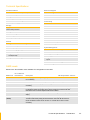
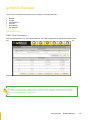
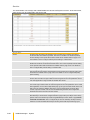
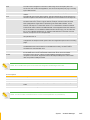
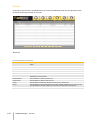
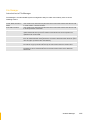
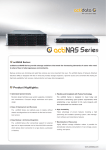
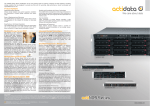
Technical Specifications Hardware Platform Macintosh Support Intel Celeron 1.6G CPU (or above) AFP over AppleTalk Cache memory: 1GB ~ 2GB DDR2-667MHz AFP over TCP/IP Supports 5 SATA II 2TB hard drives Mac Zone Two Gigabit Ethernet port iTunes service Environmental monitoring unit 270W power supply with PFC Connectivity SMB over TCP / IP Storage NFS over UDP / IP Equipped with software RAID function to offer fault CIFS over TCP / IP tolerant data protection NAT Supports RAID levels 0, 1, 5, 6, 10, Linear DHCP Volume Management FTP Disk usage statistics Internet Server Hot spare capability Unit acts as a DHCP server Unit act as a master browser General Share level security Supports Volume as iSCSI Target User ID security for NFS File Server Independent Peer-to-peer operation System Management Localized language support Automatic IP address configuration With Quick Setup function Self-contained unit; no extras needed Supports trunking / load balance / fail over / Management through Web browser LACP(802.3ad) Flash upgradeable unit Support UPS monitoring Supports Microsoft ADS/PDC and Unix NIS accounts import Fail-free online firmware upgrade Unicode support RAID Levels Below is the list of RAID Levels available for configuration in the NAS. No. of Allowed RAID Level Failed Drives Description 0 None Block striping is provided and yields higher performance than with individual drives. There Min. Required No. of Drives 1 1 Drives are mirrored. All data is 100% duplicated on an equivalent drive. Fully redundant. 2 5 1 Data is striped across several physical drives. Parity protection is used for data 3 1 is no redundancy. redundancy. 6 2 Data is striped across several physical drives, just like in RAID 5, and a second set of parity 4 is calculated and written across all the drives. RAID 6 provides for an extremely high data fault tolerance and can sustain multiple simultaneous drive failures. 10 2 Linear None Striping over two RAID1 RAID sets. This level provides mirroring and redundancy through 4 striping. (JBOD) Linear (JBOD) is similar to RAID 0 in that it concatenates the capacity of all member drives. 1 The data is written linearly starting with the first disk drive. When first disk drive becomes full, the next disk drive is used. Linear can have 1 or more disk drives. There is no data redundancy. Technical Specifications · //Introduction 11